> ## Documentation Index
> Fetch the complete documentation index at: https://vaquill.ai/docs/llms.txt
> Use this file to discover all available pages before exploring further.
# Legal Tools
> Purpose-built tools for the work lawyers do every day - contract review, NDA triage, risk assessment, redlining, and more
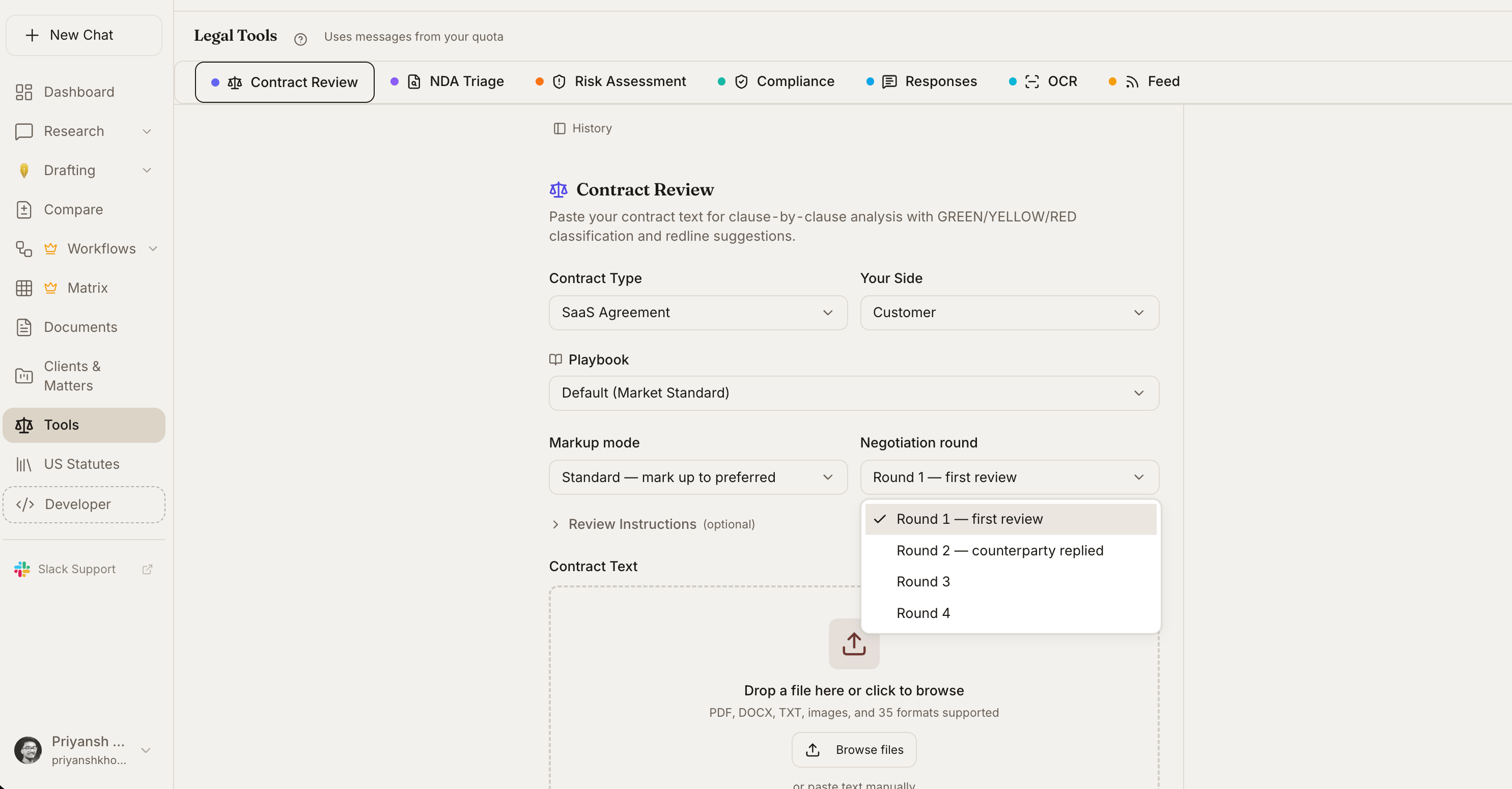
Vaquill ships a suite of legal tools - each one purpose-built for a specific workflow that recurs in legal practice. Pick a tool from this overview, or activate one in chat by describing what you need ("triage this NDA", "redline this against our playbook", "compare these two leases").
For structured playbooks that combine tools and your firm's standards, see [Skills](/docs/guides/skills). For autonomous multi-tool research, see [Agent Mode](/docs/guides/agent-mode).
 ## Document Analysis
Clause-by-clause review with severity ratings and exportable Word redlines.
Fast pass/warn/fail screening with routing recommendations and suggested markups.
Ask any question about an uploaded document; sourced answers with page citations.
Find undefined terms, broken cross-references, conflicts, and other structural defects.
## Risk & Compliance
5x5 severity-likelihood matrix with mitigation options and residual scoring.
Gap analysis against eleven regulatory frameworks with drafted remediation language.
## Comparison & Editing
Cross-format redline with native Word Track Changes export and AI change summary.
Commentary on a counterparty's tracked changes - what changed, why, and how to respond.
Spreadsheet-style review of up to 200 documents with source-quoted cells.
## Research & Reference
Extract dates and events into a sourced timeline. Timeline and table views.
## Productivity
Drafted responses for routine communications - data subject requests, subpoena receipts, vendor inquiries.
## Activation
Two ways to activate any tool:
1. **Tools menu** - Click the tools icon in the conversation bar and pick the tool you want
2. **Natural language** - Describe what you need and the right tool runs automatically
> *"Triage this NDA"* triggers NDA Triage
>
> *"Compare these two versions"* triggers Compare Documents
>
> *"Check this DPA against GDPR"* triggers Compliance Check
>
> *"Build a timeline from this folder"* triggers Chronology Builder
## Activation by Plan
The full tool suite is included on all paid plans. See your [dashboard](https://app.vaquill.ai/settings) for current usage.
## Related
* [Skills](/docs/guides/skills) - Saved playbooks that combine tools with your firm's standards
* [Agent Mode](/docs/guides/agent-mode) - Autonomous tool-using research
## Document Analysis
Clause-by-clause review with severity ratings and exportable Word redlines.
Fast pass/warn/fail screening with routing recommendations and suggested markups.
Ask any question about an uploaded document; sourced answers with page citations.
Find undefined terms, broken cross-references, conflicts, and other structural defects.
## Risk & Compliance
5x5 severity-likelihood matrix with mitigation options and residual scoring.
Gap analysis against eleven regulatory frameworks with drafted remediation language.
## Comparison & Editing
Cross-format redline with native Word Track Changes export and AI change summary.
Commentary on a counterparty's tracked changes - what changed, why, and how to respond.
Spreadsheet-style review of up to 200 documents with source-quoted cells.
## Research & Reference
Extract dates and events into a sourced timeline. Timeline and table views.
## Productivity
Drafted responses for routine communications - data subject requests, subpoena receipts, vendor inquiries.
## Activation
Two ways to activate any tool:
1. **Tools menu** - Click the tools icon in the conversation bar and pick the tool you want
2. **Natural language** - Describe what you need and the right tool runs automatically
> *"Triage this NDA"* triggers NDA Triage
>
> *"Compare these two versions"* triggers Compare Documents
>
> *"Check this DPA against GDPR"* triggers Compliance Check
>
> *"Build a timeline from this folder"* triggers Chronology Builder
## Activation by Plan
The full tool suite is included on all paid plans. See your [dashboard](https://app.vaquill.ai/settings) for current usage.
## Related
* [Skills](/docs/guides/skills) - Saved playbooks that combine tools with your firm's standards
* [Agent Mode](/docs/guides/agent-mode) - Autonomous tool-using research