> ## Documentation Index
> Fetch the complete documentation index at: https://vaquill.ai/docs/llms.txt
> Use this file to discover all available pages before exploring further.
# Matters & Workspaces
> Organize work by case, deal, or project
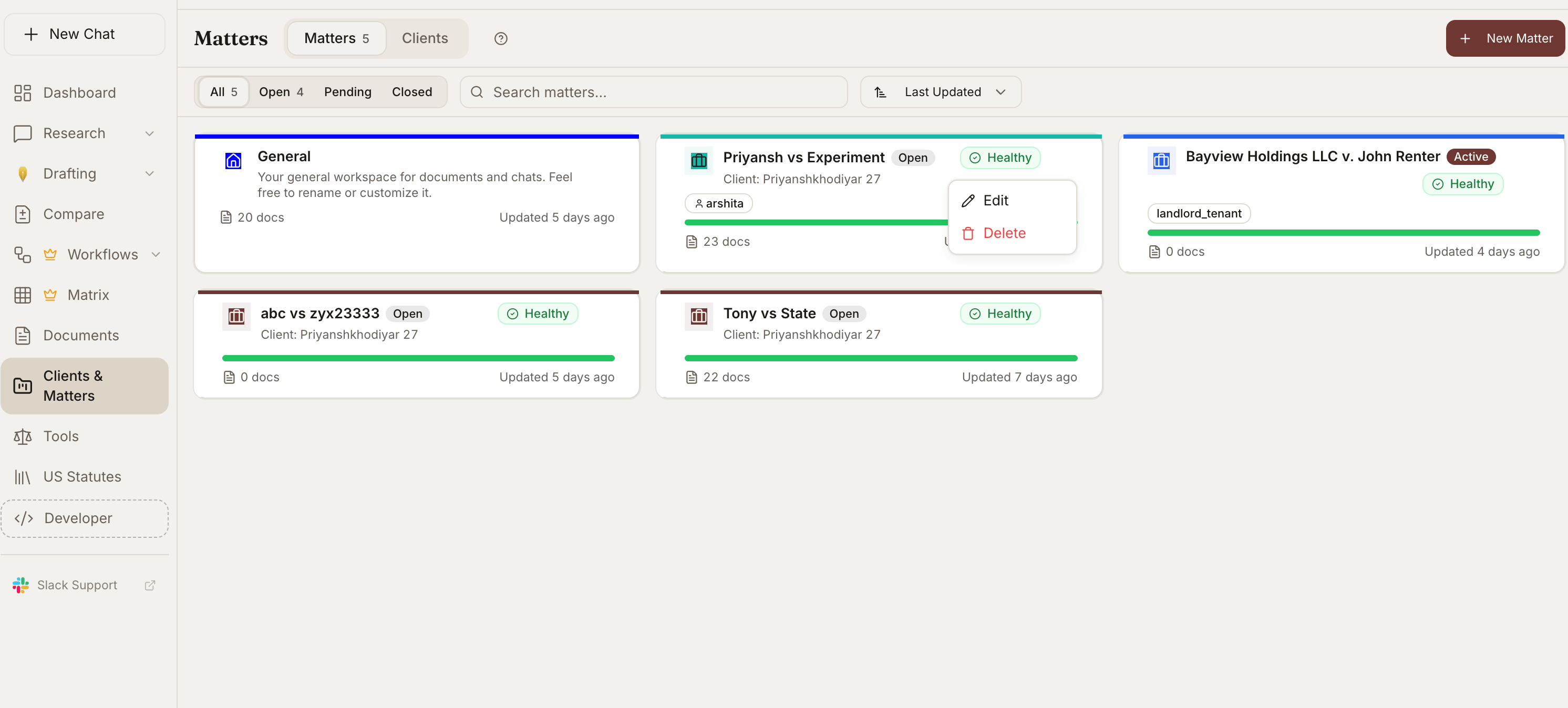
Matters are workspaces that keep documents, conversations, and research isolated by case, deal, or project.
 ### Create a Matter
Navigate to Matters from the sidebar in your [dashboard](https://app.vaquill.ai).
Click **New Matter** and name it. Optionally link it to a client.
Upload documents into the Matter. All documents are searchable together.
Conversations within a Matter have access to all its documents.
### Features
Documents in one Matter are not visible to other Matters.
Associate Matters with a client record so you can see all work for that client in one place.
All conversations are preserved and searchable across the Matter.
Export contents including conversations and analysis results.
A Matter is the primary unit of isolation in Vaquill. Anything outside the Matter cannot see its documents, chats, or analysis unless it is explicitly shared.
## Client Management
Group Matters under Clients:
* Create client profiles
* Link multiple Matters to a single client
* View all work for a client in one place
## Team Collaboration
Role-based access for team workspaces:
| Role | Permissions |
| ---------- | ------------------------------------------------- |
| **Owner** | Full access, billing, team management |
| **Admin** | Manage members, create/delete Matters |
| **Member** | Create conversations, upload documents, use tools |
| **Viewer** | Read-only access |
### Sharing
Share conversations with team members or generate a public link. Shared conversations include the full thread with citations and tool outputs.
Public share links expose the full conversation, including any cited document snippets and tool outputs. Only generate a public link when the underlying material is safe to share outside your organization.
### Inline Threading
Start sub-conversations within a main thread to keep discussions organized.
## Plan Limits
| Plan | Matters | Team Members | Storage |
| ------------ | --------- | ------------ | ------- |
| Free | 1 | 1 | 50 MB |
| Starter | 5 | 3 | 500 MB |
| Professional | 20 | 10 | 2 GB |
| Business | 100 | 50 | 10 GB |
| Enterprise | Unlimited | Unlimited | Custom |
Deleting a Matter permanently removes its documents, chats, and analysis results. This action cannot be undone. Export anything you want to keep before deleting.
## Related
Group Matters under client records and run firm-wide conflict checks.
Roles, access controls, and shared resources for your firm.
See every format you can upload into a Matter.
### Create a Matter
Navigate to Matters from the sidebar in your [dashboard](https://app.vaquill.ai).
Click **New Matter** and name it. Optionally link it to a client.
Upload documents into the Matter. All documents are searchable together.
Conversations within a Matter have access to all its documents.
### Features
Documents in one Matter are not visible to other Matters.
Associate Matters with a client record so you can see all work for that client in one place.
All conversations are preserved and searchable across the Matter.
Export contents including conversations and analysis results.
A Matter is the primary unit of isolation in Vaquill. Anything outside the Matter cannot see its documents, chats, or analysis unless it is explicitly shared.
## Client Management
Group Matters under Clients:
* Create client profiles
* Link multiple Matters to a single client
* View all work for a client in one place
## Team Collaboration
Role-based access for team workspaces:
| Role | Permissions |
| ---------- | ------------------------------------------------- |
| **Owner** | Full access, billing, team management |
| **Admin** | Manage members, create/delete Matters |
| **Member** | Create conversations, upload documents, use tools |
| **Viewer** | Read-only access |
### Sharing
Share conversations with team members or generate a public link. Shared conversations include the full thread with citations and tool outputs.
Public share links expose the full conversation, including any cited document snippets and tool outputs. Only generate a public link when the underlying material is safe to share outside your organization.
### Inline Threading
Start sub-conversations within a main thread to keep discussions organized.
## Plan Limits
| Plan | Matters | Team Members | Storage |
| ------------ | --------- | ------------ | ------- |
| Free | 1 | 1 | 50 MB |
| Starter | 5 | 3 | 500 MB |
| Professional | 20 | 10 | 2 GB |
| Business | 100 | 50 | 10 GB |
| Enterprise | Unlimited | Unlimited | Custom |
Deleting a Matter permanently removes its documents, chats, and analysis results. This action cannot be undone. Export anything you want to keep before deleting.
## Related
Group Matters under client records and run firm-wide conflict checks.
Roles, access controls, and shared resources for your firm.
See every format you can upload into a Matter.