> ## Documentation Index
> Fetch the complete documentation index at: https://vaquill.ai/docs/llms.txt
> Use this file to discover all available pages before exploring further.
# Workflow Builder
> Chain typed steps into your own repeatable pipeline, or describe it in plain English and let Vaquill draft the chain
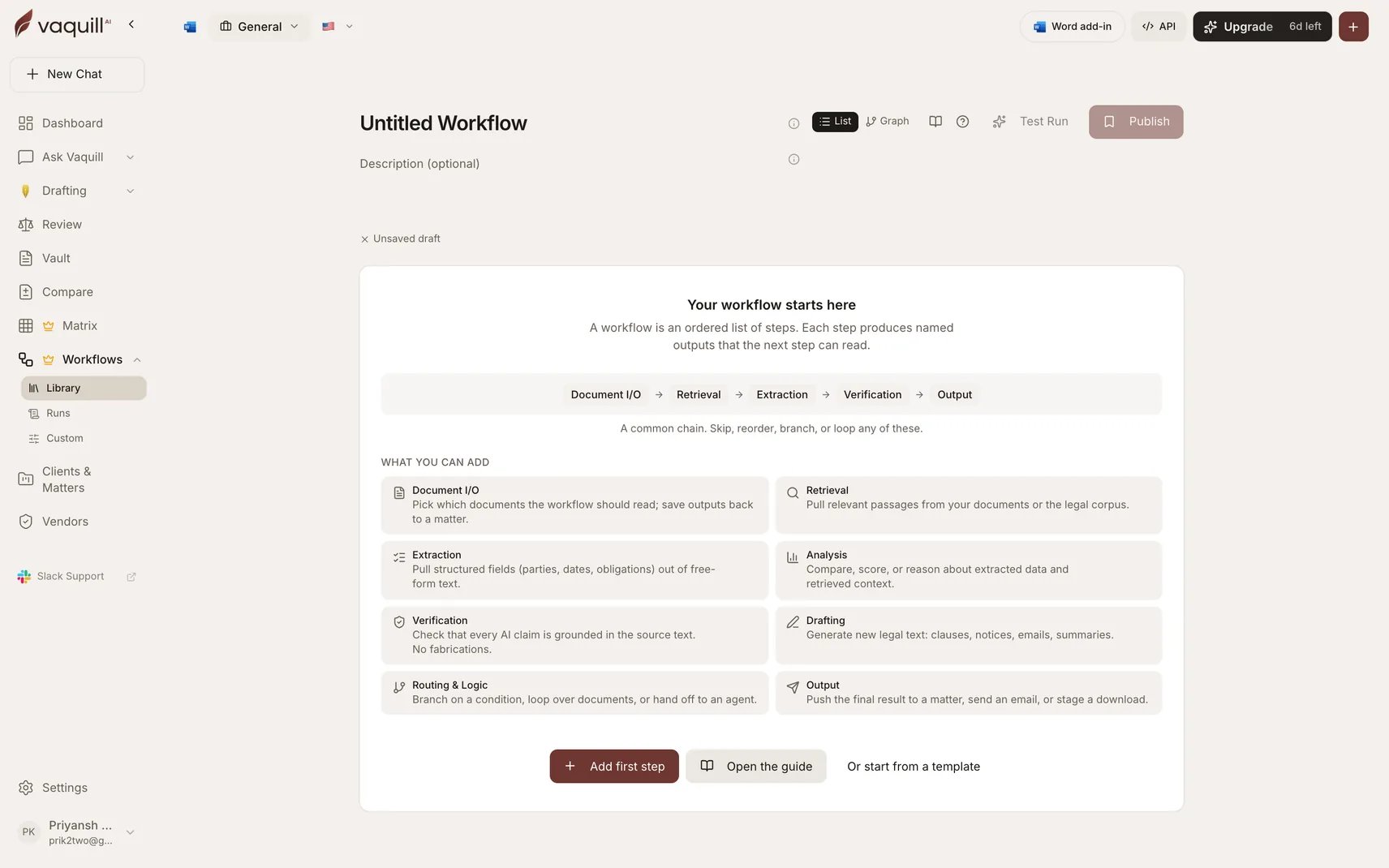
A custom workflow is an ordered list of **steps**. Each step is a typed unit that produces named outputs the next steps can read. You pick steps from a palette, configure each one, and the executor runs them in order with cancellation, audit logging, and cost tracking handled for you.
Twenty-five step types ship out of the box, across eight categories.
 ## Three ways to start
Eight published starter workflows. Run one as-is or fork a copy to customize. Fastest path when a starter is close to your job.
Describe what you want in a sentence. Vaquill plans the steps, fills the configs, wires the references, and drops you into the builder with an editable draft.
Open a blank workflow and chain the step types yourself.
## What a chain looks like
A common one runs **Document I/O → Retrieval → Extraction → Verification → Output**: pick the documents, pull the relevant passages, extract structured fields, check that every claim is grounded, then push the result to a matter or a download.
Steps are not limited to a straight line. You can branch on a condition, fan a step out across every document, or hand off to a constrained agent.
## Ownership and sharing
Workflows are stored per organization. Other members of your org can run any published workflow. Only the owner can edit or delete one.
## Where to go next
The palette, the eight categories, step kinds, and how to bind a field to an upstream step's output.
Conditional routing, fan-out over documents, and the rules the platform enforces.
The three verbs, the validator gates, versioning, and cost estimates.
Every validation error, what it means, and how to fix it.
## Keyboard shortcuts
| Shortcut | Action |
| ---------------------------------------------- | -------------------------------------------------- |
| ⌘K / Ctrl+K | Open the step catalog from anywhere in the builder |
| Esc | Close any open dialog or popover |
| ↑ / ↓ + Enter | Navigate and commit inside any picker |
## Three ways to start
Eight published starter workflows. Run one as-is or fork a copy to customize. Fastest path when a starter is close to your job.
Describe what you want in a sentence. Vaquill plans the steps, fills the configs, wires the references, and drops you into the builder with an editable draft.
Open a blank workflow and chain the step types yourself.
## What a chain looks like
A common one runs **Document I/O → Retrieval → Extraction → Verification → Output**: pick the documents, pull the relevant passages, extract structured fields, check that every claim is grounded, then push the result to a matter or a download.
Steps are not limited to a straight line. You can branch on a condition, fan a step out across every document, or hand off to a constrained agent.
## Ownership and sharing
Workflows are stored per organization. Other members of your org can run any published workflow. Only the owner can edit or delete one.
## Where to go next
The palette, the eight categories, step kinds, and how to bind a field to an upstream step's output.
Conditional routing, fan-out over documents, and the rules the platform enforces.
The three verbs, the validator gates, versioning, and cost estimates.
Every validation error, what it means, and how to fix it.
## Keyboard shortcuts
| Shortcut | Action |
| ---------------------------------------------- | -------------------------------------------------- |
| ⌘K / Ctrl+K | Open the step catalog from anywhere in the builder |
| Esc | Close any open dialog or popover |
| ↑ / ↓ + Enter | Navigate and commit inside any picker |