> ## Documentation Index
> Fetch the complete documentation index at: https://vaquill.ai/docs/llms.txt
> Use this file to discover all available pages before exploring further.
# Generate from a prompt
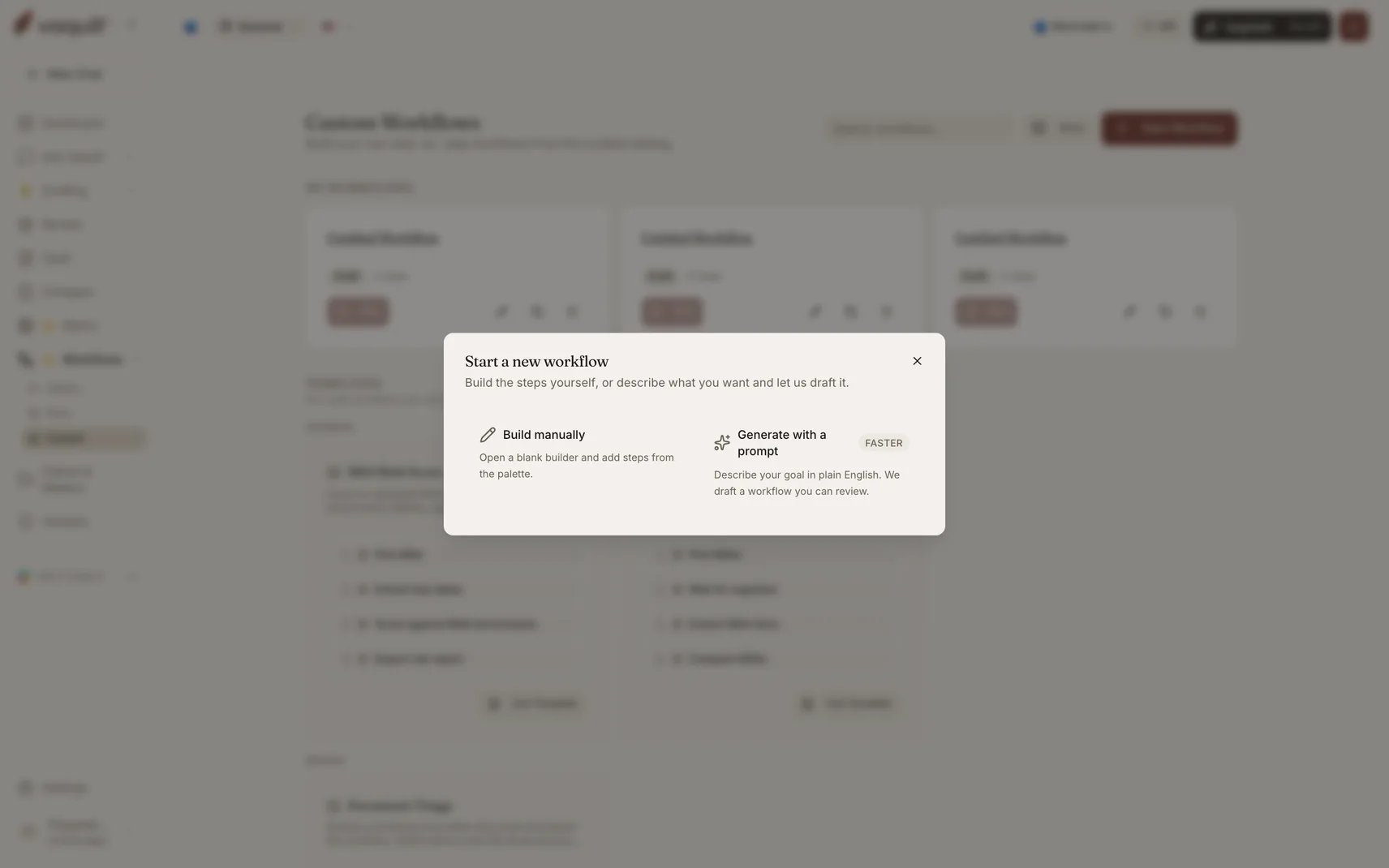
> Describe the workflow you want in plain English and get back a validated, editable draft chain
Type a sentence like *"Review these vendor NDAs, flag off-market terms, and draft a summary memo"* and Vaquill plans the steps, fills in the configs, wires the references between steps, and lands you in the builder with a ready-to-edit draft.
This is not a freeform agent writing arbitrary code. The planner is grounded in the **live step registry** and the published templates, so it can only pick step types that actually exist, and the result runs through the same validator a hand-built workflow does.
 ## How it works
Your prompt is cleaned and length-checked. Prompts must be between 4 and 5,000 characters.
The live step palette and the system starter templates are assembled as grounding context, so the planner sees exactly which step types exist and what each one accepts.
A single generation call produces the plan, fills every step's config, and reports its confidence. One shot rather than separate plan and fill calls, because the common case is already clean and splitting would double the latency.
The generated definition is parsed into the workflow schema and run through the same strict validator that publishing uses.
On validation failure, one repair attempt runs. If it still does not pass, the partial workflow is kept and the remaining errors are returned so you can fix them by hand rather than losing the draft.
The result is saved as a draft workflow you own. Nothing is published automatically.
## Limits
| Limit | Value |
| ----------------------------- | --------------------- |
| Prompt length | 4 to 5,000 characters |
| Steps in a generated workflow | 15 maximum |
| Repair attempts | 1 |
A 15-step ceiling is a deliberate cap on the generator, not on the builder. You can add more steps by hand afterwards.
## Improving a rough prompt
Before generating, you can run your prompt through the prompt improver, which rewrites it for clarity and structure using the workflow surface as the spec for what a good description looks like. It does not invent requirements you did not state.
## Follow-up questions
When the planner cannot resolve something from your prompt alone, for example which matrix template to apply or which benchmark suite to score against, it returns follow-up questions rather than guessing. Answering them fills the gap and the draft completes.
## Privacy
Your raw prompt is **not written to application logs**. Only its length and the generation outcome are logged. The prompt is persisted on the workflow row so you can see what you asked for later, and that row is scoped to your organization.
## What to do with the draft
Generated workflows land as drafts, not published versions. Open the builder, check each step's config, run a [Test Run](/docs/workflows/builder/test-publish-run), then publish when it does what you want.
Treat the generated chain as a starting point. The planner is good at picking a sensible sequence of step types; it cannot know which of your matrix templates you meant, or what your firm's benchmark thresholds are.
## Related
Understanding what the generator produced.
Rehearsing a generated workflow before it writes anything.
## How it works
Your prompt is cleaned and length-checked. Prompts must be between 4 and 5,000 characters.
The live step palette and the system starter templates are assembled as grounding context, so the planner sees exactly which step types exist and what each one accepts.
A single generation call produces the plan, fills every step's config, and reports its confidence. One shot rather than separate plan and fill calls, because the common case is already clean and splitting would double the latency.
The generated definition is parsed into the workflow schema and run through the same strict validator that publishing uses.
On validation failure, one repair attempt runs. If it still does not pass, the partial workflow is kept and the remaining errors are returned so you can fix them by hand rather than losing the draft.
The result is saved as a draft workflow you own. Nothing is published automatically.
## Limits
| Limit | Value |
| ----------------------------- | --------------------- |
| Prompt length | 4 to 5,000 characters |
| Steps in a generated workflow | 15 maximum |
| Repair attempts | 1 |
A 15-step ceiling is a deliberate cap on the generator, not on the builder. You can add more steps by hand afterwards.
## Improving a rough prompt
Before generating, you can run your prompt through the prompt improver, which rewrites it for clarity and structure using the workflow surface as the spec for what a good description looks like. It does not invent requirements you did not state.
## Follow-up questions
When the planner cannot resolve something from your prompt alone, for example which matrix template to apply or which benchmark suite to score against, it returns follow-up questions rather than guessing. Answering them fills the gap and the draft completes.
## Privacy
Your raw prompt is **not written to application logs**. Only its length and the generation outcome are logged. The prompt is persisted on the workflow row so you can see what you asked for later, and that row is scoped to your organization.
## What to do with the draft
Generated workflows land as drafts, not published versions. Open the builder, check each step's config, run a [Test Run](/docs/workflows/builder/test-publish-run), then publish when it does what you want.
Treat the generated chain as a starting point. The planner is good at picking a sensible sequence of step types; it cannot know which of your matrix templates you meant, or what your firm's benchmark thresholds are.
## Related
Understanding what the generator produced.
Rehearsing a generated workflow before it writes anything.