Run Vaquill AI under your own brand
A legal AI workspace your customers know as yours. Take the whole product on your own domain, or just the engine underneath your existing interface.
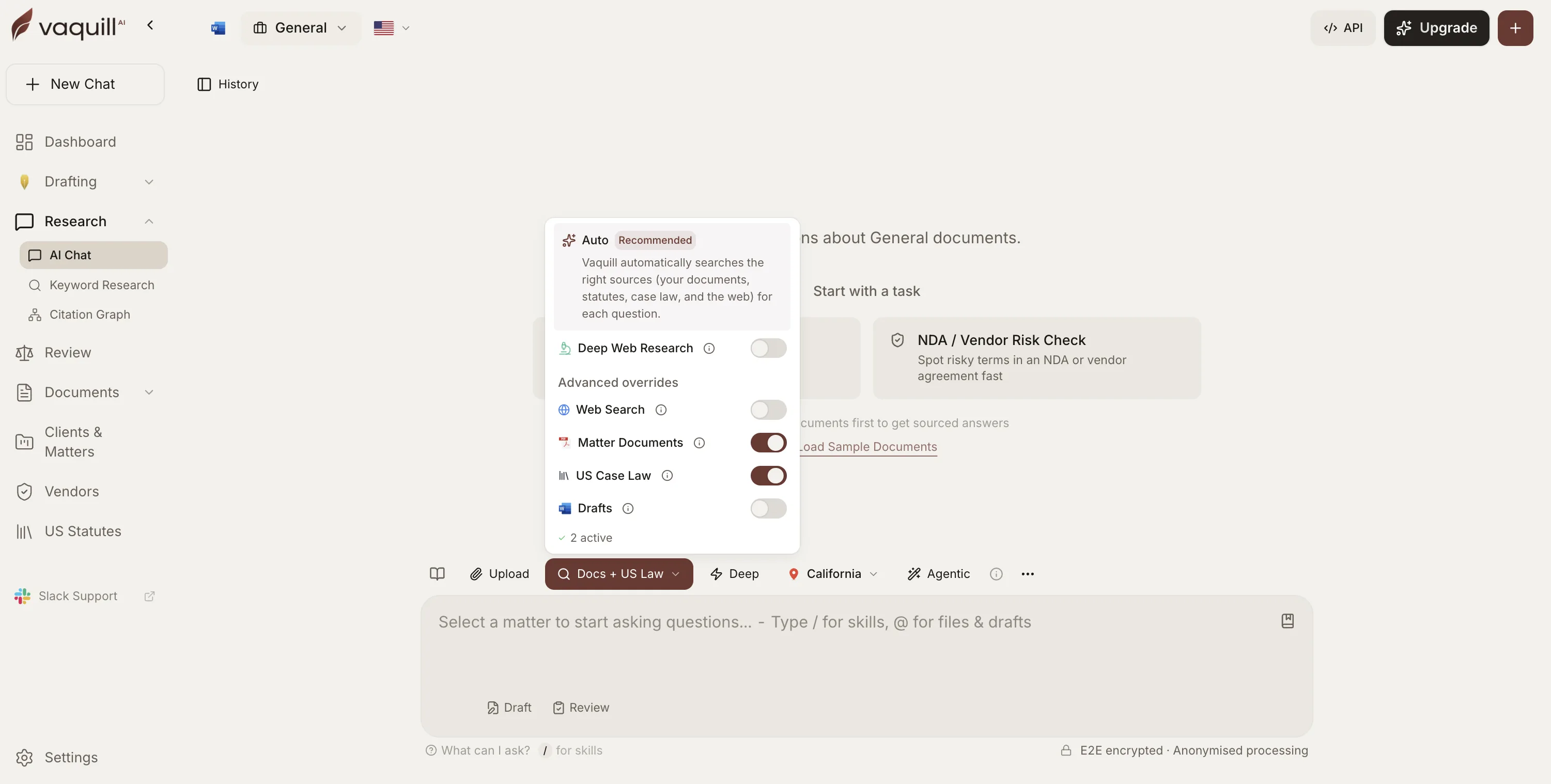
Six ways to deploy it
Separable, and stackable. What decides it is how much of the interface you want to own, and where the data has to sit.
Branded workspace
What your users seeYour name, logo, colors and login, on your domain
Where it runsOur cloud, we operate it
What you buildNothing
Dedicated instance
What your users seeSame, plus your security posture
Where it runsSingle tenant, your cloud or ours
What you buildNothing
Workspace API
What your users seeOnly your product. No trace of us
Where it runsYour backend calls ours
What you buildYour whole interface
Embeddable widget
What your users seeYour title, accent color and host
Where it runsSelf-hosted, Docker or Node
What you buildA script tag
Primary law API
What your users seeYour product, attribution waivable
Where it runsOur cloud, REST and MCP
What you buildEverything above the data
Bulk delivery
What your users seeYour product entirely
Where it runsSynced into your database
What you buildEverything above the data
What you are putting your name on
Six surfaces your customers will spend the most time in. AI-proposed redlines are attributed to the reviewer, not to the person accepting them, so a human decision always stays distinguishable from a machine suggestion.
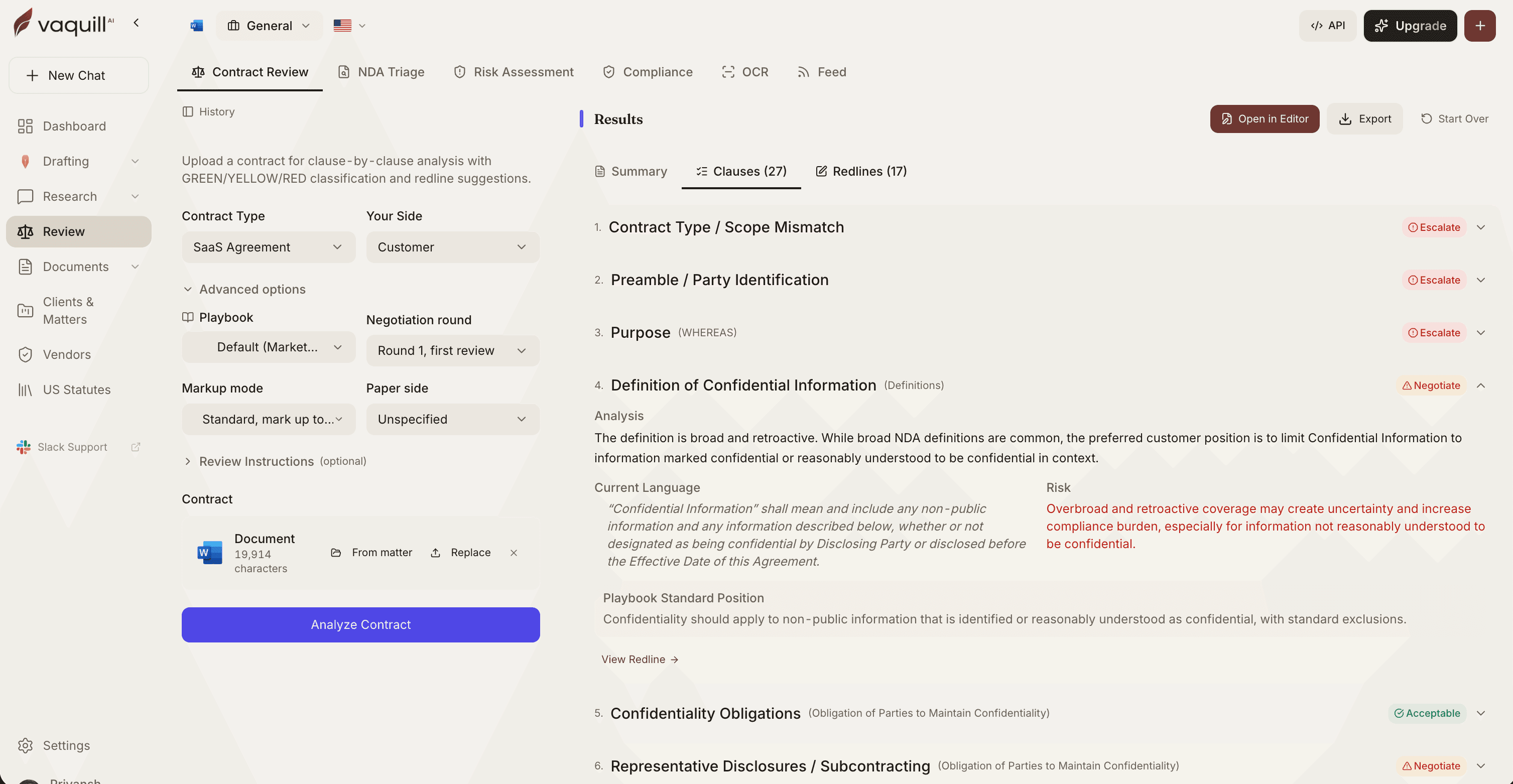
Contract review against your playbook
A SaaS agreement broken into 27 clauses and 17 redlines, each tagged Escalate, Negotiate or Acceptable, with the current language, the risk and your playbook position side by side.
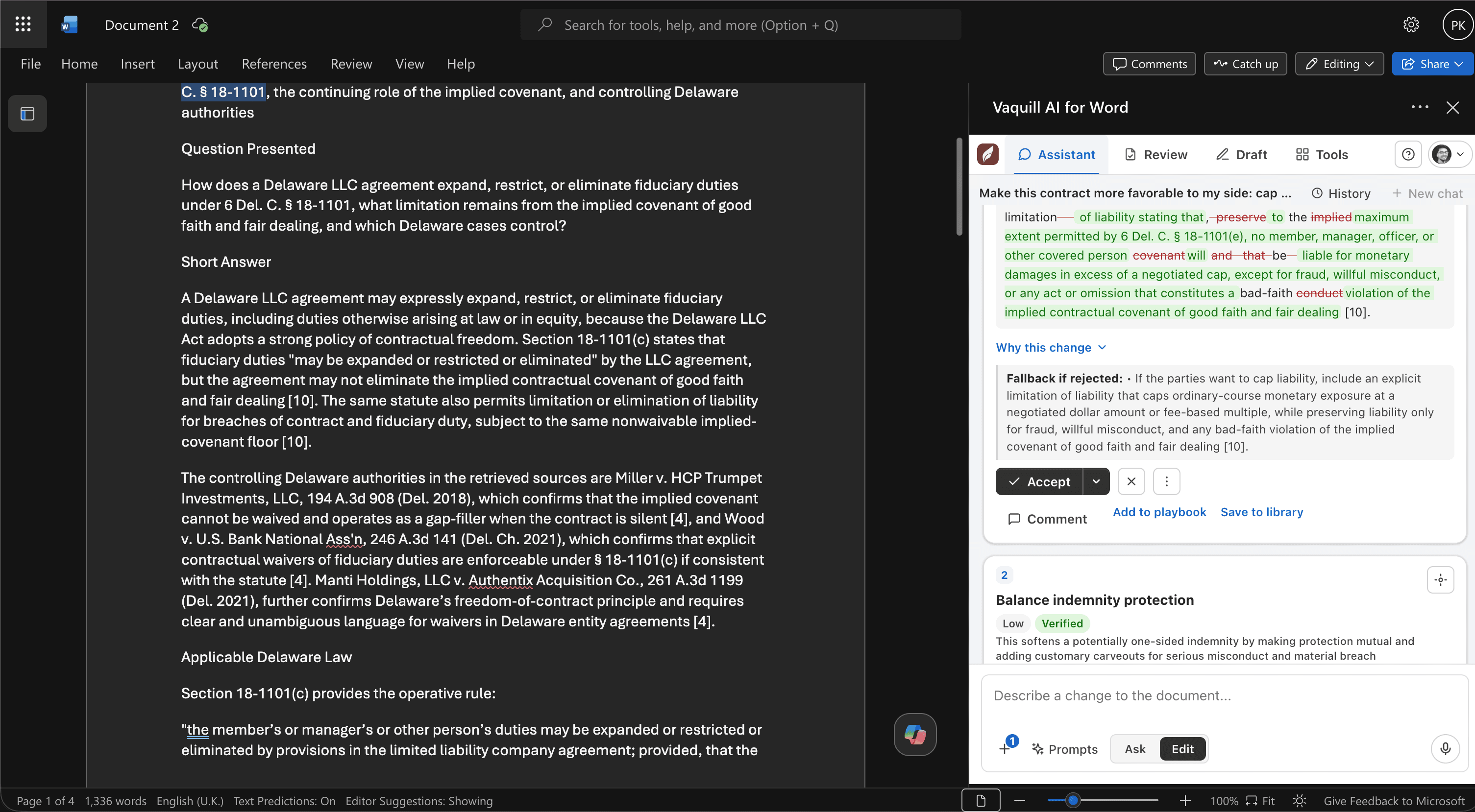
Redlines inside Microsoft Word
The add-in sits in the Word pane your lawyers already use. Each proposed redline carries why it was made, the fallback if the other side rejects it, and a one-click Accept or Add to playbook.
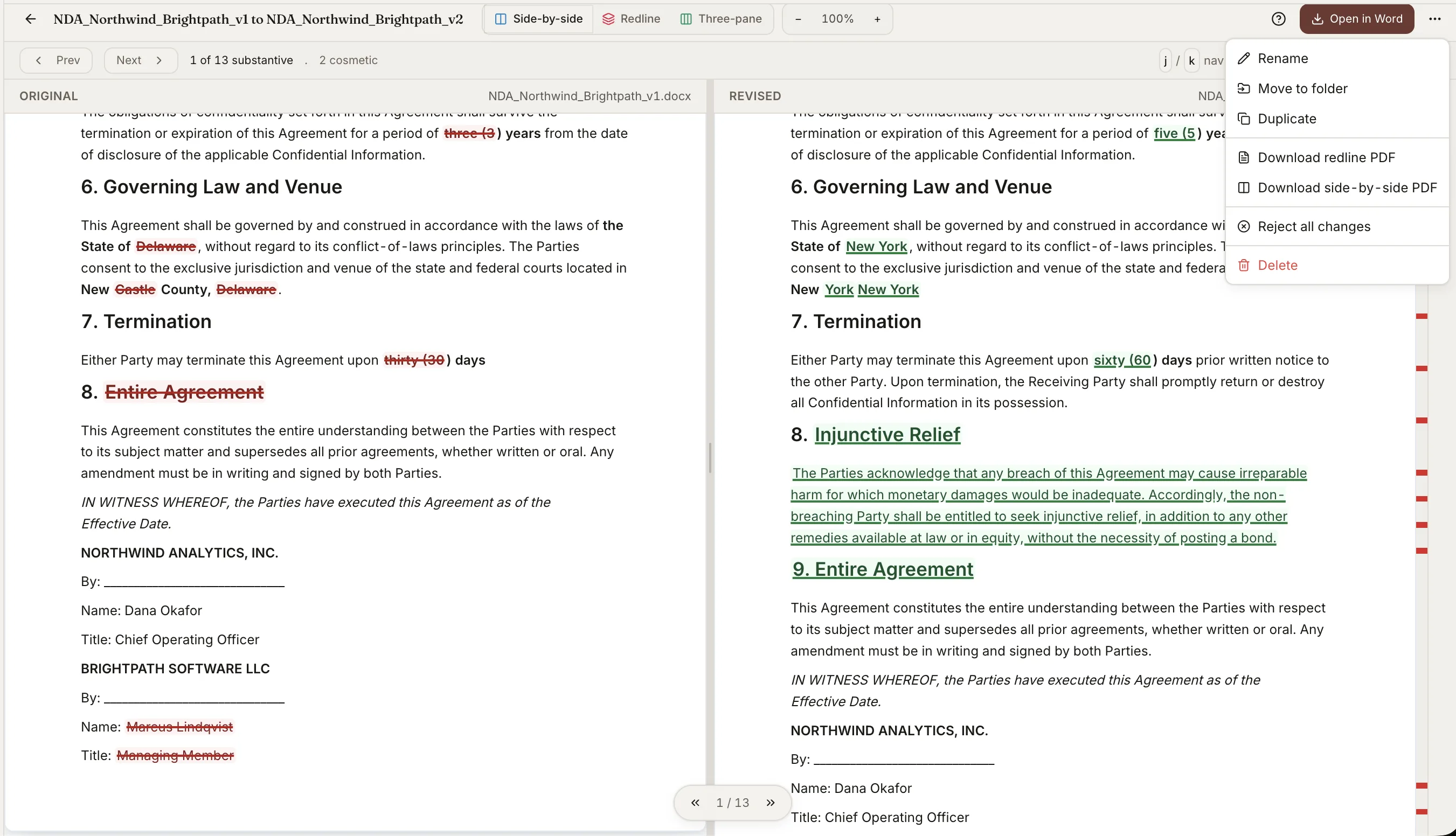
Compare any two versions
Two NDA drafts diffed to 13 substantive changes, held apart from 2 merely cosmetic ones. Read it side by side, as a redline or three-pane, then export a real Word file with native Track Changes.
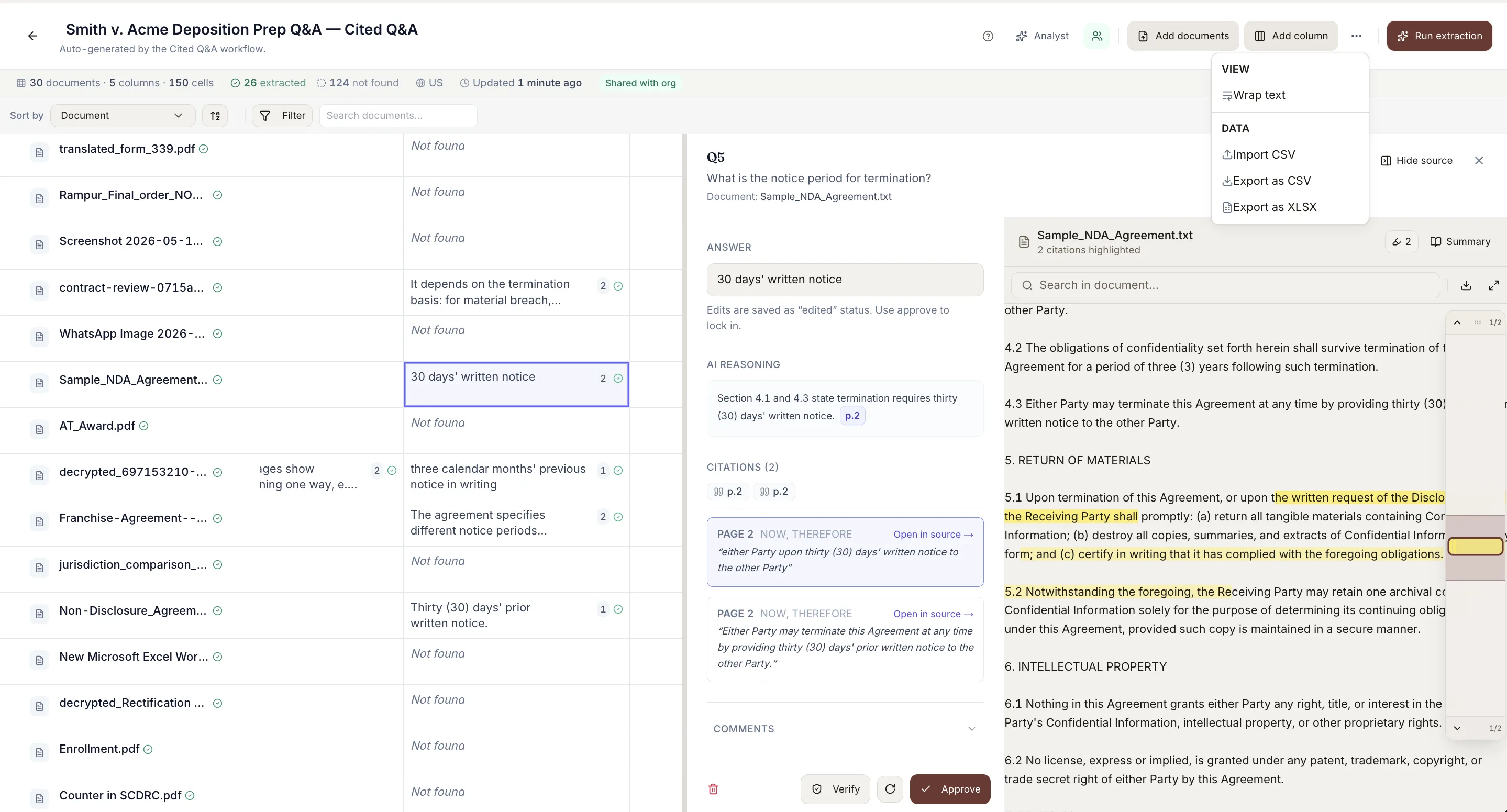
Tabular review across a document set
Ask the same questions of 30 documents at once: 5 columns, 150 cells, every answer carrying its page-level citations. Cells are verified and approved by a human, then exported to CSV or XLSX.
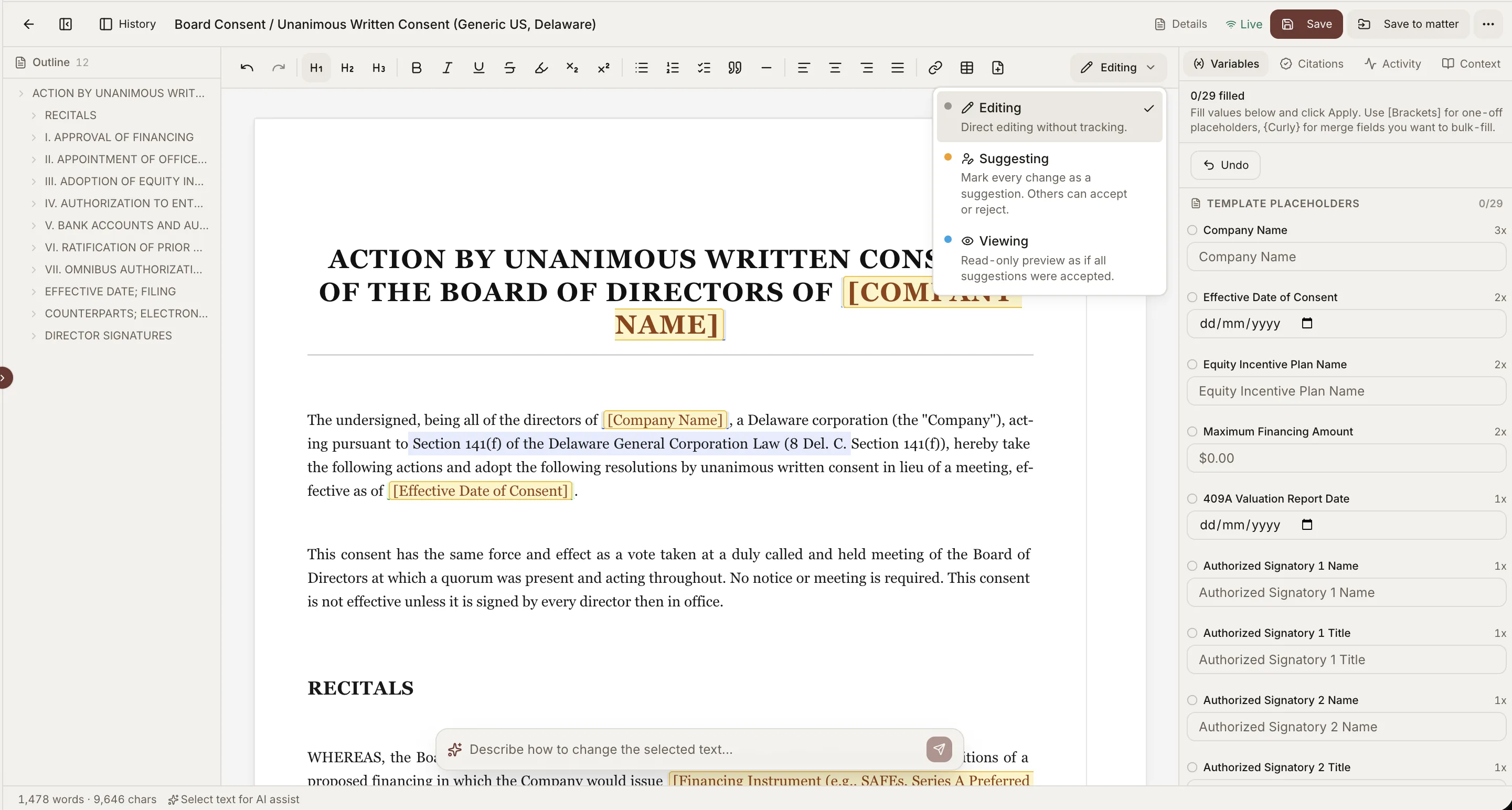
Real-time co-editing
Your team works the same draft at once, with live cursors. Switch between Editing, Suggesting and Viewing, so every change lands as a suggestion others accept, reject or counter-offer. Comments anchor to a passage and @-mention a colleague.
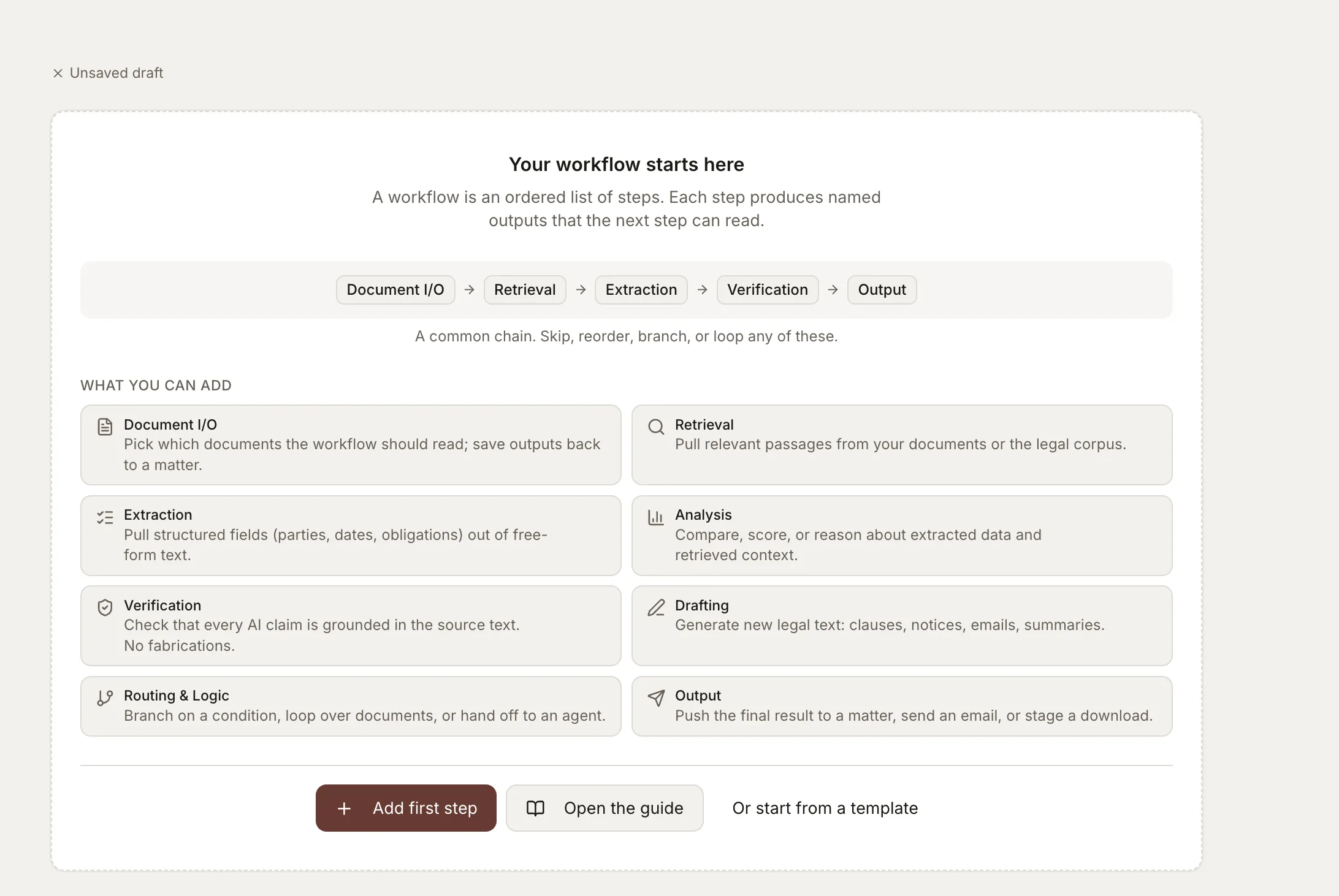
Workflows that end in a file
25 built-in pipelines across contracts, compliance, discovery and motions, plus a builder for your own. Documents in, finished DOCX and XLSX out.
Everything included
Contracts
- Clause-by-clause review with severity
- Drafting from templates or instructions
- Template authoring and clause library
- Version comparison and redline export
- Document matrix across hundreds of files
Playbooks
- Clause rules and fallback positions
- Structure checks and sign-off gates
- Extract a playbook from signed contracts
- Health scoring and drift suggestions
- Versioning and org-wide sharing
Compliance
- CCPA, GDPR, HIPAA, SOX and more
- DPA review against Article 28(3) and the SCCs
- Schrems II transfer impact assessment
- NDA triage, ten criteria, red or green
- Vendor registry with renewal tracking
Matters
- Clients, matters, folders and documents
- Fact ledger, summaries and chronology
- Matter summaries and timelines
- Client records spanning many matters
- Org-shared templates and playbooks
Collaboration
- Real-time co-editing with live cursors
- Editing, Suggesting and Viewing modes
- Accept, reject or counter-offer a redline
- Threaded comments anchored to a passage
- @-mention a teammate into a thread
- Version history and a persistent change log
Teams and enterprise
- SSO against your identity provider
- Provisioning, deprovisioning and MFA policy
- Five roles, from Owner to read-only reviewer
- Per-matter access: open, restricted or private
- Audit log of every admin action, CSV export
- Multi-org switching for co-counsel work
- Org-level overrides on any plan limit
Research
- 5.4M+ sections of US primary law
- Case law, Supreme Court through District
- Claim-level verification of every answer
- Citation graph and freshness checks
- Deep research and agent mode
Documents
- 50+ formats, including scanned OCR
- Files up to 250 MB
- Email forwarded straight into a matter
- Google Drive import
- Page-level citations on every answer
Where it shows up
Your users do not have to come to a new tab. The same workspace reaches them where they already work, and hands back files they can open.
- Slack
- Microsoft Teams
- Chrome extension
- iManage
- Word, DOCX out
- Excel, XLSX out
- Google Drive
- Discord
- Telegram
- Claude
- Cursor
- VS Code
What your security review will ask
You are reselling this, so your customer’s questionnaire becomes yours.
- Tenant isolation
- Each organization is isolated at the database and search-index level. Retrieval and answers are scoped to that org alone.
- Credentials
- Hashed, shown once, expiring within 180 days, carrying only the scopes you grant. Revocation is immediate.
- Encryption and training
- Encrypted at rest and in transit. We do not train on your content, and that covers API queries and output.
- Audit trail
- Every administrative action logged and exportable. Headless actions attribute to your own named users.
A dedicated instance adds single tenancy at the infrastructure layer, custom retention, regional residency and a custom DPA. See Security and the DPA.
How the agreement works
Four things are fixed. Branding, territory, exclusivity and price are not.
- A signed agreement
- White-label runs under a separate written agreement with Aralsura Solutions LLP. Branding, territory, exclusivity and price are settled there.
- Live, metered traffic
- Requests are served by us and metered to your account, not replayed from an extracted copy. That is what keeps the corpus current and the licence clean.
- The corpus stays ours to maintain
- You present the product as yours. You do not claim to have compiled the underlying corpus, because keeping it current is the part we do.
- The verification notice passes through
- Your users see what ours do: legal information, not legal advice, and cited authority should be checked against the official source.
The governing language is in our Terms, Section 21.7.
Questions we get asked
- Can our customers tell it is Vaquill AI?
- On a branded workspace, no. On the Workspace API there is nothing to see, because you build the interface. On the data API, attribution is waivable under your agreement.
- Can we run it in our own cloud?
- Yes, as a single-tenant instance. That path also covers custom retention, regional residency, a custom DPA and a full security review.
- Do we have to take the whole product?
- No. Some partners take only the primary law data under their own application. Others take the entire workspace. Most land on the Workspace API with their own interface on top.
- How fast can we launch?
- The widget is a script tag, so same day. The Workspace API is a credential and a first call. A branded workspace depends on how much of the brand work you hand us.
Tell us what you are building
Describe the product, who buys it, and what it has to do on day one. We will tell you which model fits and whether your date is realistic.
Only need the data? See the US primary law API.