

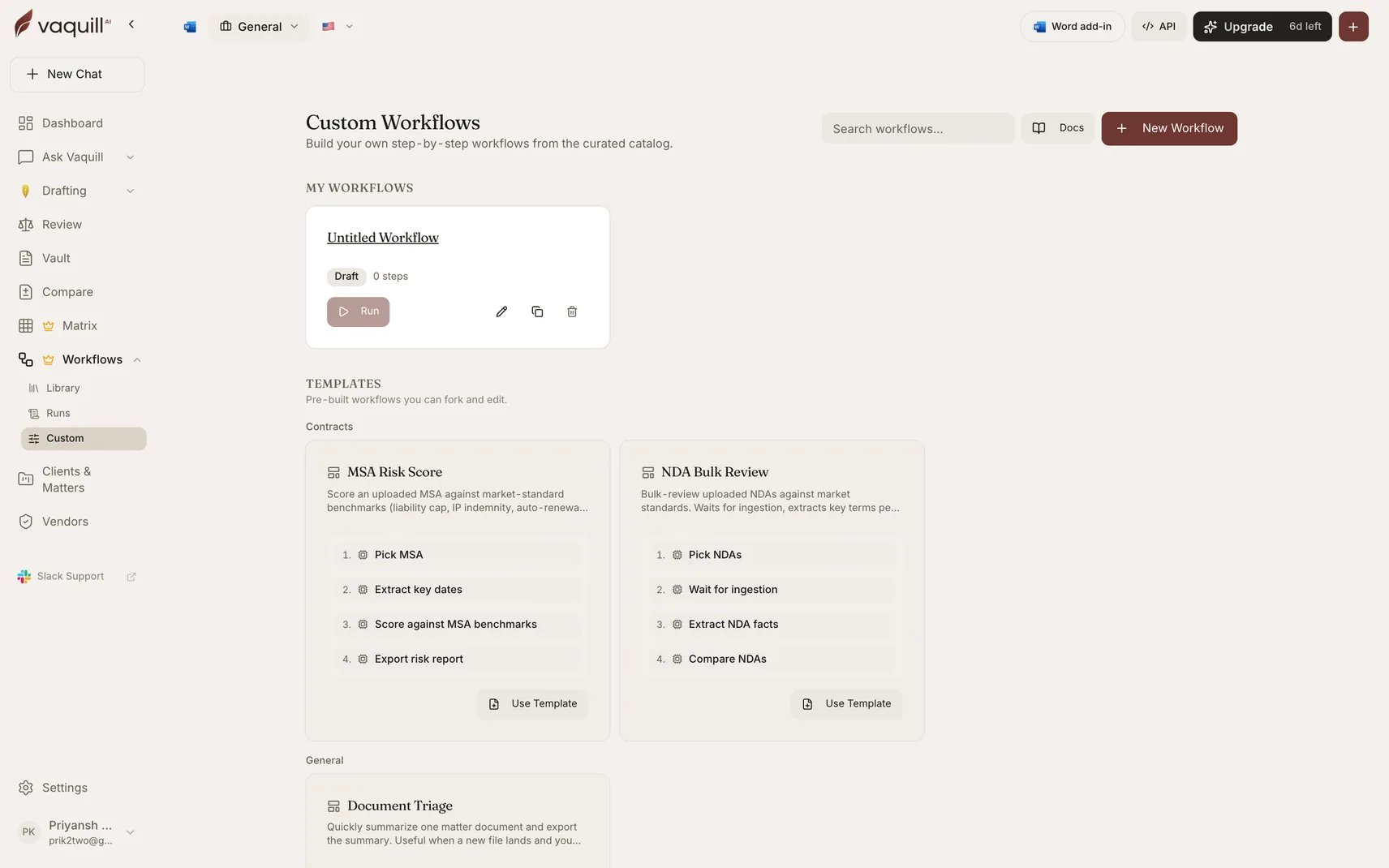
The custom workflow gallery, with starter templates to fork
The eight templates
Quick Case-Law Memo
Quick Case-Law Memo
Search US Case Law → Lookup US Statute → Generate Legal Draft → Verify Citations → Export DOCX ReportGenerates a short case-law memo grounded in cited authorities: searches case law, looks up the governing statute, drafts the memo, verifies the citations, exports DOCX. A good first workflow for litigators.Practice areas: litigation, research.
Demand-Letter Skeleton
Demand-Letter Skeleton
Search US Case Law → Generate Legal Draft → Verify Citations → Export DOCX ReportSearches supporting case law, drafts a demand letter, verifies the cited cases, exports DOCX. A first pass before attorney review.Practice areas: litigation, pre-litigation.
Document Triage
Document Triage
Pick Documents → Summarize Document → Export DOCX ReportSummarizes one matter document and exports the summary. Useful when a new file lands and you need a fast read. The smallest useful workflow, and a good one to fork when learning the builder.Practice areas: general, document review.
Statute Cite Check
Statute Cite Check
Lookup US Statute → Pick Documents → Summarize Document → Verify CitationsLooks up a federal statute and verifies citations across an uploaded document. Useful when a brief references statutes and you want to confirm the citations are real.Practice areas: research, litigation.
Daily Citation Audit
Daily Citation Audit
Search Uploaded Documents → Pick Documents → Summarize Document → Verify CitationsSearches a question across matter documents, summarizes the findings, and verifies any citations. A defensible scan for fabricated authorities before you rely on findings.Practice areas: research, verification.
NDA Bulk Review
NDA Bulk Review
Pick Documents → Wait For Document Ingestion → Build and Run Matrix → Cross-Doc SynthesisBulk-reviews uploaded NDAs against market standards: waits for ingestion, extracts key terms per NDA via a matrix template, then synthesizes outliers across the portfolio.Practice areas: contracts, diligence.
MSA Risk Score
MSA Risk Score
Pick Documents → Extract Chronology → Score Against Benchmarks → Export DOCX ReportScores an uploaded MSA against market-standard benchmarks: liability cap, IP indemnity, auto-renewal, and the rest. Emits an overall risk tier and a redline-ready list of flagged clauses.Practice areas: contracts, redlining.
Summarize Each Document
Summarize Each Document
Pick Documents → Loop Over DocumentsFans the Summarize step out across every picked document, in parallel. A clean starting point for any “do X per document” workflow: swap the inner step type to score, audit, or extract.Practice areas: research.
Fork versus run
Run launches the template as it is published. Fine when the template does exactly what you need and only the documents change. Fork copies the template’s latest published version into a new draft that you own, named with a(copy) suffix. Edit it, publish it, and it becomes a workflow in your own gallery. The original template is untouched.
Forking always copies the latest published version, never a template that is mid-edit or retired.
Built-in workflows are different
These eight starters are custom workflows made of the same step types you have access to. They are not the same thing as the 25 built-in workflows, which are code-defined pipelines with their own orchestration and cannot be forked or edited. If a built-in workflow is close to what you need but not quite right, you cannot fork it. Build the closest equivalent from steps instead, or use the built-in and post-process its output.Related
Steps and wiring
Understanding the chains above before you edit one.
Built-in workflows
The maintained catalogue, for jobs a template does not cover.