

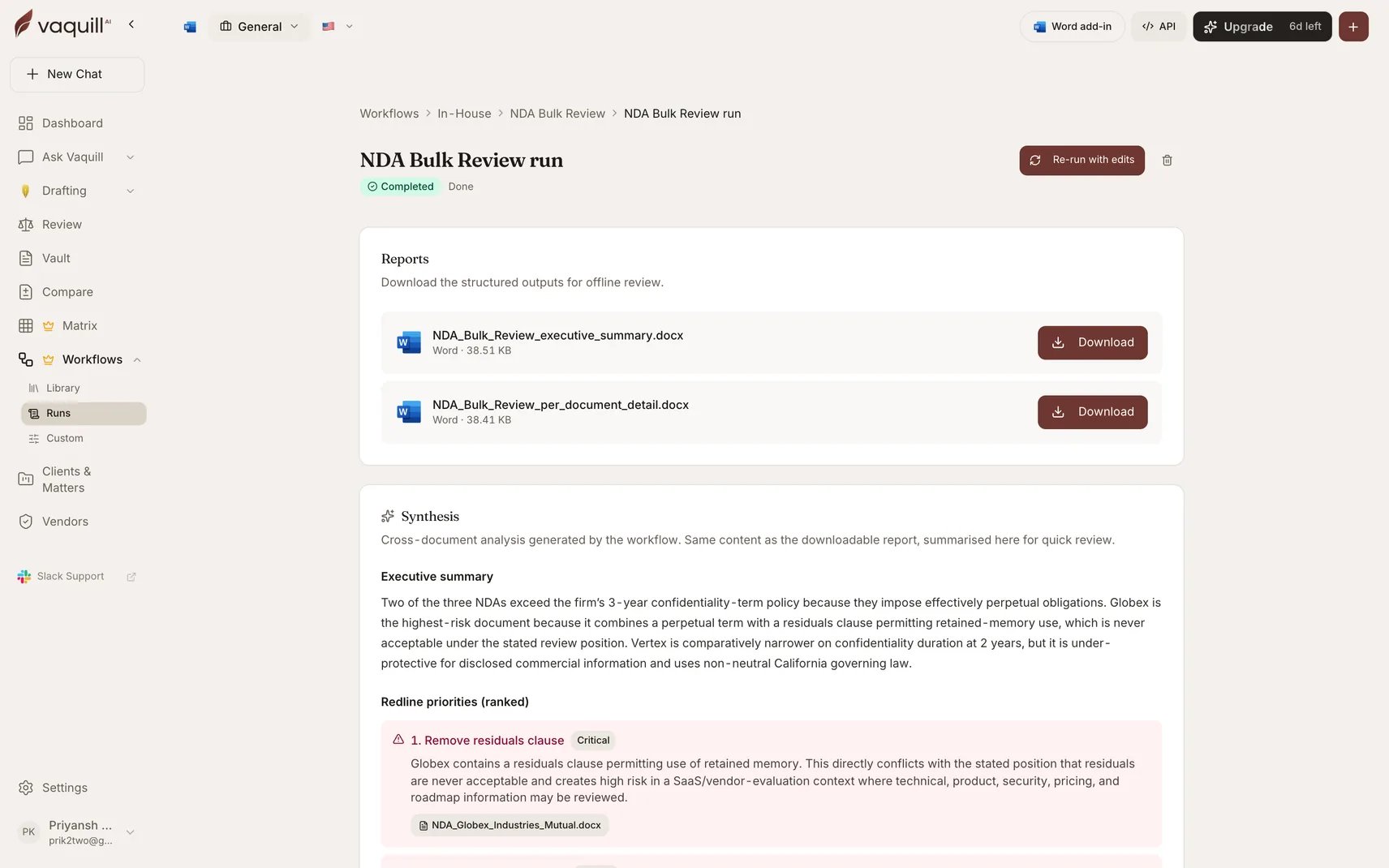
A completed run with its downloadable artifacts
Artifact formats
Across the built-in catalogue that is 52 DOCX artifacts and 6 XLSX artifacts. Each workflow’s page lists its exact set.
The common artifact shapes
Most workflows emit some combination of these.Executive summary or memo
Executive summary or memo
The read-first document. Portfolio-level findings, a traffic-light or posture grid across all reviewed documents, ranked issues, and recommended actions. Written for someone who will not read the detail file.
Per-document detail
Per-document detail
One section per reviewed document: benchmark scoring, flagged clauses, suggested redline language. This is the working document you take into the negotiation or the review.
Spreadsheet deliverables
Spreadsheet deliverables
Where the output is genuinely tabular, you get an XLSX instead of a table crammed into a Word file: privilege logs, cross-examination contradiction matrices, settlement comparables, 50-state comparison grids.
Grounding and verification
The riskiest step in a portfolio review is the final synthesis, because the synthesizer sees per-document summaries rather than the raw documents and is asked to invent cross-document findings. Every matrix-backed workflow runs a verification pass between synthesis and persistence that drops:- findings citing a document that was not in the input set
- findings whose recommended redline asserts a clause that came back Not Found in every document
- duplicate findings with the same title, which are merged instead
- placeholder findings, the “further review recommended” filler
Verification narrows the gap; it does not close it. Every workflow ships an explicit What this will not do list, and “replace counsel review before signature or filing” is on nearly all of them.
Downloading
Artifacts live in object storage, and downloads go through short-lived signed URLs valid for five minutes. Requesting a URL requires both that you can see the run and that the object key belongs to that run, so a valid run ID plus someone else’s object key resolves to a 404 rather than a leak. Signed links expire; the run does not. Come back to the run page and generate a fresh link whenever you need the file again.Attaching to a matter
Launch a run with a matter selected and every artifact is also written into that matter as a document, badged as workflow output and deep-linked back to the run that produced it. These are filed as deliverables, not as search inputs: they are not pushed through the RAG ingestion pipeline. Workflow output is long-form prose a lawyer reads rather than searches, and embedding every run’s memo is hard to justify. If you do want a deliverable to become searchable, re-upload it explicitly and it goes through the normal ingest path. Matter attachment is best-effort. If it fails, the artifact is already in storage and recorded on the run, so the download still works.Run history
Every run keeps:- its artifacts
- the documents that were attached, with their slot roles
- the inputs you submitted
- the full audit timeline of every step, document processed, and artifact rendered
Follow-up questions on Cited Q&A
Cited Q&A across a Document Set is the one workflow you can extend after it finishes. Append new questions to a completed run and each becomes a new column answered against the same document set, with the report re-rendered. You do not re-upload anything and you do not re-run the whole pipeline.Related
Running a workflow
Slots, inputs, auto-fill, progress, and cancelling.
Answer verification
How Vaquill AI grades its own answers against sources.