It depends on which Copilot you are signed into. The consumer Copilot you reach with a personal Microsoft account can use your conversations to train Microsoft's AI models by default, so it is not appropriate for client-confidential matters. Microsoft 365 Copilot, the paid version signed in with a work account, carries Enterprise Data Protection, and Microsoft states that prompts and responses are not used to train foundation models. That second tier can fit privileged work, but only if your tenant is configured and the data agreement is in place. The burden to confirm that sits with your firm, not with Microsoft. This is general information, not legal advice. Last updated: June 2026.
TL;DR
- Consumer Copilot is not built for client data. Signed in with a personal account, your conversations can be used to train Microsoft's generative AI models unless you opt out (Microsoft, checked June 2026).
- Microsoft 365 Copilot is different. Microsoft states that prompts, responses, and Microsoft Graph data are not used to train foundation models, under Enterprise Data Protection (EDP).
- EDP is a contract, not a setting. It rests on the Microsoft Products and Services Data Protection Addendum (DPA) and Product Terms, with Microsoft as your data processor.
- The work account is the dividing line. Microsoft says the consumer training default does not apply when you sign in with an Entra ID (work or school) account.
- Configuration is your job. EDP relies on your tenant permissions, sensitivity labels, retention, and audit. A misconfigured tenant can still leak across users.
- When unsure, do not paste. Confirm the current terms, check your tenant settings, and anonymize if anything is shaky.
What turns off Copilot's training on your inputs by default, with no toggle to set?
The three Copilots, and why the name confuses lawyers
Microsoft uses "Copilot" for several products with different data rules. The shared name is the trap. A lawyer hears "we have Copilot" and assumes one privacy posture, when the reality depends on the sign-in and the license.
Three tiers matter for confidentiality:
- Consumer Copilot. The free or personal-subscription assistant you reach at copilot.microsoft.com with a personal Microsoft account.
- Microsoft 365 Copilot Chat. The work web chat, grounded in the public web, with Enterprise Data Protection at no extra cost when signed in with a work account.
- Microsoft 365 Copilot. The paid add-on that connects to your organizational data through Microsoft Graph, also under Enterprise Data Protection.
The privacy answer flips between the first tier and the other two. The next sections show why.
Does Copilot train on what you type?
This is the question that decides everything for a lawyer, and the answer splits by tier.
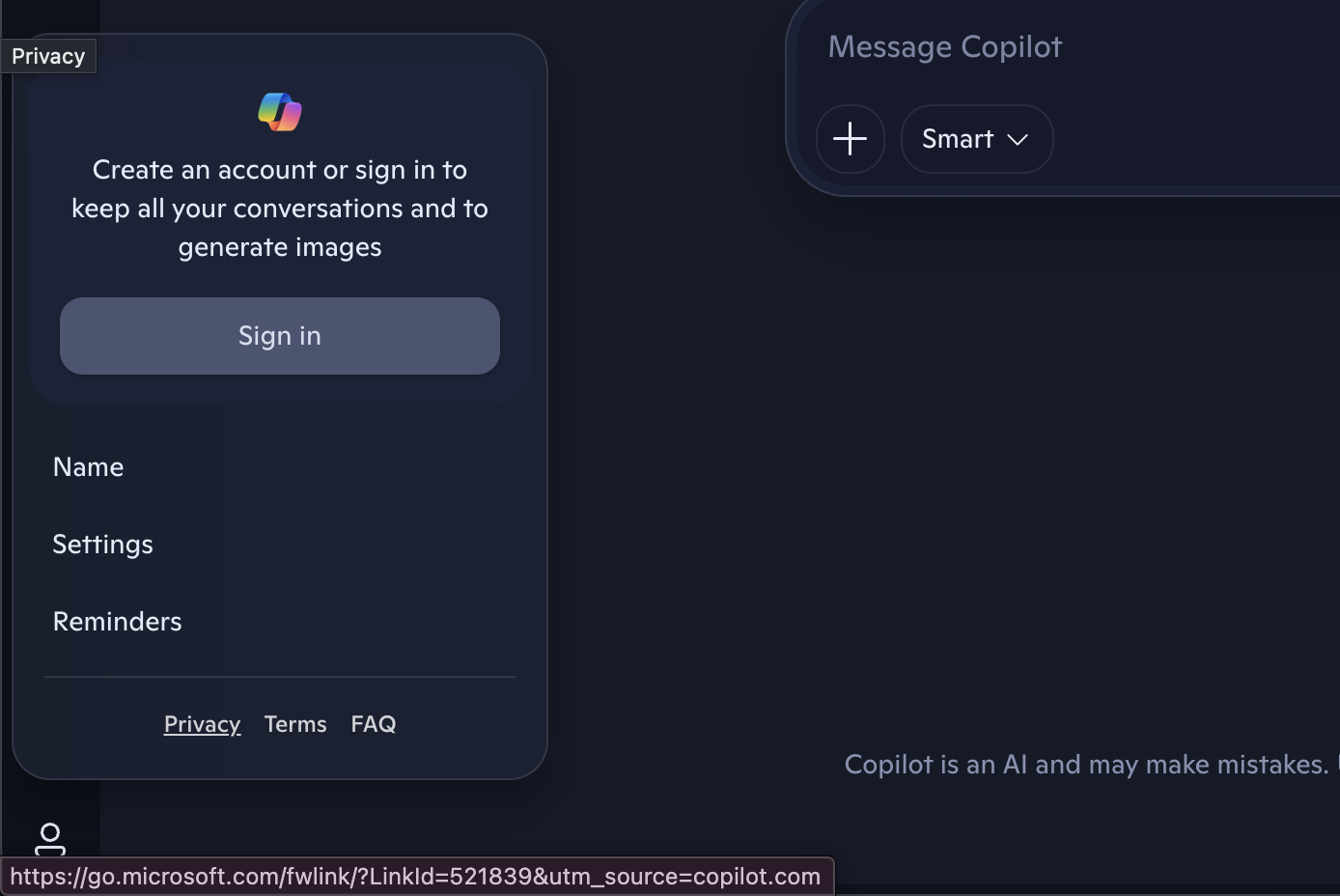
On the consumer Copilot, Microsoft says it uses conversation activity for AI training by default. Its Privacy FAQ states that training data "includes de-identified search and news data, interactions with ads, and your voice and conversation activity with Copilot, including the images or files you upload" (Microsoft, checked June 2026). You can opt out in privacy settings, and Microsoft says the default stores conversation activity for 18 months.
On Microsoft 365 Copilot and Copilot Chat, Microsoft states the opposite. Its documentation says, "Prompts, responses, and data accessed through Microsoft Graph aren't used to train foundation LLMs, including those used by Microsoft 365 Copilot." Microsoft also confirms the consumer training note "does not apply to the use of Microsoft 365 Copilot when signed in with Entra ID."
That last line is the one to hold onto. The work account, not the brand name, is what turns off training by default.
Tier comparison: what each Copilot does with your data
Here is the split in one view. Confirm the current terms yourself, because vendor policies move.
| Copilot tier | Trains on your inputs (default) | Data retention and controls | Data agreement | Fit for privileged work? |
|---|---|---|---|---|
| Consumer Copilot (personal account) | Yes, unless you opt out (Microsoft, checked June 2026) | 18-month default; user-managed deletion; no admin controls | Consumer terms only, no DPA | No |
| Microsoft 365 Copilot Chat (work account) | No, per Microsoft | Purview retention and audit; admin controls; tenant boundary | DPA and Product Terms; EDP | Closer, with configuration |
| Microsoft 365 Copilot (work account, Graph data) | No, per Microsoft | Purview retention and audit; honors permissions and sensitivity labels | DPA and Product Terms; EDP | Yes, if configured |
Two notes for the table. First, both work tiers share the same Enterprise Data Protection commitments, but the controls vary by your subscription plan. Second, Microsoft 365 Copilot reaches your emails, files, and chats through Microsoft Graph, so tenant permissions decide what it can surface. Bad permissions are a leak waiting to happen, even with training off.
What Enterprise Data Protection actually covers
Enterprise Data Protection is Microsoft's label for the contractual commitments that apply to your prompts and responses in the work Copilots. Despite the name, it is not a feature you flip on. EDP is the set of terms under the Data Protection Addendum and Product Terms, with Microsoft acting as your data processor.
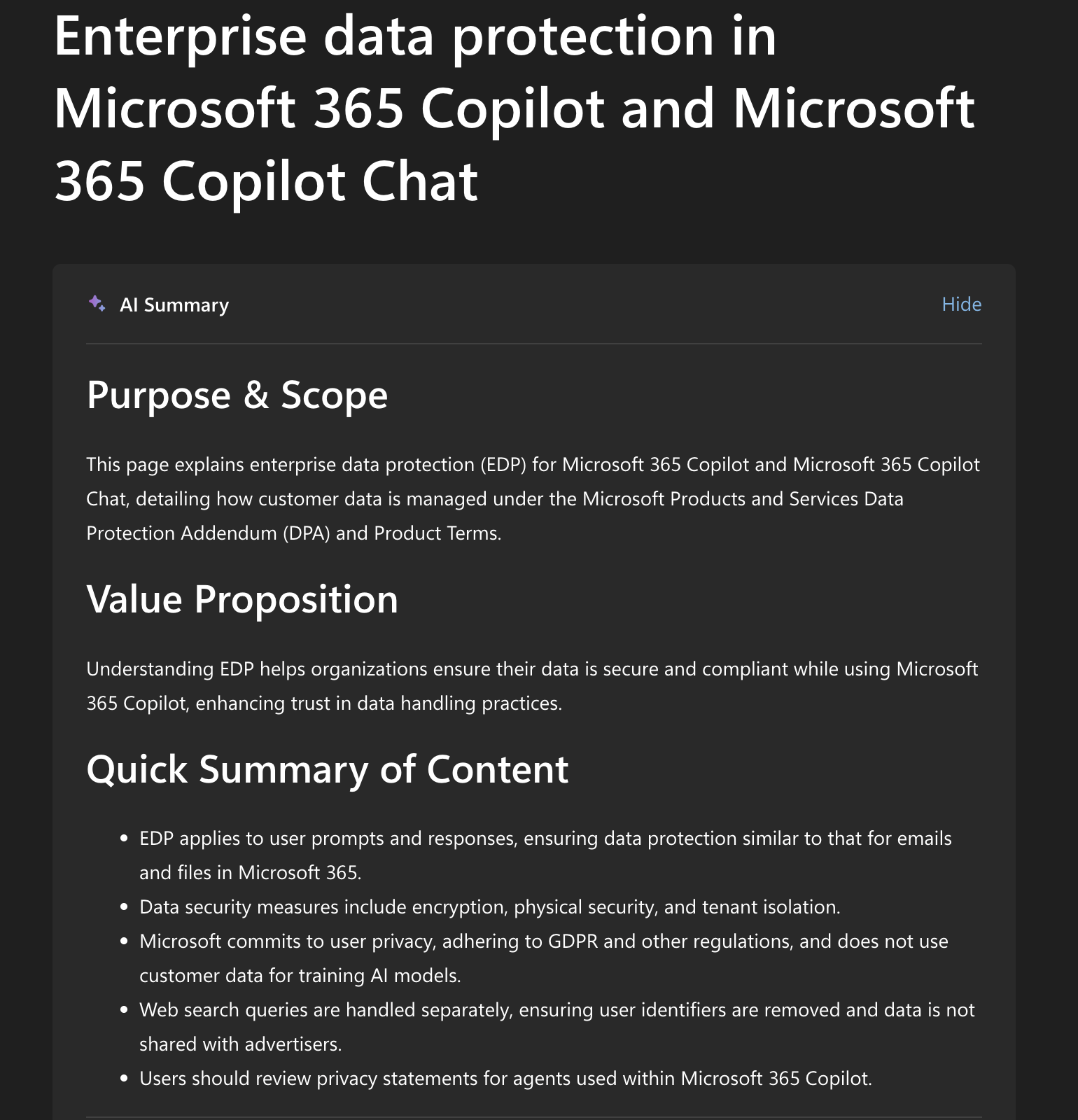
Microsoft groups the EDP commitments into a few promises:
- Encryption and isolation. Data is encrypted at rest and in transit, with logical isolation between tenants.
- No training on your data. Prompts, responses, and Graph data are not used to train foundation models.
- Your controls apply. Copilot honors your identity model, permissions, sensitivity labels, retention policies, and audit through Microsoft Purview.
- Data residency and the tenant boundary. Prompts and responses stay within the Microsoft 365 service boundary, with EU Data Boundary safeguards for EU users.
One caveat worth flagging. Microsoft notes that web search queries sent to Bing have different handling and are not covered the same way. So a Copilot answer grounded in a web search is not the same as one that stays inside your tenant. Keep that line in mind before a sensitive prompt triggers a web lookup.
What is safe, and what is not, for a lawyer
Tie this back to your duty of confidentiality under Model Rule 1.6 and ABA Formal Opinion 512. The opinion, issued July 2024, applies the confidentiality duty to generative AI directly. It asks you to understand how a tool handles your data, match the tool to the sensitivity of the matter, and, in general, get the client's informed consent before entering confidences into a tool that could expose them. Boilerplate consent in an engagement letter is not enough.
Run that standard against each tier.
Not safe for client-confidential work:
- Pasting client names, deal terms, or privileged material into the consumer Copilot.
- Assuming a personal-subscription upgrade buys business data terms. It does not.
- Relying on the consumer opt-out as a no-train guarantee. It is a setting that can change.
Can be safe, if configured:
- Using Microsoft 365 Copilot under a signed DPA, in a tenant where permissions and sensitivity labels are set correctly.
- Using Microsoft 365 Copilot Chat with a work account for tasks that do not pull sensitive organizational data into a web-grounded prompt.
- Confirming retention and audit through Purview, so you can show how matter data was handled.
The structural risk on the consumer tier is the same one ABA 512 names: information you put in could end up in a later output to someone else if the tool trains on your inputs. The duty of confidentiality is not a probability game. You either control where the data goes or you do not. Our ABA Formal Opinion 512 guide covers the full set of duties, and several state bars have issued their own AI guidance worth checking too.
Before you let Copilot touch a matter
Run this due-diligence list before any client or matter data goes into a work Copilot. The claims below reflect Microsoft's documentation checked June 2026. Confirm the current terms and your own tenant settings, because both can change.
- Confirm the account type. Are you signed in with a work or school Entra ID account, not a personal Microsoft account? Microsoft says the consumer training default does not apply to Entra ID sign-ins. The account, not the brand name, decides this.
- Confirm EDP is in scope. Is Enterprise Data Protection covered for your license, under your Data Protection Addendum and Product Terms? Get the contract reference, not a sales assurance.
- Clean up tenant permissions first. Microsoft 365 Copilot surfaces any file a user can already open through Microsoft Graph. SharePoint or Teams oversharing becomes a confidentiality leak. Run a permission review before rollout.
- Set Purview retention and labels. Configure retention policies, sensitivity labels, and audit through Microsoft Purview so you can show how matter data was handled.
- Check the Bing web-search path. Web search queries sent to Bing have separate data handling and sit outside Enterprise Data Protection. Confirm how that path is configured before a sensitive prompt triggers a web lookup.
- Match the tool to the matter. For high-sensitivity or privileged work, confirm consent where ABA 512 requires it, and anonymize anything you cannot place under the contract.
The third item is the one firms skip. Training-off does not help if Copilot can read a payroll spreadsheet a partner left shared with everyone. Permissions hygiene is half the privacy story.
The verdict
The brand name does not decide privacy. The account type and the contract do. A personal-account Copilot and a work-account Microsoft 365 Copilot share a logo and almost nothing else on data handling.
Consumer Copilot is out for client confidences. Microsoft can use those conversations to train its models by default, there is no DPA, and an opt-out toggle is not a contract.
Microsoft 365 Copilot with Enterprise Data Protection can be in. The word that matters is "after." It fits privileged work only after the tenant is cleaned up and the data agreement is in place, and only once you have confirmed both. Microsoft provides the commitments. Meeting the conditions is on your firm.
The practical move is to know which Copilot your team is actually using. A lawyer signed in with a personal account thinks they are protected because the brand is the same. They are not. Check the sign-in, check the license, and check the tenant before any matter data goes in.
If you want a tool whose confidentiality terms are written for legal data from the start, Vaquill AI is a legal AI suite for in-house counsel, with a no-train stance on your matter data and answers source-linked to real US opinions and statutes. No tool is magic on its own. Both the data terms and the tenant configuration have to match the sensitivity of the work. For the wider field, see our roundup of the best legal AI tools for in-house counsel.
For the sibling questions on other assistants, see whether ChatGPT is confidential for legal work and whether Claude is fit for legal work. If you want the task-by-task view on Copilot itself, our Copilot for lawyers guide covers the safe uses and the limits.
FAQ
Is Microsoft Copilot private for legal work? It depends on the tier. The consumer Copilot can use your conversations to train Microsoft's AI models by default, so it is not appropriate for client-confidential matters. Microsoft 365 Copilot with Enterprise Data Protection does not train on your prompts and can fit privileged work if your tenant is configured and a DPA is in place.
Does Microsoft Copilot train on what I type? On the consumer Copilot, yes by default, unless you opt out in privacy settings (Microsoft, checked June 2026). On Microsoft 365 Copilot and Copilot Chat, Microsoft states that prompts, responses, and Microsoft Graph data are not used to train foundation models. Confirm the current terms, since they change.
What is Enterprise Data Protection in Microsoft 365 Copilot? It is Microsoft's term for the contractual commitments that apply to your prompts and responses in the work Copilots, under the Data Protection Addendum and Product Terms, with Microsoft as your data processor. It covers encryption, tenant isolation, a no-train commitment, and your Purview controls.
Is the free Microsoft Copilot safe for client data? No. The free or personal-account Copilot runs on consumer terms with no data processing agreement, and conversations can be used for model training by default. For client-confidential work, use Microsoft 365 Copilot signed in with a work account, or anonymize before entering anything sensitive.
Does signing in with a work account change Copilot's privacy? Yes. Microsoft says the consumer training default does not apply when you sign in with an Entra ID work or school account. The work account is what brings Enterprise Data Protection and the no-train commitment, not the Copilot brand name by itself.
Can I use Microsoft 365 Copilot and stay compliant with ABA 512? You can, with care. You must understand how the tool handles data, match it to the sensitivity of the matter, and generally get informed client consent before entering confidences. Confirm your tenant configuration and the DPA, and do not rely on engagement-letter boilerplate.
Where does Microsoft 365 Copilot store my data, and can I delete it? Prompts and responses stay within the Microsoft 365 service boundary, and admins can set retention and audit through Microsoft Purview. Users can delete their Copilot activity history in the My Account portal. Web search queries sent to Bing have separate handling, so confirm that path for sensitive prompts.
Is a legal-specific AI tool more private than Copilot? Often, because its terms are written for privileged data from the start: a no-train commitment in writing, a data agreement, encryption, and configurable retention. Do not take it on faith, though. Verify any vendor's claims the way you would verify a citation.
Sources
- Microsoft, "Data, Privacy, and Security for Microsoft 365 Copilot," learn.microsoft.com (checked June 2026).
- Microsoft, "Enterprise data protection in Microsoft 365 Copilot and Microsoft 365 Copilot Chat," learn.microsoft.com (checked June 2026).
- Microsoft, "Privacy FAQ for Microsoft Copilot," support.microsoft.com (checked June 2026).
- ABA Standing Committee on Ethics and Professional Responsibility, Formal Opinion 512, "Generative Artificial Intelligence Tools," July 2024 (americanbar.org).
New legal AI guides, weekly.
Further Reading
Is Claude Private for Legal Work?
Read postIs Gemini Private? What It Means for Confidential and Legal Work
Read postIs Perplexity AI Private for Legal Work?
Read postJudges Use AI, Lawyers Get Sanctioned for It: The 2026 Double Standard
Read postCan AI Give Legal Advice?
Read postUS State Privacy Laws in 2026: The In-House Compliance Baseline
Read post
Co-Founder & CEO · Attorney
Arshita leads product and strategy at Vaquill, building the legal AI suite that solo, small-firm, and in-house US lawyers use to run a matter end to end.