Microsoft Copilot can read a contract. It can summarize one, answer questions about it, and draft language from it. What it cannot do is review a contract to a standard: apply your playbook, score risk against your positions, redline to your fallbacks, or reliably catch a missing market term. Copilot reads the document. Reviewing it to a standard is a different job, and that gap is exactly where the legal risk lives.
This piece is the Copilot-specific answer. For the category as a whole, see AI contract review: a lawyer's guide. For the general-chatbot version of the question, see ChatGPT for lawyers. Capabilities below were last checked in July 2026; Microsoft ships changes often, so confirm the current state before you rely on any of it.
TL;DR
- Yes, Copilot can summarize a contract and answer questions about it. In Word, it summarizes the document, drafts clauses, and chats with you about what is in the file.
- No, standard Copilot cannot review a contract to a standard. It does not apply a playbook, score risk against your positions, or produce standard redlines on its own.
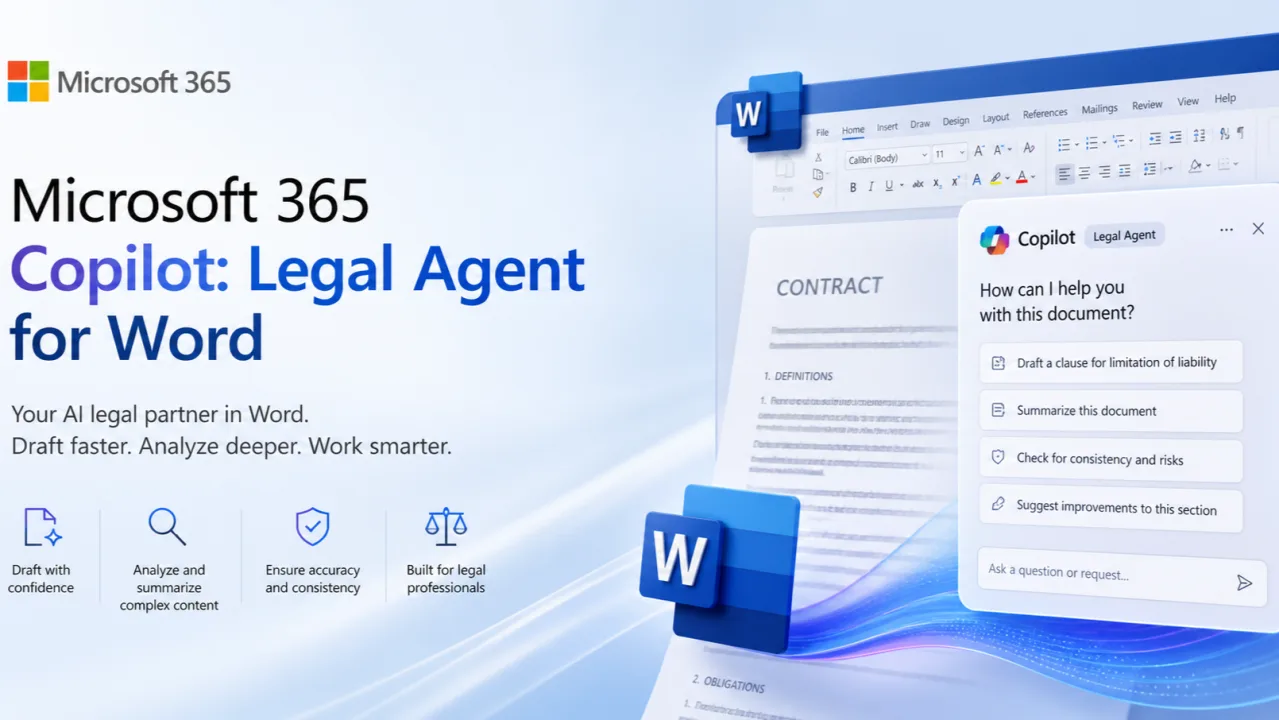
- Microsoft shipped a Legal Agent in Word (public preview, announced April 2026) that reviews against your playbook and writes tracked-change redlines. It runs only on Word for Windows, only for US tenants in the Frontier early-access program, and needs a paid Microsoft 365 Copilot license. It is not a substitute for a lawyer's judgment.
- Accuracy is not guaranteed. Microsoft states Copilot output "aren't guaranteed to be 100% factual," so every clause it flags still needs a human read.
- Confidentiality depends on which Copilot you use. Licensed Microsoft 365 Copilot does not train foundation models on your prompts or files. The free consumer Copilot is a different deal.
- Use it for the first read, stop before the redline. Copilot speeds the summary and the questions. The positions, the risk call, and the redline stay with you.
On its own, what can standard Copilot in Word NOT do for a contract?
The honest answer: read, not review
Copilot is good at reading a contract you hand it. Open an agreement in Word and you can ask for a plain-language summary, pull out the term and the payment schedule, or ask where a clause lives. Microsoft lists these as core features: draft, rewrite, summarize, and chat with Copilot about your document. You can confirm the current set on the Copilot in Word support page.
That covers the first pass. You learn what the contract says in minutes instead of reading 40 pages cold.
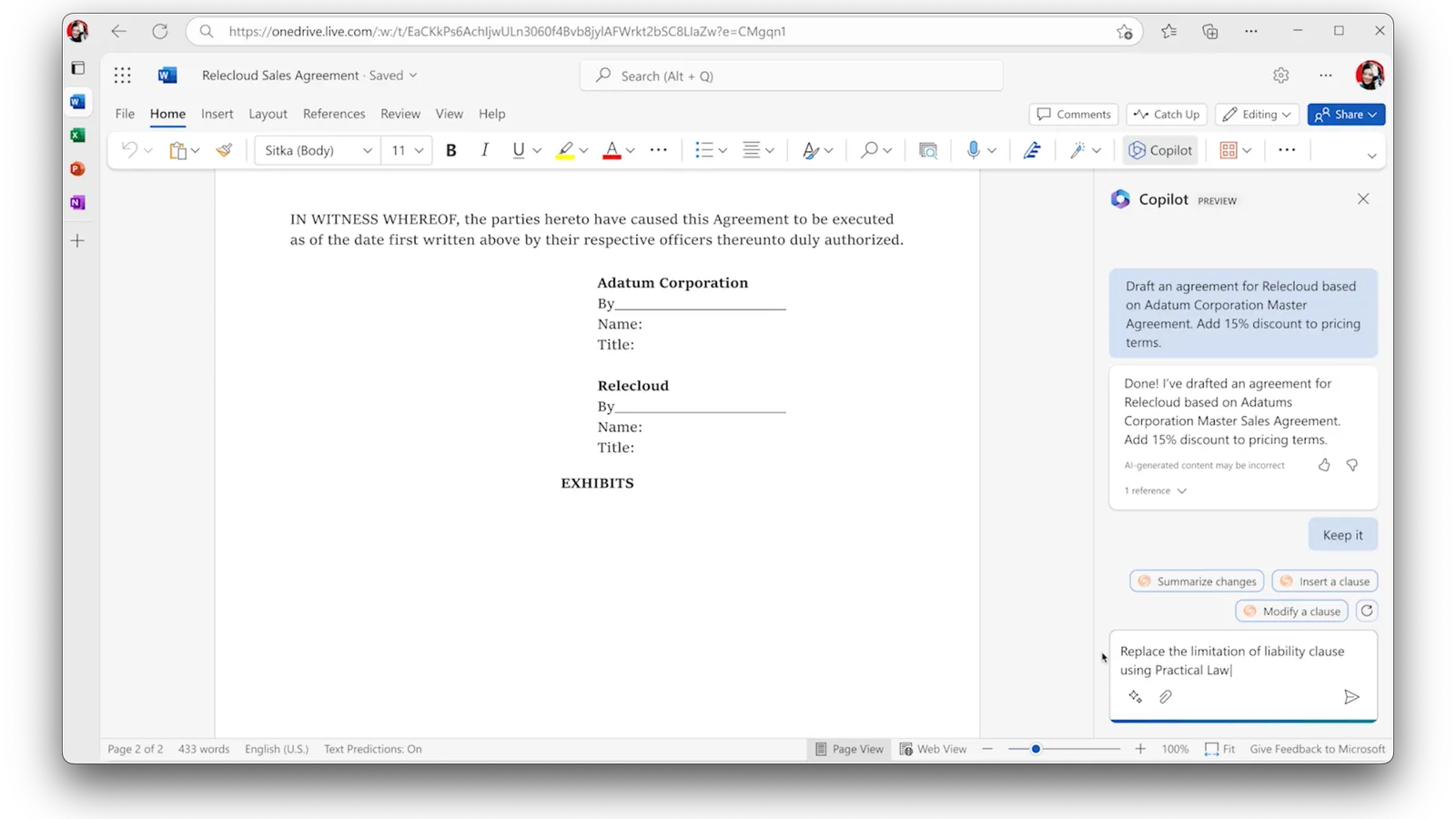
Review is the next job, and it is harder. Review measures the contract against a standard. Is the liability cap below your floor? Is the indemnity one-directional? Is a data processing addendum missing? Standard Copilot has no record of your standard, so it cannot answer those questions consistently. It describes the cap. It cannot tell you the cap is wrong for you.
What Copilot can do, cannot do, and what a review tool adds
Here is the split, checked July 2026. The middle column is standard Microsoft 365 Copilot in Word, not the preview Legal Agent covered below.
| Task | Standard Copilot in Word | Purpose-built contract review tool |
|---|---|---|
| Summarize a contract in plain language | Yes | Yes |
| Answer questions about the document | Yes | Yes |
| Locate and pull specific clauses | Yes, with verification | Yes, structured by clause type |
| Draft new language from your file | Yes | Yes |
| Apply your playbook to every contract | No | Yes, the same standard every time |
| Score risk against your positions | No | Yes, severity-ranked findings |
| Produce redlines to your fallbacks | No, not on its own | Yes, tracked changes to your language |
| Flag missing or off-market terms reliably | No | Yes, absence detection plus benchmarks |
| Reuse a clause library | No | Yes |
| Keep an audit trail of the review | No | Yes, who flagged what and why |
| Guarantee the output is correct | No | No, a human still signs off |
The right column is what a tool built for contract review adds: a playbook, risk scoring, standard redlines, a clause library, and an audit trail. We compare those tools in the best AI contract review tools, tested. Notice the last row. No tool guarantees correctness. A purpose-built one just makes the work consistent and the verification cheap.
Where the accuracy risk hides
The danger with Copilot is not that it refuses to answer. It answers fluently, even when it is wrong. Microsoft is direct about this: the responses "aren't guaranteed to be 100% factual," and the company tells users to review output before relying on it.
In contract work the failure is quiet. Copilot calls a clause "standard" when it is not. It misreads a cross-reference between the master agreement and an exhibit. A wrong flag you trust is worse than no flag at all.
That is the playbook gap in practice. Without your positions loaded, Copilot cannot know your 12-month rule or that you never accept one-way indemnification. It describes the contract instead of judging it, and the judgment is the part you are paid for.
One clause, read versus review
Take a real limitation-of-liability clause in a vendor SaaS agreement:
"In no event shall Vendor's aggregate liability arising out of this Agreement exceed the fees paid by Customer in the six (6) months preceding the claim."
What Copilot is likely to summarize. Ask it about liability and you get a clean paraphrase. Something like: "The agreement caps Vendor's total liability at the fees you paid in the prior six months." That is accurate. It is also just a restatement.
What it misses against your playbook. Say your standard sets the cap at 12 months of fees, mutual. Copilot does not know that. It will not tell you the 6-month cap is half your floor. It will not flag that the cap runs one way, limiting Vendor but not you. It reports the term without judging it, because it has no standard to judge against.
How a lawyer verifies. Read the clause text itself, not the summary. Check the number against your 12-month rule, so a late-term failure does not recover a fraction of contract value. Check direction: is the cap mutual or one-sided? Then look for carve-outs elsewhere that quietly gut the cap, like an uncapped indemnity. Copilot got you to the clause fast. The four checks are the review, and they are yours.
The Copilot Legal Agent for Word
Microsoft is closing part of this gap, and it is no longer a rumor. On April 30, 2026 Microsoft announced a Copilot Legal Agent for Word (Message Center post MC1296877). This is the playbook layer standard Copilot lacks. Microsoft describes it doing four things: review contracts against an internal playbook to surface risks and non-standard clauses, generate negotiation-ready redlines using Word tracked changes, compare clauses across versions, and cite the underlying language so each suggestion links back to the exact text it came from.
That is a real review capability, and it changes the answer at the margin. But read the fine print, because the availability box is narrow:
- Public preview only. It ships through Microsoft's Frontier early-access program, opt-in, with no general availability date set (MC1296877, Apr 30, 2026).
- US tenants only. Availability is limited to US-based Microsoft 365 tenants.
- Windows desktop only. It runs in the Word desktop app on Windows. No Mac, no web, no mobile.
- Paid license required. You need a Microsoft 365 Copilot license, which is a paid add-on on top of a qualifying Microsoft 365 plan, not the base subscription.
- Runs on Anthropic's Claude. The agent is built on Anthropic models, so your tenant must have Anthropic enabled as a Microsoft subprocessor before it will turn on. Microsoft and Anthropic state the data is not used to train models, but confirm that against your own confidentiality duty.
For the lighter, generally available workflow, Microsoft's own legal scenario for Copilot shows Copilot summarizing an agreement and comparing two versions into a table that flags provisions present in one document but missing from the other. That is useful diffing, but it is comparison between two files, not measurement against your firm-wide standard.
What Copilot costs for contract review
Price is the quiet part of the answer. The free consumer Copilot cannot touch the review features, and the version that can sits behind a paid license plus, for the Legal Agent, a preview program. Here is the ladder, from Microsoft's own pricing (checked July 2026):
| Tier | What you get for contracts | Cost |
|---|---|---|
| Free consumer Copilot | General chat and drafting. Not the enterprise-protected product; do not put client contracts here | Free |
| Microsoft 365 Copilot Business add-on | Summarize, question, draft, and compare inside Word, with enterprise data protection | ~$21/user/mo, annual, on top of a Microsoft 365 Business plan; promo ~$18 through Dec 2026 (Microsoft, Jul 2026) |
| Copilot Legal Agent | Playbook review, tracked-change redlines, citations | Same Copilot license, plus Frontier enrollment, plus a US tenant and Windows (preview, no public price) |
The takeaway: getting Copilot to actually review a contract, not just read one, means a paid Copilot seat and, for the playbook layer, an early-access program you have to be admitted to. A dedicated contract-review tool prices the review layer directly instead of gating it behind a preview.
A safe workflow if Copilot is all you have
You can get real value from standard Copilot without crossing into work it cannot do. The rule is simple: let it read, do the review yourself.
- Open the contract in Word and ask Copilot for a plain-language summary plus the key dates, parties, and dollar figures.
- Ask targeted questions. "Where is the limitation of liability?" "What is the termination notice period?" "Is there an auto-renewal?" Let it find the clauses fast.
- Pull the clauses you care about into a working note, then read the actual text yourself. Do not trust the paraphrase.
- Stop here. Score each clause against your own playbook by hand. Decide what deviates, what to push on, and what to redline.
- Verify anything that matters. If Copilot says a term is "standard" or "market," confirm it against your own positions, not its memory.
Where to stop is the whole point. Copilot gets you to a fast first read. The risk call and the redline stay with you.
Confidentiality: which Copilot are you using?
Before you upload a client contract, know which product you are in. The data terms are not the same, and the difference governs your confidentiality duty.
Licensed Microsoft 365 Copilot runs inside the Microsoft 365 service boundary. In its data, privacy, and security documentation, Microsoft states that prompts, responses, and data accessed through Microsoft Graph are not used to train the foundation models, and that your content stays within that boundary. That is the version built for organizational data.
The free consumer Copilot is a different product with different terms, not the enterprise-protected one. Do not assume a personal or free login carries the same commitments. We cover the full data picture, including Enterprise Data Protection, in is Copilot private enough for legal work. Confirm your own tenant settings before pasting anything sensitive.
The verdict
Can Microsoft Copilot review a contract? It can read one well and review one poorly. For a summary, a quick question, or a first draft, standard Copilot is a genuine time-saver. For review that you put your name on, with risk scored against your positions and redlines to your fallbacks, standard Copilot is not built for it. The previewed Legal Agent points at that capability but is early-access and still not a substitute for your judgment.
The honest split: use Copilot to read the contract fast, use a purpose-built tool or your own hands to review it to a standard. The accountability never moves off the lawyer. The tool you choose should make your verification cheaper, not pretend to do the judging for you.
Vaquill AI is a legal AI suite for in-house counsel that does the review layer Copilot leaves out: playbook checks, risk-ranked flags, redlines to your positions, and document chat in one workspace, with a written no-training commitment on your data. For the wider toolset, see the best legal AI tools for in-house counsel.
FAQ
Can Microsoft Copilot review a contract? It can read and summarize one, answer questions about it, and draft language from it. Standard Copilot cannot review a contract to a standard, meaning it does not apply your playbook, score risk against your positions, or redline to your fallbacks. For that, use a purpose-built contract review tool and keep a human on every flag.
Can Copilot in Word summarize a contract? Yes. Open the document in Word and ask Copilot to summarize it, pull key dates and terms, or explain a clause in plain language. Read the underlying clause text yourself before you act, since the summary can miss or misstate detail.
Is Copilot accurate for contract review? Not reliably. Microsoft states the output "aren't guaranteed to be 100% factual." In contracts the risk is quiet: it may call a one-sided clause "standard" or misread a cross-reference. Treat every flag as a draft that needs your read.
What is the Copilot Legal Agent in Word? It is a Copilot agent Microsoft announced on April 30, 2026 that reviews contracts against an internal playbook, writes tracked-change redlines, and cites the underlying clause text. It is in public preview through the Frontier early-access program, US tenants only, Word for Windows only, and needs a paid Microsoft 365 Copilot license. Microsoft states its output may be inaccurate and does not replace qualified counsel. Confirm its current status with Microsoft, since it is not broadly available.
Is it safe to upload a contract to Copilot? It depends on which Copilot. Licensed Microsoft 365 Copilot keeps your content in the Microsoft 365 service boundary and is not used to train foundation models. The free consumer Copilot has different terms. Confirm your tenant settings and see our note on whether Copilot is private enough for legal work.
Copilot or a dedicated contract review tool? Use Copilot for the first read: summary, questions, a quick draft. Use a dedicated tool for review you sign off on, because it applies the same playbook to every contract and keeps an audit trail. The split is whether the task needs consistent judgment against your standard or just a fast read.
Can I just paste my playbook into Copilot to make it review contracts? Not really. It applies your positions once, in that chat, with no consistency across contracts and no record of what it flagged or why. Real review tools encode the playbook so the same standard runs every time. A one-off paste is a shortcut, not a review process.
Does Copilot redline a contract? Standard Copilot does not produce redlines to your positions on its own. The preview Legal Agent generates tracked-change edits, but it is early-access only. For now, treat redlining as your job or a dedicated tool's job, not standard Copilot's.
How much does Copilot cost to review a contract? The free consumer Copilot cannot do the review work and should not hold client contracts. The review features live in Microsoft 365 Copilot, a paid add-on at roughly $21 per user per month on an annual plan on top of a qualifying Microsoft 365 Business subscription, with a promo near $18 through December 2026 (Microsoft, July 2026). The playbook-driven Legal Agent needs that license plus enrollment in the Frontier preview and a US-based Windows tenant, and has no separate published price.
Can Copilot compare two versions of a contract? Yes. Microsoft's documented legal scenario shows Copilot comparing two agreements into a table and flagging provisions present in one file but missing from the other. That is a diff between two documents, not a check against your firm's standard, so it tells you what changed, not whether the result is acceptable to you.
Last updated: July 2026.
New legal AI guides, weekly.
Further Reading
Can Google Gemini Review a Contract?
Read postMicrosoft Copilot for Lawyers: What It Can and Cannot Do
Read postAI Contract Review: A Lawyer's Guide to Getting Started
Read postWhat Lawyers Want From Legal AI in 2026: A 534-Lawyer Study
Read postAI Medical Record Review for Lawyers: How It Works, What It Costs, and Where It Breaks
Read postIs Legal AI a Bubble? What the 2026 Market Data Says
Read post
Co-Founder & CEO · Attorney
Arshita leads product and strategy at Vaquill, building the legal AI suite that solo, small-firm, and in-house US lawyers use to run a matter end to end.