LegalOn does not post a price. The cost is quote-based and modular. You pay a per-seat base for contract review, then add separate paid modules that raise your real bill well above the headline. One reported figure puts individual licenses near $3,500 per user a year for a limited feature set. A five-user team with all core modules is reported near $40,000 a year (Spellbook brief, checked June 2026; sourced below).
That gap is the judgment call this post turns on. The ~$3,500 headline is the entry license, nothing more. The price a real in-house team pays is the fully loaded all-modules quote, reported near $8,000 per active user once Review, Assistant, Playbooks, and Matter Management are all on. The base tier serves a solo reviewer kicking the tires. Everyone who needs the full workbench gets upsold. So the line to push hardest is the all-modules quote with every add-on named, not the base seat.
So the honest answer to "what does LegalOn cost" is: it depends on how many modules you turn on, and you will not know until after a demo. This post breaks down how the pricing is built, where the spend hides, how it compares to adjacent tools, and who it fits.
TL;DR
- LegalOn is quote-based. A LawNext directory listing for LegalOn shows "Contact us" for pricing, and LegalOn publishes no public rate card (checked June 2026; sourced below).
- Pricing is modular and per-seat. You buy a base contract-review seat, then add paid modules on top, billed per user per functional module (Spellbook, June 2026).
- Reported entry point: about $3,500 per user a year for an individual license with a limited feature set (Spellbook, June 2026). Treat it as one reported figure, not a posted rate.
- Reported team cost: about $40,000 a year for a five-user license with all core modules turned on (Spellbook, June 2026).
- The modules are where spend climbs. Each feature you add (matter management, assistant, translation) is a separate per-seat line, so the bill scales with functionality, not just headcount.
- Best fit: contract-heavy in-house teams in Word. Teams that want broad legal research, an API, or a single flat seat should price other options too.
What is the reported LegalOn entry price?
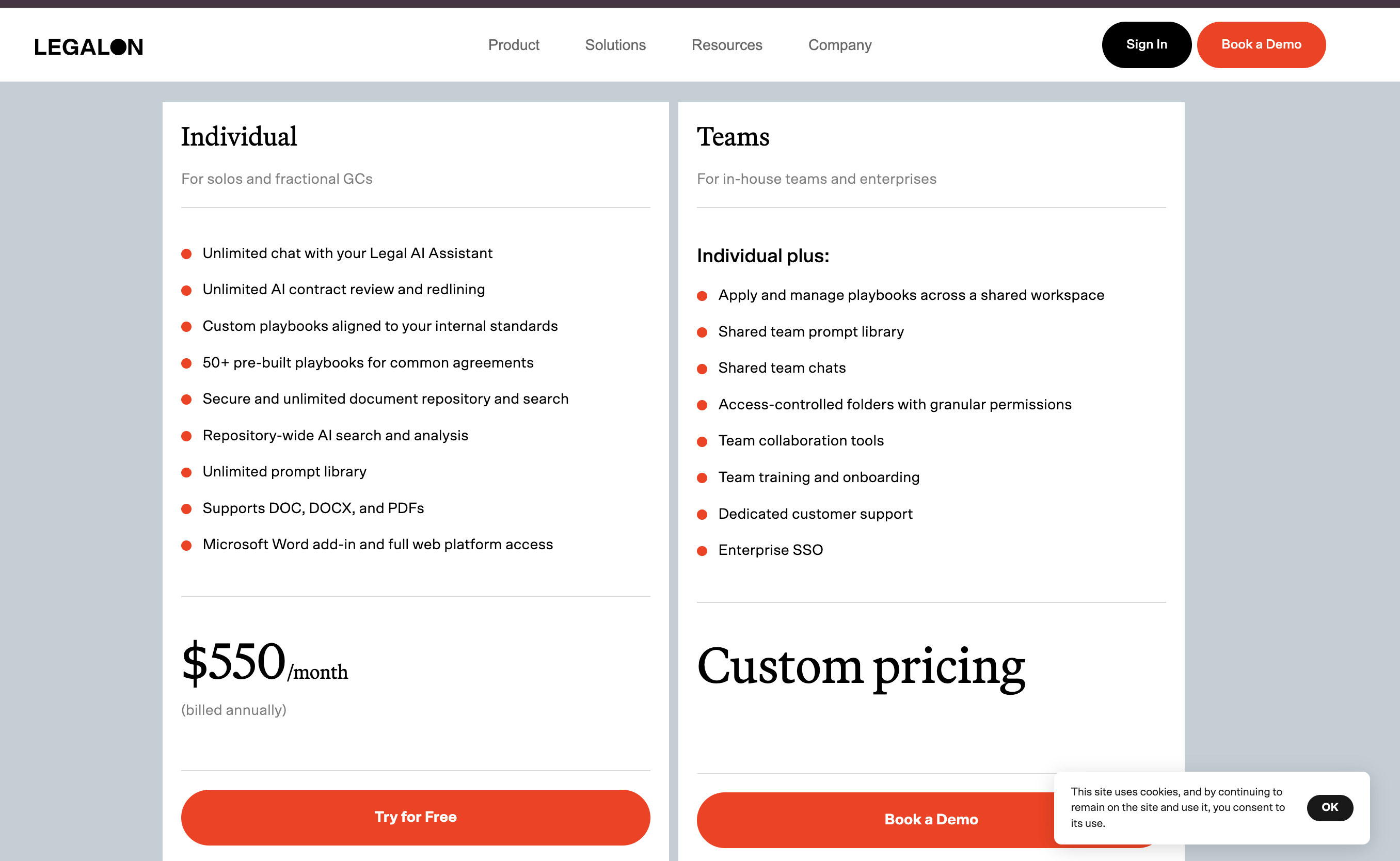
How LegalOn prices: base plus modules
LegalOn sells a platform, not a single product, and the pricing follows suit. You buy a base contract-review seat, then layer paid modules on top, each billed per user.
That structure matters more than any single number. Two same-size teams can pay very different amounts depending on which modules each turns on. The figures below are reported by a third party.
| Plan / driver | Reported figure | Source confidence |
|---|---|---|
| Public rate card | None; "Contact us" | HIGH (vendor directory, quote-based confirmed) |
| Individual license (limited features) | ~$3,500 / user / year | LOW (one reported figure, Spellbook, June 2026) |
| Five-user license, all core modules | ~$40,000 / year | LOW (one reported figure, Spellbook, June 2026) |
| Billing unit | Per seat, per functional module | MEDIUM (reported model, Spellbook, June 2026) |
| Free trial | Not published | n/a (confirm with vendor) |
The source confidence column is the part to read first. That LegalOn is quote-based is well established: a third-party directory shows "Contact us." The dollar figures are a different matter. They come from a single competitor pricing brief, so they are a rough band, not a rate card. Confirm the current number with LegalOn first.
What the LegalOn sales cycle looks like
There is no rate card, so the only way to a number is to book a demo. Knowing the script helps you control it.
The rep usually leads with the Review module and the low entry figure. Review is the strongest demo, and a small seat price anchors you cheap. The rest of the platform surfaces as you go: Assistant, Playbooks, Matter Management, Vault, Translation, each framed as a natural next step. By the time you ask for the total, the quote arrives bundled and gated, not line-itemed.
That sequence is the upsell working as designed, and the entry number is a teaser. Your job is to break the bundle apart before the demo glow wears off.
Do three things on the first call. Ask for every module line-itemed, with a separate per-seat price for each. Get the all-modules number in writing, not a verbal range. And treat the entry price as marketing, because the figure that hits your budget is the loaded one. A rep who will not line-item the modules is telling you where the margin hides.
What is included versus what is an add-on
The headline rate buys contract review. The rest of the platform is sold as separate modules, and knowing which is which avoids a quote that doubles on the second call.
Confirmed: the modules LegalOn ships. Per its own product site (legalontech.com, checked June 2026), the platform spans Review, Assistant, Playbooks, Matter Management, Vault, Translation, Word integration, and agentic workflows. That list is from LegalOn. What it does not say is which modules sit in a base seat and which cost extra.
Reported: how they are billed. A third-party brief reports that LegalOn bills per seat for specific functional modules (Spellbook brief, June 2026), so the base buys contract review and other modules are reportedly billed separately. Treat the breakdown below as the reported pattern, not a confirmed SKU sheet.
| Typically in the base seat | Reportedly billed separately |
|---|---|
| AI contract review on attorney-built playbooks | Matter management (intake and tracking) |
| Word integration | The legal assistant (Q&A and drafting) |
| Pre-built playbooks (NDAs, MSAs) | Translation, plus custom playbooks |
The point holds even if a quote bundles differently. The base seat is contract review, and the features that make it a full workbench add cost. For how review tools stack up, see our AI contract review tools comparison.
The hidden costs
The demo quote is the start of the bill. Three things push the real number higher.
The modules themselves. This is the big one. Each module you turn on is a separate per-seat charge, not a free switch. That is how a ~$3,500 entry seat becomes ~$8,000 per active user once the workbench is fully on.
The annual commitment. Quote-based legal AI is almost always an annual contract, often with auto-renew. LegalOn does not publish its term, so ask in writing. A one-year lock means a tool that underperforms still bills you for twelve months. Get the cancellation window and renewal-uplift cap named in the order form.
Onboarding and rollout. Playbook tuning, training, and add-in deployment take time, and enterprise legal tools sometimes bill professional services apart from the license. LegalOn publishes no implementation fee, so confirm whether onboarding is included before you sign.
How to budget for LegalOn
Because the price is quote-based and modular, budget by working back from the modules you need, not from a sticker.
List the modules you will use in year one. Contract review is the base. Decide now whether you need matter management, the assistant, and translation, because each is a separate per-seat line.
Convert to cost per active lawyer per year. Multiply the per-seat cost by the people who will log in, not the team size, then add every module. A reported ~$40,000 for five all-module users is about $8,000 per lawyer. Hold every quote to that unit.
Questions to ask LegalOn sales
Because nothing is published, the demo is where you set the terms. Get these in writing before you sign.
- Module-by-module line items. Ask for the per-seat price of each module separately, not one bundled figure. That is the only way to see what each add-on costs.
- Seat minimums. Ask if there is a minimum committed seat count. A floor above your headcount means paying for empty chairs.
- Renewal-uplift cap. Ask for a written cap on the annual increase, ideally 5 to 7 percent. Year two is where a year-one quote catches up.
- Onboarding fees. Ask whether playbook tuning, training, and Word add-in rollout are included or billed as separate professional services.
- Pilot terms. Ask if a pilot is available, how long it runs, and whether the fee credits against an annual contract.
- Data retention and DPA. Ask where your contract data is stored, how long it is kept, whether it trains models, and request the DPA up front.
For the full negotiation playbook, including the order-form lines to watch, see the legal AI pricing benchmark.
How LegalOn compares to adjacent contract-AI tools
LegalOn is not priced in a vacuum. The contract-review category clusters at a few-thousand-per-seat-per-year band, all quote-based, so its reported numbers are in line with peers. Every figure below is reported, checked June 2026.
| Tool | Reported per-user cost | Model | Source (confidence) |
|---|---|---|---|
| LegalOn | ~$3,500/yr entry; ~$8,000/yr all-modules | Quote, modular per-seat | Spellbook brief (LOW) |
| Ivo | ~$6,000/user/yr | Quote, annual; volume discount at 10+ | Spellbook brief (LOW) |
| Spellbook | reported ~$500/seat/mo base, quote-gated | Quote, 6-month min term | AI Vortex, Bind (LOW) |
Read against peers, LegalOn's entry looks low, but its all-modules ~$8,000 per active user sits at the top of the band. Ivo's ~$6,000 (onboarding included) and Spellbook's reported ~$500 per seat per month base (quote-gated) land in between. All are rough third-party estimates.
Who LegalOn fits, and who should look elsewhere
LegalOn is a strong, focused product, but not the right shape for every team. Match the tool to the work, not the headline.
LegalOn fits you if:
- You review contracts all day in Microsoft Word. The Word add-in and the attorney-built playbooks are the core strength.
- You want pre-built playbooks out of the box. Teams that do not want to build review logic from scratch get value on day one.
- You will run several modules. If matter management and the assistant are on your roadmap, the platform consolidates tools, which is where the per-seat stack pays back.
Look elsewhere if:
- You need deep legal research, not just contract review. A research-heavy team will want case-law and statute depth.
- You want one flat, published seat price. Quote-based modular pricing means you cannot self-serve or compare on a page.
- You are a solo GC on a tight budget. A reported ~$8,000 per active user, all-modules, is a real number to clear at that size.
For the lean in-house buyer, our guide to the best legal AI tools for in-house counsel and the alternative comparisons cover the lower-cost, self-serve end of the market.
That lower-cost end is the flat, published per-seat suite tier: research, drafting, and matter documents billed as one seat with no module stacking. The tradeoff is real in both directions. LegalOn's playbook depth runs deeper for a contract-only team, and its attorney-authored guidance is the reason to pay for it. If your week is broader than contracts and you want a price you can read off a page, price the suite tier first.
Sources
LegalOn publishes no rate card, so every dollar figure above is a third-party estimate, checked June 2026. The primary sources, linked once each:
- Spellbook's Legora vs LegalOn brief: the ~$3,500 seat, the ~$40,000 five-user all-modules figure, and the per-seat-per-module model.
- LawNext directory listing: confirms pricing is "Contact us," no public rate card.
- LegalOn's product site: the confirmed module list.
- Spellbook's Ivo vs GC AI brief: the Ivo ~$6,000 per user per year figure.
- Bind's Spellbook pricing breakdown: the Spellbook reported ~$500 per seat per month base, quote-gated.
G2 and Capterra carry user-reported pricing too, but both block automated checks, so they are named without a link.
FAQ
How much does LegalOn cost? LegalOn does not publish a price; it is quote-based. One reported figure puts individual licenses near $3,500 per user a year for a limited feature set, and a five-user team with all core modules near $40,000 a year (Spellbook, checked June 2026). Both are single third-party data points, so confirm the current number with LegalOn before budgeting.
Does LegalOn have a published price list? No. A LawNext directory listing for LegalOn shows "Contact us" for pricing, and LegalOn publishes no public rate card (checked June 2026). You learn the number after a demo, and it varies by how many modules you enable.
Why does LegalOn pricing vary so much between teams? Because it is modular. You pay a per-seat base for contract review, then add separate per-seat charges for modules like matter management, the assistant, and translation. Two same-size teams pay different amounts depending on which modules each enables.
What is included in the base LegalOn plan? The reported pattern is that the base seat covers AI contract review, Word integration, and pre-built playbooks. Matter management, the assistant, translation, and custom playbooks are reportedly separate paid modules (LegalOn product site and Spellbook, June 2026).
Does LegalOn offer a free trial? LegalOn does not publish free-trial terms. Access starts with a demo and a sales conversation. Ask directly whether a pilot or trial is available for your team size.
Who is LegalOn best for? Contract-heavy in-house legal teams that work in Microsoft Word and want attorney-built review playbooks out of the box. Teams that need deep legal research, a public API, or a single flat published seat price should price other tools alongside it.
How should I budget for LegalOn? List the modules you will use in year one, count active seats rather than licenses, and ask for the fully loaded per-seat quote with the contract term and any onboarding fee in writing. Then convert it to cost per active lawyer per year so it compares cleanly across vendors.
Last updated: June 2026.
New legal AI guides, weekly.
Further Reading
GC AI Pricing 2026: What It Actually Costs Per Seat
Read postIronclad Pricing 2026: CLM Cost Ranges and the AI Add-On
Read postIvo Pricing 2026: What AI Contract Review Costs Per User
Read postSpellbook Pricing 2026: Per-Seat Cost and Total Cost of Ownership
Read postLegal AI Pricing Benchmark (2026): What 10 Tools Actually Cost
Read postAI NDA Review Software: 9 Tools Compared (Pricing + What They Flag)
Read post
Co-Founder & CEO · Attorney
Arshita leads product and strategy at Vaquill, building the legal AI suite that solo, small-firm, and in-house US lawyers use to run a matter end to end.