The best AI NDA review software for most in-house teams is a tool that reads the agreement against a playbook, flags the risky clauses by severity, and writes suggested edits back into your document. For a solo or fractional GC who wants a published price, goHeather starts at $99.99/mo. For a small legal team that wants NDA review inside a wider workbench, Vaquill AI is self-serve. This guide ranks nine tools and shows what a good reviewer actually catches.
An NDA looks standard until it is not. A one-way agreement where your side also shares information, a definition of "Confidential Information" broad enough to swallow your own know-how, a residuals clause that quietly lets the other side reuse what they remember. These are the traps a fast review misses, and they are exactly what NDA review software is built to surface.
Short answer: For playbook-driven review, LegalOn and Spellbook lead, both quote-based. For a published self-serve price, goHeather ($99.99/mo) and Vaquill AI (self-serve) are the picks. For high-volume M&A triage, Luminance. For NDA review inside a full CLM, Juro, Ironclad, and LinkSquares, all quote-based. Genie AI offers a free tier, though it is built and priced in the UK.
TL;DR
- Best for in-house teams: Vaquill AI. NDA triage and playbook review sit inside a suite with drafting, matter context, and research on one self-serve price.
- Best playbook depth: LegalOn. Attorney-authored NDA playbooks and clause-by-clause flags. Quote-based.
- Best inside Word: Spellbook. Track-changes markup against your standard positions. Quote-based.
- Best published price for a solo GC: goHeather, $99.99/mo (goHeather pricing page, accessed July 2026), free trial, no card.
- Best for high-volume triage: Luminance. Anomaly detection across large sets without a predefined playbook. Quote-based.
- Best free option: Genie AI, free tier plus Pro at 56 GBP/mo (Genie AI pricing, accessed July 2026). UK-built, so budget in pounds.
- What to check: whether the tool writes real edits back into your document, enforces a firm-wide playbook, and states it does not train on your contracts.
Which NDA clause quietly lets the other side reuse your confidential information from memory?
Part of our vendor comparison series. For the broader buyer's view, see our legal AI for in-house counsel pillar and the wider best AI contract review tools roundup.
How we picked
We ranked these for the person whose real job is clearing NDAs fast without missing the clause that bites later: a solo GC, a fractional counsel, or a lean in-house team. We weighed four things. Does it review NDAs specifically, not just contracts in general. Does it flag issues by severity with a fix, not a vague summary. Does it write edits back into your document. And does it state, in writing, that it does not train models on your uploads.
A note on method, because it changes how much weight to give this. This roundup is built from vendor documentation, live pricing pages, and named third-party reviews accessed in July 2026, not a hands-on lab test of all nine tools against one sample NDA. Where a figure comes from a vendor page, we say so and give the access date. Prices are quote-based wherever the vendor routes you to a demo, and we do not print aggregator "median per year" numbers as fact. Sentiment comes from named review sites with the sample size shown, so you can weigh a 5.0 across ten reviews against a 4.1 across many.
The best AI NDA review software, compared
The two columns that decide most buys are whether the price is public and whether the tool writes edits back into your document instead of handing you a read-only summary.
| Tool | Public price? | Writes edits back? | Custom playbook? | Best for |
|---|---|---|---|---|
| Vaquill AI | Yes, self-serve | Yes | Yes | In-house teams |
| LegalOn | No, quote | Yes | Yes | Playbook depth |
| Spellbook | No, quote | Yes, in Word | Yes | Word users |
| goHeather | Yes, $99.99/mo | Yes | Yes | Solo / fractional GC |
| Luminance | No, quote | Yes | Not required | M&A triage |
| Juro | No, quote | Yes | Yes | CLM plus review |
| Ironclad | No, quote | Yes | Yes | Enterprise legal ops |
| LinkSquares | No, quote | Yes | Yes | Volume plus repository |
| Genie AI | Free / 56 GBP/mo | Yes | Limited | Free NDA drafting (UK-built) |
How AI NDA review works
Every tool here runs the same basic loop. It reads your NDA, compares each clause against a playbook or a set of standard positions, flags where the draft deviates, and proposes a fix. The good ones write that fix back as an edit you accept or reject.
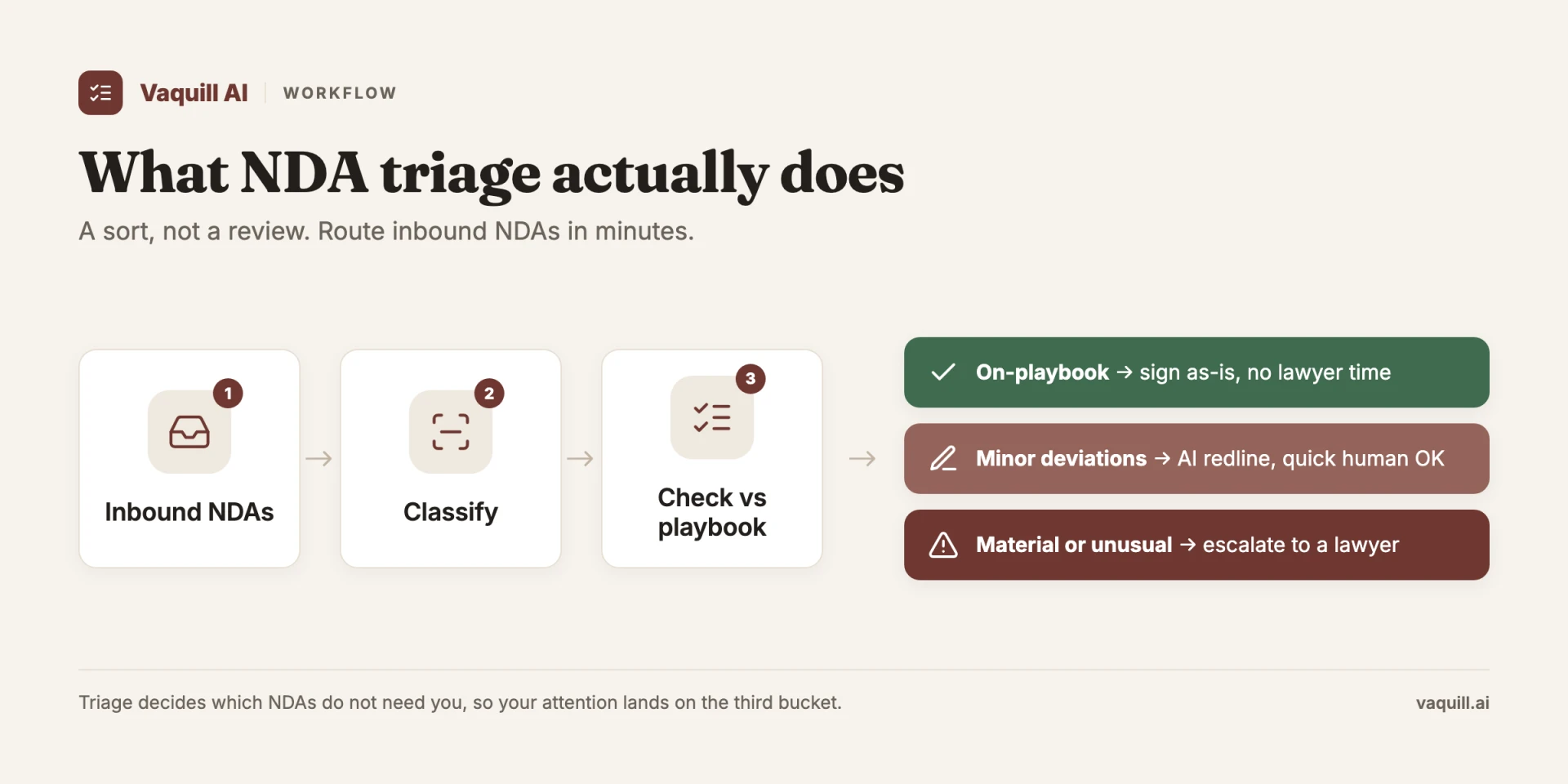
The difference between tools is where the playbook comes from and how the edit lands. Some ship attorney-written playbooks you customize. Some diff against your own past NDAs. The weaker ones stop at a read-only risk summary you then retype into Word yourself.
1. Vaquill AI: best for in-house teams that want NDA review in one suite

Vaquill AI triages an NDA against a playbook and flags each clause by risk.
At a glance: Self-serve, published pricing (sign up to see the latest) · Self-serve, trial · Best for in-house teams who want NDA review alongside drafting and research
Vaquill AI is an in-house legal AI workbench, and NDA review is one part of it. You upload an NDA, and the AI triages it against a playbook, flags each clause by severity, and drafts the redline. Because it sits in a suite, the same matter holds your drafting, your prior versions, and your research, so the review is not stranded in a one-off tool.
What's good
- NDA triage and playbook review with a published, self-serve price
- Matter context carries across review, drafting, and research
- States it does not index or train on your documents
Where it falls short
- Newer than the incumbents, with a shorter enterprise track record
- Not a heavyweight CLM with procurement routing and e-signature built in
Bottom line: Buy it if you want NDA review as part of a workbench you can start the same week without a sales cycle. Look elsewhere if you need a full contract lifecycle platform with signature and vendor onboarding.
See how the review runs in our NDA triage walkthrough.
2. LegalOn: best for attorney-authored NDA playbooks

LegalOn reviews an NDA against attorney-written playbooks and flags missing protections.
At a glance: Quote-based (public pricing removed) · Sales-led, demo · Best for teams that want depth in the playbook, not just a summary
LegalOn ships a dedicated NDA module with more than 50 attorney-authored playbooks you can edit in plain English. Its NDA review flags the gaps that matter: a missing or weak definition of Confidential Information, no clause covering copies, and no return-or-destruction obligation. Alerts are prioritized by importance and by whether the paper favors the company, the other side, or neither.
What's good
- Attorney-written playbooks for NDAs, MSAs, and DPAs, editable without code
- Prioritized flags with a suggested fix, not a flat list
- Works in Word and the browser, with PDF-to-Word included
Where it falls short
- Quote-based, so no published price to sanity-check (a competitor page reported a former plan near $550/mo, not confirmed on LegalOn's own site)
- Add-on modules push up the real total
What users say: LegalOn holds a 5.0/5 on G2 across a small sample of about ten reviews (G2, accessed July 2026). One CFO and chief legal officer (Doug A., September 2025) praised the review speed but noted you cannot merge several documents into one matter, which slows intake.
Bottom line: Buy it if the playbook is the point and you want attorney-grade defaults out of the box. Skip it if you need a self-serve price today.
3. Spellbook: best for NDA markup inside Word
Spellbook marks up an NDA inside Word as tracked changes against your standard positions.
At a glance: Quote-based (no public price) · Sales-led, demo · Best for commercial lawyers who live in Word
Spellbook is a Word-native assistant for transactional lawyers. On an NDA, it flags risky and missing clauses, benchmarks terms against market data, and inserts suggested edits as Word track changes, so the markup lands in the file you already work in.
What's good
- Edits arrive as native Word track changes, no new app to learn
- Flags missing clauses and benchmarks terms
- Strong first-pass review for commercial paper
Where it falls short
- No published pricing; the official page routes to a demo
- Weaker outside commercial contracts, such as employment or regulatory work
What users say: Transactional lawyers rate Spellbook around 4.1/5 on Lawyerist, with the recurring gripe that it still inserts a wrong citation now and then.
Bottom line: Buy it if your NDAs are commercial and you draft in Word all day. Skip it if you want a price before a sales call.
4. goHeather: best published price for a solo or fractional GC
At a glance: $99.99/mo (goHeather pricing page, accessed July 2026) · Self-serve, free trial, no card · Best for a solo GC who wants a number, not a quote
goHeather is the rare NDA tool with a public self-serve price. You upload an NDA as PDF, DOCX, or through a Word add-in, and a lawyer-trained model ranks each clause by risk from high to low, explains why it matters, and suggests a redline. It ships prebuilt playbooks, lets you build your own, and gives a red-light or green-light call on whether to sign.
What's good
- Published price and a free trial with no card
- Risk-ranked, explained clause flags with suggested edits
- Prebuilt and custom playbooks, plus OCR for scanned NDAs
Where it falls short
- Newer and smaller than the enterprise names, with less of a track record
- Built around review, not a full contract lifecycle
Bottom line: Buy it if you are a solo or fractional GC who wants to start today on a known price. Look higher up this list if you need a suite or a firm-wide rollout.
5. Luminance: best for high-volume M&A triage
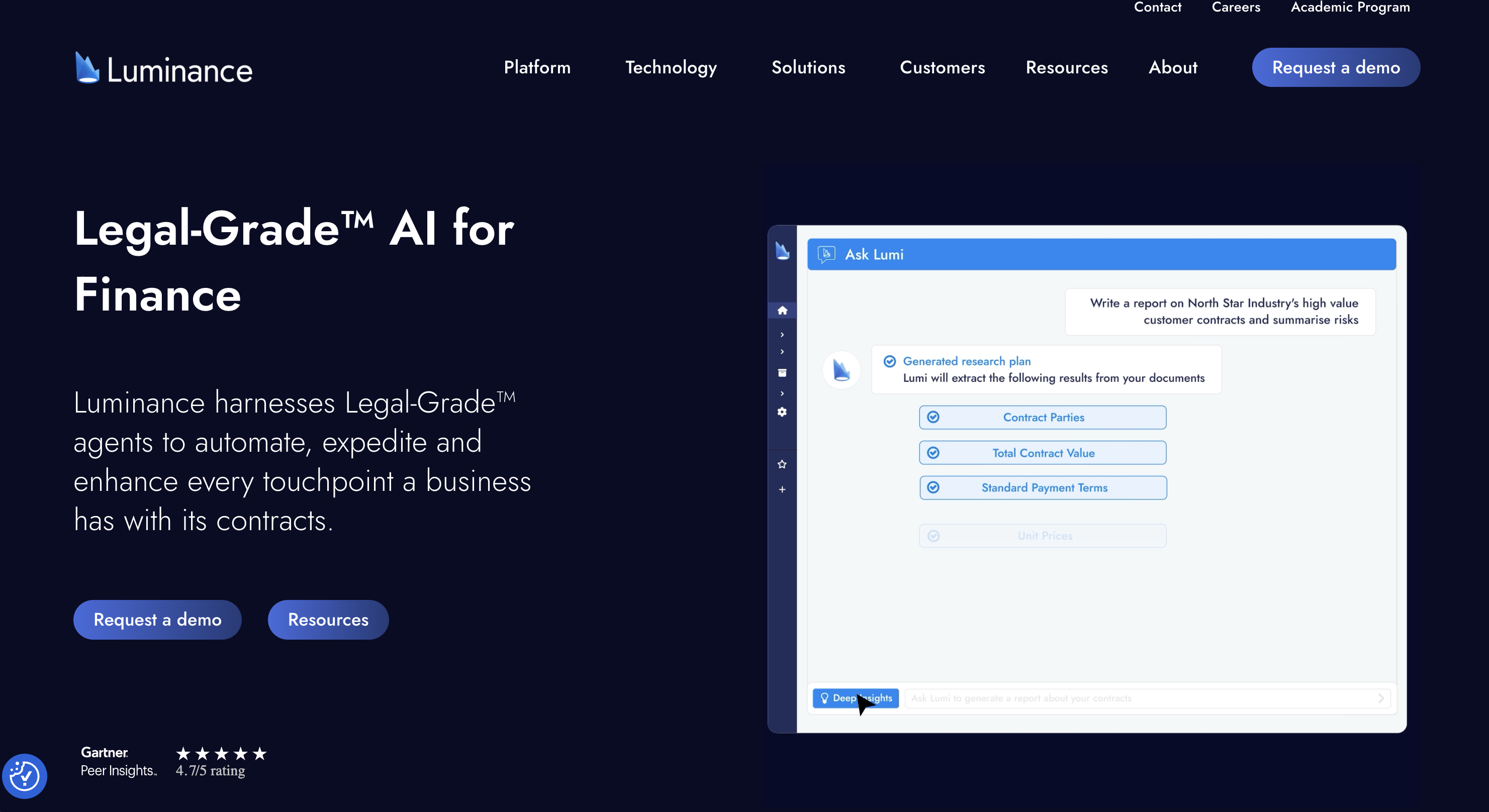
Luminance surfaces anomalies across a large set of agreements without a predefined playbook.
At a glance: Quote-based, enterprise · Sales-led, demo · Best for due diligence and high-volume review
Luminance runs on its own legal-grade models rather than a general chatbot wrapper, and it detects anomalies across large document sets without you first building a playbook. It also ships an NDA product that can auto-negotiate standard paper against your positions.
What's good
- Spots outliers across hundreds of agreements at once
- No playbook required to start finding anomalies
- Built for M&A due diligence and bulk triage
Where it falls short
- Quote-based enterprise pricing, overkill for a solo or fractional GC
- Heavier than a small team clearing a handful of NDAs a week
What users say: Luminance holds a 4.9/5 on G2, though across only about five reviews (G2, accessed July 2026), so treat that as thin signal.
Bottom line: Buy it if you triage NDAs by the hundred in diligence. Skip it if your volume is a few a week.
6. Juro: best for NDA review inside a CLM workspace
At a glance: Quote-based · Sales-led, demo · Best for teams that want review plus the full contract workflow
Juro is an all-in-one contract workspace, and its AI Assistant reviews a roughly twenty-page NDA in seconds, a task that used to take up to half an hour. It summarizes the NDA, flags deviations from your standard terms, and redrafts, and it gives the business self-serve NDA templates so routine paper never reaches legal.
What's good
- Review sits inside intake, approval, signature, and storage
- Self-serve templates keep routine NDAs off your desk
- SOC 2 Type 2 with zero-retention APIs, documented publicly (Juro, accessed July 2026)
Where it falls short
- Quote-based, and you pay for full CLM breadth even if you only want review
- More platform than a solo GC needs
Bottom line: Buy it if you want NDA review as one step in a whole contract pipeline. Skip it if you only need the review step.
7. Ironclad: best for enterprise self-serve NDA workflows
Ironclad routes routine NDAs through self-serve templates with AI review so legal sees fewer of them.
At a glance: Quote-based (contact sales) · Sales-led, demo · Best for enterprise legal ops
Ironclad is a contract lifecycle platform whose common NDA play is to keep legal out of the routine 95 percent. Business users pull a pre-approved template, the AI reviews inbound third-party NDAs, and only the exceptions reach a lawyer.
What's good
- Self-serve NDA templates plus AI review on third-party paper
- Routing, approvals, and storage in one platform
- Built for scale across a large organization
Where it falls short
- Five-figure and up, with an implementation project attached
- The wrong tool for a solo GC or a small team
Bottom line: Buy it if you run legal ops at scale and NDAs are a volume problem. Skip it if you want a light, fast review tool. See our full Ironclad review for the deeper look.
8. LinkSquares: best for NDA volume plus a searchable repository
LinkSquares pairs AI review with a searchable repository of executed NDAs.
At a glance: Quote-based · Sales-led, demo · Best for teams drowning in executed NDAs
LinkSquares combines AI review with a searchable contract repository, so you both clear NDAs and find their terms later. In one published customer story, Softonic reports processing NDAs close to four times faster and cutting outside-counsel cost by 40 percent, with reps self-executing standard NDAs (LinkSquares Softonic case study).
What's good
- Review plus a searchable store of every executed NDA
- Reps can self-execute standard NDAs
- Strong on post-signature metadata and reporting
Where it falls short
- Quote-based, aimed at mid-market and up
- Heavier than a pure review tool if you do not need the repository
Bottom line: Buy it if you sign NDAs constantly and need to search them afterward. Skip it if review, not storage, is your whole problem. Our LinkSquares review covers the platform in full.
9. Genie AI: best free option (built in the UK)
Genie AI drafts and reviews NDAs, highlighting risk clauses in plain English.
At a glance: Free tier, Pro 56 GBP/mo (Genie AI pricing page, accessed July 2026) · Self-serve · Best for occasional NDA drafting on a budget
Genie AI drafts and reviews NDAs, highlights risk clauses in plain English, suggests alternatives, and can make track-changes amendments. It states it uses ISO 27001 controls and does not train its models on your contracts.
What's good
- A genuine free tier with no card required
- Drafts and reviews, with plain-English risk flags
- Publishes its security posture and no-training stance
Where it falls short
- UK-built and priced in pounds, so US buyers should budget in GBP and check US-law coverage
- Lighter on US-specific playbooks than the dedicated legal platforms
Bottom line: Buy it if you draft the odd NDA and want a free start. Move up the list once NDA review is a weekly, firm-wide process.
Others worth knowing
- Robin AI: a legal AI assistant for review and redlining, with a Pro tier reported near $100/user/mo on third-party pricing pages (third-party reported, not confirmed on Robin's own site). Confirm the current plan and that the service is actively operating before you commit.
- Evisort (now Workday): acquired by Workday and folded into its suite; no standalone self-serve NDA product for a small team.
- Lexion (now Docusign): Docusign bought Lexion in 2024 for $154.0M (Docusign FY2025 10-K) and folded it into Docusign IAM.
- eBrevia and BRYTER: enterprise document-analysis and no-code app tools that market NDA-review use cases; both quote-based.
When a general LLM is enough
ChatGPT Plus and Claude Pro cost about $20/mo and can summarize an NDA, explain a clause, or draft a redline from text you paste. For a solo doing the occasional low-stakes NDA, that is often fine.
They fall short as a repeatable process. There is no legal playbook to enforce firm-wide, no track-changes redline written back into your document, no clause library, and no audit trail. On consumer tiers there are also confidentiality and data-retention questions before you paste a client's paper. For more on that line, see is ChatGPT confidential for legal work.
What good NDA review flags
This is where the tools earn their price. A useful reviewer does not just summarize; it ranks issues by severity and tells you the fix. Here is the map I work from: the clause, why it matters, the fallback I ask for, and whether it is worth escalating to outside counsel.
| Clause | Severity | Why it matters | Preferred fallback | Escalate? |
|---|---|---|---|---|
| Confidential Info definition | Critical | Too broad captures your own know-how | Tie to Purpose, add reasonable-person limiter | Yes if no fix |
| Missing carve-outs | Critical | Protects info that should be free | Add the four standard exclusions | Yes |
| One-way vs mutual | Critical | One-way binds only you | Make mutual if you also disclose | Always |
| Perpetual survival | Critical | Unadministrable on ordinary info | 3-5 yr term, trade-secret carve-out | Yes |
| Residuals | High | Reuse through "memory" guts the NDA | Delete or tightly cap | Always |
| Return / destruction | High | Copies kept after the deal dies | Add, with backup/legal-hold carve-out | If absent |
| Injunctive relief | High | No fast remedy for a breach | Make mutual, no bond | Rarely |
| Governing law / venue | Medium | Inconvenient forum for a US party | Neutral or home forum | Rarely |
| Smuggled non-solicit | Medium | Wrong document, own enforceability limits | Strike from the NDA | Yes |
Critical
- One-way vs mutual. If both sides share information, the NDA should be mutual. A one-way NDA binds only you. Flag any one-way agreement where your side also discloses.
- Definition of Confidential Information. Too broad ("all information disclosed") sweeps in your own know-how; too narrow ("only if marked CONFIDENTIAL in writing") leaves oral disclosures unprotected. The standard is non-public information disclosed for the stated purpose, plus anything a reasonable person would understand to be confidential.
- Missing carve-outs. Confidentiality should not apply to information that is public, already known, independently developed, or rightfully received from a third party. Flag if any of the four is absent.
- Term and survival. Two to five years is standard for ordinary information, indefinite for trade secrets. Flag perpetual survival on non-trade-secret information, and flag no term at all.
High
- Residuals clause. Lets a party reuse information held in unaided memory. A broad version can gut the NDA. Surface it prominently.
- Purpose limitation. Use should be tied to the defined purpose. Flag an open-ended or missing purpose.
- Return or destruction. Copies should be returned or destroyed on termination, with a carve-out for backups and legal holds.
- Injunctive relief. The NDA should acknowledge irreparable harm and allow an injunction. Flag one-sided versions.
Medium
- Governing law and venue. Flag a foreign or inconvenient forum for a US party.
- Smuggled-in non-solicit or non-compete. These do not belong in an NDA and carry their own enforceability limits by state. Flag and escalate. See NDA vs non-compete vs non-solicit.
- Assignment. Flag free assignment to a competitor without consent.
Four redlines, worked
Here is what a flag looks like when you carry it through to the edit. The clauses below are drafted for this article, not lifted from a real counterparty, but they mirror what these tools surface. Each shows the clause as received, the flag, the replacement, and the call I would make.
1. Over-broad definition (Critical). Received: "Confidential Information means any and all information disclosed by the Disclosing Party, whether or not marked as confidential, in any form." Flag: no purpose tie, no marking requirement, no reasonable-person limiter, so it can capture the recipient's own prior knowledge. Replacement: "Confidential Information means non-public information disclosed for the Purpose that is marked confidential or that a reasonable person would understand to be confidential." The call: I narrow this every time. A definition this loose is the clause that turns an NDA into a de facto non-use of your own know-how.
2. Broad residuals (High). Received: "The Receiving Party may use for any purpose Residuals, meaning information retained in the unaided memory of its personnel." Flag: quietly permits reuse of your information through memory, which undercuts the whole agreement. Replacement: delete the clause, or cap it: "Nothing in this Agreement grants the Receiving Party a license to use Confidential Information after termination." The call: residuals is the one I never wave through. It reads harmless and does the most damage, so it goes to the top of the escalation list.
3. Perpetual survival (Critical). Received: "The obligations of confidentiality shall continue in perpetuity." Flag: perpetual protection on ordinary business information is hard to administer and unusual; trade secrets are the exception, not the rule. Replacement: "Confidentiality obligations survive for three years after termination, except that trade secrets remain protected for as long as they qualify as trade secrets under applicable law." The call: perpetual survival on non-trade-secret information is a redline, not a shrug. A three-year term with a trade-secret carve-out is the standard I hold to.
4. Missing return or destruction (High). Received: silence, with no obligation to return or destroy copies on termination. Flag: without it, the other side keeps your material indefinitely after the deal dies. Replacement: add "On written request, the Receiving Party shall return or destroy all Confidential Information and certify destruction, except for one archival copy retained for legal-hold and backup purposes." The call: I add this whenever it is absent, but I always keep the backup and legal-hold carve-out, because a promise to purge every copy is one no IT team can honestly make.
Not every flag is worth a fight. I would not send a sales NDA back to outside counsel over an inconvenient venue clause, but I escalate a broad residuals or a one-way agreement where we also disclose every single time. A good tool ranks the flags so you spend your judgment where it counts.
For a ready-made standard to review against, see our NDA playbook template.
How to choose AI NDA review software
Start with volume and money. A solo or fractional GC clearing a few NDAs a week wants a published price and a same-day start, which points at goHeather or a self-serve suite, not a five-figure CLM. A team signing NDAs daily and searching them later needs the repository, which is where LinkSquares, Juro, and Ironclad earn their quote.
Then check three things a demo can hide. Does it write edits back into your document, or dump a read-only risk list you retype. Can you edit the playbook yourself without a services engagement. And does the contract state, in writing, that your uploads are not used to train models. If any answer is no, keep looking.
FAQ
What is AI NDA review software? It is software that reads a non-disclosure agreement, compares each clause against a playbook or your standard terms, flags where the draft deviates, and suggests edits. The better tools rank flags by severity and write the redline back into your document rather than handing you a read-only summary.
Is AI NDA review accurate enough to trust? Treat it as a fast first pass a lawyer still signs off on. AI review is strongest on standardized paper like NDAs and weakest on bespoke, judgment-heavy terms. Under ABA Formal Opinion 512, the duty of competence stays with you, so verify each flag.
How much does AI NDA review software cost? It splits by model. goHeather publishes $99.99/mo and Genie AI has a free tier plus a 56 GBP/mo plan. LegalOn, Spellbook, Luminance, Juro, Ironclad, and LinkSquares are quote-based, so you request a price. General tools like ChatGPT Plus or Claude Pro run about $20/mo but are not built for repeatable NDA review.
Can ChatGPT review an NDA? It can summarize an NDA and explain clauses from text you paste, which is fine for the occasional low-stakes review. It cannot enforce a firm-wide playbook, write track changes back into your file, or give you an audit trail, and consumer tiers raise confidentiality questions. For a weekly process, a dedicated tool is safer.
What is the most important NDA clause to check? The definition of Confidential Information and the standard carve-outs, because they decide what the agreement actually protects. Close behind is the residuals clause, which can quietly let the other side reuse what its people remember.
Does AI NDA review software keep my documents private? It depends on the vendor. Look for a written statement that the tool does not train models on your uploads, plus a security standard like SOC 2 or ISO 27001. Juro documents SOC 2 Type 2 and Genie AI cites ISO 27001; confirm the current terms before you upload client paper.
What is the difference between NDA review and NDA triage? Review works through a single agreement clause by clause. Triage sorts a stack of incoming NDAs by risk so you know which ones need a close read and which are safe to sign. Our NDA triage guide covers the difference in full.
Can these tools handle a scanned PDF NDA? Some can. goHeather includes OCR for scanned documents, and several platforms convert PDF to Word before review. A clean digital NDA always reviews more reliably than a scan, so convert where you can.
The bottom line
If you want NDA review as a repeatable, firm-wide process rather than a one-off, pick a tool with a real playbook that writes edits back into your document, and confirm it does not train on your uploads. For a solo or fractional GC on a published price, goHeather is the straightforward pick. For an in-house team that would rather not stitch a workbench together tool by tool, Vaquill AI runs NDA triage, review, drafting, and research under one price. Try it at app.vaquill.ai, or read the NDA triage evaluation first.
New legal AI guides, weekly.
Further Reading
Harvey AI Pricing 2026: Per-Seat Cost and the Renewal Increase
Read postTop Contract Management Vendors for Fortune 500 Legal Teams
Read postTop AI Legal Research for Solo Attorneys on a Budget
Read postTop 16 AI Contract Review Tools (2026)
Read postBest AI Software for Plaintiff Law Firms (2026): 11 Tools Compared
Read postLegora Pricing: What a Seat Actually Costs (2026) vs Harvey
Read post
Co-Founder & CEO · Attorney
Arshita leads product and strategy at Vaquill AI, the US primary law data API. As an attorney, she decides which law we carry, how each section is sourced and cited, and what legal AI and compliance teams need from the data.