

This is one of three agentic workflows. Rather than running a fixed pipeline, it plans which checks to run based on your answers, then dispatches them as child runs. The child runs are visible from the parent run’s page.
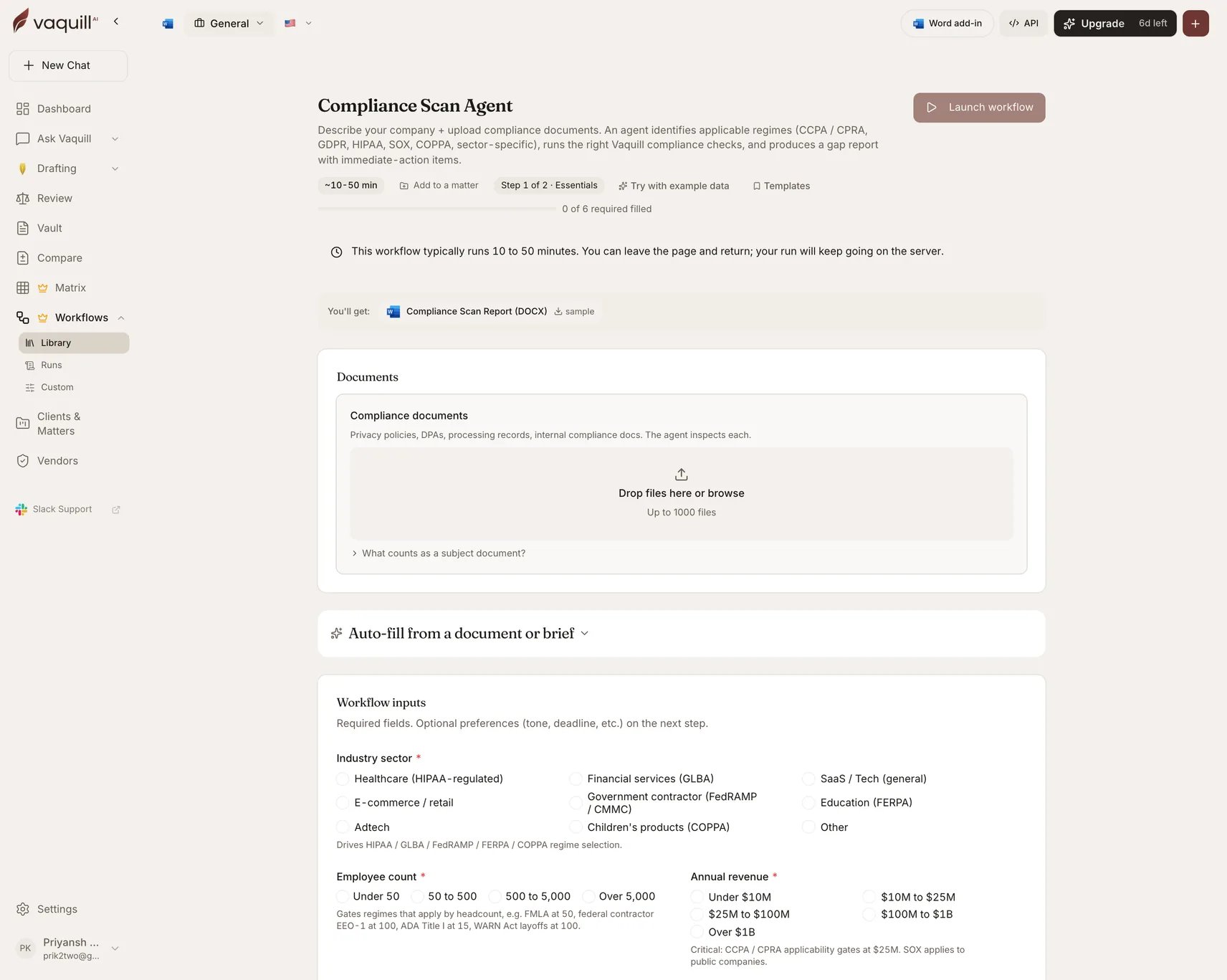
The Compliance Scan Agent launcher: document slots, inputs, and what you get
What you need
Documents are optional: the agent can produce a regime-applicability analysis from your answers alone, though the gap findings get much sharper with documents attached.
Inputs
How it runs
1
Plan
The agent scopes the compliance surface from your answers and the uploaded documents, and decides which regime checks apply.
2
Launch children
Dispatches the planned compliance checks as child workflow runs.
3
Wait for children
Blocks until every child check completes. This is why the workflow runs on the long queue.
4
Synthesize
Aggregates the child findings into one prioritized gap picture.
5
Render
Writes the scan report.
What you get
Child runs remain individually inspectable from the parent run page, so you can drill from a summarized gap into the check that produced it.
What this will not do
- Replace compliance counsel review for final remediation calls or breach-notification decisions.
- Confirm regime applicability, such as HIPAA covered-entity status, SOX issuer status, or FedRAMP impact level, when the facts are ambiguous. Consult counsel.
- Send regulatory notifications, file state breach notices, or respond to an FTC inquiry on your behalf.
- Audit your actual data flows, vendor sub-processor chain, or technical controls beyond what is in the uploaded documents.
- Run a technical security review: penetration testing, code audit, SOC 2 readiness assessment.
Related
Privacy and Data Protection Audit
Deeper on privacy specifically, when you already know that is the regime.
Compliance check
The interactive single-check version.