The single Gemini task that is safe for a lawyer is summarizing your own Gmail and Docs content. The single one that gets lawyers sanctioned is asking it for case law. Everything else falls between those two poles. Gemini is a strong productivity layer inside Google Workspace, but it does not retrieve verified opinions and statutes, so it cannot tell you what the law is. Use it for first drafts and summaries of your own material, never as the source of law. This is general information, not legal advice. Last updated: June 2026.
TL;DR
- Gemini is a productivity layer, never the source of law. Use it for first drafts and summaries of your own material only.
- The Workspace integration is the real draw. It lives inside Docs, Gmail, Sheets, Slides, and Meet, so it works on files you already have.
- It fabricates citations with confidence. Gemini can produce a real-looking case that does not exist, which is how lawyers get sanctioned.
- Two traps bite careful firms. It answers from every file your account can reach, and its consumer twin looks identical but trains on your chats.
- Consumer and Workspace Gemini have opposite data defaults. Consumer can human-review your chats; paid Workspace carries a no-training commitment.
- Every legal output needs a lawyer's verification. Treat its drafts as scaffolding and check every cited claim against the primary source.
Per this post, why can Gemini get a lawyer sanctioned when used for legal research?
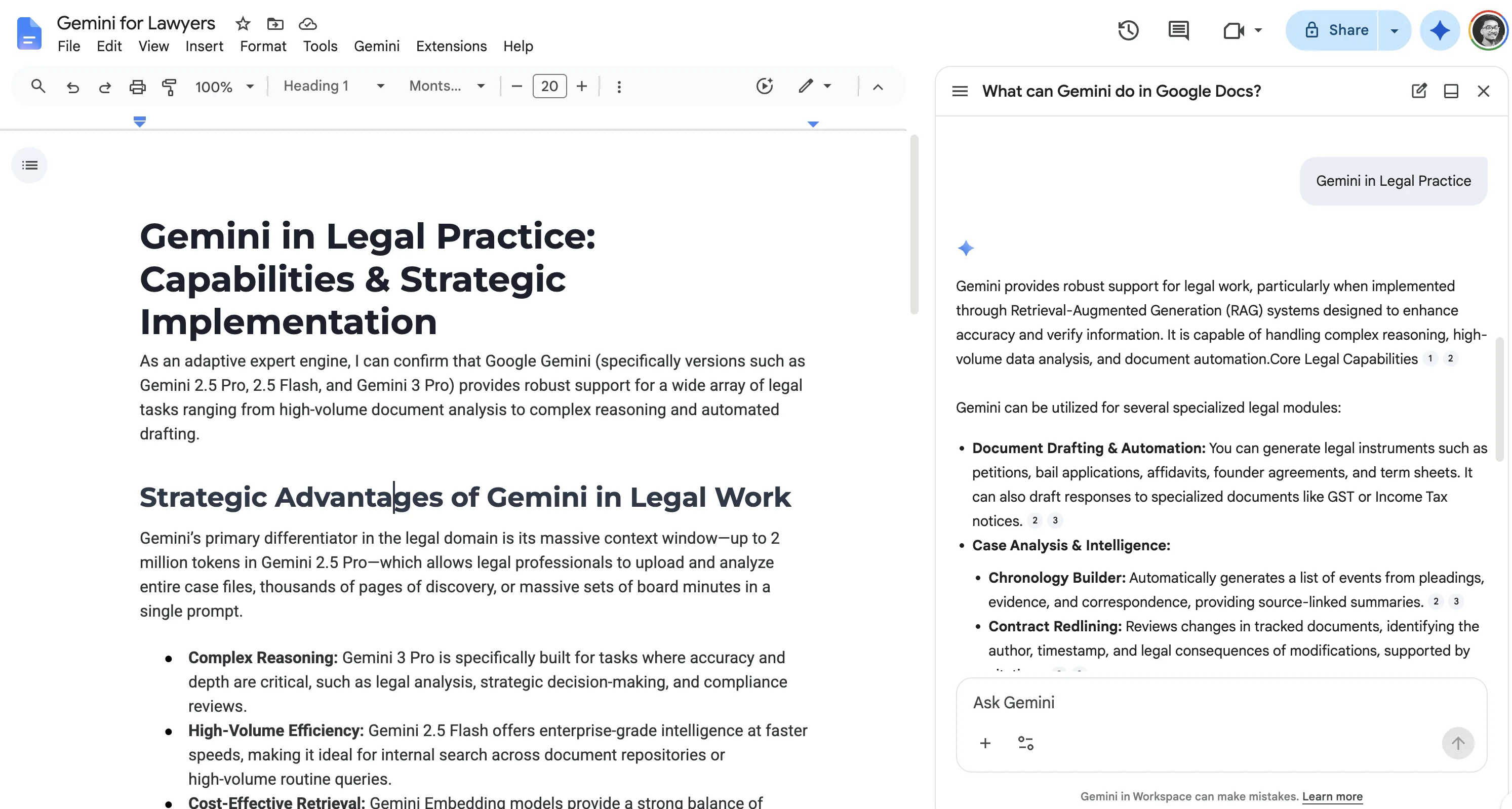
What Gemini is, and what it is not
Gemini is Google's family of large language models, in the Gemini app and woven into Google Workspace. It predicts the most plausible next words, which explains both its talent and its danger. It is good at language and has no internal database of what is true.
Asked for a case that supports your point, it produces a citation-shaped string that looks right. Sometimes it is a real case. Sometimes not, and the model cannot tell which. Think of it as a fast junior who writes well and never tells you when guessing. You would not file a junior's memo without checking the cites.
Where Gemini helps a lawyer
The Workspace integration is the reason to pick Gemini over a standalone chatbot. If your matter files and email sit in Google, Gemini works on them in place.
- Summarizing your own documents. In Google Docs, Gemini summarizes key points or drafts an executive summary of a long file you have (Google Workspace, checked June 2026).
- Untangling email threads. In Gmail, it summarizes a long back-and-forth into key points at the top, so you skip the scroll.
- First-draft scaffolding in Docs. Hand it a fact pattern and ask for a demand letter or a policy memo. You edit and source the result.
- Spreadsheet cleanup in Sheets. It can categorize or summarize text across cells, which helps a contract tracker or a litigation log.
- Meeting notes in Meet. It captures notes and action items from a call, so you are not transcribing while you listen.
- Rewriting and tone work. Soften a blunt note or tighten a rambling paragraph. The substance is already yours.
Every one of these works because you supply the content and Gemini reorganizes it. There is little to verify.
Where Gemini falls short for legal work
The failure modes cluster around exactly the work that goes to a court or a client.
Citations and hallucinations
This is the risk that ends careers. The output looks like competent legal work because the model is built to sound right, not to be right.
The textbook case is Mata v. Avianca. Lawyers filed a brief built on cases ChatGPT had invented, like Varghese v. China Southern Airlines. Judge Castel sanctioned them $5,000 in June 2023 (S.D.N.Y., 678 F. Supp. 3d 443). The lesson applies to any ungrounded assistant, Gemini included, because none of them retrieve a real case. We track the growing list in our AI hallucination sanctions tracker.
No grounding, no jurisdiction sense, no sense of time
Gemini does not retrieve from a verified corpus of opinions and statutes. It reasons from training data, so there is no source behind the cite, and verifying means rebuilding the research yourself. It also does not know whether you mean Delaware, California, or federal law, and it blends them. The model reasons from a fixed snapshot, so a rule that changed last quarter may be missing, and it will not warn you the view is stale.
Good fit vs poor fit: legal tasks
The line tracks one question. Are you asking Gemini to write from material you supplied, or to supply the law?
| Legal task | Verdict | Why |
|---|---|---|
| Summarize a contract or deposition you have | Good fit | Works from your text |
| Summarize an email thread in Gmail | Good fit | Native feature, your own content |
| Draft a demand letter or memo from your facts | Good fit | Scaffolding you then edit and source |
| Rewrite, tighten, or adjust tone | Good fit | The substance is already yours |
| Organize a contract tracker in Sheets | Good fit | No legal authority asserted |
| Find supporting authority for a point | Poor fit | Predicts citations, does not retrieve them |
| Confirm a statute's text or a holding | Poor fit | No checkable primary source |
| Answer a jurisdiction-specific question | Poor fit | Blends states, will not flag the gap |
| Produce anything you file unsourced | Poor fit | You own every cite, and it fabricates |
What Gemini gets right and wrong: a quick test
Here are four prompts a lawyer might actually type, with the realistic result and what to check before you trust it.
Prompt A: "Cite the leading case on the enforceability of liquidated damages clauses." Gemini hands you a case name, a court, and a reporter cite, all perfectly formatted, for a case that may not exist. The format is flawless, which is exactly what makes the fake hard to catch. Open every cite in a primary source. An unopened cite is fiction until you prove otherwise.
Prompt B: "What is the rule for non-compete agreements?" Gemini blends California (where they are mostly void), Florida (where they are enforceable with limits), and federal action into one confident paragraph. It never asks which state you mean, and the merged answer is wrong everywhere. Name your jurisdiction, then check that state's current statute, not the summary.
Prompt C: "Summarize this 40-page vendor contract I pasted." Gemini nails the parties, the term, and the headline obligations. What it skips is what should worry you: the one-sided indemnity, the absent liability cap, the auto-renewal buried in a schedule. It summarizes what is there, not what is missing. Read the risk clauses yourself.
Prompt D: "Summarize this 20-message email thread in Gmail." This is the prompt Gemini was built for. The thread is your content, so the summary is grounded and accurate. Skim once for tone and any commitment you would not want paraphrased loosely. Reliable on material you gave it, dangerous the moment it has to supply the law.
A note on confidentiality
What you can paste depends on which Gemini you signed into. On consumer Gemini, a subset of chats are reviewed by humans and used to improve Google's services, including its models, unless you turn off the activity setting (Google, checked June 2026). Paid Google Workspace does not use customer data to train its generative AI models without permission (Google Workspace Privacy Hub, checked June 2026).
Here is the split, with the line a firm admin must confirm before rollout.
| Consumer Gemini (personal account) | Gemini for Workspace (paid, work account) | |
|---|---|---|
| Trains on your content by default | Yes, a subset, unless you change the setting | No, not without customer permission (Google, checked June 2026) |
| Human review | A subset of chats can be human-reviewed | Google states content is not human-reviewed for training outside your domain |
| Retention | Tied to your activity setting; short window even when off | Governed by Workspace terms and your admin retention rules |
| What the admin must confirm | Not appropriate for client matters | The data agreement, tenant settings, and which users have access before go-live |
The configuration burden sits with your firm, not with Google. We walk the full breakdown in is Gemini private for legal work, so this post does not restate it.
The two traps lawyers miss
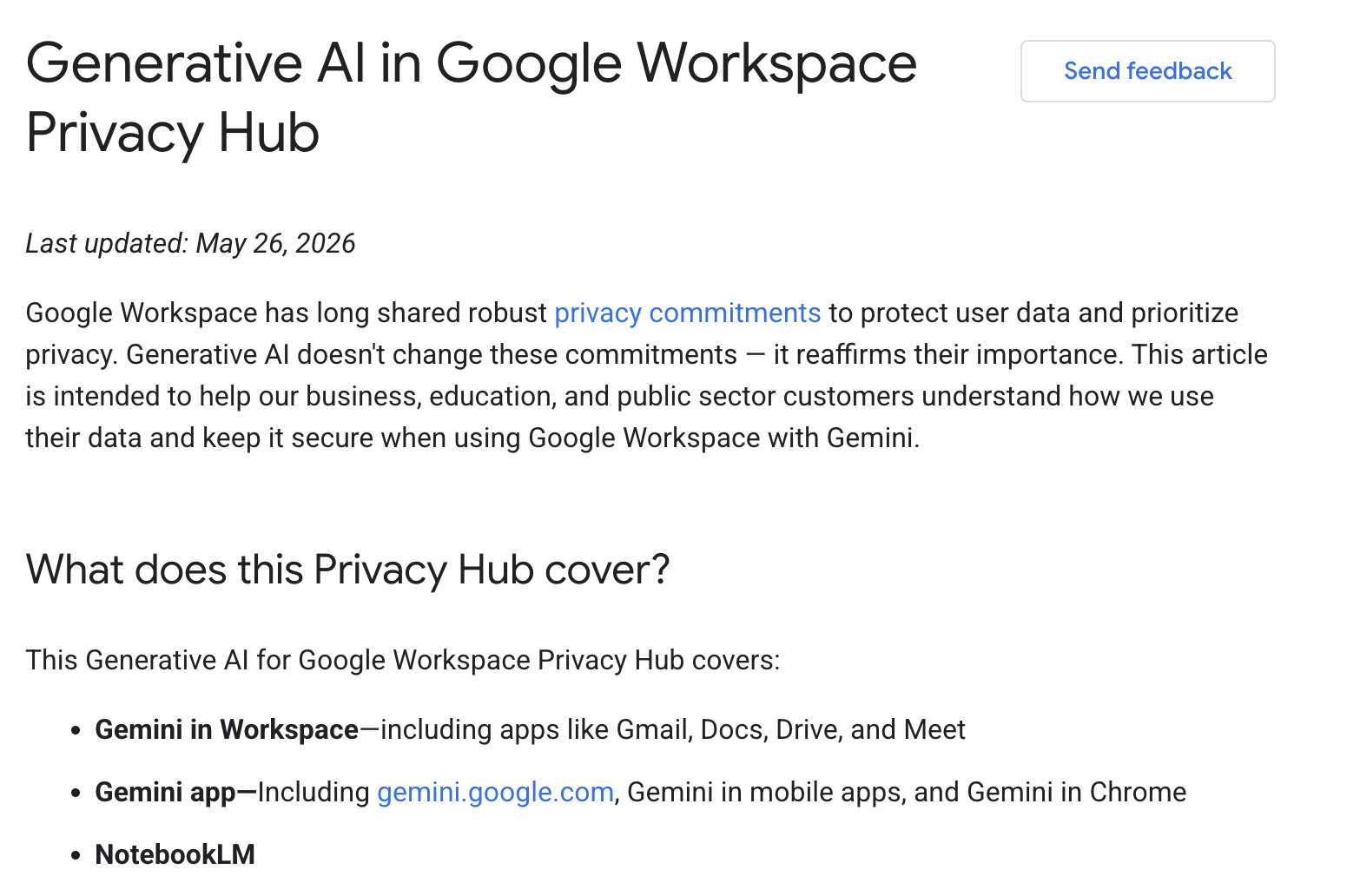
Two Gemini-specific risks hurt firms that thought the privacy question was handled.
The Drive-grounding trap
Gemini for Workspace answers from your Drive, Gmail, and shared drives, with the same access your account has (Google, checked June 2026). That sounds safe. It is not, if your sharing is sloppy.
Ask "summarize what we know about the Acme matter" and Gemini reaches every file your account can open. That includes a document overshared years ago, a shared drive nobody locked down, and another client's matter you were never removed from. It folds all of it into one confident answer, and never flags that two of those sources should not have touched each other.
Gemini does not create new access. It makes existing access faster to act on, which turns a dormant oversharing problem into a live breach. Audit Drive and shared-drive permissions before you roll Gemini out, not after a leak.
The same-interface trap
Consumer Gemini and Gemini for Workspace look almost identical, and they have opposite data defaults. Consumer can train on your chats and human-review a sample. Workspace does not. A lawyer who does not know which one is open can paste a privileged draft into the consumer tier by accident.
Check before you type. A Workspace session shows your firm account in the top-right avatar, often with an enterprise badge near the Gemini name. If you see a personal Gmail address, stop. The safer habit is to reach Gemini only from inside a signed-in Workspace app.
How to use Gemini safely as a lawyer
This checklist keeps you inside your duties under ABA Formal Opinion 512.
- Confirm the tier and clean the permissions. Use a paid Workspace account, and audit Drive sharing before rollout, per the two traps above.
- Feed it your own material. Summaries and drafts from documents you supply are the safe lane. Questions about what the law says are not.
- Verify every legal proposition. Pull and confirm each cite against the primary source, never from the model's memory.
- Treat output as scaffolding. You own every cited claim, so edit and source before anything leaves your desk.
Our AI legal drafting guide covers how to turn a chatbot first draft into something you can send.
The verdict
Treat Gemini as the best assistant your Workspace already pays for, and never as a lawyer. It is a real time-saver on summaries, first drafts, and email triage, where it works on your own content. The moment you ask it what the law is, it stops being useful and starts being a liability, because it invents citations that read as real. Clean your Drive permissions and confirm your tier first, or a productivity win becomes a breach. The same caution applies to its peers, ChatGPT for lawyers and Claude for legal work.
For the law itself, a purpose-built tool fits. Vaquill AI is a legal AI suite for in-house counsel that retrieves over real US opinions and statutes, so each cite links back to a source you can open. For a fuller roundup, see our best legal AI tools for in-house counsel.
FAQ
Is Google Gemini good for lawyers? Yes, for the right tasks. It is strong at summarizing documents you provide, drafting from your own facts, and email triage inside Workspace. It is not a source of legal authority, because it fabricates citations. Use it for productivity and verify the law elsewhere.
Can Gemini do legal research? Not reliably. It predicts citations rather than retrieving them, so it can produce confident cites for cases that do not exist. For research you can cite, use a grounded tool that retrieves real opinions and statutes, then verify the result.
Does Gemini integrate with Google Docs and Gmail? Yes. Gemini works inside Workspace apps, including Docs, Gmail, Sheets, Slides, and Meet. In Docs it drafts and summarizes; in Gmail it summarizes long threads. It operates on files you already have in Google.
Can Gemini for Workspace read other clients' files? It can read any file your account can open, and it folds that content into answers. If matters are overshared or shared drives are loose, it can surface the wrong client's material. Clean Drive permissions before rollout, not after.
Why does Gemini make up cases? Because it predicts plausible text rather than retrieving real documents. Asked for authority, it generates a citation-shaped string that looks correct. It cannot know whether the case exists, and it will not tell you it is guessing.
Is Gemini confidential enough for client matters? Only on a paid Workspace tier with the right configuration. A consumer account can train on your chats and human-review a sample, so it is not built for client work. Confirm your tier and settings, which we cover in is Gemini private for legal work.
Gemini or a purpose-built legal tool for in-house work? Use both. Gemini for drafting and summaries where you own the facts and the law, a grounded tool for anything that has to cite the law. The split is whether the task needs a checkable source or just good prose.
What does ABA Formal Opinion 512 require for using Gemini? It applies the duties of competence, confidentiality, communication, and candor to generative AI. You must understand how the tool can fail, get informed client consent before entering confidences, and verify every output before relying on it.
New legal AI guides, weekly.
Further Reading
Can Google Gemini Review a Contract?
Read postMicrosoft Copilot for Lawyers: What It Can and Cannot Do
Read postWhat Lawyers Want From Legal AI in 2026: A 534-Lawyer Study
Read postAI Medical Record Review for Lawyers: How It Works, What It Costs, and Where It Breaks
Read postIs Legal AI a Bubble? What the 2026 Market Data Says
Read postWhat Lawyers Really Think of Legal AI in 2026 (Reddit + Reviews)
Read post
Co-Founder & CEO · Attorney
Arshita leads product and strategy at Vaquill, building the legal AI suite that solo, small-firm, and in-house US lawyers use to run a matter end to end.