
In-house legal software is the set of tools a corporate legal team uses to draft and review contracts, track matters, manage spend, and capture knowledge, instead of relying on a law firm's stack. For an in-house team in 2026 the core is small: an in-house legal AI platform for drafting and review, matter management to track the work, and a place to store playbook knowledge. CLM, e-signature, e-billing, IP, and research round out the wider map but are not where the lawyer spends the day. This guide covers the full category map, honest 2026 prices where vendors publish them, the data-privilege gate that decides most shortlists, and a rollout order that survives.
A GC at a Series B health-tech company (details anonymized from a real conversation this spring) counted up her legal tools one afternoon and got a number nobody on her four-person team had said out loud before: eleven. The trigger was mundane, a renewal email for a CLM seat nobody recognized.
The audit turned up a CLM two of the four refused to open, a matter tracker that was really a shared spreadsheet, two e-signature accounts because nobody killed the old one at switchover, a contract-review tool the previous GC bought and never rolled out, and a general AI subscription everybody used and nobody had vetted.
That is the real state of in-house legal software in 2026. Not a clean stack. A pile that accreted across two GCs, where the bill is large and the daily-use list is short.
This is a buyer's guide for the people doing the buying: in-house counsel, fractional GCs, CLOs, and the two-to-ten-person teams who make these decisions between contract reviews, not as a quarterly project.
The goal is not to list every category. It is to tell you which layers an in-house team actually needs, where the suite-versus-point-tools call goes, why your data posture is the gate that kills most shortlists, and what order to turn things on so the rollout survives.
TL;DR
- The daily-touch core is smaller than vendors imply: an AI workbench for drafting, review, and redlining, plus matter management and a way to capture knowledge. CLM and e-signature are real but they are the contract pipeline, not where the lawyer spends the day.
- For a one-to-ten-person team, default to a suite for the workbench layer and keep point tools only where one already works and the data lives elsewhere. Tool sprawl is the actual tax on small teams: eleven logins, four bills, and a training burden nobody has time for.
- Enterprise legal AI runs high: Harvey is $1,200 to $2,000+ per user per month and Legora $300 to $800 per user per month, both unlimited (or a pay-as-you-go, credit-metered plan), and enterprise CLM like Ironclad adds six-figure annual spend and multi-month rollouts. That math does not fit an in-house team, and the cheaper tools deserve a hard look before you sit through a sales cycle.
- Data posture is a buying gate, not a feature comparison. ABA Formal Opinion 512 put the duty to vet a tool's retention and confidentiality terms on you, so "where does my redline go and who can read it" decides the shortlist before price does.
- Roll out in the order the work flows: review and redlining first because that is the daily pain, then matter management to capture what you did, then knowledge, then CLM and signature once volume justifies them. Reverse that and adoption stalls.
What does this guide list as the daily-touch core for a one-to-ten-person team?
The full category map
Most buyer guides flatten in-house legal software into one list. The market actually splits into nine categories, and an in-house team needs maybe three of them on day one. Here is the whole map, what each does, an example tool or two, and whether a one-to-ten-person team needs it early.
| Category | What it does | Example tools | Self-serve priority |
|---|---|---|---|
| AI workbench | Draft, review, redline contracts on your own paper; answer legal questions | Harvey, Legora, Spellbook, Vaquill AI | Core, day one |
| Matter management | Turn requests into tracked matters with owner, status, record | LawVu, Xakia, Clio, Legal Tracker | Core, early |
| Knowledge / playbooks | Store approved positions and fallback language the workbench reads | Built into workbench or a wiki | Core, low cost |
| CLM | Automate high-volume contract pipeline and self-serve | Ironclad, LinkSquares, Juro, ContractWorks | Only at volume |
| E-signature | Execute signed documents | DocuSign, Adobe Acrobat Sign, Dropbox Sign | Commodity, turn on anytime |
| Legal spend / e-billing | Track outside-counsel invoices and budgets | Brightflag, SimpleLegal, Legal Tracker, Onit | When outside spend is large |
| Legal research | Case law and statute search | Westlaw, Lexis+ AI, vLex, Vaquill AI | A workbench feature, not the center |
| IP management | Track patents, trademarks, renewals | Anaqua, Clarivate IPfolio | Only if you own IP at scale |
| E-discovery | Litigation hold, review, production | Relativity, Everlaw, Logikcull | Only in active litigation |
The table is the market. The shopping list is the first three rows. Everything below them is real software that earns its place at a specific trigger (contract volume, outside-counsel spend, an IP portfolio, a lawsuit), not by default. For the categories where the call is hard, we have deeper breakdowns: matter management for in-house teams, cost-effective CLM platforms, and the AI tools built for in-house counsel.
What an in-house team actually touches
Strip the category lists down to what a lawyer opens on a normal Tuesday and you get a short set. The five-bucket stack analysts describe (e-signature, CLM, matter management, legal research, an AI assistant) is a fair map of the market but a bad shopping list, because it flattens tools you live inside against tools that run in the background. The honest split:
The workbench is where the day happens. Drafting an SOW, reviewing an inbound MSA, running AI redlines through a vendor's paper, checking a clause against your own position, pulling up the last three matters that touched the same counterparty.
This layer decides whether the team feels fast or buried, and in 2026 it is where AI changed the job, not just the tooling. A review that took forty minutes of reading now takes ten minutes of reading plus five of judgment, and the difference is the workbench.
Matter management is the spine, where a request becomes a tracked thing with an owner, a status, and a record. In-house teams under-invest here and pay later, because the absence shows up as the question every GC dreads from the CFO: what is legal actually working on.
A four-person team can run on something light, but "light" should still mean a real matter system, not a spreadsheet one person maintains and nobody trusts.
Knowledge is the cheapest leverage and the most skipped. Your playbook positions, your approved fallback language, your last memo on the same vendor question.
The teams that compound capture this as they work instead of re-deriving it every quarter. You do not need a knowledge-management product on day one, just a place the workbench can read from.
The contract pipeline (CLM plus e-signature) matters, but it is not where the lawyer spends the day. CLM earns its keep with repeatable, high-volume paper and non-lawyers who self-serve.
E-signature is close to a commodity: DocuSign is the clear market leader and the name opposing counsel recognizes on sight, which is reason enough to default to it (or Adobe Acrobat Sign if you live in Adobe) and stop optimizing.
Notice what is not on the daily-touch list: a Westlaw-style research subscription as the center of gravity. In-house work is contract-shaped, not brief-shaped.
Research matters, but it is a workbench feature you reach for a few times a week, not the platform the stack is built around. Buying as if you were a litigation shop is the most common way in-house teams overspend.
What Vaquill AI adds
For a concrete read on that three-layer core, Vaquill AI runs the workbench, matter management, and knowledge in one self-serve seat at $120 per user a month. Every row below is a shipped capability, mapped to what an in-house team weighs.
| Capability | What it means for an in-house team |
|---|---|
| Document Matrix for bulk review | Extract the same field, like an indemnity cap or a renewal date, across a whole stack of contracts in one grid instead of one file at a time. |
| Open-source Word add-in | Drafting and redlining happen inside Word for the whole department, with no per-seat add-on fee, because the add-in is open source. |
| Built-in matter management | Each matter holds its facts, a chronology, and a per-file summary in the same workspace as the review. |
| In-house statute and regulation database | US Code, the CFR, and 50-state statutes and regulations sit in its own database, with case-law research built into the product rather than resold from a single third-party feed. |
| Templated and custom workflows | Prebuilt workflows are included, and a team can build its own multi-step automation for the steps it repeats. |
| Builds to your needs | Custom workflow development is available, and features a team requests can be prioritized. |
| Privacy by design | PII anonymization, a zero-data-retention option, a privilege-architected design, and no training on your inputs. |
| Team layer with RBAC | Vendor management, drafting, and multi-user collaboration run under role-based access control. |
| Integrations | An MCP integration makes it usable from inside Claude, and email-to-platform sync brings documents in. |
Suite or point tools
For the workbench layer, an in-house team should default to a suite. Not because suites are philosophically superior, but because the cost a small team actually feels is not license price. It is sprawl.
The eleven-tool department was not paying eleven times too much in dollars. It paid in context-switching, in two people who never learned the CLM, in a redline that lived in one tool while the matter lived in another, in the security review nobody finished on the AI subscription everyone used anyway.
A simple test cuts through the category lists: if a tool does not touch a document, a matter, or a playbook every week, it is probably not core software for a lean legal team, and it should not be what you build the stack around.
Vendors are consolidating in the same direction, folding point tools into broader platforms, and the reason buyers give is not price but fatigue: stitching a dozen vendors together, then carrying the integration, training, and audit overhead, stopped being worth it. A small team feels that overhead first because there is no ops person to absorb it.
Keep point tools in exactly two cases. First, when one already works and your team likes it: a matter system people actually update beats a marginally better one nobody adopts, so do not rip out a working tool to satisfy a diagram.
Second, when the data has to live somewhere specific for reasons outside legal's control, like a finance-owned spend system or a company-wide e-signature contract.
Where the suite-versus-point call gets expensive is the workbench itself, because that is where the AI vendors are. And here the pricing reality matters more than the feature grid. Many of the names an in-house team hears about are built and priced for somebody else.
Harvey runs $1,200 to $2,000+ per user per month and Legora $300 to $800 per user per month, both for unlimited AI usage on a bundled product where per-feature add-ons set the per-user price, and both now offer a pay-as-you-go, credit-metered plan; Spellbook sits lower and serves smaller teams but still steers most buyers to a quote.
Enterprise CLM like Ironclad commonly runs five and six figures a year with multi-month implementations. Even some in-house-specific AI tools that do publish numbers land in the hundreds of dollars per seat per month, while a general-purpose AI seat runs roughly $20 to $30 a month with zero legal tuning and a data posture you have to read carefully.
The exact figures move quarterly; the shape is what matters: four-figure-per-seat enterprise suites on one end, a cheap untuned chatbot on the other, the workbench question in the middle.
Here is where the named tools land in 2026. Prices are the vendor's own published figures or founder-confirmed where the vendor sells by quote; "quote-based" means the vendor publishes no number and routes you to sales.
| Tool | Category | Price (2026) | Access | Source |
|---|---|---|---|---|
| Harvey | AI workbench | $1,200 to $2,000+ / user / mo (or pay-as-you-go credits) | Sales | Reported |
| Legora | AI workbench | $300 to $800 / user / mo (or pay-as-you-go credits) | Sales | Founder-confirmed |
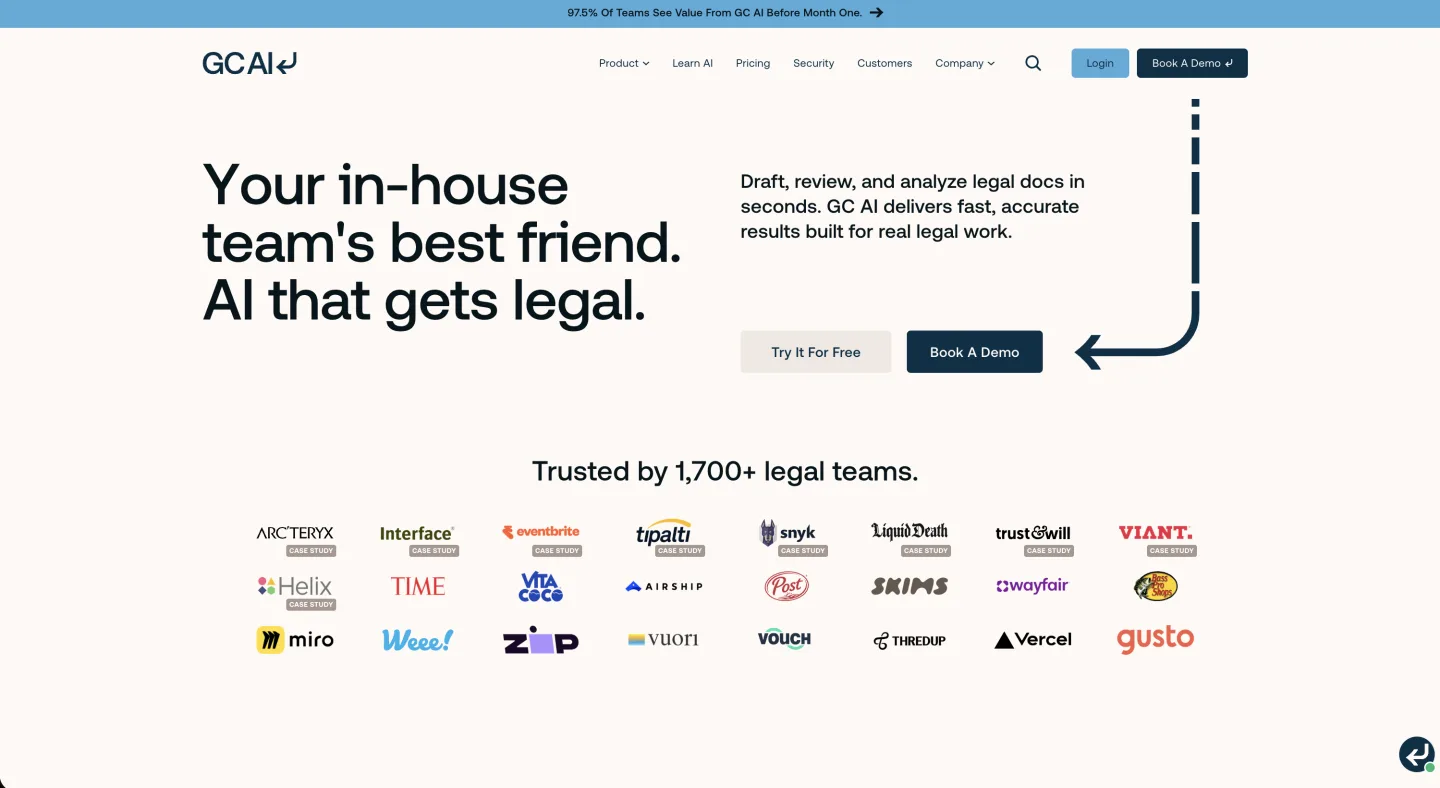
| GC AI | AI workbench | $500 / seat / mo (Individual) | Self-serve | gc.ai/pricing |
| Paxton AI | AI workbench | $499 / user / mo, or $2,999 / user / yr | Self-serve, 7-day trial | paxton.ai |
| Spellbook | AI workbench | $500 / seat / mo base | Sales | Founder-confirmed |
| LegalOn | Contract review | $550 / mo (Individual, billed annually) | Sales | legalontech.com |
| Gavel | Workflow / docs | $83 to $417 / mo by tier | Self-serve | gavel.io/pricing |
| Ironclad | CLM | Quote-based (commonly five to six figures / yr) | Sales | Vendor (no public price) |
| General AI seat | Untuned chatbot | ~$20 to $30 / mo | Self-serve | Vendor published |
The pattern in the table is the buying problem. The workbench tools an in-house team hears about most (Harvey, Legora) are priced for firms with a procurement department, the self-serve options that publish a number still land near $500 a seat, and the only cheap option (a general chatbot) is the one with the data posture that fails the privilege gate below. If the enterprise number is what priced you out, the Harvey alternatives for in-house teams and the legal AI seat-cost breakdown get into the math.

The trap is treating that spread as a price ladder where more dollars buy more safety. The right question for a one-to-ten-person team is narrower: which tool does the daily workbench work (draft, review, redline) on real attorney paper, returns changes you can ship, and lets you read the data terms in an afternoon without a procurement department.
A surprising number of enterprise options fail the last clause, and the failure has nothing to do with quality.
Score the candidates on a weighted card, not the vendor's feature grid. A version that has held up: data and retention posture 30%, redline fidelity in your real file format 25%, playbook ingestion and reuse 20%, matter-system fit 15%, exportability if you ever leave 10%. Rollout effort is a tiebreaker, not a line, because every vendor understates it.
One rule overrides the weights: data posture is pass-fail. A tool that scores a 9 on AI cleverness and fails the retention question is a zero, because the privilege gate sits in front of the scorecard, not inside it.
Will an in-house legal AI platform pay for itself
Before the scorecard, the CFO wants one number: does the seat cost come back. The arithmetic fits on a napkin.
Annual capacity recovered = hours saved per lawyer per week x number of lawyers x fully loaded hourly rate x roughly 47 working weeks.
GC AI reports its customers save a median of 14 hours per lawyer per week (gc.ai, June 2026); treat that as an optimistic ceiling and halve it for a plan you can defend. Run a five-lawyer team at a conservative 6 saved hours, a $130 fully loaded internal rate, and 47 weeks: 6 x 5 x 130 x 47 comes to about $183,000 of recovered capacity against roughly $30,000 in seats at $500 a month. Even discounted hard, the workbench is the cheapest headcount you add this year.
The second line is outside-counsel spend. Teams that keep first-pass review and routine drafting in-house instead of sending them to a firm shrink the outside bill; GC AI puts that reduction near 14% of outside spend for its customers (gc.ai, June 2026). On a $1M outside budget that is $140,000, and it lands whether or not you ever count the internal hours.
Two cautions keep the math honest. The savings are capacity, not cash: you feel them as work that stops waiting, not a line the CFO can bank, unless the alternative really was a hire or a firm invoice. And they only show up if the tool clears the privilege gate below, because a workbench your lawyers will not put real documents into saves zero hours.
The privilege test for in-house legal software
Before any feature comparison, run every candidate through one question: where does my confidential document go, who can read it, and is the model trained on it. This is not a security-team preference. It is the buying gate, and it has an ethics rule behind it.
ABA Formal Opinion 512 (July 29, 2024) made the standard explicit: a lawyer's duty of confidentiality under Model Rule 1.6 does not pause when you hand work to a machine.
Before you put a client's confidential information into a generative AI tool, the Opinion says you have to understand how the tool handles input data, whether it retains it, whether it trains on it, who can access it, and in some cases obtain informed consent. It calls for reasonable understanding and reasonable safeguards, not one specific vendor architecture.
But for an in-house team the practical read is straightforward: a consumer chatbot whose terms permit retention and third-party use is the wrong place for confidential material, because that disclosure is what puts privilege and work-product protection at risk.
So the conservative posture, the one you can defend without a debate, is to route confidential material only through platforms with contractual confidentiality, zero data retention, no training on your inputs, and lawyer supervision.
What this means in a sales call is concrete. Five questions, with the passing answer in parentheses:
- Which LLM providers have you signed zero-data-retention agreements with? (Named, contracts producible. "We take security seriously" fails.)
- Do you train on our inputs? (No, in writing.)
- What is your data-retention window? (A short, configurable term.)
- Are you SOC 2 Type II? (Yes, report under NDA.)
- Who at your company can access our documents? (A role-limited answer.)
A vendor who cannot show you the underlying model agreements is asking you to extend privilege to a black box, and Opinion 512 puts that risk on you, not them.
There is a quieter part of the gate in-house teams miss: the general AI subscription the team already uses, unvetted, often the most-used tool in the building.
If your people are pasting counterparty terms into a consumer chatbot, you do not have a tooling gap, you have a live privilege exposure, and fixing it outranks any net-new purchase on your roadmap.
Run the bake-off on your own paper
Vendor demos are choreographed on contracts chosen to make the tool look brilliant. The only test that predicts your experience is your own paper, picked by you.
Build a small fixed set before the first demo and reuse it across every candidate: a live NDA, a vendor MSA from last week with real redlines, an employment question you actually had to research, and a privacy addendum that raised a flag. Run the identical set through each tool, and do not let the vendor pick the documents or drive the session.
You are not testing whether the AI is impressive. You are testing whether it is right, whether the redline comes back in a form you can send, and whether you trust the output enough to put your name on it.
Two things demos hide decide whether you keep the tool. Redline fidelity: many tools return smart suggestions as a wall of text you then hand-apply into your document, and for a team living in Word, AI that writes changes as real tracked changes in your own file is a different category of useful from AI that writes a memo about your file.
And memory: a workbench that treats every contract as the first one it has ever seen will never beat a senior associate, while one that learns your playbook positions and reuses your approved language compounds. Both are invisible in a single-document demo, which is exactly why you run your own set.
A sane rollout order
The mistake that kills in-house tooling projects is sequencing by org-chart logic instead of by where the pain is. Teams stand up the CLM first because it feels foundational, spend three months on configuration, and lose the room before anyone felt a win.
Roll out in the order the work actually flows.
First, the review and redlining workbench. The daily pain, and the fastest win the team will feel. The day a lawyer turns a forty-minute MSA review into a ten-minute one, the tool has sold itself and you have the goodwill to fund everything after. Start here even if the rest of the stack is a mess.
Second, matter management. Once the workbench is producing work, capture it. This is where the team answers "what is legal working on" with a dashboard instead of a shrug, and where a small team gets the visibility that justifies headcount or, just as often, proves it does not need any.
Third, knowledge. With matters and reviews flowing through one place, start capturing positions and precedent so the workbench can read from them. This compounds quietly. Six months in, the tool that learned your fallback language is doing work your newest hire could not.
Fourth, CLM and e-signature, when volume earns them. If your pipeline is high-volume and non-lawyers need to self-serve, a CLM pays off. At forty contracts a quarter, it is overhead pretending to be infrastructure. E-signature you can turn on whenever; it is the lowest-stakes decision here, so do not let it eat the time the workbench deserves.
Start where the lawyer feels the day, then build outward to capture and scale it. A stack assembled in that order tends to stay small, because each layer earns the next instead of arriving as a presumption.
In-house teams fail at rollout in predictable ways. No legal-ops owner, so the tool gets bought and never configured. A decision made off a sales-led demo instead of your own paper, so the gap between the demo and Tuesday is a surprise.
The playbook never codified, so the AI cannot reuse positions it was never told. Suggestions instead of real Word redlines, so lawyers quietly go back to editing by hand.
None of these are quality problems with the software. They are sequencing and ownership problems, and you pre-empt all of them by naming an owner, testing on real paper, and codifying the playbook before go-live.
FAQ
What is in-house legal software? It is the set of tools a corporate legal team uses to run its own work: an AI workbench for drafting and reviewing contracts, matter management to track requests, plus CLM, e-signature, legal spend, research, and knowledge as the work demands them. It differs from law-firm practice management, which is built around billable time, clients, and trust accounting.
What does legal department software do? It centralizes the legal team's work so requests become tracked matters, contracts get drafted and reviewed in one place, knowledge is reusable, and a GC can answer "what is legal working on" with a dashboard. The newer AI layer also drafts, redlines on your own paper, and answers research questions.
How much does in-house legal software cost? It spans a wide range. Enterprise AI workbenches run $300 to $2,000+ per user per month (Legora $300 to $800 founder-confirmed, Harvey $1,200 to $2,000+ reported), self-serve options that publish a price land near $500 a seat (GC AI $500/mo, Paxton AI $499/mo, both published June 2026), and enterprise CLM like Ironclad is quote-based and commonly five to six figures a year. A general untuned chatbot is about $20 to $30 a month but fails the data-privilege gate.
What software do in-house legal teams actually need? For a one-to-ten-person team, three things: an AI workbench for drafting and review, matter management to track the work, and a place to store playbook knowledge. CLM, e-signature, legal spend, IP, and e-discovery are real categories but each earns its place at a specific trigger, not by default.
What is the difference between in-house legal software and a CLM? A CLM automates the contract pipeline: intake, templates, approvals, repository, and renewals, mostly for high-volume, repeatable paper that non-lawyers self-serve. In-house legal software is the broader stack, and the daily workbench (drafting and reviewing real attorney paper) is a different job from running the pipeline. In-house teams over-buy CLM and under-buy the workbench.
Is it safe to put confidential contracts into legal AI software? Only into tools with contractual confidentiality, zero data retention, no training on your inputs, and lawyer supervision. ABA Formal Opinion 512 (July 2024) puts the duty to vet a tool's retention and confidentiality terms on the lawyer, so a consumer chatbot whose terms permit retention and third-party use is the wrong place for privileged material.
Should a small in-house team buy a suite or point tools? Default to a suite for the workbench layer, because the real tax on a small team is sprawl, not license price. Keep a point tool only when one already works and the team adopts it, or when the data must live in a finance-owned or company-wide system outside legal's control.
How do I choose in-house legal software? Score candidates on a weighted card: data and retention posture 30%, redline fidelity in your real file format 25%, playbook ingestion 20%, matter-system fit 15%, exportability 10%. Data posture is pass-fail and sits in front of the scorecard. Then run a bake-off on your own paper, not the vendor's demo set.
See it on your own stack
If you are sizing your 2026 in-house legal software against this guide, the test that matters is the one in your own contracts, not a vendor's demo set. Vaquill AI is an in-house workbench built around the workbench-first sequence above, with a data posture you can read in an afternoon. Bring the NDA, the messy MSA, and the privacy addendum that flagged last week, and run the bake-off.
See how it fits an in-house team, or read the broader pillar on legal AI for in-house counsel. If you are scoping a switch from an enterprise tool that priced you out, the alternative comparison lays out the trade-offs.
New legal AI guides, weekly.
Further Reading
- How to Run a Legal AI Pilot in 30 Days (2026)
- Legal AI for In-House Counsel: The Complete 2026 Guide
- Build vs Buy: Legal AI for In-House Teams (2026)
- 12 Best Legal AI Tools for In-House Counsel (2026)
- Legal AI for Chief Legal Officers (CLOs) in 2026
- AI Compliance Check: CCPA, GDPR, and SOX for In-House Teams (2026)

Product & Content
The US primary law data API: statutes, regulations, constitutions, court rules, executive orders and agency guidance across 53 US jurisdictions, each section cited and linked to its official source, via REST, MCP or SQL.