
Most legal AI was built for law firms, and that is the problem. A law firm sells hours and depth, so its tools optimize for deep research and long litigation work. An in-house team works at volume on a fixed budget, so it needs speed and a workbench, not depth it will never bill.
Buy a firm tool for an in-house team and you pay for the wrong shape. You get research horsepower you rarely touch and miss the contract-and-matter flow you live in every day.
This is an opinion piece. I am a lawyer, and we build Vaquill AI for in-house teams, so read it with that stake in mind. The argument stands on how the two jobs actually differ, and on what the two shapes cost.
TL;DR
- Law firm AI is shaped by billable hours: deep research, long-form litigation and M&A work, and per-seat pricing that assumes the seat earns its keep in client billings.
- In-house work is the opposite shape: contracts at volume, intake triage, matter management, and business-partner speed, all under a fixed headcount and budget.
- The mismatch shows up as price you cannot justify, features nobody opens, no memory of your matters, and a sales-led buying process built for firm partners.
- The price gap is concrete: Harvey runs $1,200 to $2,000+ per user per month and CoCounsel runs $225 to $400+ per user per month, while an in-house-fit seat sits far lower, self-serve. For a two-person team, that is a fraction of the $28,800 to $48,000 a firm-priced tool runs.
- An in-house-fit tool leads with the contract workbench, keeps your cross-counterparty contract history, and prices for a in-house team that buys without a procurement department.
- The in-house use cases that actually fill the week are contract review and redlining, drafting from templates, intake triage, portfolio memory, compliance checks, and obligation tracking. Deep litigation research sits near the bottom.
- The right test is your real inbound queue, not a model benchmark.
What does Harvey run per user per month, per the post?
How law firm incentives shape law firm AI
A law firm makes money by billing time. The more an associate can research, draft, and defend a position, the more the firm earns. So the tools a firm buys are built to make deep work faster and to support hours, not to remove them.
That incentive shows up in three ways.
The billable hour rewards depth. Firm AI is tuned for the long tail: novel questions, dense litigation records, regulatory deep dives. The pitch is "do in two hours what took ten," which is a great pitch when those ten hours were billable.
Research depth is the headline feature. Firms compete on the quality of their legal analysis, so vendors lead with case-law coverage, citation checking, and memo generation. The case for that investment is real on the research side: a Stanford HAI study found legal AI research tools still hallucinate on a meaningful share of queries, which is why firm tools pour money into citation verification (Stanford HAI, 2024). That work matters most where the output is a litigation memo, which is a small slice of an in-house week.
Per-seat economics assume the seat bills. Firm pricing is usually enterprise per-seat, often sold through a sales team and an annual contract. That math works when each seat is a lawyer whose time bills out at several hundred dollars an hour.
None of this is wrong for a firm. It is just built around a money model that in-house teams do not have.
What in-house work actually looks like
In-house counsel does not sell hours. The team is a cost center that the business wants to be fast, safe, and cheap, all at once.
The day looks nothing like a firm associate's. It is high-volume, repetitive, and ruled by the inbox.
Contracts at volume. NDAs, MSAs, DPAs, order forms, and renewals come in faster than one or two lawyers can read them. The job is to redline, flag risk, and get to signature, over and over. The volume problem is well documented: 76% of legal and contract professionals report significant friction and inefficiency in the contract process (WorldCC and Deloitte, "The Purpose of Contracts," November 2024).
Intake and triage. Sales, HR, and product all route questions in. Most need a quick risk call, not a research memo. Speed and clear answers beat depth almost every time.
Matter and document management with portfolio memory. Counsel has to know what is open, where each contract lives, and what was agreed last time with a counterparty. Say you capped liability with Acme at $2M in Q1. When Acme sends a new order form in Q3, you need that number in front of you so you do not renegotiate the cap from scratch. A tool scoped to one engagement cannot surface it, so the knowledge lives in your head or a spreadsheet. That cross-counterparty memory is the in-house lawyer's most valuable asset.
Fixed headcount and budget. There is no overflow associate and no procurement team. The legal AI spend competes with the CLM, the e-signature tool, and the headcount the team will not get.
Business-partner speed. The internal client wants an answer today rather than a polished brief next week. A slow in-house lawyer becomes a bottleneck the business routes around.
The two shapes do not line up. That gap is the whole problem.
Law firm AI vs in-house needs: side by side
| Dimension | What law firm AI optimizes for | What in-house teams need |
|---|---|---|
| Core job | Deep research, litigation, M&A diligence | Contracts at volume, triage, risk calls |
| Speed model | Faster billable hours | Same-day answers at fixed cost |
| Headline feature | Case-law research and memo drafting | Contract review and a drafting workbench |
| Context it keeps | The matter the firm is staffed on | Your whole portfolio of contracts and matters |
| Pricing | Enterprise per-seat, annual | Per-team, predictable, self-serve friendly |
| Buying process | Sales-led, procurement, pilot | Try it, see value, expand |
| Best for | Partners and associates who bill | A lean legal team that is a cost center |
| Risk if mismatched | Pay for depth you never use | Miss the daily workbench you live in |
The in-house legal AI use cases that earn their seat
Strip the firm framing and here is what in-house counsel actually points AI at, ranked by how much of the week it eats. The 2026 ACC Generative AI Survey of 657 in-house professionals found the biggest reported efficiency gains were in drafting (73%) and legal research (53%), and 82% of respondents named contract drafting as their single largest source of savings (2026 ACC Generative AI Survey). That ordering matches what the work looks like from the inside.
Contract review and redlining. The daily grind. Read an inbound NDA, MSA, DPA, or order form, mark the terms that fall outside your playbook, and hand back a redline. This one use case justifies the seat on its own.
Drafting from your own templates. Generate a first-pass agreement, amendment, or clause from the language you already use, not a generic form. Fast, standardized, and easy to govern.
Intake and triage. Turn a Slack message or a forwarded email from sales or HR into a scoped request with a risk read attached, so the quick questions never grow into research projects.
Matter and portfolio memory. Keep the open matters, the counterparties, and the positions you took last quarter in one place, so the next order form from Acme starts from the cap you already agreed.
Compliance and 50-state primary law. Check a regulatory question against current statute across jurisdictions, with a citation you can open, instead of a memo nobody asked for.
Obligation and renewal tracking. Surface post-signature deadlines, auto-renewals, and commitments before they lapse.
Legal research, in support. The firm's headline feature is a supporting act here. You reach for it when a question is genuinely novel, not as the front door to your week.
Notice what is missing: deposition prep, litigation-record analysis, and long M&A diligence. That is real legal work, but for a two-lawyer SaaS team it is the exception, not the week. A tool that leads with it is solving a firm's problem on your budget.
| Use case | How much of an in-house week it fills | What firm AI optimizes instead |
|---|---|---|
| Contract review and redlining | Most of it | Litigation memo drafting |
| Drafting from templates | Heavy | Long-form novel drafting |
| Intake and triage | Daily | No billable analog, so rarely built |
| Matter and portfolio memory | Constant, across counterparties | Single-engagement matter scope |
| Compliance and 50-state law | Regular | Deep case-law research |
| Obligation and renewal tracking | Ongoing | Rarely addressed |
| Legal research | Occasional | The headline feature |
| Deposition and litigation analysis | Rarely | The headline feature |
The tools get bought and then left idle when the shape is wrong: Bloomberg Law's 2026 State of Practice Survey found only 23% of in-house lawyers use AI daily, with 27% not touching it in the prior six months (Bloomberg Law, 2026). Trial adoption is easy; daily use is what fit buys.
Where the mismatch bites
The gap is not abstract. It shows up in the budget, the login screen, and the renewal conversation.
Price you cannot justify. Harvey runs $1,200 to $2,000+ per user per month and CoCounsel runs $225 to $400+ per user per month, both sold at enterprise per-seat rates through a sales motion (Harvey reported by third-party pricing breakdowns; CoCounsel figure checked June 2026). An in-house-fit seat sits far lower, self-serve. For a two-person team that buys without procurement, the firm price assumes billing economics you do not have.
Features nobody opens. Here is a falsifiable one: deposition and litigation-analysis modules are headline features of firm tools, and a two-lawyer SaaS legal team opens them in a typical month roughly never, yet pays for them every month. If your team runs depositions weekly, ignore this post; if it does not, you are renting a courtroom you never enter.
Memory scoped to the engagement. Firm tools are scoped to the matter the firm was hired for, so they rarely carry your full cross-counterparty contract history by default. Harvey and CoCounsel both ship vault and knowledge-base features, so this is a question of default scope, not a flat absence. For the Acme example above, that scope is the difference between the cap appearing on screen and you digging for it.
Sales-led procurement. Demos, pilots, and annual contracts are built for firm buyers with committees. A in-house team wants to sign up, test it on real NDAs this week, and expand if it works. Budget pressure makes that friction worse: Gartner reported in December 2025 that only 20% of legal matters sent to outside counsel stay within budget range, which is exactly why in-house teams want to try tools before a long procurement cycle (Gartner, December 2025).
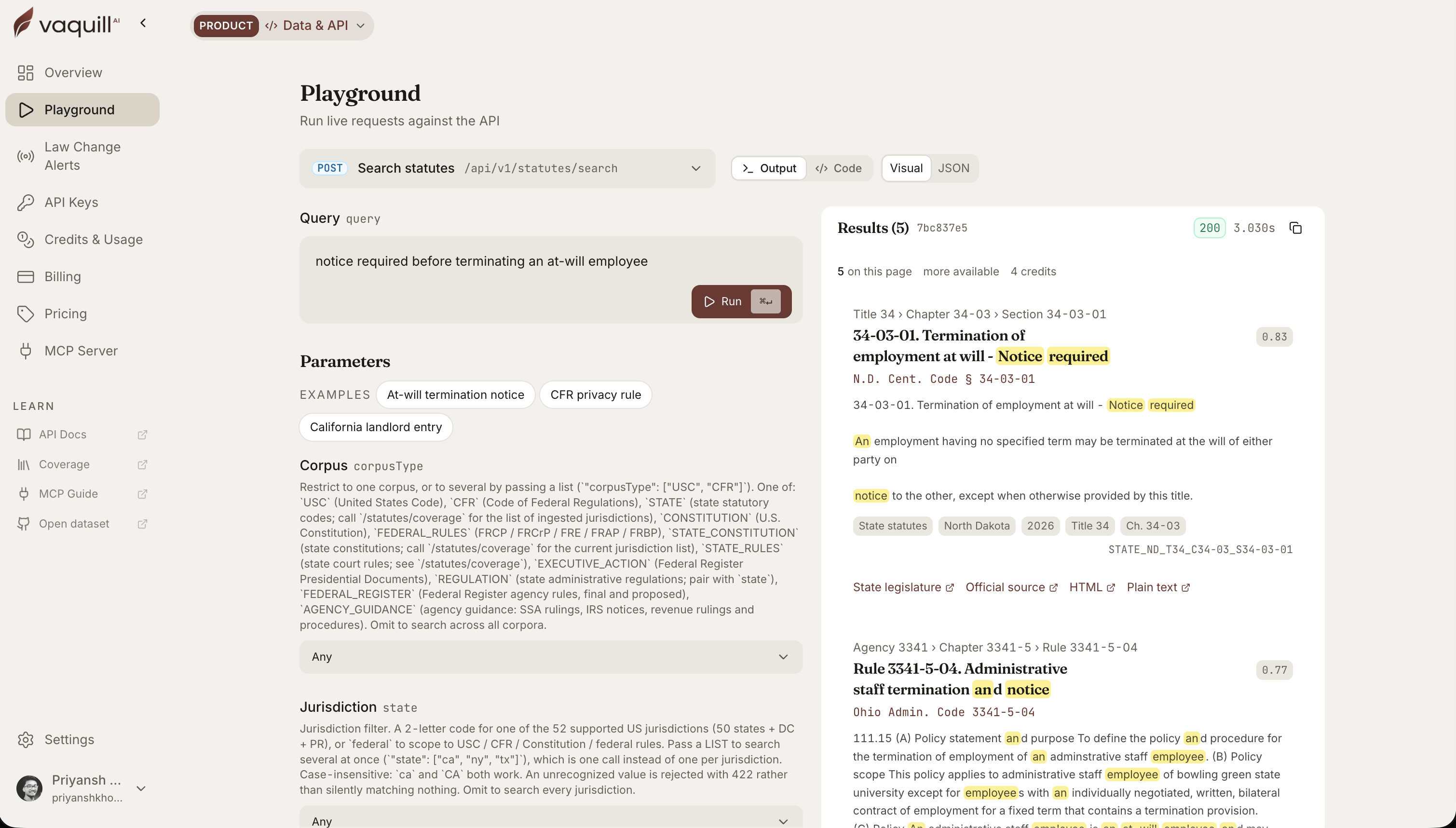 The same corpus behind this article, queried live. Every result carries its citation and a link to the official source.
What an in-house-fit tool looks like instead
Flip every firm assumption and you get the right tool. It starts from the inbound queue rather than the research library.
It leads with the contract workbench. Review, redline, and draft are the front door, because that is where the hours go. Research stays in the toolkit for when a question needs it.
It keeps matter context. The tool remembers your contracts, counterparties, and past positions, so the next NDA starts from what you already agreed with that counterparty.
It triages first. A fast, plain risk call on an inbound question often beats a polished memo nobody asked for.
It prices for a team. Predictable, self-serve cost, no per-seat math that only pencils out at firm billing rates, and a path to start without a sixty-day procurement cycle.
It earns trust on verification. Because in-house teams cannot afford a wrong answer either, the tool still cites sources and lets you check them, just without pretending you bill for the time.
This is the bet we made with Vaquill AI: a legal AI suite shaped around in-house work, contract review, drafting, and matter management first, with research that supports the workbench instead of replacing it. If your week is more redlines than litigation, that shape will fit better than a firm tool.
For the longer version of how to pick, the complete guide to legal AI for in-house counsel and our best legal AI tools for in-house counsel in 2026 both go deeper.
FAQ
How are in-house legal teams using AI today?
Mostly on contracts. Review and redlining lead, followed by drafting from templates, intake triage, matter and portfolio memory, compliance checks against primary law, and obligation tracking. The 2026 ACC Generative AI Survey found drafting (73%) and legal research (53%) drove the biggest efficiency gains, and 82% named contract drafting as the largest source of savings. Deep litigation research, the centerpiece of firm tools, sits far down the list for a lean legal team.
Can in-house teams use Harvey or CoCounsel?
Yes, and plenty do, especially larger legal departments with real budget. The friction is fit and price. Both are enterprise per-seat tools sold through sales, tuned for deep firm-style work, so a in-house team often pays for depth it rarely uses. If you are weighing them, see our best Harvey alternatives for in-house teams in 2026.
What is the difference between law firm and in-house legal AI?
Law firm AI optimizes for billable depth: research, litigation, and long-form drafting. In-house legal AI optimizes for volume and speed: contract review, triage, and matter management on a fixed budget. The first assumes the seat bills out; the second assumes the team is a cost center that must be fast and cheap.
Do in-house teams need legal research AI?
Sometimes, but it is rarely the main job. Most inbound questions need a quick yes-or-no risk read in minutes. Research belongs in the toolkit, but a tool that leads with research over the contract workbench is built for the wrong user.
Why are law firm AI tools so expensive for in-house teams?
Firm pricing assumes each seat is a lawyer whose time bills at hundreds of dollars an hour, so enterprise per-seat rates pencil out. In-house teams have no billing to offset the cost, so the same price looks steep against a CLM and e-signature budget.
What features do in-house teams actually use most?
Contract review and redlining, drafting from prior templates, intake triage, and keeping track of open matters. Deep litigation and case-law tools, the centerpiece of many firm products, get opened far less. Buy for the work that fills your week, not the work the demo shows off.
Is matter context really that important?
For in-house teams, yes. Knowing what you agreed with a counterparty last quarter saves the redo work that eats the week. Firm tools ship vault and knowledge-base features, but they are scoped to the engagement they were hired for, so they rarely carry your full cross-counterparty history by default. That default scope is the gap to test for.
Should an in-house team build its own legal AI instead of buying?
Most should not, but it is worth a real look. The build-vs-buy call turns on data, security, and whether you have engineering to spare. We walk through it in build vs buy legal AI for in-house teams.
How do I test whether a tool fits my in-house team?
Run your real Monday queue through it, not a demo script. Throw it ten inbound NDAs, a vendor DPA, and a quick risk question from sales. If it speeds those up without a procurement marathon, it fits; if it shines only on litigation research, it does not.
New legal AI guides, weekly.
Further Reading
- Top 10 AI Tools for General Counsel (2026)
- AI NDA Review Software: 9 Tools Compared (Pricing + What They Flag)
- AI Contract Negotiation (2026): How In-House Teams Negotiate Faster
- 100 Generative AI Prompts for In-House Lawyers (2026)
- Harvey AI Pricing 2026: Per-Seat Cost and the Renewal Increase
- Top Contract Management Vendors for Fortune 500 Legal Teams

Co-Founder & CEO · Attorney
Arshita leads product and strategy at Vaquill AI, the US primary law data API. As an attorney, she decides which law we carry, how each section is sourced and cited, and what legal AI and compliance teams need from the data.