Hand the same inbound NDA to two lawyers with a general AI chatbot and you get two reviews. One flags the five-year term, the other misses it, and their fallback positions do not match. A legal AI skill removes that variance. It is a saved methodology that walks the AI through a task the same way every time, so this week's contract review matches last month's. You run the skill built for the job and get structured output (severity flags, priority tiers, a scored gap analysis) instead of whatever a fresh prompt happened to produce.
This guide maps the built-in skills to the work you actually do, shows what each returns, explains the two ways they fire, and, more usefully, where they misfire.
Short answer: Match the task to the skill. Reviewing a contract against your positions is the contract-review skill; screening an NDA is NDA triage; scoring a matter's exposure is risk assessment; checking a policy against CCPA or HIPAA is compliance check. Invoke one by typing a slash command to pick it, or let Agent Mode auto-activate the right one when your question matches. Each returns structured, ranked output, and you still verify before acting.
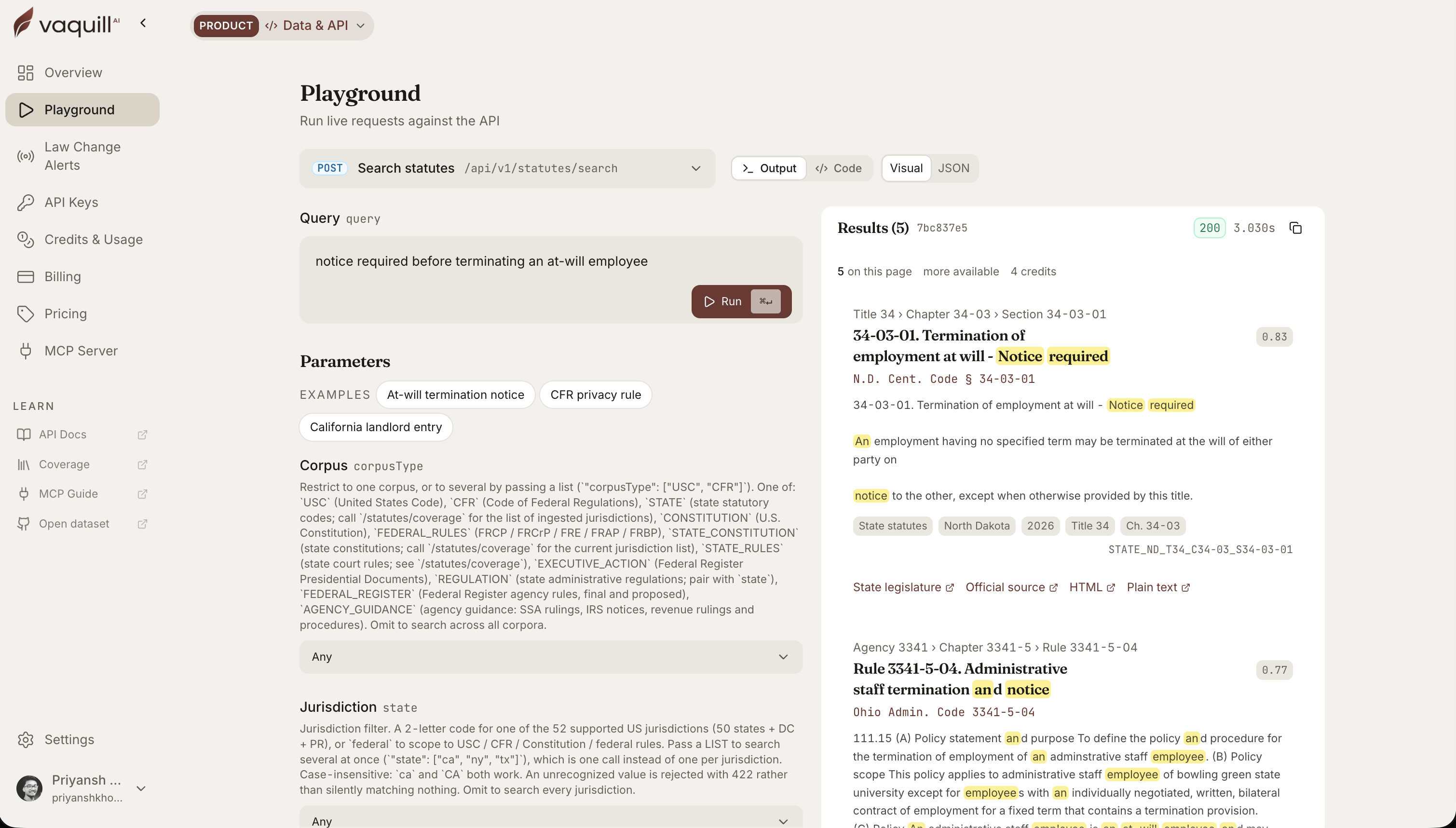 The same corpus behind this article, queried live. Every result carries its citation and a link to the official source.
TL;DR
- A skill is a reusable methodology, not a one-off prompt. Same task, same steps, same shape of answer every time.
- Pick by task. Contract review for playbook checks, NDA triage for fast NDA screens, risk assessment for exposure scoring, compliance check for regulatory gaps.
- Two ways to fire it. Type a slash command to choose a skill, or let Agent Mode auto-activate the matching one inside a larger task.
- Output is structured, not prose. Severity colors, must/should/nice priority tiers, pass/warn/fail checklists, and scored gap analyses you can act on in one read.
- A skill governs the method, not the judgment. It makes the review consistent; you still own whether to accept a flag.
What decides which built-in skill to use?
How this was written: the skills and invocation model below match the Skills feature: built-in legal playbooks, slash-command selection, and auto-activation inside Agent Mode. Example outputs are illustrative of the structured format each skill returns.
The task-to-skill map
Start here. The mistake people make is running a generic chat prompt for a task that has a purpose-built skill sitting right there.
| Task | Skill | Needs | Output fields | Do not use when |
|---|---|---|---|---|
| Review a contract vs our positions | Contract review | The contract + a playbook | Clause flags (green/yellow/red), redline language, must/should/nice priority | The doc is a DPA (use DPA review) or an NDA (use triage) |
| Screen an inbound NDA fast | NDA triage | The NDA | Pass/warn/fail checklist, mutual vs one-way, missing carve-outs | You need full contract-grade redlines, not a screen |
| Score a matter's exposure | Risk assessment | The matter facts or document | Severity-by-likelihood matrix, mitigation and escalation options | The question is "is this clause acceptable" (use review) |
| Check a policy vs a regulation | Compliance check | The policy + the target framework | Compliant / partial / non-compliant per requirement, prioritized remediation | Your framework reference is stale (see failure modes below) |
| Answer a routine legal request | Canned response | The request | Drafted reply, tone match, escalation flag | The request is novel or high-stakes |
The map buys you speed and consistency. You stop deciding how to approach each task and run the method that already encodes the approach. The "do not use when" column matters as much as the rest, because the fastest way to a shallow answer is running the wrong skill on the right document.
What structured output actually looks like
"Structured" is easy to say and easy to fake, so here is the real shape. An NDA triage does not hand you a paragraph. It hands you a checklist verdict:
- Mutuality: mutual. PASS
- Term: 5 years. WARN (2 to 3 years is standard for a mutual NDA)
- Definition of Confidential Information: overbroad, no exclusions. FAIL
- Residuals clause: absent. PASS (none needed here)
- Governing law: counterparty's home state. WARN (negotiable)
You can act on that in one pass: two things to push on, one thing to reject. A contract review does the same with severity colors and priority tiers, and a compliance check does it with a compliant-or-not score per requirement. The compliance check guide shows that scored output in full, and NDA triage evaluation covers the checklist in depth.
Take the FAIL row all the way through, because that is where a skill earns its place. The confidentiality definition read:
"Confidential Information means all information disclosed by either party."
The skill flags it, ties it to your position, and proposes the fix:
- Issue: definition has no exclusions and no marking requirement, so it sweeps in public and independently developed information.
- Severity: high. An unbounded definition is unenforceable in parts and traps your own team.
- Your position: exclusions for public, already-known, and independently developed information.
- Proposed fallback: "Confidential Information excludes information that is or becomes public through no breach, was known before disclosure, or is independently developed without use of the disclosing party's information."
- Your call: accept the fallback, or, for a high-trust partner, accept the marking-only version instead.
That last line is the part no skill decides for you. It got you a clause, a reason, and a ready fallback in one pass. Whether to hold the line or trade it is judgment.
The two ways a skill fires
Route by two questions: is the skill the whole task, and is anything ambiguous. When jurisdiction or policy source is unclear, pick the skill by hand rather than trusting auto-activation to guess right.
Convenience is the smaller part of this choice.
Slash command freezes the scope. You name the skill, so the review is what you chose and stays auditable. Use it when the skill is the whole task, or when you need to be able to say later exactly which method ran.
Auto-activation trades that control for flow. Inside Agent Mode, a matching query fires the right skill without you naming it, which is what you want when the skill is one step in a larger job (screen a counterparty, then triage their NDA in the same run).
Where skills misfire in practice
Skills are consistent, and consistency has a failure mode: a skill applies its method even when your situation is the exception. Watch for these.
- Deal-type blindness. NDA triage flags a long term as a warning, which is right for a routine mutual NDA and wrong for an M&A data-room NDA where a longer tail is normal. The flag is correct by the checklist and wrong for the deal. You override it.
- Severity that ignores stakes. Contract review flags uncapped indemnity as high severity every time. On a seven-figure MSA that is the right alarm. On a $2,000 order form it is noise you clear in a second. A working rule: treat a high-severity flag as urgent only when the deal value or data sensitivity would make the downside real. The skill rates the clause; you rate the exposure.
- Stale-source compliance passes. A compliance check is only as current as the framework it tests against. Test a privacy policy against the pre-2023 California Consumer Privacy Act and it can score compliant while missing the CPRA obligations operative January 1, 2023, such as the new rights around sensitive personal information. A green score against last year's rule is a false pass. Confirm the framework version first.
- Wrong-skill auto-activation. Ask an agent to "review this agreement" when the file is really a data processing addendum, and it may run general contract review instead of DPA review, missing the sub-processor and audit terms that matter most. Name the skill when the document type is easy to mistake.
None of these means the skill failed. It means a skill encodes the common case, and you are paid to catch the uncommon one.
How legal AI skills differ from prompts and playbooks
Three things get confused here, so keep them straight.
- A skill is the methodology. It is the step-by-step the AI follows for a task.
- A playbook is the content the skill enforces. Your standard, acceptable, and fallback positions per clause. The contract-review skill runs against your playbook; swap the playbook and the same skill reviews to a different standard.
- You can build your own. The built-in skills cover common tasks, but you can encode your team's exact review method as a custom skill. That walkthrough is in set up a contract review skill.
Put together: the skill decides how, the playbook decides against what, and your review decides whether to accept the result.
When a built-in skill is the wrong tool
Two honest boundaries.
- Novel or bespoke tasks. If your task does not match a built-in method, a general question in Agent Mode, or a custom skill you build, fits better than forcing the closest built-in one.
- Judgment-heavy calls. Skills structure the analysis; they do not decide strategy. Whether to walk from a deal because of a flagged indemnity is not a skill output, it is your call informed by one.
Skills do not think for you. What they give you is repeatability: two reviews of the same NDA come out the same, the method is one you can point to later, and your time goes to the exceptions instead of re-deriving the process each time. Pick the skill by task, name it when anything is ambiguous, and keep your judgment on the flags.
FAQ
What is a skill in a legal AI?
It is a saved methodology that guides the AI through a specific task the same way each time, returning structured output like severity flags or a scored gap analysis. It makes a task repeatable instead of depending on how you phrased the prompt that day.
How do I choose which skill to use?
Match the task. Contract review for checking a contract against your positions, NDA triage for screening NDAs, risk assessment for scoring exposure, and compliance check for testing a policy against a regulation. Each has its own structured output.
How do I run a skill?
Two ways. Type a slash command to open the skill menu and pick one directly, or ask a question in Agent Mode and let the agent auto-activate the matching skill as part of a larger task.
What is the difference between a skill and a playbook?
A skill is the method the AI follows; a playbook is the content it enforces. The contract-review skill runs its review methodology against the positions in your playbook. Change the playbook and the same skill reviews against a different standard.
Can I build my own skill?
Yes. Beyond the built-in ones, you can encode your team's exact process as a custom skill so every run follows your method. It can also auto-activate in Agent Mode based on a trigger you describe.
Do skills work on any document?
Skills run on the documents you load, across supported file formats. You upload the contract, NDA, or policy, then select or auto-activate the skill, and it applies its methodology to that document.
Does a skill replace lawyer review?
No. A skill standardizes how the analysis runs and surfaces flags, priorities, and scores. Whether to accept a flag or act on a recommendation is your judgment. Verify the output before it leaves your desk.
Sources
- Built-in skills, invocation methods (slash command and Agent Mode auto-activation), and structured output formats reflect the Skills feature; example outputs are illustrative of the format each skill returns.
New legal AI guides, weekly.
Further Reading
Legal AI in Microsoft Word: Contract Review, Redlining, and Research in a Word Add-In
Read postHow Legal AI Memory Works: Stop Re-Explaining Yourself Every Session
Read postWhat a Legal AI Agent Actually Does: One In-House Task, Start to Finish
Read postHow to Build a Litigation Chronology From Documents With AI
Read postAI Contract Negotiation (2026): How In-House Teams Negotiate Faster
Read post100 Generative AI Prompts for In-House Lawyers (2026)
Read post
Co-Founder & CEO · Attorney
Arshita leads product and strategy at Vaquill AI, the US primary law data API. As an attorney, she decides which law we carry, how each section is sourced and cited, and what legal AI and compliance teams need from the data.