

This is an agentic workflow: it plans its own child runs rather than following a fixed pipeline. Every child run stays individually inspectable from the parent run page.
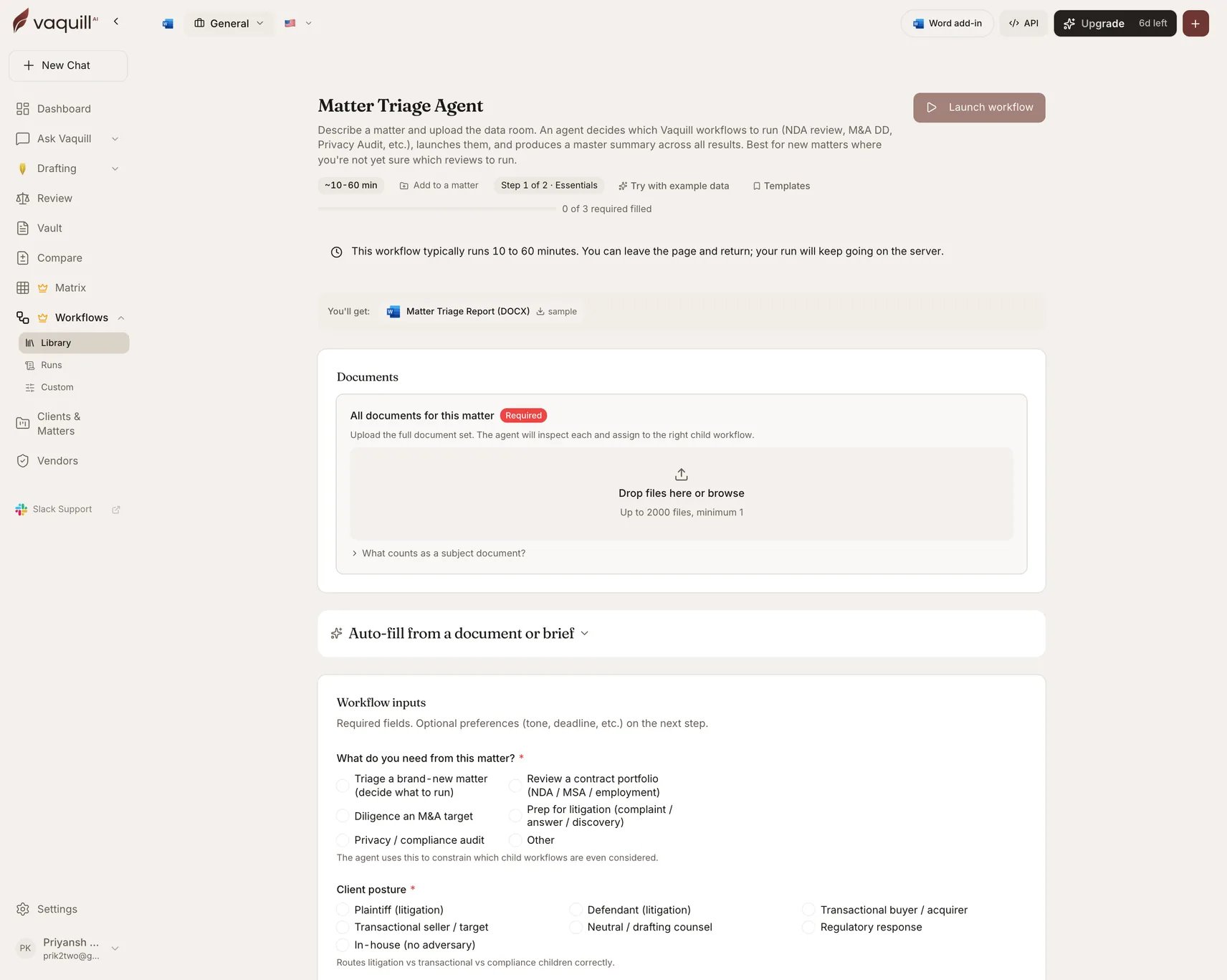
The Matter Triage Agent launcher: document slots, inputs, and what you get
What you need
Inputs
How it runs
1
Plan
The agent reads your answers and inspects the uploaded documents, then decides which child workflows to run and in what order.
2
Launch children
Dispatches the planned workflows as child runs, each inheriting the matter name.
3
Wait for children
Blocks until every child completes. With a near-term deadline set, long-running children may be skipped.
4
Synthesize
Builds a master summary across all child results.
5
Render
Writes the triage report.
What you get
Each child run keeps its own artifacts, so you get both the roll-up and the underlying detail.
What this will not do
- Replace the conflict check, engagement letter, or matter-opening intake your firm requires.
- Replace counsel review of which child workflows to run and how to read their findings.
- Open billing matters, send the engagement letter, or notify the client on your behalf.
- Investigate facts outside the uploaded data room or what you typed into the description.
- Decide attorney staffing, fee structure, or whether to take the matter at all.
Related
Matters and workspaces
Where the triage output lands when you scope the run to a matter.
Agent mode
The interactive, single-question version of agentic behavior.