

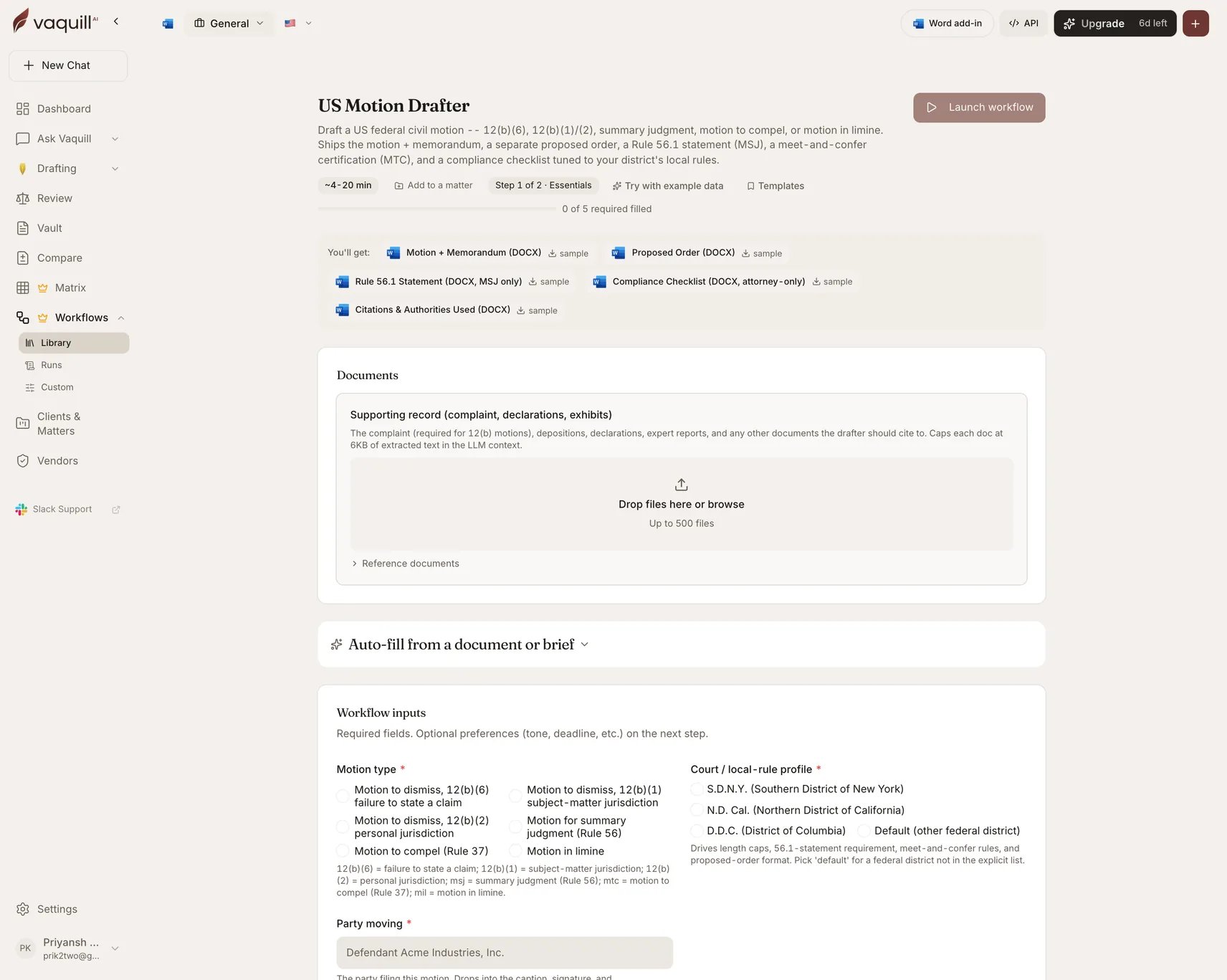
The US Motion Drafter launcher: document slots, inputs, and what you get
What you need
Each supporting document is capped at 6 KB of extracted text in the model context. Upload the documents that matter rather than the whole file, and put the load-bearing facts into the Matter facts field.
Inputs
How it runs
1
Draft
Generates the motion and memorandum against the selected motion type and local-rule profile, grounded in your matter facts and the supporting record.
2
Render motion artifacts
Writes the filing documents plus the internal compliance checklist and the citations appendix. Which supporting documents appear depends on the motion type.
What you get
What this will not do
- File the motion with the court or serve it on opposing counsel.
- Replace partner review of citations. The workflow does not independently verify cases against an external citator at insert time. The appendix is a checklist, not proof.
- Account for judge-specific individual practices not captured by the local-rule profile, such as SDNY chambers rules or NDCA standing orders.
- Negotiate the meet-and-confer for a motion to compel. It drafts the certification language; you must actually meet and confer first.
- Generate exhibits or declarations. Those are separate documents.
Related
Citations
How Vaquill AI handles citation verification, and where the gaps are.
Discovery Response Pack
For the discovery dispute that a motion to compel follows.