Review vendor DPAs against your in-house checklist
Upload a vendor DPA and Vaquill AI maps it against the 15-point review checklist privacy counsel actually use. Sub-processor inventory, Standard Contractual Clauses validation, and renewal tracking live in the same workspace.
What You Get
15-point DPA review checklist
The same checklist used by experienced in-house privacy counsel: controller / processor roles, processing scope, sub-processor terms, audit rights, breach notification windows, data-subject request handling, retention, deletion, international transfers, security measures, indemnification, liability caps, governing law, term, and termination.
Sub-processor inventory
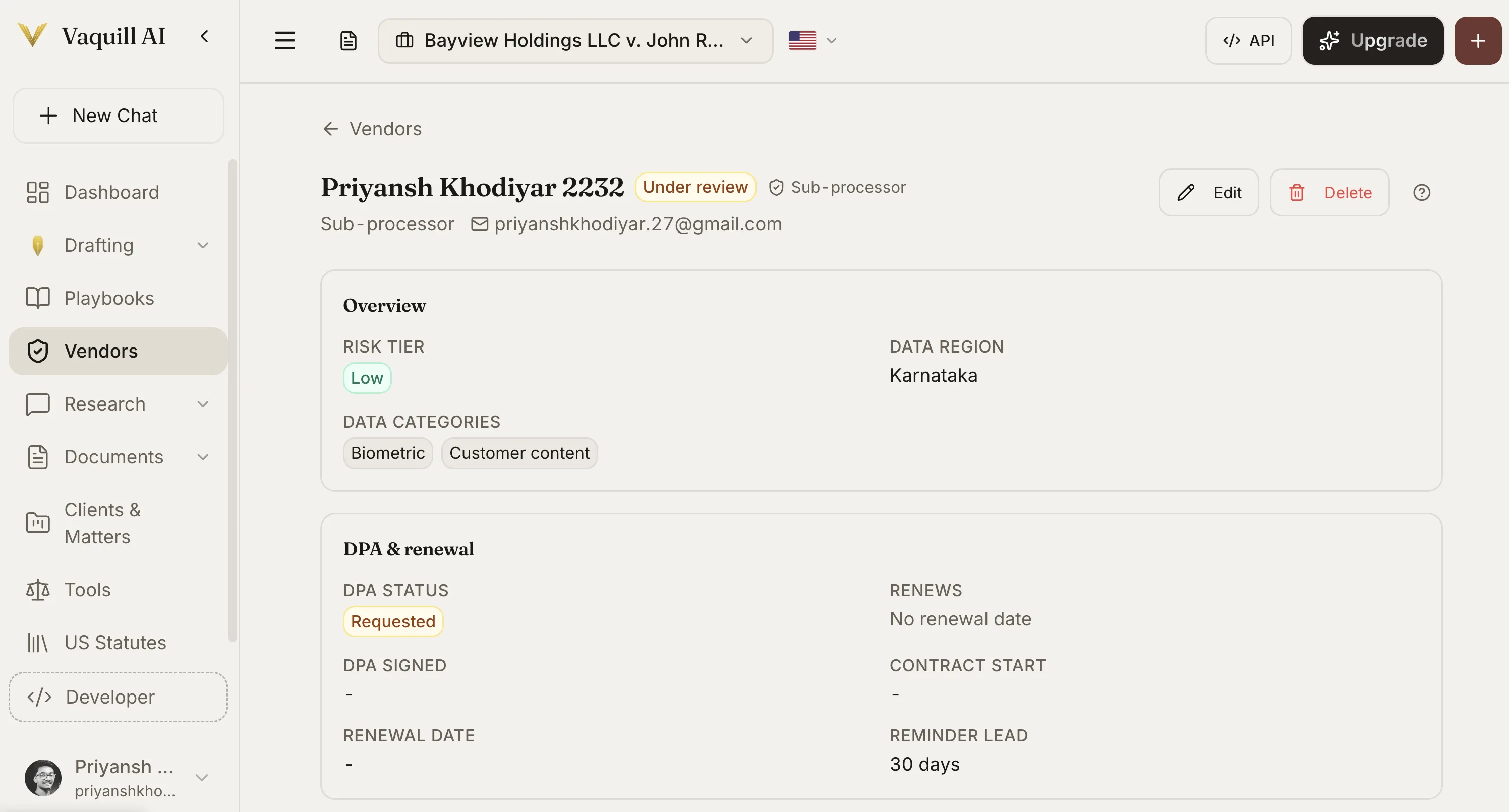
Every vendor and sub-processor in one searchable register. Risk tier, data region, data categories (PII, financial, biometric, customer content), and parent-vendor relationships, kept up to date as vendors add or remove sub-processors.
Standard Contractual Clauses validation
Check that the SCC module attached to the DPA matches the data flow (EU Module 2 controller-to-processor, Module 3 processor-to-processor). Flag missing annexes, incomplete data-transfer impact assessments, and supplemental measures.
DPA status tracking
Track every DPA through Requested, Under review, Signed, and Renewed. See at a glance which vendors do not have a DPA in place, which are stuck in review, and which are coming up for renewal.
Renewal and reminder lead times
Set a reminder lead time (default 30 days) so the procurement and legal team get notified before contract end-dates. No more discovering an expired DPA during a vendor audit.
Audit trail per vendor
Every review, change, and approval is logged against the vendor record. When the CCPA auditor or a customer asks how a vendor was approved, the trail is one click away.
How DPA Review & Vendor Inventory Works in Vaquill AI
Why DPA review is its own job
A vendor DPA is not a regular contract. It is the controller-processor scaffolding that keeps CCPA, GDPR, and HIPAA exposure off your company. Treating it like another NDA misses what privacy counsel actually checks.
- ✓Sub-processor lists change. Vaquill AI keeps a versioned inventory so you know who is processing your data today.
- ✓SCC modules are not interchangeable. Module 2 for controller-to-processor, Module 3 for processor-to-processor. The wrong module is the wrong contract.
- ✓Breach notification windows vary (72 hours under GDPR, varying state laws under CCPA). The checklist surfaces every window in one view.
Built for in-house privacy and vendor counsel
DPA Review sits inside the broader Vaquill AI in-house workspace. The vendor record is the same record your contract review tool, matter intake, and compliance check tools see.
- ✓A new vendor request from procurement creates a Vendor record automatically.
- ✓Contract Review surfaces non-standard SLA, indemnification, and data-handling clauses in the MSA.
- ✓Compliance Check maps the DPA clauses to the 11 framework requirements (CCPA, GDPR, HIPAA, SOX, and 7 more).
- ✓Matters & Workspaces gives your team a shared workspace per vendor for review notes, follow-ups, and approval.
How It Works
Get started in minutes, not weeks.
Add the vendor
Create a vendor record from a procurement intake form or by uploading the vendor paper. Set risk tier, data region, and data categories.
Upload the DPA
Drop in the vendor DPA (PDF or DOCX). Vaquill AI maps every clause against the 15-point checklist and the SCC module, if any.
Review the findings
Open the vendor record. See checklist results, SCC validation flags, sub-processor inventory, and any gaps surfaced by Compliance Check.
Approve and set renewal
Mark Signed, set the renewal date and reminder lead time, and the team gets notified before it expires.
Frequently Asked Questions
Is DPA Review live, or coming soon?
Live as of June 2026. The 15-point review checklist, sub-processor inventory, SCC validation, status tracking, and renewal reminders are all in production.
Which SCC modules does Vaquill AI validate?
EU Standard Contractual Clauses Module 2 (controller-to-processor) and Module 3 (processor-to-processor). Module 1 and 4 are on the roadmap. We flag missing annexes, incomplete transfer impact assessments, and supplemental measures gaps.
Can I export the vendor inventory?
Yes. Export to CSV or XLSX with all vendor records, risk tiers, data regions, data categories, DPA status, and renewal dates. Useful for board reporting, audits, and ROPA (Records of Processing Activities) maintenance.
How does this connect to Compliance Check?
Compliance Check maps DPA clauses to specific framework requirements (CCPA, GDPR, HIPAA, SOX, and 7 more). When you upload a DPA, the same document feeds both the 15-point in-house checklist and the regulatory framework mapping.
What about HIPAA Business Associate Agreements?
BAAs are a different document and a different checklist. BAA review is on the roadmap. Today, you can upload a BAA as a vendor record and run it through Contract Review and Compliance Check.
Can my team see the same vendor inventory?
Yes. Vendor records live in your team workspace under role-based access (Owner, Admin, Member, Viewer). Privacy counsel, vendor counsel, and procurement see the same record with permissions you set.
Get vendor DPA review off your Friday queue
Bring the 15-point checklist, sub-processor inventory, SCC validation, and renewal tracking into one workspace. Start a 7-day free trial, no credit card required.