Purpose-built tools for the work you do every day
Vaquill AI ships a set of focused legal tools, contract review, NDA triage, risk assessment, compliance checks, document responses, and OCR, each tuned for a specific job so you get a structured, defensible result instead of a blank chat box.
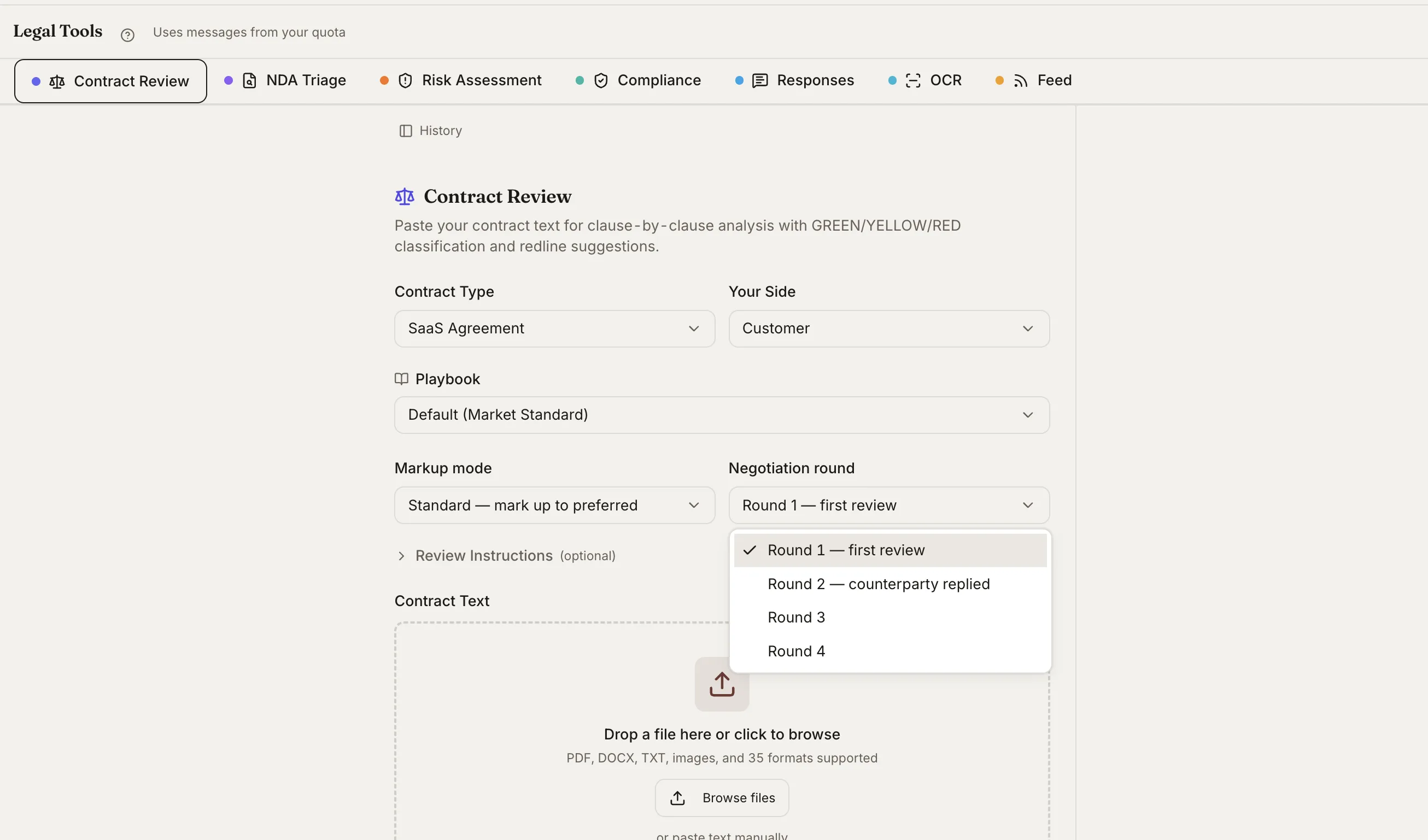
What You Get
Contract Review
Clause-by-clause analysis with GREEN/YELLOW/RED severity flags and redline suggestions. Set your side and a markup mode, and review against your standard or a default playbook.
NDA Triage
A 10-point screening that scores an NDA against common positions and returns a clear routing recommendation, so low-risk paper clears fast and the exceptions get a closer look.
Risk Assessment
A 5x5 severity-by-likelihood matrix (scores 1-25) that surfaces the highest-exposure terms first, with a plain-English rationale for each.
Compliance Check
Screen documents and policies against CCPA, GDPR, HIPAA, and 8 more regulatory frameworks, with per-requirement findings you can act on.
Document Responses & OCR
Generate structured responses to a document, and read scanned or image-based files with OCR so even a faxed contract becomes searchable, analyzable text.
Customized Feed
Track keywords and practice areas and get notified when the statutes and regulations you care about change, so monitoring is not a manual chore.
How Legal Tools Works in Vaquill AI
A tool for the job, not a blank box
General chat makes you do the structuring. Legal Tools encode the structure, so each tool returns a consistent, reviewable result.
- ✓Contract Review returns severity-flagged clauses, not prose.
- ✓NDA Triage returns a score and a routing call.
- ✓Risk Assessment returns a scored matrix you can defend.
- ✓Compliance Check returns per-framework findings.
Tuned for US practice
Each tool is built around how US lawyers actually evaluate documents, with frameworks that map to the calls you make.
- ✓Severity scales and risk scores match real review conventions.
- ✓Compliance covers CCPA, GDPR, HIPAA, and 8 more frameworks.
- ✓OCR handles scanned PDFs and images, 50+ formats supported.
- ✓Results link back to the source text they came from.
Part of the matter
Tools are not a separate app. Run them on the documents already in your matter and keep the output with the rest of your work.
- ✓Run a tool on an uploaded file or a matter document.
- ✓Outputs attach to the matter alongside research and drafts.
- ✓Pair with Playbooks to enforce your firm standard.
- ✓Feed alerts surface changes in your tracked practice areas.
How It Works
Get started in minutes, not weeks.
Pick a tool
Choose Contract Review, NDA Triage, Risk Assessment, Compliance, Responses, or OCR from the Legal Tools hub.
Add your document
Drop a file or pick one from the matter. Scanned and image-based documents are read with OCR.
Set the parameters
Set your side, markup mode, playbook, or framework so the tool evaluates the document the way you would.
Review and act
Get a structured, source-linked result you can act on, and keep it attached to the matter.
Frequently Asked Questions
How is a Legal Tool different from just chatting with the AI?
A tool encodes the structure of a specific task. Contract Review returns severity-flagged clauses, NDA Triage returns a score and routing call, Risk Assessment returns a scored matrix. You get a consistent, reviewable result instead of having to prompt for the structure each time.
What does the contract review actually return?
A clause-by-clause analysis with GREEN/YELLOW/RED severity flags and redline suggestions, based on your side and chosen markup mode. You can review against a default playbook or your own firm standard.
Which compliance frameworks are covered?
CCPA, GDPR, HIPAA, and 8 more, for 11 frameworks in total. Compliance Check returns per-requirement findings you can act on.
Can the tools read scanned or image-based documents?
Yes. OCR reads scanned PDFs and images across 50+ supported formats, so even a faxed or photographed contract becomes searchable, analyzable text.
How are Legal Tools different from Skills and Playbooks?
Legal Tools are focused, single-purpose utilities (review, triage, risk, compliance). Skills are expert playbooks that guide the AI through a structured methodology, and Playbooks encode your firm preferred clause language and fallback positions. The tools can run against your playbooks.
Do the tools work inside a matter?
Yes. Run any tool on an uploaded file or a document already in the matter, and the output attaches to the matter alongside your research and drafts.
Run the everyday work in one place
Contract review, NDA triage, risk, and compliance, built in and tuned for US practice. No separate tools, no separate logins.