AI that works a matter like a lawyer
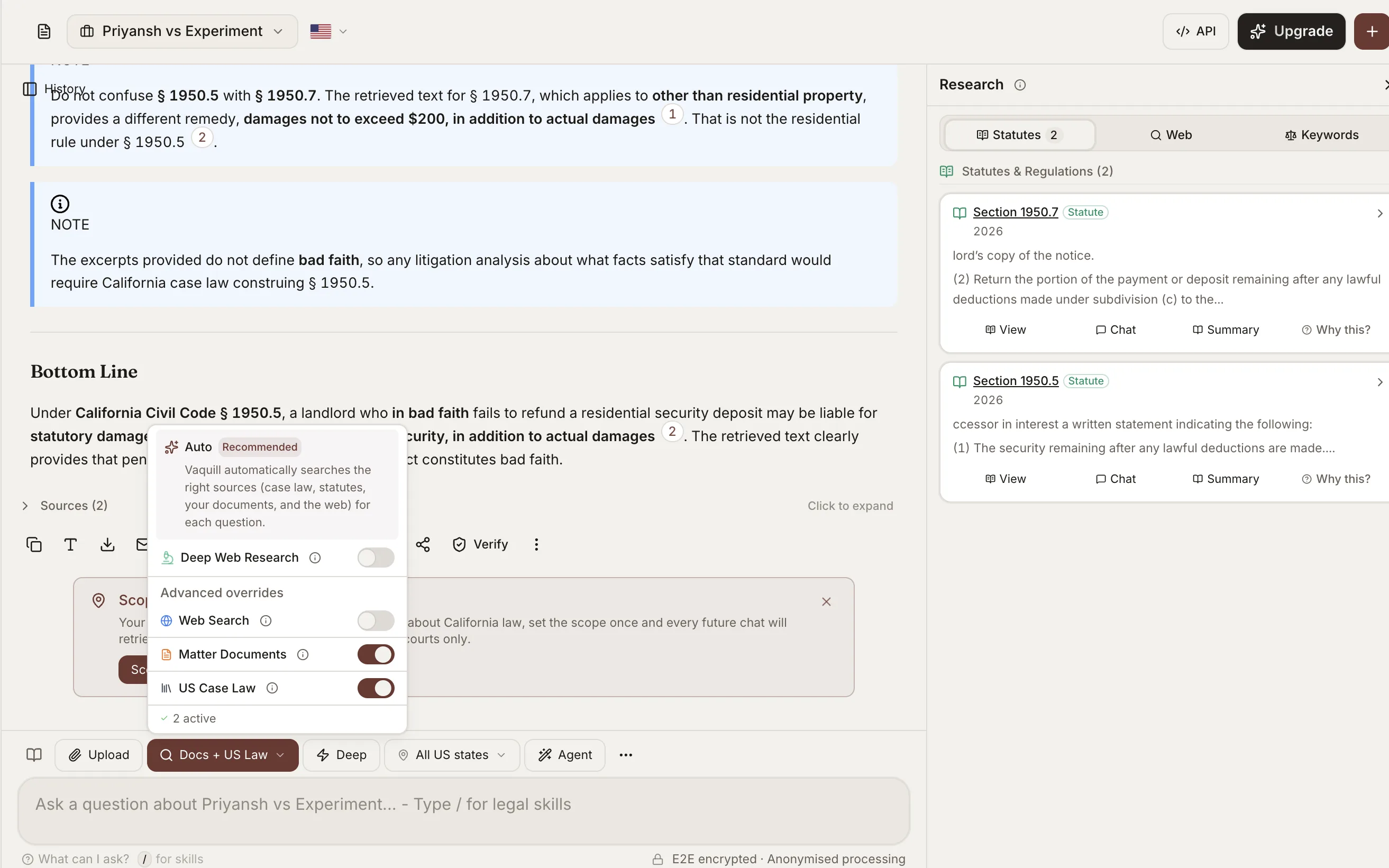
Agent Mode gives the AI independent control over tool selection and strategy. It autonomously searches statutes and case law, reads URLs, reviews your documents, drafts, and chains tools across up to 5 iterations to handle complex legal tasks.
What You Get
Autonomous tool selection
Instead of a fixed search infrastructure, Agent Mode dynamically decides which tools to call based on your question. It can search the legal corpus, read a URL, resolve a citation, or generate a case brief - all without manual prompting.
Web search with jurisdiction filters
Search the web with automatic jurisdiction filtering for US, UK, EU, or Global. Results are ranked for legal relevance and fed into the research chain.
URL reading and document extraction
Paste any URL and Agent Mode reads it - web pages, PDFs, Office documents, and images with OCR. Content is extracted and used in the analysis automatically.
Legal corpus search
Search across millions of US federal and state court opinions with boolean operators, citation filters, and year ranges. Results include full text, headnotes, and citation metadata.
Citation resolution
Resolve any citation format - Westlaw, Bluebook, PACER, official reporters - to the canonical case record. Agent Mode uses this to verify references and build citation chains.
Case brief generation
Generate structured case briefs in IRAC format with issue identification, rule extraction, application analysis, and conclusion. Optionally save as DOCX.
How Agent Mode Works in Vaquill AI
How the autonomous loop works
Agent Mode replaces the fixed search infrastructure with an iterative tool-calling loop. The AI evaluates your question, picks the best tool, processes the result, and decides whether more research is needed.
- ✓Up to 5 iterations per response, with up to 3 tool calls per iteration
- ✓Each iteration builds on previous findings for deeper analysis
- ✓AI explains its reasoning and tool choices in real time
- ✓Automatically stops when the question is fully answered
Supported file formats
Agent Mode can read and extract content from over 50 file formats, including scanned documents via OCR.
- ✓Web pages with clean text extraction
- ✓PDFs with layout-aware extraction
- ✓Office documents: DOCX, XLSX, PPTX with full text extraction
- ✓Images: JPEG, PNG, TIFF, BMP, WebP with OCR for scanned text
Built for complex legal questions
Agent Mode excels at multi-step research that requires chaining multiple tools together.
- ✓Compare privacy frameworks between CCPA and GDPR with specific provisions
- ✓Review an uploaded NDA, flag off-market terms, and draft fallback language
- ✓Read an opinion URL and prepare a structured case brief
- ✓Search contract clauses in uploaded agreements and compare against market standards
How It Works
Get started in minutes, not weeks.
Ask your question
Type any legal research question in natural language. Agent Mode works best with complex, multi-faceted queries that require multiple sources.
AI selects tools
The AI evaluates your question and autonomously picks the right tools - web search, legal corpus, URL reader, citation resolver, or case brief generator.
Iterative research
Agent Mode chains tools across up to 5 iterations, building on previous results. You see the reasoning and tool calls in real time.
Get comprehensive results
Receive a thorough, cited answer that synthesizes findings from multiple tools and sources. Every claim is traceable to its source.
Frequently Asked Questions
How is Agent Mode different from regular chat?
Regular chat uses a fixed pipeline - your question goes through one search and one generation step. Agent Mode gives the AI autonomous control to pick tools, chain searches, and iterate up to 5 times to build a complete answer.
What tools does Agent Mode have access to?
Seven tools: Web Search (with jurisdiction filter), Fetch URL (reads web pages, PDFs, Office docs, images with OCR), Search Documents (your uploaded files), Search Legal Corpus (millions of US federal and state cases), Resolve Citation, Generate Case Brief, and Court Records.
Are there usage limits?
Yes. Agent Mode allows up to 5 iterations per response, 3 tool calls per iteration, and 20 URL fetches per hour per user. URL responses are capped at 5 MB and truncated to 15,000 characters.
Can Agent Mode read URLs I paste?
Yes. Paste any URL and Agent Mode will extract the content - web pages, PDFs, Office documents, and even images with OCR. Content is automatically used in the research chain.
Does Agent Mode work with my uploaded documents?
Yes. Agent Mode can re-query your uploaded matter documents alongside searching the legal corpus and the web. It picks the best combination of sources for each question.
Is Agent Mode available during the free trial?
Yes. Agent Mode is included on Vaquill AI Professional and available with full access during your 7-day free trial. It uses your AI query quota; check the pricing page for details.
Try autonomous legal research
Ask a complex legal question and watch Agent Mode chain tools, search cases, and build a comprehensive answer.