
The best budget AI legal research for a US solo attorney in 2026 is a free primary-law base (Google Scholar plus Fastcase through your state bar) topped with one paid AI tool under $100 a month. For that paid layer, the cheapest AI-native research tools start near $25 a month (Descrybe, Midpage student tier), and the most complete sub-$100 suite with a built-in citator and 50-state statutes is Vaquill AI.
The marketing makes it sound like Westlaw or Lexis are your only real options. They are not. Both are quote-based and priced for BigLaw, and the base seat usually leaves out the CoCounsel or Protege AI layer solo lawyers actually want.
This guide walks through what works at three budget tiers: free, under $100 per user per month, and under $200 per user per month. Picks are based on what we have seen working at small firms over the last twelve months, vendor-published prices we checked, and independent benchmarks.
TL;DR
- $0 tier: Google Scholar + Fastcase via state bar. Covers roughly 70% of solo research; no citator AI or one-click cite check.
- Cheapest paid AI ($25 to $50/month): Descrybe Legal Engine at $25/month and Midpage's student tier at $25/month are the lowest-priced AI-native research tools that publish a number. Thin on full-suite features, but real.
- Around $100/seat/month: Vaquill AI is the most complete on statutes + citator + statutes API, at $100/seat/month on annual billing ($120 monthly). Midpage Professional is $100/month, or $80/month billed annually, with unlimited AI research usage.
- Under $200/seat/month: Bloomberg Law if you're corporate-transactional; otherwise the extra spend is hard to defend against per-seat AI platforms at half the price.
- Verify every price against the vendor's own page. Roundups go stale fast. Paxton, for one, publishes $499/month today (checked September 2026), not the "free to $159" some older lists still carry.
- The post-Mata duty is "verify cheaply." Tools without source links, highlight positions, and a citator make verification your night job.
Cheapest AI-native research tool that publishes a price?
Budget AI legal research tools at a glance
| Tool | Price (verified) | Access | Citator | Best for | Source |
|---|---|---|---|---|---|
| Google Scholar | Free | Self-serve | No | Fast case lookups | scholar.google.com |
| Vaquill AI | Published | Self-serve | Yes (graph) | Full self-serve suite | vaquill.ai/pricing |
| Fastcase (state bar) | Free via bar | Self-serve | Yes (Cert) | Primary law in your state | via bar |
| Descrybe Legal Engine | $25/mo | Self-serve | Yes (Cytator) | Cheapest AI-native search | descrybe.com, Jun 2026 |
| Midpage (student) | $25/mo, standard AI usage | Self-serve | Yes (AI) | Students, lowest AI tier | midpage.ai, Sep 2026 |
| Midpage (professional) | $100/mo, or $80/mo billed annually; unlimited AI research | Self-serve | Yes (AI) | Case-law-first research | midpage.ai, Sep 2026 |
| Paxton AI | $499/mo or $2,999/yr | Self-serve | Not documented | Drafting-heavy solos | paxton.ai, Jun 2026 |
| Bloomberg Law | Quote-based | Sales-led | Yes (BCite) | Corporate/transactional | bloomberglaw.com |
Part of our legal AI vendor comparison and pricing series.
How we picked
We ranked picks for one buyer: a solo or small-firm lawyer who wants real research help and a tight monthly cap. Criteria were corpus depth, source links you can verify, a citator for good-law checks, per-state scoping, and a price you can buy without a procurement team. Free tools had to cover primary law without a card.
Prices here are vendor-published or founder-confirmed, never guessed. Where a vendor hides its number, we say "quote-based / on request" instead of inventing one.
Sentiment lines come from real benchmarks and forum posts, linked when the source returns a live page.
What "AI legal research" actually means in 2026
Two years ago, "AI legal research" meant a chatbot that summarized cases. Today, it means a stack of capabilities that matters for solo practice:
- AI-grounded answers with source citations to actual opinions (not hallucinated case names)
- Citation checking with treatment flags (followed, distinguished, overruled, criticized)
- Source PDF access with the relevant passage highlighted, ready for a brief
- Per-state scoping so you can ask "under California law..." and get California opinions back
- Document analysis for uploaded pleadings, contracts, or discovery
The Stanford and Yale reliability study found that even premium tools hallucinate at real rates. Lexis+ AI came in near 17%, the least bad of the paid tools. Westlaw AI-Assisted Research hallucinated in about one in three responses, the worst of the bunch (Yale ISPS summary).
The lesson is not that AI legal research is broken. You just need verification built into the workflow: source PDFs, claim-level confidence scores, and citation graphs. Stapling those on after the fact does not count.
That is the lens to evaluate everything below.
Tier 1: Free (Total cost: $0 per month)
This tier covers solo lawyers who genuinely cannot or will not spend on legal research as a line item. It works for low-volume practice, second-chair work, or as a baseline that you supplement with paid tools for specific matters.
1. Google Scholar (legal opinions)
At a glance: Free · Self-serve · Best for: fast case lookups and confirming an opinion exists.
It is the no-friction option. You get a huge corpus and zero cost, but you do the good-law check yourself.
- Free, no signup
- Every state supreme and appellate decision since 1950
- Federal appellate and district court opinions
- Basic citation links between cases
- No citator (no good-law check)
- No AI summarization
What's good:
- Instant access with no account
- Deep historical coverage of state and federal opinions
- Citation links help you trace a case
Where it falls short:
- No citator, so good-law status is on you
- No AI summaries or grounded answers
Bottom line: A great free starting point for lookups. Verify treatment somewhere else before you cite.
2. Fastcase via your state bar (if eligible)
At a glance: Free (via state bar) · Self-serve · Best for: primary-law searches in your own state.
If your bar includes it, this is the closest free thing to Westlaw or Lexis. Eligibility is the catch, since not every bar offers it.
- Free through 40+ state bar associations
- Federal and state case law, statutes, regulations
- Cert citator (combined AI + human review)
- Vincent AI assistant (add-on, not always included free)
What's good:
- Real citator (Cert) at no extra cost
- Statutes and regulations alongside case law
- Free if your bar membership covers it
Where it falls short:
- Vincent AI is often a paid add-on, not included
- Access depends entirely on your bar
Bottom line: The best free pick when your bar includes it. Check whether the AI layer costs extra before you count on it.
Free tier verdict: Combine Google Scholar for fast lookups and Fastcase via your state bar for primary law, statutes, and a real citator. This stack covers about 70% of solo-practice research at zero marginal cost. Layer on a paid tool when you also need AI question-answering or claim-level citation verification.
For related vendor / pricing / buyer-guide coverage, see Legal AI Tools for Solo Practitioners: 7 Picks That Fit a One-Person Firm and Is There a Free AI Legal Research Tool? What Free Tiers Actually Get You.
Tier 2: Under $100 per user per month
This tier covers solo lawyers and 2-5 lawyer firms who want AI legal research as a real workflow tool but cannot justify enterprise pricing. It also holds the cheapest paid AI-native research tools that publish a price.
1. Descrybe (cheapest AI-native research engine)
At a glance: Descrybe Legal Engine $25/month, full Descrybe Platform $50/month (descrybe.com, June 2026) · Self-serve · Best for: solos who want AI search and a citator at the lowest published price.
This is the cheapest AI-native legal research tool we found that publishes a number. The Legal Engine bundles primary-law search, a citator (Cytator), citation resolution, and quote checks for $25 a month.
What's good:
- Lowest published price for AI-grounded search plus a citator
- Plain-English (and Spanish) natural-language search over judicial opinions
- Self-serve, no sales call
Where it falls short:
- Narrower corpus and fewer workflow features than a full suite
- Smaller brand; verify coverage for your specific jurisdiction before relying on it
What users say: The American Bar Association's Law Practice division profiled Descrybe as an affordable AI option for solo and small firms (americanbar.org, 2025; live page, 403s to bots). We found no broad independent peer-review volume yet, so treat it as promising rather than proven.
Bottom line: The budget pick if you want AI search plus a citator and nothing fancier. Confirm jurisdiction coverage before you cite from it.
2. Midpage (case-law-first AI research)
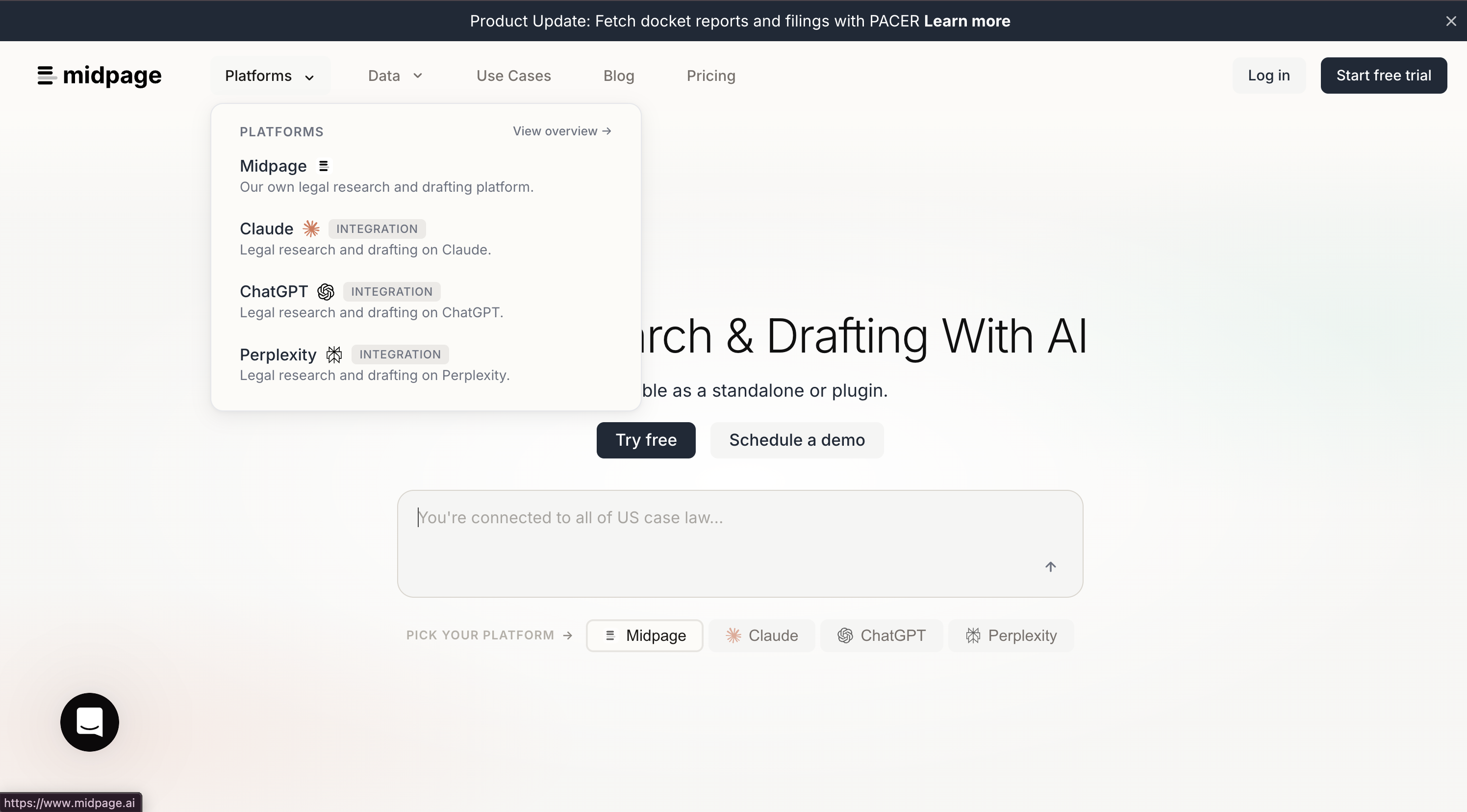
At a glance: $25/month students, $100/month professional ($80/month billed annually) with unlimited AI research usage (midpage.ai, September 2026) · Self-serve (2-week trial) · Best for: lawyers who want focused case-law research and an AI citator.
Midpage is AI-native and case-law-first, with a research agent, manual search, and an AI-powered citator on every paid tier. Since July 2026 it also carries federal and state statutes, regulations and agency guidance. Professional adds agentic PACER access, and neither app plan includes API access.
What's good:
- AI-powered citator and research agent included on paid tiers
- Two-week free trial, self-serve signup
- A Claude connector for people who already work in Claude
Where it falls short:
- Metered AI cost on top of the seat price makes the total less predictable
- Case-law-only; no statute corpus or document-management workspace
What users say: Coverage is mostly product write-ups and vendor material so far, not deep practitioner forum threads. Honest read: too new for a strong sentiment signal, so test it on your own matters.
Bottom line: A reasonable budget choice if all you need is case-law research with an AI citator. Budget for the metered AI cost on top of the base seat.
3. Vaquill AI (AI-native US suite)
At a glance: Self-serve, published pricing (sign up to see the latest) · Self-serve · Best for: solos and 2-15-lawyer firms who want a full research stack at per-seat economics.
This is the rare full suite that publishes a self-serve per-seat price. You get research, a citator, and statutes without a sales call or annual lock-in.
- Free trial, no card required
- Millions of US federal and state court opinions
- Complete US Code, CFR, and all 56 state and territory statute codes
- Citation graph with treatment flags (followed, distinguished, overruled, criticized)
- Source opinion PDFs with character-level highlight positions
- Claim-level answer verification with per-claim confidence scores
- Self-serve statutes REST API and MCP server at the seat price
- Per-state scoping ("under California law..." filters the corpus)
- Matter workspaces, RBAC, document upload, Google Drive import
What's good:
- Published price, self-serve signup, no annual contract required
- Verification primitives (source PDFs, highlights, confidence scores) at the base seat
- Per-state scoping and a real citation graph
Where it falls short:
- Smaller brand than the incumbents, so partners may not know it yet
- Case-law search is an in-product feature, not a public API
Bottom line: The most complete budget stack we know that stays under $100 and shows its price. Strongest pick if you want research, citator, and statutes in one tool.
4. Paxton AI
At a glance: $499/user/month, or $2,999/user/year (paxton.ai, Sep 2026) · Self-serve (7-day trial) · Best for: drafting-heavy solos who can stretch the budget.
Honest note: Paxton is a strong tool that sits above this post's budget tier. Its published price is $499 a month, or $2,999 a year on annual billing (paxton.ai/pricing, checked September 2026), so treat it as a stretch option against a sub-$100 budget rather than a cheap pick.
- AI legal research and drafting focus
- US federal and state coverage
- Document analysis and drafting workflows
- Less depth on statute corpus, no per-state scoping primitive currently documented
What's good:
- Solo and small-firm users call it a real time-saver for drafting
- Self-serve with a short trial, no sales gauntlet
Where it falls short:
- At $499/month it is well over this tier's cap
- No independent hallucination benchmark, US-only, thin on practice-management integrations (Lawyerist review)
What users say: Solo and small-firm users on Lawyerist call it a real time-saver, while flagging the steep price for solos and the lack of an independent hallucination benchmark (Lawyerist review).
Bottom line: Strong drafting tool, wrong price for a strict sub-$100 budget. Worth it only if document generation is your main job and you can spend more.
5. Vincent AI (vLex Fastcase add-on)
At a glance: Quote-based / on request · Sales-led · Best for: lawyers who already get Fastcase free via their state bar.
If Fastcase is already free for you, this bolts a light AI layer on top. The exact add-on price is not openly published, so you have to ask.
- Layered on top of Fastcase access (often free via state bar)
- AI summarization, similar-case search, draft research memos
- Citator (Cert) included via Fastcase
What's good:
- Builds on a citator you may already have
- Useful AI summaries and similar-case search
Where it falls short:
- Add-on pricing is not openly published
- Value depends on already having Fastcase
Bottom line: A cheap upgrade if your bar already gives you Fastcase. Ask for the add-on price before you commit.
Around-$100 verdict: If you only need AI case-law search plus a citator at the lowest price, Descrybe ($25) or Midpage ($25 to $100) win. If you want comprehensive AI research with a citation graph, USC, CFR, and all 50-state statutes in one tool, Vaquill AI is the most complete stack in this range, at $100/seat/month on annual billing ($120 monthly). Paxton is the drafting-first option, but its real price puts it above this tier.
Others worth knowing (one-line tier): A wave of low-cost AI assistants now markets to solos. Several publish sub-$30 prices on their own sites: LegesGPT (Basic from $13.99/mo, legesgpt.com, June 2026) and TheLawGPT (free tier, then Starter $19.99/mo, thelawgpt.com, June 2026). Ark Legal AI advertises a free starting tier (arklegal.ai; live page, 403s to bots). Most are general legal-AI chat plus drafting rather than a grounded research corpus with a real citator, so test how each one cites before you trust it for a filing. Elephas (Mac-only) is a private document AI, not a case-law database, so it is a privacy tool for your own files, not a research engine.
Tier 3: Under $200 per user per month
This tier covers small firms (5-15 lawyers) who can justify a higher per-seat cost for additional depth or workflow integrations.
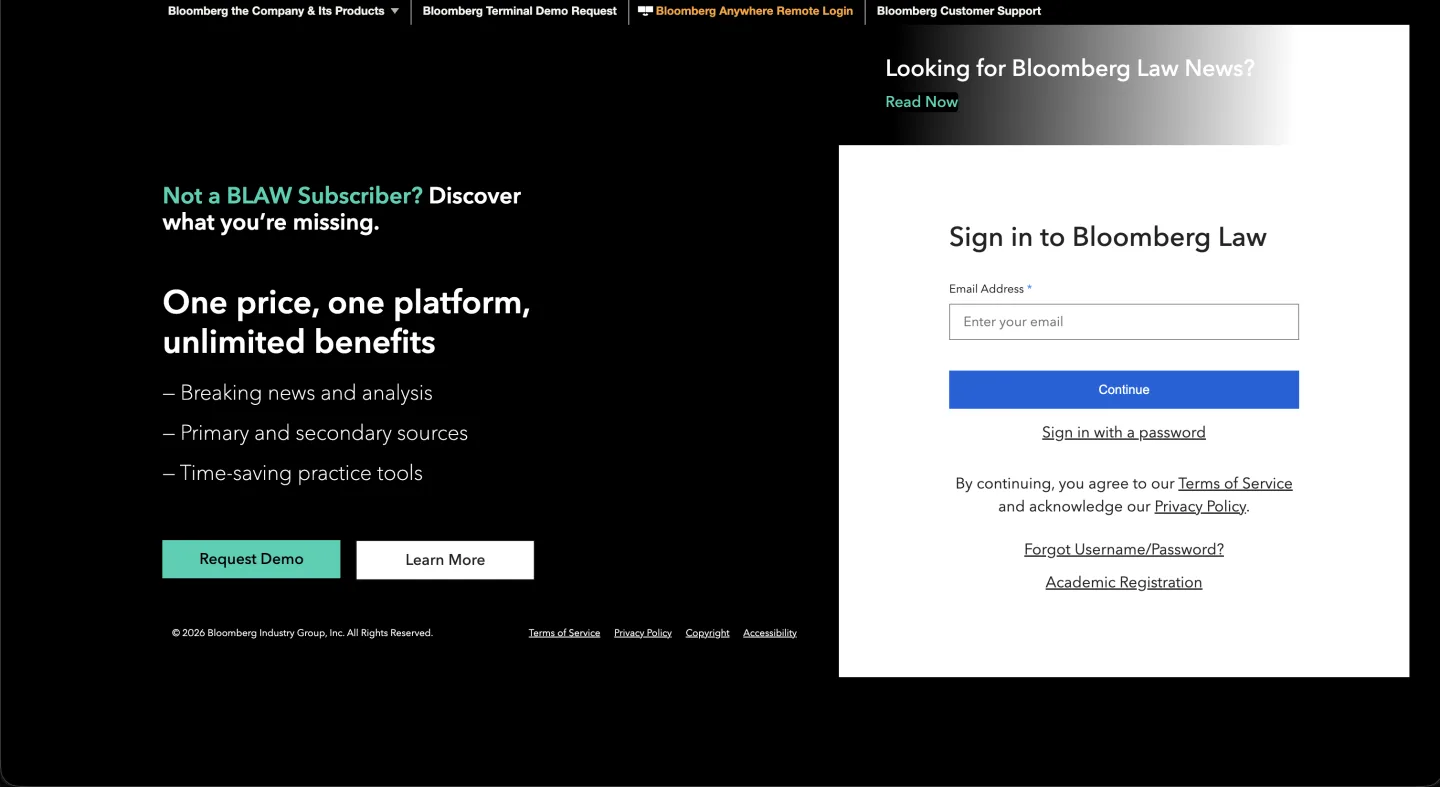
1. Bloomberg Law
At a glance: Quote-based / on request · Sales-led · Best for: corporate-transactional and securities practices.
Bloomberg is strong where it counts for deal lawyers, but it does not publish a price. You will negotiate, and small-firm rates vary a lot.
- Federal and state case law, statutes, regulations
- Strong corporate transactional content (the area Bloomberg is best at)
- BCite citator
- Some AI features (Bloomberg has been adding agentic capabilities through 2025-2026)
What's good:
- Deep corporate, deal, and securities content
- BCite citator and a credible primary-law corpus
Where it falls short:
- No published price, so budgeting means a sales call
- Less compelling for pure litigation
Bottom line: A real option for transactional small firms who can negotiate. Hard to justify for general litigation against cheaper per-seat tools.
2. vLex Fastcase Premium
At a glance: Quote-based / on request · Sales-led · Best for: firms with international or multi-jurisdictional matters.
The standalone (non-bar) tier adds Vincent AI and global content. Pricing is not openly published, so confirm it before you plan around it.
- US and international content
- Vincent AI included at the higher tier
- Cert citator
- Strong secondary sources layer
What's good:
- International coverage beyond the US corpus
- Cert citator and a deep secondary-source layer
Where it falls short:
- Standalone pricing is not openly published
- Overkill if your work is purely US domestic
Bottom line: Worth it if you have cross-border matters. Get the quote before assuming it lands under $200.
3. Vaquill AI annual billing
At a glance: Self-serve annual billing at a discount (sign up to see current pricing) · Self-serve · Best for: small firms ready to commit annually.
Same suite as the Tier 2 pick, billed yearly for a discount. It keeps research, citator, and statutes in one tool at the lowest effective price here.
- All seat-tier features above
- About 17% off versus paying monthly
- Team RBAC, matter inbox, document chat, chronology builder
- Statutes API access for builders on the team
What's good:
- Lowest effective price in this tier
- One tool for research, citator, and statutes
Where it falls short:
- Annual commitment instead of month-to-month
- Smaller brand than the incumbents
Bottom line: The cheapest way to keep a full stack under $200. Pick it if you are ready to commit for the year.
Under-$200 verdict: This tier comes down to Bloomberg Law's corporate content (if your practice needs it) versus per-seat AI platforms. For a litigation or general-practice small firm, Bloomberg's premium is hard to justify against alternatives at a fraction of the cost.
What we left off the list (and why)
A few tools that come up in "best of" articles but did not make this guide:
Westlaw and Lexis+ AI: Both are quote-based, sales-led, and priced well above this budget once you add the AI layer. They are credible platforms for firms with the budget. On reliability, the Stanford and Yale study put Lexis+ AI near 17% hallucination and Westlaw at roughly one in three, so verify either way (study).
Casetext: Retired April 2025 after the Thomson Reuters acquisition. CoCounsel technology absorbed into Westlaw at Westlaw pricing. If you are looking at a 2023 Casetext review, that product no longer exists. See our Casetext vs Westlaw post-acquisition analysis.
ChatGPT / Claude / Gemini (general-purpose LLMs): These will hallucinate case citations at rates higher than the Stanford-measured 17% and 34%, because they have no grounding layer to actual court opinions.
Do not use a general-purpose chatbot for legal research that you intend to cite. Use a legal research platform that grounds its AI in actual opinions with verifiable PDF sources.
The picks
If you have an hour and want concrete recommendations:
If you spend $0: Google Scholar + Fastcase via your state bar. Verify cites by hand or layer in a separate citator.
If you spend $25/user/month: Descrybe Legal Engine or Midpage's lowest tier for AI case-law search plus a citator. Lean corpus and features, but the cheapest grounded AI you can buy.
If you want the most complete suite near $100/seat: Vaquill AI, at $120/seat/month or $100/seat/month billed annually. You get comprehensive AI research, USC + CFR + 50-state statutes, a citation graph with treatment flags, source PDFs with highlight positions, and statutes API access.
If you spend up to $200/user/month: Bloomberg Law if your practice is corporate transactional. Otherwise the additional spend is hard to justify against per-seat AI platforms.
If your firm has a procurement budget and you are at AmLaw or BigLaw scale: Westlaw with CoCounsel Legal or Lexis+ with Protege. Out of scope for this article.
A quick note on the post-Mata duty of competence
Whatever tool you pick, ABA Formal Opinion 512 (July 2024) lays out the duty of competence with generative AI. The short version is three things. Know the tool well enough to spot when it is wrong, verify outputs before you rely on them, and tell the client when AI shaped a material decision.
For solo practitioners on a budget, the practical interpretation is: pick a tool that makes verification cheap. That means source links, PDF highlight positions, confidence scores, and a citation graph. With those, you can check whether a case is still good law in one click. Tools that hide them put more of the verification burden on you.
This is why claim-level answer verification belongs at the base seat price, not as a premium add-on. The post-Mata environment is the reason.
Whatever tool you pick, ask the same question: how easy does this make it for me to verify what the AI just told me?
FAQ
Can I do real legal research for free?
Mostly, yes. Google Scholar and Fastcase via your state bar cover about 70% of solo research. You just do good-law checks and AI question-answering yourself.
Is any full AI research suite actually under $100 a month?
Yes. Vaquill AI is self-serve with research, a citator, and 50-state statutes built in. Most other suites are quote-based and priced well above that.
Do AI research tools still hallucinate citations?
Yes, even the paid ones. The Stanford and Yale study put Lexis+ AI near 17% and Westlaw at about one in three (study). Verify every cite against the source.
What is the cheapest AI legal research tool for a solo attorney?
Among tools that publish a price, Descrybe's Legal Engine at $25/month is the lowest for AI search plus a citator (descrybe.com), and Midpage's student tier is also $25/month (midpage.ai). Below that, free tools (Google Scholar, Fastcase via your bar) cover most lookups without AI.
Can I run a solo practice without Westlaw or Lexis?
Yes. A free primary-law base plus one paid AI tool under $100 covers the research most solos do. The main thing you give up is the deep editorial secondary sources and treatises, which most solo dockets rarely need.
Is AI legal research safe to use for court filings?
Only if you verify every citation against the source before filing. Courts have sanctioned lawyers for fabricated cites from general chatbots, so use a tool that grounds answers in real opinions with PDF links, then check each one. ABA Formal Opinion 512 (July 2024) frames this as a duty of competence.
Do I have to tell the court or my client that I used AI?
It depends on the jurisdiction. Some courts have standing orders requiring AI-use disclosure, and ABA Formal Opinion 512 says you must tell the client when AI shaped a material decision. Check your local court's standing orders before you file.
Related reading
- Best Westlaw Alternatives for Solo & Small Firms (2026)
- Lexis+ AI vs Westlaw AI (2026)
- Casetext vs Westlaw: Pricing After the $650M Acquisition
- Legal Research Costs in 2026: What Firms Actually Pay
- AI Hallucinations in Legal Research and Sanctions
New legal AI guides, weekly.
Further Reading
- Best AI Software for Plaintiff Law Firms (2026): 11 Tools Compared
- Top Legal Research Tools for Solo Family Law Attorneys
- What AI Legal Tools Are Actually Trained on Federal and State Case Law
- How Much Does an AI Legal Seat Really Cost in 2026? Reading Quotes Like a Buyer
- Legal AI Tools for Solo Practitioners: 7 Picks That Fit a One-Person Firm
- Personal Injury AI in 2026: What It Actually Does for Plaintiff Lawyers

Product & Content
The US primary law data API: statutes, regulations, constitutions, court rules, executive orders and agency guidance across 53 US jurisdictions, each section cited and linked to its official source, via REST, MCP or SQL.