
Legal matter intake is the single front door where the business files a request, and legal intake triage is the rule set that sorts each request by category, value, and risk so it lands in the right tier: self-serve, template, counsel, outside counsel, or escalation. For a solo GC, the whole in-house legal intake workflow comes down to one structured form, six categories, five disposition tiers, and a published SLA. Get those four pieces right and 60 to 70% of requests never need a lawyer.
The solo GC problem is queue design, not workload. That is the post in one sentence.
Picture the morning. Solo GC at a Series B fintech, Tuesday, 8:42 AM, coffee in hand. Inbox: 412 unread.
First fifteen minutes she opens the top message, an MSA from the largest customer in the pipeline, scans it, switches to Slack to answer a People Ops question about whether a Texas hire counts as remote, switches back, opens a vendor renewal that turns out to be a forward of a forward, switches to the Notion page someone on RevOps built called "Ask Legal" because somebody pinged her in the comments, and is now seven minutes deep in CCPA territory before realizing she has not actually responded to anything.
Twelve minutes gone. The MSA is back in the queue with everything else.
Nothing in those fifteen minutes was lawyering. All of it landed in the lawyering bucket. The cause is not the headcount in absolute terms.
It is the second-order effect of scaling between 150 and 200 employees: more deals, more vendors, more states with employees, more SaaS contracts triggering a privacy review. Volume grows linearly; complexity grows worse than linearly because the questions interact.
Published CLOC member survey work puts the typical Series B legal team at one lawyer and roughly 60 to 120 matters a month at that headcount band. Do the arithmetic. No version of the day fits in ten hours without a queue.
The fix is a structured intake and triage workflow: four stages, six categories, a stated SLA. Done correctly, it pushes 60 to 70% of matters to self-serve or pre-approved templates, leaving the 30 to 40% that actually require a lawyer.
Done badly, it is worse than the inbox; nothing kills business trust faster than a Jira project where tickets sit untouched for six days.
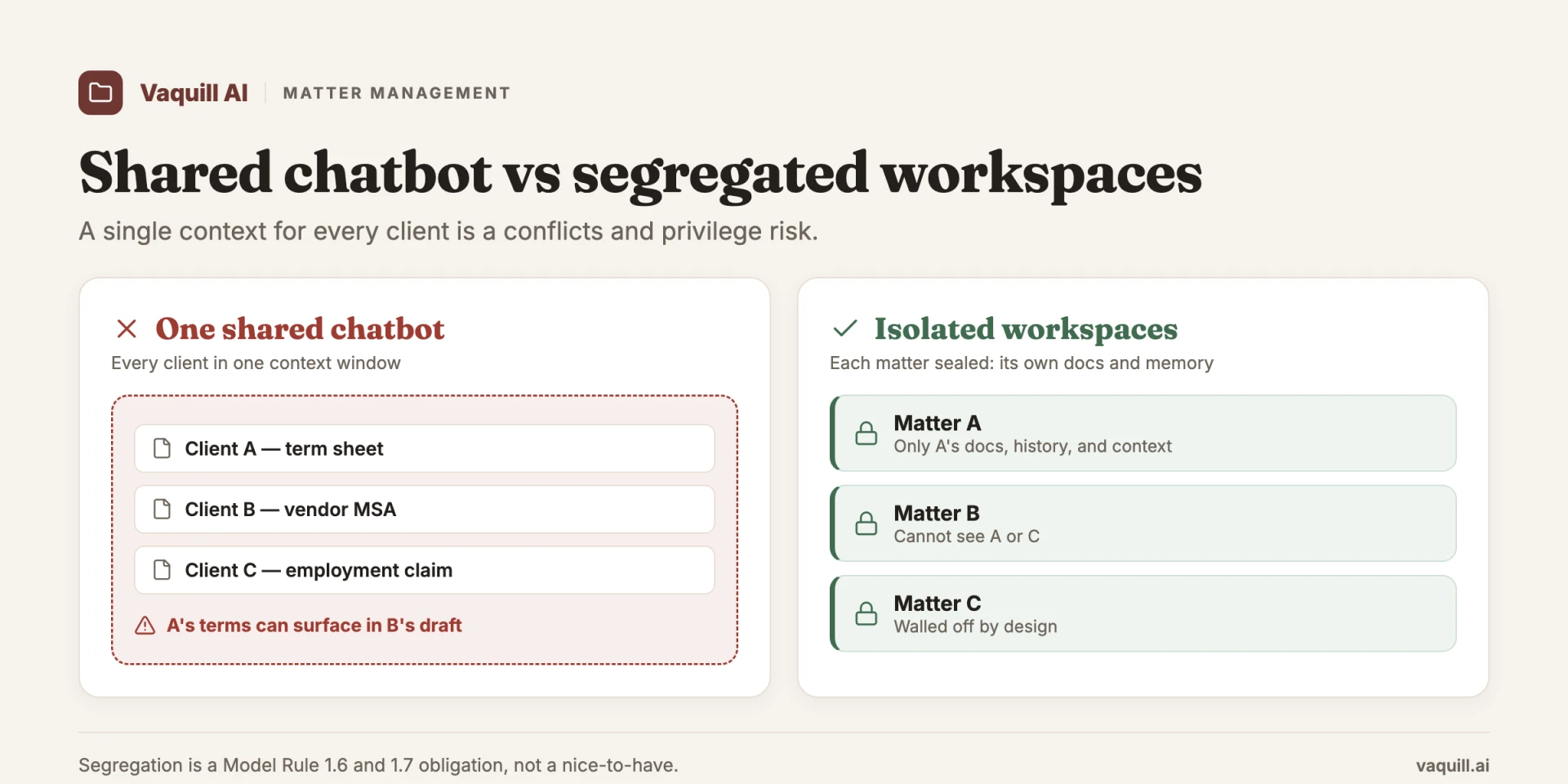
One shared context bleeds across clients; isolated matter workspaces do not.
TL;DR
Part of our in-house counsel guide series.
- The solo GC at a scaleup is drowning because there is no triage layer between the business and the legal function. Every request lands directly in your inbox at the same priority.
- Build a 4-stage workflow: a structured intake form (12 specific fields, not free text), auto-classification into 6 categories, triage rules that route to self-serve / template / counsel / outside counsel / GC escalation, and a stated SLA per category with status visibility back to the requester.
- Do not optimize for throughput. The metric that matters is exception quality: catching the renewal that quietly added an arbitration clause, not closing 90 tickets a week.
- The three things to automate first: inbound NDA review against your playbook, vendor contracts under your approval threshold, and standard customer agreement redlines. These are the 80% of volume with the lowest legal risk per matter.
- Common pitfall: over-collecting in the intake form. Eight fields gets you the same triage as eighteen, and eighteen kills adoption.
- Track three metrics: average matter cycle time (median, not mean), intake-to-first-response time against SLA, and self-serve resolution rate. If self-serve sits below 50% after a quarter, your playbooks are not specific enough.
Once an intake and triage workflow is built correctly, what share of matters can be pushed to self-serve or pre-approved templates?
Legal matter intake vs legal intake triage
These two words get used interchangeably and they are not the same thing. Keeping them separate is what lets you automate one and protect the other.
Legal matter intake is capture. It is the act of receiving a request from someone in the business, in a consistent shape, with the facts you need to act. A structured intake form is the mechanism.
Legal intake triage is the decision. It reads the captured request and routes it: who handles this, how fast, and at what tier of attention. Triage is where category, business value, and risk turn into a disposition.
| Legal matter intake | Legal intake triage | |
|---|---|---|
| Job | Capture the request | Route the request |
| Mechanism | One structured form, 12 fields | Category plus value plus risk rules |
| Output | A complete, filed matter | A disposition tier and an SLA |
| Owned by | The form and the requester | The rule set (and you, on exceptions) |
| Failure mode | Over-collecting fields, adoption craters | Over-categorizing, everything lands in three buckets |
The in-house legal intake workflow is the two of them wired together: capture feeds triage, triage assigns the SLA, and status flows back to the requester. The rest of this post builds that pipeline in four stages.
What you are actually building
Do not optimize raw throughput. Raw throughput is how you rubber-stamp a problematic indemnity at hour ten of a Friday because closing the ticket felt like progress.
Optimize legibility. Priority should fall out of category and SLA, not out of volume or volume's louder cousin, the dollar-amount panic from Sales.
One cross-functional note. If you inherit a steady drumbeat of requests from RevOps (deal-desk redlines), Security (vendor risk reviews), or People Ops (policy interpretation), do not give those teams their own intake bypass. It turns into shadow queues.
Push everything through the same form with a "submitting on behalf of" field. Otherwise Security quietly routes 30% of vendor reviews around you because they "needed it yesterday," and you find out at the next audit.
Stage 1: The intake form
You need one channel. Not Slack, not email, not Notion. One form, one place to file, and a "please file it in the form" auto-response on the other channels that does not feel hostile.
Tools do not matter as much as people think. Jira Service Management works if Engineering already runs Jira and you can hide the JSM look-and-feel behind a Slack workflow; the failure mode is launching a Jira portal in a company that lives in Linear, because adoption craters the day you ask Sales to log into a tool they otherwise never see.
Linear with a Legal team and a public intake form is the better default at Series A/B. Airtable plus a Zapier-style webhook into Slack is fine too if you have nothing else. Ironclad and SimpleLegal have full intake modules, but for a sub-300-person company they are overkill and the procurement cycle alone will outlast the intake problem.
Here are the 12 fields. Pick these specifically; do not freelance.
- Requester name (autofilled from SSO).
- Requester team (single-select: Sales, CS, People, Finance, Engineering, Product, Marketing, Exec, Other).
- Matter type (single-select: Commercial contract, Employment, IP / trademark, Compliance / regulatory, Corporate / financing, Dispute, Other).
- One-sentence description (free text, capped at 280 characters). Forces the requester to articulate the ask.
- Counterparty or subject (vendor, customer, employee, regulator). De-duplicates when two teams file the same matter.
- Estimated business value or impact (Under $10K, $10K-$100K, $100K-$1M, Over $1M, N/A). Your most important triage signal; drives both urgency tier and template eligibility.
- Desired close date (date picker). Not "ASAP." A real date.
- Why that date (free text, capped at 280 characters). Catches fake urgency. "The AE wants to close end of quarter" is real; "I want to send it today" is a preference.
- Documents attached (file upload). Mandatory if matter type is Commercial contract or Employment.
- Counterparty paper or our paper (only shown for Commercial contract). Determines redline-against-playbook vs. templated outbound.
- Approval status (checkbox: approved by your team lead / budget owner). If no, the form auto-routes to the requester's manager first.
- Privacy / regulated data flag (PII, payment data, PHI, or regulated workflows). Routes high-sensitivity matters into a separate review track.
Twelve is the sweet spot. Eighteen and adoption craters. Eight and you do not have enough to triage automatically. Twelve forces ninety seconds of thought before filing, which is the point.
Do not collect free-text "background context" or a "preferred outcome" field; those ask the requester to predict the legal answer and the result is noise.
Stage 2: Auto-classification
Once the form is filed, the request gets classified. Six categories, not more. Categories are not matter types; matter type is what the request is about, category is what the request needs.
- Commercial. Contracts, MSAs, SOWs, vendor agreements, customer agreements, NDAs.
- Employment. Offer letters, separation, performance, contractor classification, equity grants.
- IP. Trademarks, copyrights, open-source licensing, brand protection.
- Compliance. Privacy (CCPA, state laws), data security, marketing compliance, sector regs.
- Corporate. Board, financing, cap table, subsidiary formation.
- Urgent / escalation. Active dispute, regulatory inquiry, security incident, media exposure.
AI does the classification and it does not need to be sophisticated. A small model on the form payload hits 80% with a few hundred labeled examples. The remaining 20% goes to a fallback bucket you eyeball at the start of the day. Audit monthly.
The mistake here is over-categorizing: people build sixteen categories and end up with most matters in the same three buckets anyway. Six is enough.
Stage 3: Triage rules
Each classified matter hits a rule set with five disposition tiers, in increasing order of GC attention:
- Self-serve answer. Immediate auto-reply pointing the requester to a published playbook or FAQ. No human in the loop. Inbound NDAs under a known threshold, offer letter generation, standard vendor under your approval limit, marketing copy against a checklist.
- Template. The system surfaces a templated document or pre-approved markup. The requester fills it in and sends; you are notified. SaaS agreements at standard pricing, vendor NDAs, contractor agreements.
- Counsel review. You take it, bounded by the playbook. Commercial contracts over the template threshold, custom MSAs, non-standard employment.
- Outside counsel. Routed with a written scope and budget cap. Specialized regulatory, litigation, complex IP, M&A. The scope-and-cap discipline at this tier is also where you reduce outside counsel spend: triage decides what leaves the building before the invoice does.
- GC escalation. Direct to your list. Board-level, C-suite exposure, active regulatory or media.
The triage rule is the combination of category plus estimated value plus other signals. A vendor contract under $10K with no PII and on counterparty paper goes to template tier with a "use the pre-approved NDA, sign on our paper" auto-response.
The same vendor contract for $250K with PII goes to counsel review. A commercial dispute goes straight to GC escalation regardless of dollar amount.
Two exception-routing details that nobody puts in their playbook the first time and everyone wishes they had:
First, manager approvals. Field 11 (approval status) is the one most teams skip. Without it, you spend half your intake replies asking "did your boss sign off on the budget?"
The answer is to wire the form so that if the requester is below VP, the form auto-emails their manager with a one-click approval, and the matter does not get classified until the approval comes back. This kills 15 to 20% of intake volume before it ever reaches you, because half the time the manager kills it themselves.
Second, the renewal trap. A "renewal" with an existing vendor filed as "vendor under $25K" because the annual line item is $24K auto-routes to template tier. Three months later someone notices the renewal added an arbitration clause and a unilateral price escalator the original deal did not have.
That is rework, and it erodes the business team's trust in self-serve faster than any other failure. Build a routing rule that flags every renewal as "amended terms possible" and bumps to counsel review on a 24-hour SLA regardless of dollar amount.
The tradeoff is real: you absorb a chunk of renewal volume into the counsel-review tier that could in theory be self-served. The alternative is one ugly renewal a quarter that takes a week to unwind.
Write the rules down and publish them on an internal page. Send it to the leadership team the day you launch.
People tolerate a 72-hour SLA on a low-priority matter if they see in writing that low-priority matters have a 72-hour SLA. They do not tolerate a black box.
Before and after, one concrete matter
Take a Sales AE who needs a $28K annual SaaS vendor signed by Friday.
Pre-workflow: they Slack you Tuesday afternoon. You ask "have you looped Finance?" They have not. You ask for the vendor's NDA. They paste a PDF link that requires authentication. You ask for the MSA. They send the wrong document. By Thursday you have spent 45 minutes on Slack on this one matter, not counting the context switches. You sign Friday at 6 PM in a hurry.
Post-workflow: the AE files the form Tuesday. Field 6 is "$10K-$100K." Field 11 (manager approval) auto-emails their manager; the manager clicks approve in three minutes. Auto-classification routes to Commercial / standard.
Triage tier is template: the bot replies with a link to the pre-approved NDA and a one-line decision tree on whose paper to use. You never touch it. The matter closes Tuesday afternoon. Status in the ticket: Closed. Time you spent: zero. Time the AE spent waiting on legal: ten minutes.
That is one matter, replicated forty times a month. That is what gets your strategy work back. For the full path a single request takes after it clears triage, see a day in the matter, from intake to filing.
Stage 4: SLA and handoff
Every category gets a stated SLA. A starting set that works for a 50 to 500-person scaleup:
- Urgent / escalation: 4 business hours first response. The only tier with same-day movement.
- Commercial, high value (over $100K) or strategic customer: 24 hours first response, 3 days substantive.
- Commercial, standard: 48 hours, 5 days substantive.
- Employment, sensitive (separation, performance, complaint): 24 hours.
- Employment, routine: 48 hours; usually resolves via template.
- IP, Compliance, Corporate, routine: 72 hours.
- Self-serve: Instant auto-reply.
Pick numbers you will hit 90% of the time, publish them, report monthly. Missing a stated SLA twice in a row is worse than not stating one, because now the business has evidence you do not control the queue.
Status visibility is the other half. The requester should see one of four states: Filed, In review, With counterparty, Closed. Four states, not seven micro-states. Those states live in your matter management layer, which is where a triaged request becomes a tracked matter with its own documents and history.
That single change kills roughly 30% of your interrupt traffic in the pre-workflow world, because "where is my thing" stops being a question.
The five self-serve playbooks
Self-serve is leverage. Push 60 to 70% of volume here and the rest fits in a forty-hour week. Five playbooks in the first 60 days:
- Inbound NDA. One page: positions you will and will not accept (mutual vs. one-way, term length, governing law, residual knowledge carve-out), plus your own NDA as templated outbound. "Matches green-light, sign it. Doesn't, send ours." Eighty percent of NDA volume disappears.
- Vendor contracts under your approval threshold. Pick a number, usually $25K to $50K ACV depending on stage. Below it: pre-approved NDA, templated MSA addendum, checklist. Above it: counsel review.
- Employment offer letters. Templated letter, locked standard terms, parameterized salary / equity / start date / title. Escalates only for VP-and-above, sign-on bonuses over threshold, or non-standard equity.
- Standard customer agreements at list pricing. Your MSA, DPA, SLA. Sales sends them on your paper. No legal review when the deal is at list and the customer is in a pre-cleared segment. Negotiation outside the playbook bumps to counsel review.
- Pre-approved redlines. A markup of common counterparty MSAs mapping "if their clause says X, change to Y" for the ten most common provisions: limitation of liability, IP ownership, data security, indemnity, termination for convenience, audit rights, governing law, assignment, publicity, payment terms. Sales applies them on Tier-3 deals. Build the playbook the same way you would a document matrix across a contract stack: consistent fields, named positions, citation back to the source clause.
The common pitfalls
Over-collecting. The biggest one. Every additional field taxes adoption. Past fifteen, business teams route around the form and you end up with a form nobody uses and an inbox just as bad.
Under-categorizing. Twelve categories is too many; three is too few; six is the sweet spot. Debating "Commercial" vs. "Compliance"? Pick the dominant axis and move on.
No SLA visibility. A workflow the GC understands and the business does not is a coping mechanism. Publish the SLAs and put the page in new-hire onboarding.
One-time thinking. All of it will be wrong by month two. The classifier will miss a category that turns out to be 8% of volume. A playbook will be too aggressive. Monthly audit in quarter one, quarterly after.
No AI. Manual classification at scaleup volume breaks worst. By 80 matters a month, manual categorization is its own queue. Auto-classify at 80% accuracy with human review of the bottom 20%. The pattern is the same one that powers cross-contract review across a stack: consistent fields, trustworthy extraction, escalation on uncertainty.
The metrics
Three metrics, reported monthly. Resist a fourth in quarter one.
- Median matter cycle time by category. Use median, not mean: a long tail of corporate matters (financing, board work) skews the average and makes commercial throughput look worse than it is.
- Intake-to-first-response time against SLA, by category. Aim for 90% within SLA. Below 80% means the SLA is too aggressive or you are underwater.
- Self-serve resolution rate (matters closed without GC or outside-counsel touch). Target 60% by end of quarter one, 70% by end of quarter two. Stuck below 50% after a full quarter? Tighter green-light criteria and clearer redlines, not more playbooks.
Published SLA performance changes how the business reads the legal function. Once leadership can see "Commercial standard: 94% within 48h, median 31h," the question shifts from "why hasn't legal looked at this" to "are we resourcing legal correctly given the volume." That second question is the one you actually want to be answering at board prep.
Build the dashboard in whatever tool the business already lives in: a Notion gallery view or a Linear filter is fine. Pin the three numbers to the channel the CEO already reads.
The position
This workflow is unglamorous. Nobody got excited about it in law school. It is also the highest-leverage thing a solo GC at a 50 to 500-person company can build in the first 90 days, and most do not, because inbox urgency crowds out the strategic urgency of fixing the inbox.
Build it anyway. The queue is illegible, not too long. Twelve form fields, six categories, five disposition tiers, a stated SLA per tier. That single set of choices is what gets your weekends back.
Two things in the next 48 hours: field 6 (estimated business value) and field 11 (manager approval), wherever your form lives today. Those two alone shift more volume off your inbox than the other ten combined. The rest of the framework is the rest of the quarter.
Before you build anything new, sit down with the last 30 matters in your inbox and ask which of the 12 fields would have routed each one without you reading it. The exercise is the audit.
FAQ
What is legal matter intake?
Legal matter intake is the front-door process where someone in the business files a legal request in a consistent, structured shape, usually a single form, so the legal team has the facts it needs to act without a back-and-forth. For an in-house team it is the capture step: name, team, matter type, counterparty, business value, desired date, and any documents, collected once so the request can be routed automatically.
What is the difference between legal intake and triage?
Intake is capture and triage is routing. Intake receives the request and records it in a usable shape; triage reads that record and decides who handles it, how fast, and at what tier of attention (self-serve, template, counsel, outside counsel, or escalation). You automate intake with a form and you automate most of triage with rules built on category, business value, and risk.
Who handles legal intake in a company?
At a scaleup with a solo GC, the form handles intake and the rules handle most of triage, so the GC only touches the exceptions. The requester fills the form, auto-classification sorts it into a category, and triage rules dispose of routine matters through self-serve or templates. The GC reviews the matters that the rules flag for counsel attention, plus the bottom 20% the classifier is unsure about.
What should a legal intake form include?
Twelve fields cover it: requester name, requester team, matter type, a one-sentence description, counterparty, estimated business value, desired close date, why that date, documents, whose paper, manager-approval status, and a privacy or regulated-data flag. Estimated business value (field 6) and manager approval (field 11) carry the most triage weight. Past fifteen fields, adoption craters and the business routes around you.
How do you triage in-house legal requests?
Build a rule set with five disposition tiers and let category plus estimated value plus risk decide which tier each matter hits. A sub-$10K vendor contract on counterparty paper with no PII goes to template tier with an auto-response; the same contract at $250K with PII goes to counsel review; an active dispute goes straight to GC escalation regardless of dollar amount. Write the rules down and publish them.
How many legal requests can go to self-serve?
A well-built intake and triage workflow pushes 60 to 70% of volume to self-serve or pre-approved templates, leaving the 30 to 40% that genuinely need a lawyer. If self-serve sits below 50% after a full quarter, the playbooks are not specific enough: tighten the green-light criteria and the redlines rather than adding more playbooks.
What SLA should an in-house legal team set for intake?
Pick numbers you will hit 90% of the time and publish them per category: 4 business hours for urgent or escalation, 24 hours first response for high-value commercial, 48 hours for standard commercial, 72 hours for routine IP, compliance, and corporate, and instant for self-serve. Missing a stated SLA twice in a row is worse than not stating one, because the business now has evidence you do not control the queue.
For related operational playbooks, see The In-House Contract Review Playbook and Legal Department KPIs in 2026.
Once the triage rules are decided, they have to live somewhere the work runs. Vaquill AI's matter management is where the routed matter, its documents, and its status sit after the form fires, so the queue you designed on paper has a workspace behind it. You can start a 7-day trial to set one up.
New legal AI guides, weekly.
Further Reading
- Top 14 Matter Management Tools for In-House Teams (2026)
- Legal AI for Chief Legal Officers (CLOs) in 2026
- AI Compliance Check: CCPA, GDPR, and SOX for In-House Teams (2026)
- Rolling Out Legal AI to Your Team (Adoption Playbook)
- How to Reduce Outside Counsel Spend With AI in 2026
- How to Run a Legal AI Pilot in 30 Days (2026)

Co-Founder & CEO · Attorney
Arshita leads product and strategy at Vaquill AI, the US primary law data API. As an attorney, she decides which law we carry, how each section is sourced and cited, and what legal AI and compliance teams need from the data.