
A partner I know once spent a Sunday trying to answer what sounded like a simple question: across the eight redlines that had bounced between her client and opposing counsel, when exactly did the indemnification cap quietly grow from $5 million to "uncapped for fraud or gross negligence"?
She had every version. Her document management system had dutifully saved all of them. Her comparison tool produced a beautiful blackline of any two she picked. And she still could not answer the question without opening the files in pairs, eight times, and writing the numbers down on a legal pad like it was 1994.
That gap is the whole subject of this post. When buyers ask which platforms show version changes in legal documents, they usually mean redline software.
But "showing version changes" is actually three different jobs, and most tools only do one of them well. Conflating the three is how a firm ends up paying for a tool that produces gorgeous diffs and still cannot tell you how a single clause drifted across a negotiation.
Short answer: To track document versions for legal work, you need three things and most platforms give you one. Word, Google Docs, SharePoint, iManage, and NetDocuments all store contract version history and log who changed what. Redline tools (Litera Compare, Draftable, Word Compare) diff two of those versions. A cross-document matrix view is the only shape that tracks one clause across many documents or rounds at once. Choose by the question you are trying to answer, since the word "version" on a marketing page covers all three jobs.
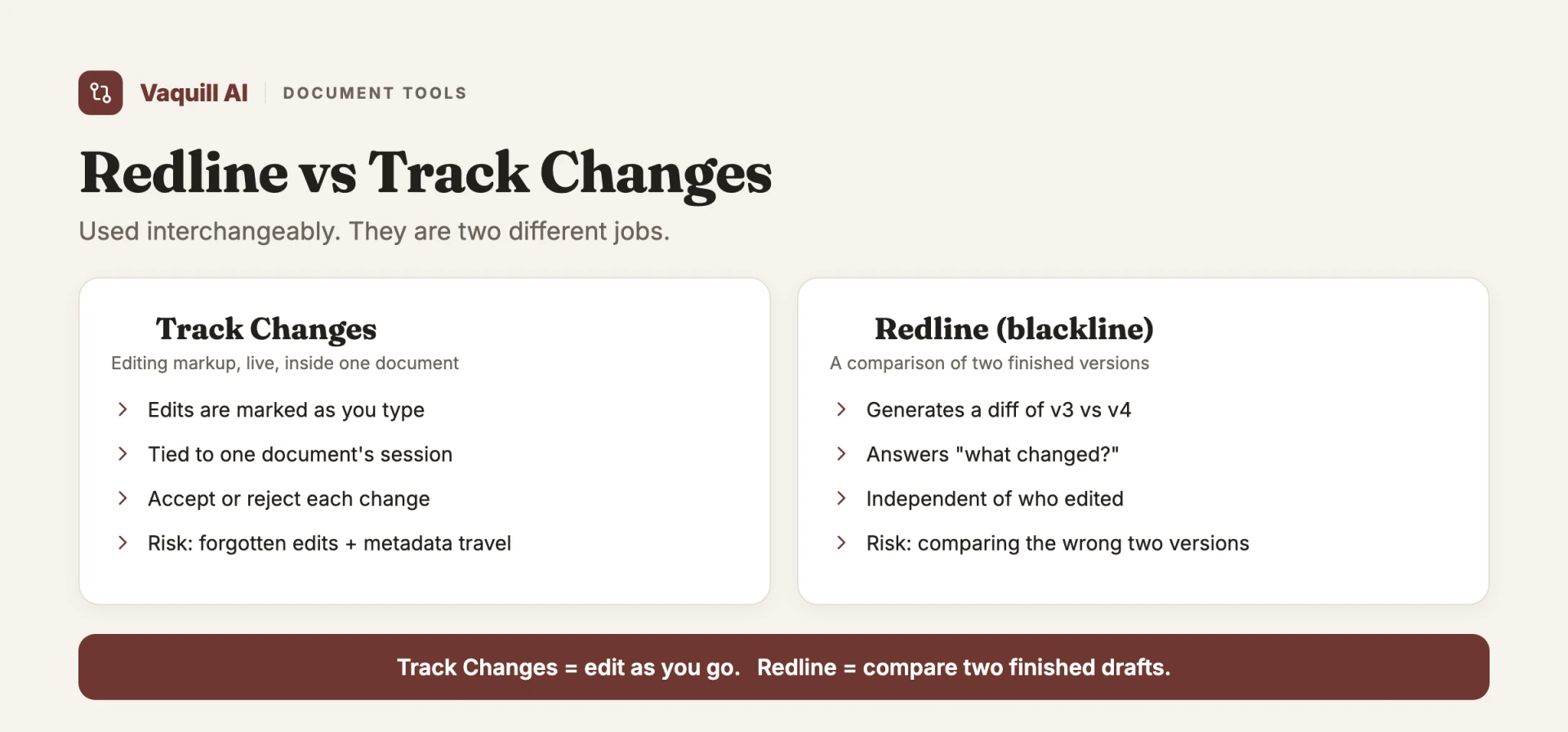
Track Changes is editing as you go; a redline compares two finished drafts.
TL;DR
- "Show version changes" is three jobs, not one. Redline (diff two snapshots), version history (a vault that lets you pick which two to diff), and cross-document change tracking (the same clause across many documents or rounds at once).
- Redline tools are loud and crowded. Litera Compare, Draftable, and Word's built-in blackline all do the two-document diff well. None of them remember anything across documents.
- Version history is storage, not analysis. Word (in the cloud), Google Docs, SharePoint, iManage, and NetDocuments all keep contract version history with an author and a timestamp. You still diff two versions at a time. Storing versions is not the same as tracking change.
- Version history and an audit trail are different things. History tracks the document text; an audit trail logs the actions around it (views, edits, approvals, signatures). CLM platforms record both.
- The underserved job is the matrix. Only a tabular, cross-document view answers "how did the indemnity cap drift across these 30 contracts or 8 rounds?" goHeather points at this with up-to-10-version compare, and the document-matrix approach generalizes it across many documents at once. Most redline engines structurally cannot.
- Even statutes are versioned. U.S. Code sections carry "Amendments" annotation trails, a reminder that change tracking is a first-class research problem, not just a contract one.
- If you only need to pick a two-document tool, start with the redline software roundup.
How many distinct jobs hide inside showing version changes?
Part of our document tools, redline, and matrix guide series.
This post is about which platforms surface version history and version control. If you have already picked your platform and want the tools that compare versions, see Best AI Tools for Comparing Document Versions in 2026 and Best Legal Redline Software in 2026: 7 Tools for Comparing and Marking Up Documents.
The three jobs hiding inside "version changes"
Before naming platforms, separate the jobs. They look similar on a marketing page and feel completely different when you have real work in front of you.
Job one: the redline
Two versions, word-level diff. You have v3 and v4 of an agreement, and you want a markup that shows every insertion, deletion, and move. This is the blackline, the tracked-changes view, the thing every lawyer pictures when they hear "compare documents."
It is a solved problem in the narrow sense. Microsoft Word's built-in Compare produces a tracked-changes redline between two Word files for free.
The dedicated engines exist because legal documents break naive diffing: footnotes, numbered schedules, tables, and the difference between a formatting change and a substantive one. A good legal comparison engine separates the markup that matters from the noise.
The key limitation, and the one buyers forget: a redline has no memory. It compares two snapshots and forgets they ever existed the moment you close it. Ask it about a third version and you start over.
Job two: version history
A vault. The document management system, the contract repository, the "version 1 through version 14" dropdown. Version history stores every iteration so you can retrieve any one of them.
Here is the trap. Version history feels like change tracking because the word "version" is right there. It is not.
A vault stores snapshots; it does not analyze the deltas between them. To actually see what changed, you still pull two versions and feed them to a redline engine.
Version history is the filing cabinet. The redline is the act of laying two pages side by side. Neither one tells you the story across all fourteen.
Job three: cross-document change tracking
This is the job nobody markets and everybody eventually needs. Not "what changed between v3 and v4," but "how has this clause behaved across the whole stack?"
The same indemnity cap across 30 vendor contracts. The same governing-law provision across 8 negotiation rounds. The same limitation-of-liability language across every NDA your firm signed last quarter.
This is fundamentally tabular, not pairwise. You want a grid: clause down one axis, document or round across the other, and the value in each cell so the drift is visible at a glance.
A redline cannot produce this no matter how good it is, because a redline is built to compare exactly two things. The architecture is the limit, not the polish.
What most people get wrong
The single most common mistake is equating "version changes" with "redline." A blackline is a diff of two snapshots with no awareness of anything else in the world.
It will faithfully tell you v3 became v4 and never once mention that the same edit also happened in v2, or that the clause has now changed in five of your last seven deals.
The second mistake is assuming version history equals change tracking. It does not. A DMS that saves every version is doing storage.
The analysis still happens one pair at a time, by a human deciding which two to compare. If your "change tracking" strategy is a well-organized vault, you have organized the problem, not solved it.
The unsolved job, the one worth paying for, is tabular change tracking across a stack. That is the capability the market is quiet about, and it is the one that actually scales with the size of your matter.
How each platform tracks document versions
Before you compare redline engines, know what the platform you already own does for version history on its own. Every tool below stores prior versions and stamps each one with an author and a time. What they do not do is analyze the deltas for you. Here is how each one handles contract version history and the audit-trail question of who changed what.
Microsoft Word. Track Changes records edits inline while you type, and the Compare feature builds a blackline between two saved files (Microsoft Support, track changes). True version history only exists when the file lives in OneDrive or SharePoint; a local .docx keeps no history at all. The familiar "Contract_v3_FINAL_FINAL2.docx" naming habit is what fills the gap when there is no vault behind the file.
Google Docs. Version history is automatic and on by default. Open File then Version history and you see a dated timeline, each entry attributed to the editor who made it, and you can name a version or restore one (Google Docs Editors Help, see your changes). The who-changed-what record is built in, color-coded by author, which makes it the strongest audit trail of the free tools.
SharePoint and OneDrive. Versioning is on by default for document libraries and stores major and optional minor versions, each with the editor and timestamp, with a restore option (Microsoft Support, how versioning works). The catch for legal teams: it versions on every save, so trivial formatting edits create new versions alongside the substantive ones, and the list gets noisy.
iManage. The legal document management standard. Every check-in creates a numbered version with author and timestamp, the full history is retained, and the platform layers in matter-centric filing and access logs that double as an audit trail. It is built for the way firms actually file documents, which is why a large share of firms run it.
NetDocuments. The other legal DMS leader. It separates full versions (v2, v3) from subversions (v1.1, v1.2), so you decide which edits are milestones, and one version is flagged as the "official" copy (NetDocuments support, version management). It also ships built-in document comparison, so the diff and the vault sit in one place.
CLM platforms. Contract lifecycle tools (Ironclad, Juro, and similar) enforce versioning automatically and tie every edit, approval, and signature to a person and a time in an immutable log (Ironclad, contract version control). This is where "version history" and "audit trail" come closest to merging, because the system records the workflow around the document, not just the document.
| Platform | How it versions | Who-changed-what record | Diff built in? |
|---|---|---|---|
| Word (local) | None until saved to cloud | Track Changes only | Yes (Compare) |
| Google Docs | Auto, on by default | Per-editor, color-coded | No (history only) |
| SharePoint / OneDrive | Auto on every save | Author + timestamp | No |
| iManage | Numbered, on check-in | Author + access logs | Via add-ons |
| NetDocuments | Full + subversions | Author + timestamp | Yes (built in) |
| CLM (Ironclad, Juro) | Auto + workflow events | Immutable audit log | Yes |
The pattern across all six: they are good at storing contract version history and naming the editor. They stop at the deltas. To see what actually changed between two of those stored versions, you hand a pair to a redline engine. To see how one clause moved across all of them, even the DMS leaves you opening files two at a time.
The platforms, sorted by which job they do
Litera Compare: the enterprise redline, now with an AI layer
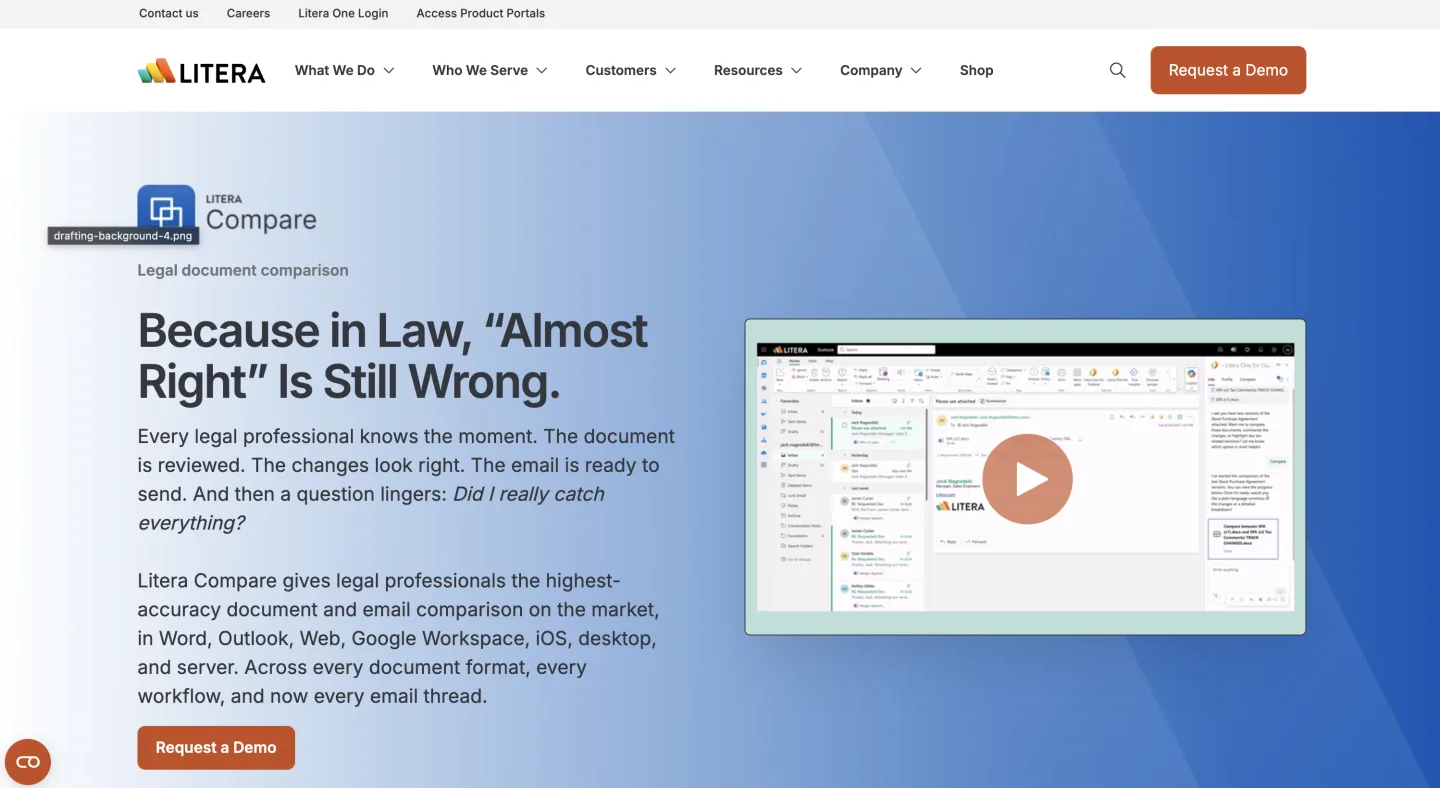
Litera Compare is the default in a large share of big practices. Its own product page claims that "72% of the legal market trusts Litera Compare" and that "98% of the Am Law 100 rely on Compare." Take vendor self-reporting as vendor self-reporting, but the install base is real and the DMS integration is deep.
What is genuinely new in 2026 is Lito, Litera's AI agent, now bundled for existing Compare customers. Litera describes it as doing "chat-based redlining, summarization, risk analysis... and clause rewrites" across Outlook, Word, Web, and iOS.
That matters as a signal: the enterprise leader is moving from static diff toward AI-mediated explanation of change. "What changed" is becoming "what changed, why it matters, and here is a rewrite."
But notice the unit of work is still the document, or at most the email thread. It explains a diff better; it does not turn 30 documents into a grid.
Draftable: the cross-format specialist, still two documents
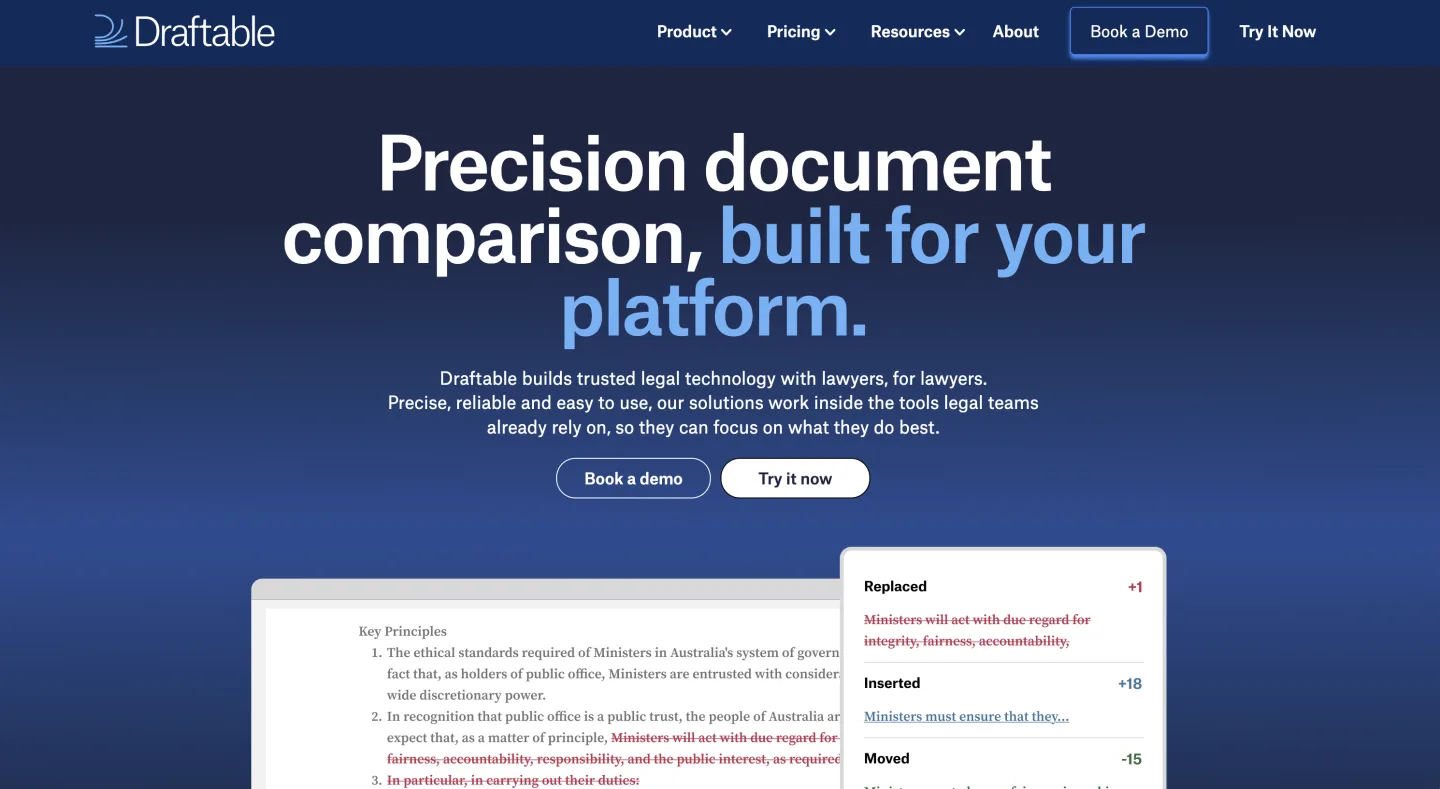
Draftable is, by its own count, "trusted by 1,300 law firms," and its real strength is format coverage: it compares Word, PDF, Excel, and PowerPoint at the character level. That solves a genuine pain, because opposing counsel sends back PDFs and your comparison tool needs to handle them without choking.
(Worth noting from its own materials: native Mac support is still listed as "coming late 2026," so it remains largely desktop-bound.) The Spellbook roundup of comparison tools places it squarely in the cross-format-specialist slot, and that is the honest read.
But Draftable is, at its core, a two-document engine. It compares formats your other tools cannot, and it compares exactly two of them at a time. It is excellent at job one across more file types. It does not pretend to do job three, and you should not buy it expecting that.
For a fuller buyer's walk-through of these two-document tools, including Word's free Compare, iManage, and Spellbook's playbook redlining, the legal redline software guide lays out seven of them with reported pricing. There is no point re-listing them here, because the interesting argument is not which redline tool, it is whether a redline is even the right shape for your problem.
goHeather: a real bid at multi-version tracking
Here is the one that validates the third job. goHeather lets you "compare up to 10 versions of a document to see how terms evolved through multiple rounds of negotiation," with a "clause-by-clause breakdown."
Read that again. Not two versions. Up to ten, with the explicit framing of evolution across rounds.
That is a competitor selling multi-version tracking rather than two-version diffing, and its existence is the clearest market evidence that the matrix job is real and underserved. When a vendor builds a feature specifically to answer "how did this term evolve across the negotiation," it is because enough buyers asked the question that a pairwise redline could not answer.
The matrix view: clause down, documents across
The general shape of the answer to job three is a document matrix: a grid that extracts the same field, clause, or metric across dozens of documents at once and lays the values out in a table.
Instead of opening contracts in pairs, you read down a column and watch the indemnity cap, the governing law, the auto-renewal term, the payment window drift across the entire portfolio. The drift becomes a pattern you can see, not a number you reconstruct on a legal pad.
The same structure handles rounds as well as documents. Eight versions of one agreement become eight columns; the clauses you care about become rows; and the cell where the cap jumped from $5 million to uncapped is right there, no Sunday required.
That is the difference between comparing two documents and tracking change across a stack. The point here is the capability, not any one product: if your real question spans more than two documents, a grid is the only shape that answers it.
Even the law tracks its own versions
There is a useful tell hiding in the source material lawyers work from every day. Statutes are versioned, and the official record says so out loud.
Open almost any section of the U.S. Code and you will find an "Amendments" annotation trail underneath the text, a dated ledger of how Congress changed the language over time.
18 U.S.C. 922, the federal firearms provision, carries a long string of amendments accumulated across decades of gun-control statutes. 17 U.S.C. 107, the fair-use provision, traces back to its codification in the 1976 Copyright Act and the changes since. The statute is not a static artifact; it is a version history with the deltas annotated, maintained as public record.
That is the same problem as the contract stack, in a different costume. When you research a question, you are not just reading the current text. You are tracking how it changed and when, because the version that governs your facts may not be the version on the screen today.
A self-serve statutes and legislation API exposes U.S. Code, CFR, and 50-state code text where this change history lives, which is to say that grounded research, properly done, diffs statute versions and does not just read the latest one.
The lesson generalizes: change tracking is a first-class research discipline, not a contract-only convenience.
How to choose, by the question you are actually asking
| Job | Shape | Tools built for it |
|---|---|---|
| 1. Redline (two snapshots) | Pairwise diff | Word Compare, Litera Compare, Draftable, Spellbook |
| 2. Version history (vault) | Snapshot store | iManage, NetDocs, SharePoint, any DMS |
| 3. Cross-document change tracking | Tabular matrix | goHeather (up to 10 versions), document matrix views |
Match the tool to the job, in plain terms:
- "What changed between these two versions?" Any competent redline engine. Word Compare if both files are Word and clean. Draftable if formats are mixed or there are PDFs. Litera if you are an enterprise already living in its DMS. This is job one and it is well served.
- "Where is version 9, and can I get it back?" That is your document management system or contract repository doing job two. Necessary, but do not mistake it for analysis.
- "How did this clause behave across many documents or many rounds?" A matrix or grid view doing job three. Pairwise redlines cannot answer this, and version history only stores the raw material. goHeather's multi-version compare and a document matrix are the shapes built for it.
One more consideration that sits underneath all three: where do the documents go when you upload them? Every version you feed to a browser-based comparison or AI tool is a copy of a client confidence leaving your control.
Before you standardize on any platform, read its terms on retention, training, and sub-processors. We mapped that landscape in where your legal AI data actually goes, and it is worth doing before you pick a tool, not after.
The market is moving toward job three
The trajectory is visible if you watch where the products are headed. Litera bolting an AI agent onto a static comparison engine, goHeather selling ten-version evolution tracking, the steady rise of extraction grids in contract review: all of it points the same direction.
The two-document redline is becoming a commodity, fast and cheap and good enough that it is no longer where the value sits.
The value is moving toward the question a redline was never built to answer, which is how a term behaves across the whole stack.
So when someone asks which platforms show version changes in legal documents, the honest answer is a question back: which version-change job do you actually have?
If it is two documents, the market has you covered ten times over. If it is the same clause across thirty, you are in the part of the market that is still being built, and the tools worth naming are the ones moving past two-document diffing.
FAQ
How do I track document versions in a legal contract? Use a platform that stores every version with an author and a timestamp, then a redline tool to diff any two of them. Google Docs, SharePoint, iManage, and NetDocuments all keep contract version history automatically. For "which version was signed," a CLM links the executed copy back to the version that received approval.
What is the difference between version history and version control? Version history is the stored list of past versions. Version control is the practice and the rules around it: consistent naming, one current version, locked access, and a record of who changed what. A vault gives you history; control is what you add on top so two people do not edit the same draft at once.
Does Microsoft Word have version history? Only when the file is saved in OneDrive or SharePoint. A local .docx keeps no version history, which is why the "Contract_v3_FINAL.docx" naming habit exists. Track Changes records inline edits, and Compare builds a blackline between two files, but neither is a true version vault. See redline vs track changes for the distinction.
What is a contract audit trail? A record of every action taken on a contract: who viewed, edited, approved, downloaded, and signed it, each tied to a user and a timestamp. It is broader than version history, which only tracks changes to the document text. CLM platforms maintain an immutable audit trail; a plain DMS gives you the version timeline and editor names.
Which legal document management system has the best version control? iManage and NetDocuments are the two leaders built for legal work, and both retain full version history with authors on every check-in. NetDocuments adds subversions and built-in comparison, so milestone versions and intermediate edits stay separate and the diff lives in one place.
How do I compare more than two versions of a contract? No standard redline can, because a redline diffs exactly two snapshots. To see how a clause moved across many rounds or documents, you need a tabular or matrix view that puts versions across the columns and clauses down the rows. See best AI tools for comparing document versions for the tools built for multi-version work.
Is Google Docs version history good enough for legal documents? For internal drafting, yes: it is automatic, attributes each change to an editor, and lets you restore. The limits are confidentiality (the file sits in Google's cloud) and the lack of a workflow audit trail for approvals and signatures. For client work under retention rules, a legal DMS or CLM is the safer home.
New legal AI guides, weekly.
Further Reading
- Top 12 Legal Redline Software Tools (2026)
- Top Contract Management Vendors for Fortune 500 Legal Teams
- How to Build an NDA Playbook Your AI Can Actually Enforce
- Legal AI Workflows: How Law Firms Chain Multi-Step AI Tasks in 2026
- How to Compare Documents and Export Clean Redlines (Step-by-Step)
- Bulk Contract Review: How to Review Many Contracts at Once With a Document Matrix

Product & Content
The US primary law data API: statutes, regulations, constitutions, court rules, executive orders and agency guidance across 53 US jurisdictions, each section cited and linked to its official source, via REST, MCP or SQL.