
AI document comparison reads two drafts for meaning, not just characters, so it flags the clause that actually changed and skips the formatting churn a plain diff trips on. That is the difference that matters in 2026, and it is the lens we use to rank the tools below.
Opposing counsel runs their own AI now, so a 15-change turn comes back as a 90-change turn. Most of those new edits are machine churn, not real moves, and the job is to tell real changes from noise when you compare document versions.
Below are thirteen named tools to compare contract versions with AI, ranked, with honest notes on what works, what breaks, and what they cost.
We rank Litera Compare first because its DOCX Track Changes output is the quality most other tools get judged against. Vaquill AI lands a close second, pairing a real diff engine with AI summaries on each redline, inside the matter. We also say plainly where the compare specialists still win on raw diff quality.
TL;DR
Both sides clean Word files on a big budget? Litera Compare is still the standard for Word Track Changes. If you live in PDFs and want a posted price, Draftable wins on value.
But your real job might be marking a draft against your playbook, or diffing a scanned PDF, or seeing what moved without reading 90 noise edits. Then an AI suite like Vaquill AI fits.
The compare sits next to the drafts, research, and other-side files in one matter.
Part of our document tools, redline, and matrix guide series. For the buyer's view from in-house, see the pillar guide on legal AI for in-house counsel.
For related coverage, see Best Legal Redline Software in 2026 and How to Compare Documents and Export Clean Redlines. For which platforms surface version history at all, see which legal platforms show document version changes.
In the post's worked MSA example, how did the liability cap period change from v3 to v4?
Semantic diff vs textual diff: the split that decides everything
Every tool here does one of two things, and knowing which is half the buying decision.
Textual diff compares characters and lines. Move a paragraph, restart a numbered schedule, or swap a synonym, and a textual tool marks the whole region as changed. Word's Compare and most free web diffs work this way. They are fast and they never miss a literal edit, but they can turn a three-edit turn into ninety flags.
Semantic diff reads for meaning. It groups a reworded sentence as one change instead of a delete plus an add, and it can label a change by what it does: a number moved, an obligation shifted, a clause was deleted. Tools that lean on language models (TurboLens classifies changes by severity and type, per its product page, reviewed June 2026) sit on this side.
The catch: semantic tools can summarize a change wrong, so the AI summary is a triage layer you read on top of a real redline, never a replacement for it.
A worked example
Take one line across two drafts of a master services agreement.
- v3: "Vendor's aggregate liability shall not exceed the fees paid in the prior twelve (12) months."
- v4: "In no event shall Vendor's total liability exceed fees paid in the preceding thirty-six (36) months."
A textual diff flags almost the entire sentence as deleted and rewritten, because nearly every word moved. You still have to read it to learn what happened.
A semantic diff collapses that to one labeled change: liability cap period went from 12 months to 36 months, a money-exposure increase. That one line is the whole point of the turn, and a good AI change summary surfaces it as "the cap tripled" so you check the redline already knowing where to look.
That is the gap the rest of this post grades each tool against.
Here is the pipeline an AI comparison tool runs, and where you still have to do the reading.
The first two steps are mechanical. The third is where a language model can be wrong, which is why the last step is a human reading the redline, not the summary standing in for it.
How we picked
We judged each tool on the work buyers actually do: catching the changes that move a deal, surviving messy schedules, and exporting a clean Word redline. The real test is whether the export opens as native Track Changes, and whether the AI summary skips the noise.
PDF-to-DOCX handling carries extra weight, since that is the job people fail at most.
Prices here are vendor-published or founder-confirmed, with no guesses dressed up as list prices. The traditional compare tools (Litera, Workshare, iManage) are quote-based, so treat any number you hear elsewhere with doubt. Sentiment comes from real forums and reviews, linked where the source loads.
The same engines that grade contracts also compare medical records, financial statements, and technical specs, and the general "AI document comparison" search pulls in tools built for those fields. We grade for contract work here and flag the general-purpose picks where they fit.
1. Litera Compare: best for AmLaw firms on a Litera or iManage stack
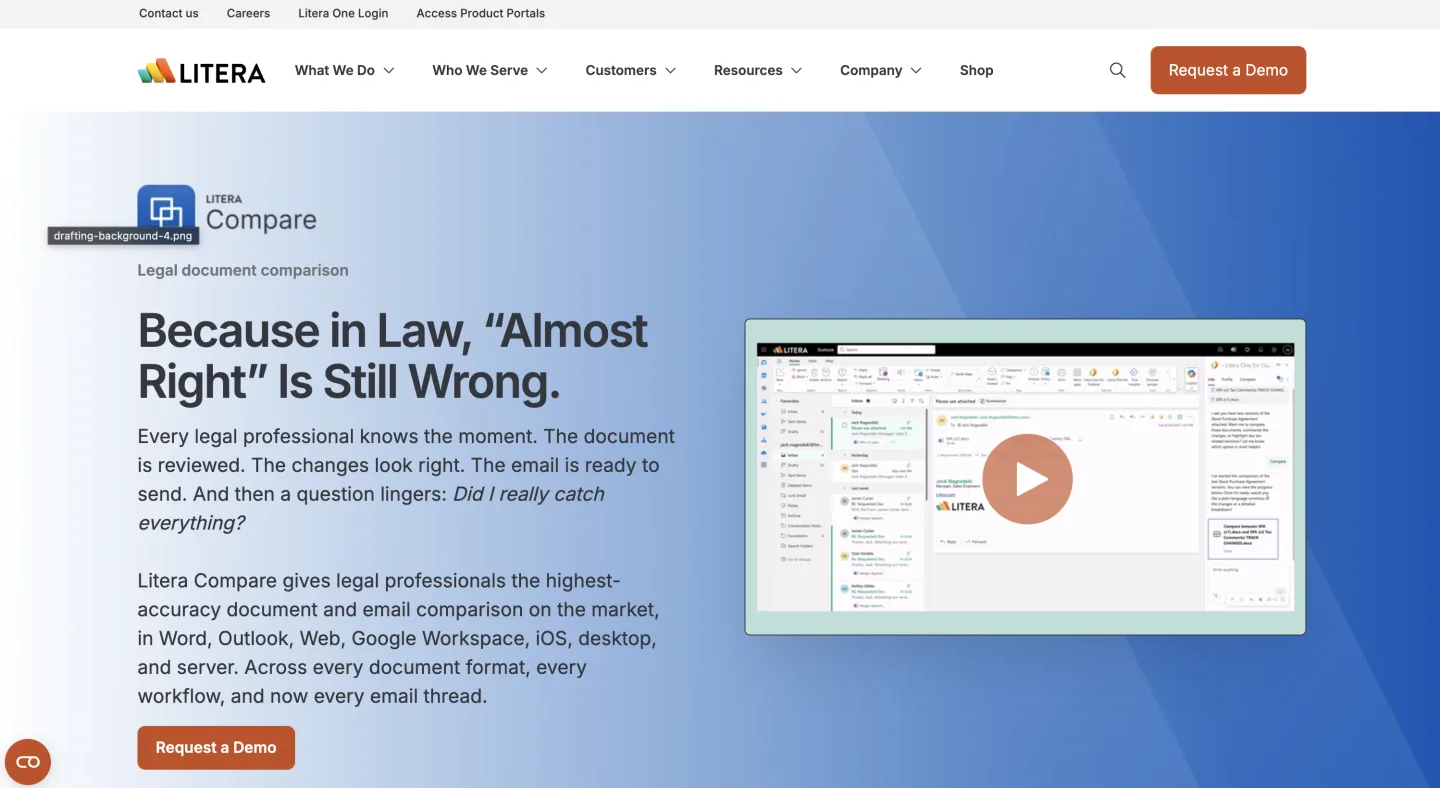 Litera Compare (reviewed June 2026).
At a glance: Quote-based / on request · Sales-led, demo required · Best for large and mid-market firms with a DMS
Litera Compare is the old-guard enterprise leader, and its DOCX Track Changes output is the quality most other tools get judged against.
It came out of the Workshare deal (Litera bought Workshare in 2019) and runs across big and mid-market firms.
What's good
- Reference-grade Word Track Changes export
- Clean handling of numbered schedules, defined-term tables, and footnotes
- Deep DMS ties for firms that need them
Where it falls short
- Quote-only pricing that lands well above small-firm budgets
- Heavy IT-run desktop install, and by buyer accounts the AI Change Summary is rougher than the diff engine under it
What users say: Most discussion is firm-internal rollout talk rather than open forum chatter, so we keep the read modest here.
Bottom line: Buy it when your firm already runs a Litera or iManage stack and a partner says use the firm tool. Skip it if you are a small shop, because the price is hard to justify.
2. Vaquill AI: best for compare inside a full legal workbench
Vaquill AI's document comparison exports a real Word Track Changes file with an AI change summary on the redline.
At a glance: Self-serve, published pricing (sign up to see the latest) · Self-serve trial · Best for in-house teams that want compare, drafting, and U.S. research in one tool
Vaquill AI is an in-house legal workbench, and compare is one feature inside it rather than a standalone diff tool. It ranks second because it does three things at once that pure diff engines tend to split across separate products.
What's good
- Summaries on each redline that flag what moved and skip noise edits
- Cross-format compare that turns a scanned PDF into a DOCX with real
<w:ins>and<w:del>edits - Matter context, so the compare sits in the same folder as drafts, research, and uploaded other-side paper
Where it falls short
- On a clean two-DOCX blackline, Litera and Draftable still set the bar on raw diff pixels
- It is newer than the big names, so cautious IT gets less of a decade-long track record
What users say: Most public discussion is on the suite, not the compare feature specifically, so we will not invent buzz for it here.
Bottom line: Buy it when compare is one of several jobs in one tool and you want a summary that ignores the churn. Skip it if your only job is a pixel-perfect blackline of two clean Word files. The specialists here match or beat it there.
Start at app.vaquill.ai.
3. Draftable: best for cross-format compare with a posted price
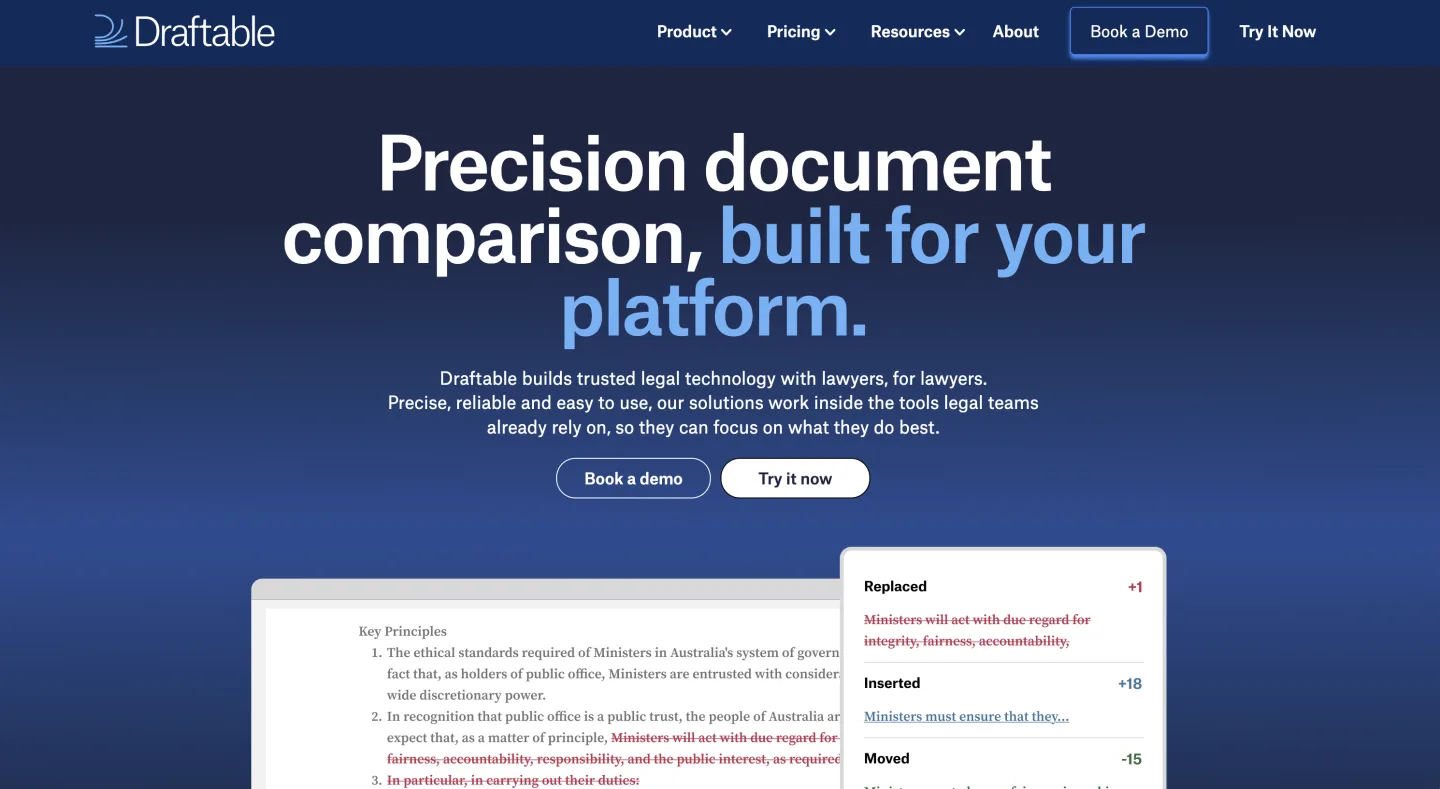 Draftable (reviewed June 2026).
At a glance: Draftable Legal $249 per user/yr, Business $129 per user/yr; Enterprise custom (unlocks API) · Self-serve, install and trial the desktop app · Best for small firms that outgrew Word compare but cannot justify Litera
Draftable is the cross-format specialist, and a posted price is rare here. It compares Word, PDF, Excel, and PowerPoint, with side-by-side and single-doc redline views.
What's good
- True PDF-to-PDF and Word-to-PDF compare, where Word's built-in tool gives up
- A price you can see, with no sales call to trial it
- Clean cross-format diff in our PDF-to-DOCX test
Where it falls short
- It is a pure compare tool, with no playbook, extraction grid, or research layer
- The AI summary is light next to the AI suites, and API and SSO sit behind the custom Enterprise tier
What users say: Reviews cluster around the cross-format strength and the rare published price; little drama in the forums.
Bottom line: Buy it when cross-format compare is the steady pain and you want a clean single-purpose tool. Skip it if you want compare bundled with drafting and research.
4. Diffchecker: best for cross-format diffs with a low posted price
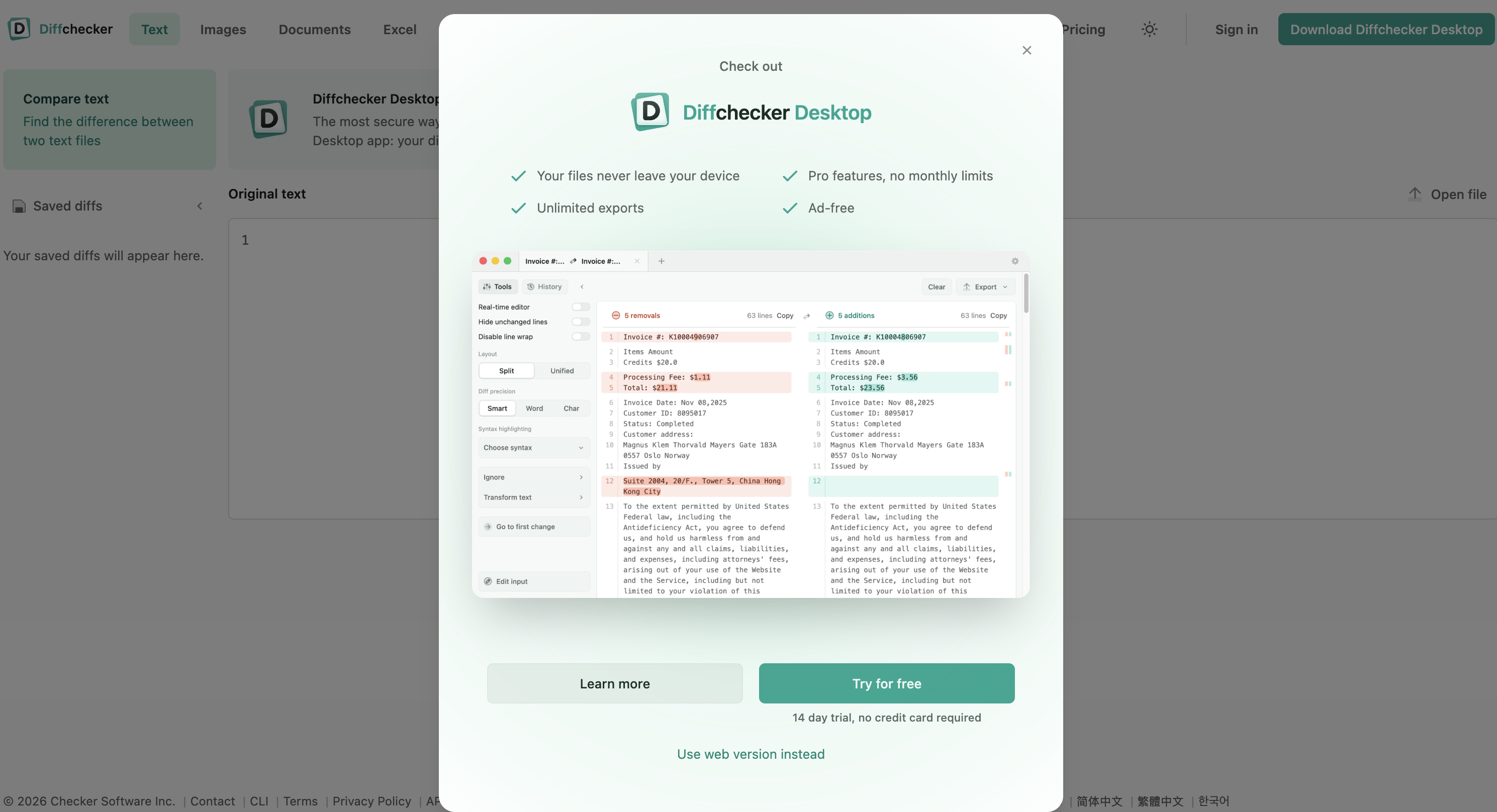 Diffchecker (reviewed June 2026).
At a glance: Basic free; Pro + Desktop $15/mo; Diffchecker Legal $20/mo; Enterprise $40/mo (annual) · Self-serve, web plus desktop app · Best for small teams that want cheap cross-format compare with an AI summary
Diffchecker is a web-first compare tool with a desktop app and a named Legal tier. It compares DOC, DOCX, PDF, PPTX, spreadsheets, and images.
What's good
- Cross-format diff across Word, PDF, slides, sheets, and images at a low price
- Exports redlines as PDF, Word, or native Tracked Changes on paid tiers
- AI summary of differences built in, with a free Basic tier to test it
Where it falls short
- Tracked Changes export and the AI summary sit behind paid tiers, not the free one
- It is a single-purpose diff tool, with no playbook, matter context, or research layer
What users say: There is little genuine legal-forum discussion of Diffchecker. The draw is plain from the product itself: a low posted price and wide file-format support.
Bottom line: Buy it when you want cheap cross-format compare with a Word export and an AI summary. Skip it if you need compare bundled with drafting, research, or matter files.
5. Workshare (Litera): best for shops already on a Workshare contract
 Workshare (reviewed June 2026).
At a glance: Quote-based / on request, sold through Litera · Sales-led, demo required · Best for existing Workshare shops on a multi-year deal
Workshare was the other half of the enterprise compare duo before Litera bought it. In 2026, "Workshare Compare" means the Workshare line in the Litera catalog, and the engines have mostly merged.
What's good
- Same enterprise-grade Track Changes output as Litera Compare
- DMS-grade ties and heavy-formatting handling
Where it falls short
- It overlaps Litera Compare so heavily that new buyers get pushed to the Litera SKU
- In 2026 this is a renewal talk, not a fresh pick
What users say: Discussion has largely folded into the Litera conversation since the merger.
Bottom line: Buy it (or rather renew it) when you are already a Workshare shop on contract. Skip it for a fresh evaluation and look at Litera Compare directly.
6. Microsoft Word Compare: best for two clean Word files on no budget
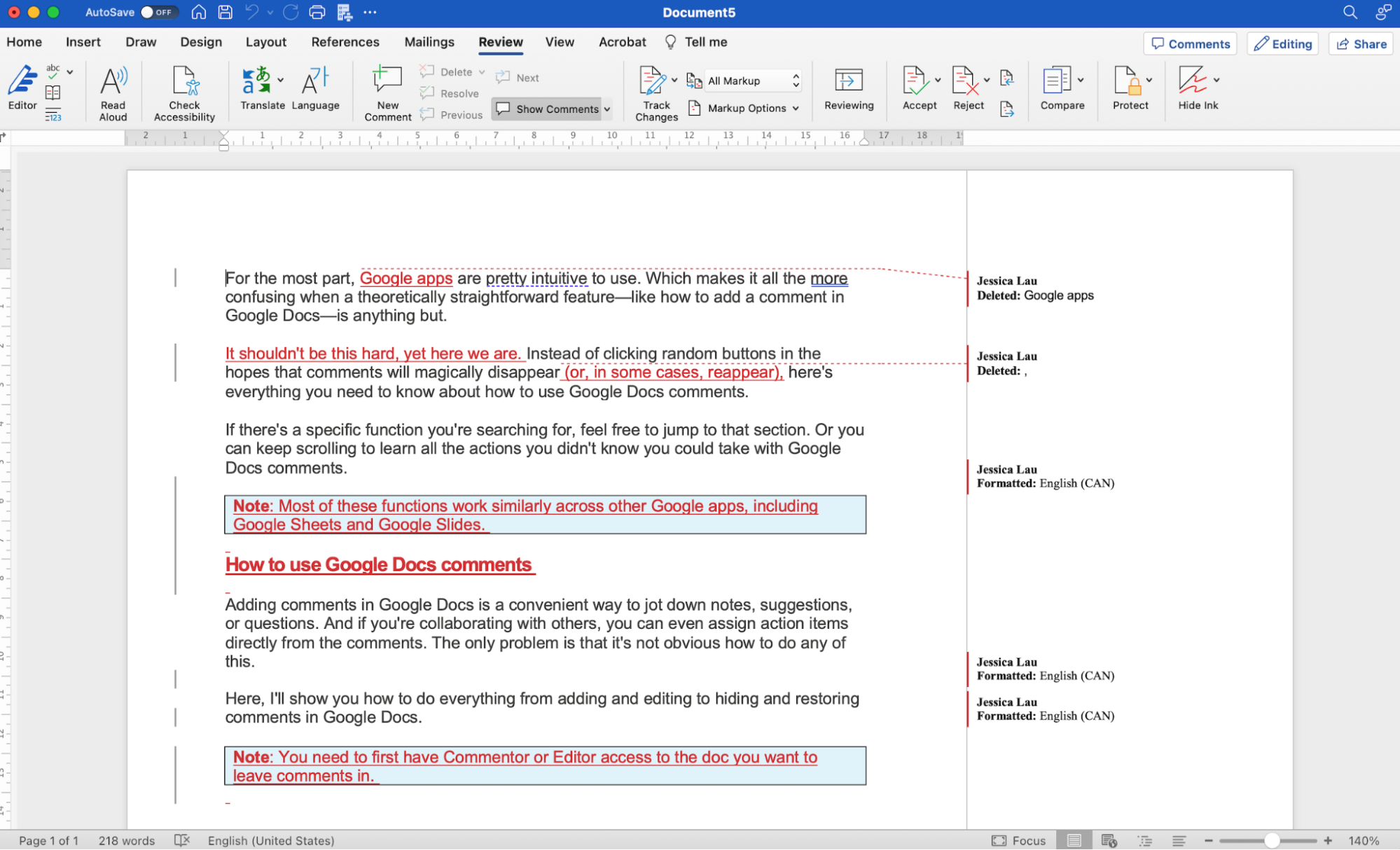 Microsoft Word Compare (reviewed June 2026).
At a glance: Bundled with Microsoft 365 · Already installed · Best for short, clean Word-to-Word comparisons
Word's Review > Compare ships in every Office install and makes a third file with adds, cuts, and moves as native tracked changes.
It is free with your license and outputs real Track Changes any reviewer can open.
What's good
- Real Word Track Changes output any reviewer can accept or reject
- All data stays on your machine, which keeps the data story simple
- Zero added cost or new vendor
Where it falls short
- Two Word files only, with no PDF input or cross-format compare
- OOXML edge cases throw noisy output; in testing, a restarted indemnity schedule re-flagged every line below the insert, turning a three-edit turn into a wall of false hits
What users say: Seasoned lawyers stop trusting it on long agreements once the false-flag noise shows up.
Bottom line: Use it when both files are clean Word, the agreement is short, and the alternative is no compare at all. Skip it on long contracts or anything with a PDF in the mix.
7. Adobe Acrobat (Compare Files): best for PDF-to-PDF version checks
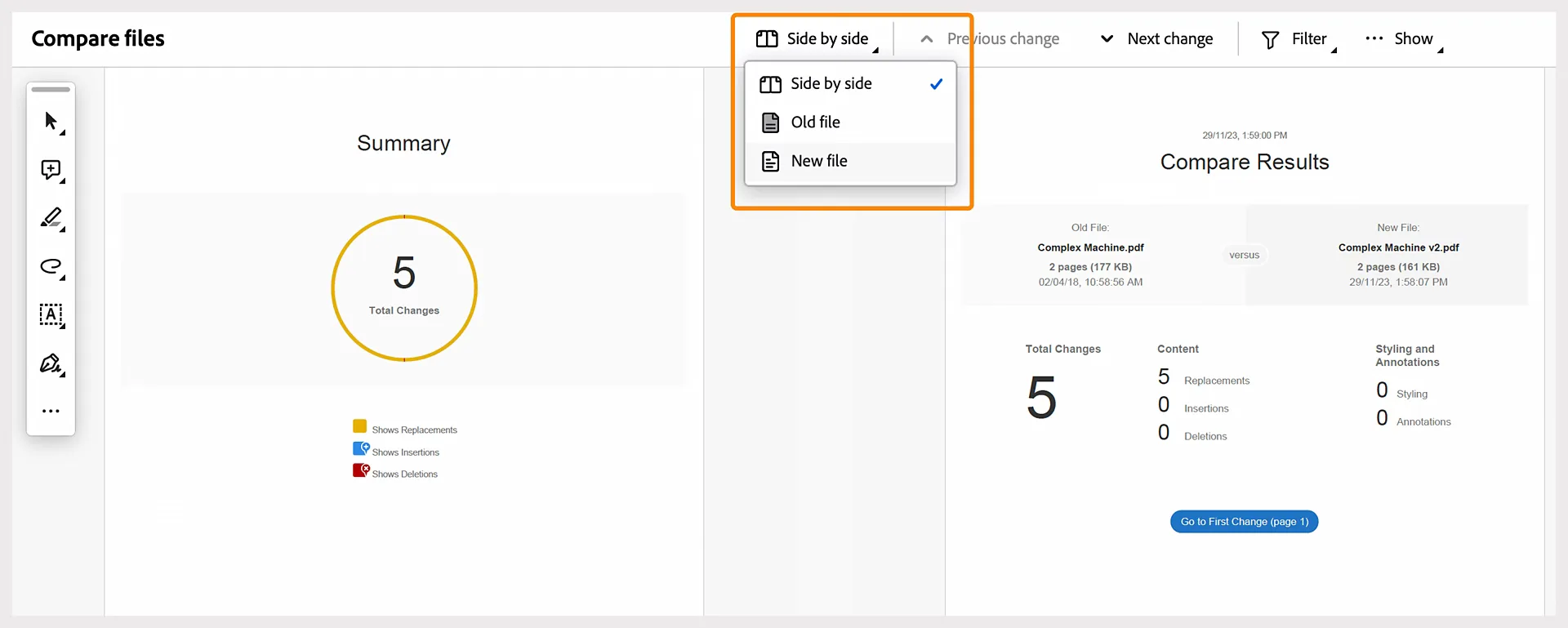 Adobe Acrobat Compare Files (reviewed June 2026).
At a glance: Acrobat Pro $19.99 per user/mo (individual, annual plan) · Self-serve, desktop and web · Best for teams that already own Acrobat Pro and live in PDFs
Adobe Acrobat Pro ships a Compare Files tool that diffs two versions of a PDF.
It builds a change report and shows old on the left, new on the right, with differences in highlighted bands.
What's good
- Solid PDF-to-PDF compare inside a tool many offices already own
- Filters changes by text, images, annotations, or formatting
- Side-by-side and single-page views with a summary of what moved
Where it falls short
- It compares PDF against PDF, so it is not the tool for a Word Track Changes redline
- Compare Files is Pro-only, and the output stays in the PDF world rather than editable DOCX
What users say: There is little legal-specific discussion of Compare Files. In practice it is used as a dependable PDF checker, not a redline engine.
Bottom line: Use it when both versions are PDFs and Acrobat Pro is already on your machines. Skip it when you need an editable Word redline or cross-format DOCX output.
8. Spellbook: best for "is this clause market?" benchmarking
 Spellbook's "Compare to Market" benchmarks a clause against an aggregated deal dataset rather than diffing two versions.
At a glance: $500 per seat/mo, base plan (site does not publish) · Sales-led, demo required · Best for deal lawyers who want clause benchmarking
Spellbook is a Word-native AI helper for deal lawyers, and its "Compare to Market" feature is a different shape of compare.
Instead of diffing version A against version B, it diffs one clause in your draft against a pooled market dataset.
What's good
- Tells you whether a cap or limit-of-liability is inside, outside, or odd versus other deals
- Word add-in that transactional lawyers like best of the bunch
- Helps at the playbook-design and first-pass stage
Where it falls short
- It is not a version-diff engine, so "show me what changed between v3 and v4" is not its job
- It still drops in wrong citations and is weak for litigation
What users say: Transactional lawyers rate it around 4.1/5 and praise the add-in, but flag wrong citations and a transactional-only focus (Lawyerist review).
Bottom line: Buy it when you want clause-level market intelligence on top of a real redline tool. Skip it as your only compare tool, since it does not diff two versions.
See our Spellbook alternative breakdown.
9. Gavel: best for high-volume document generation
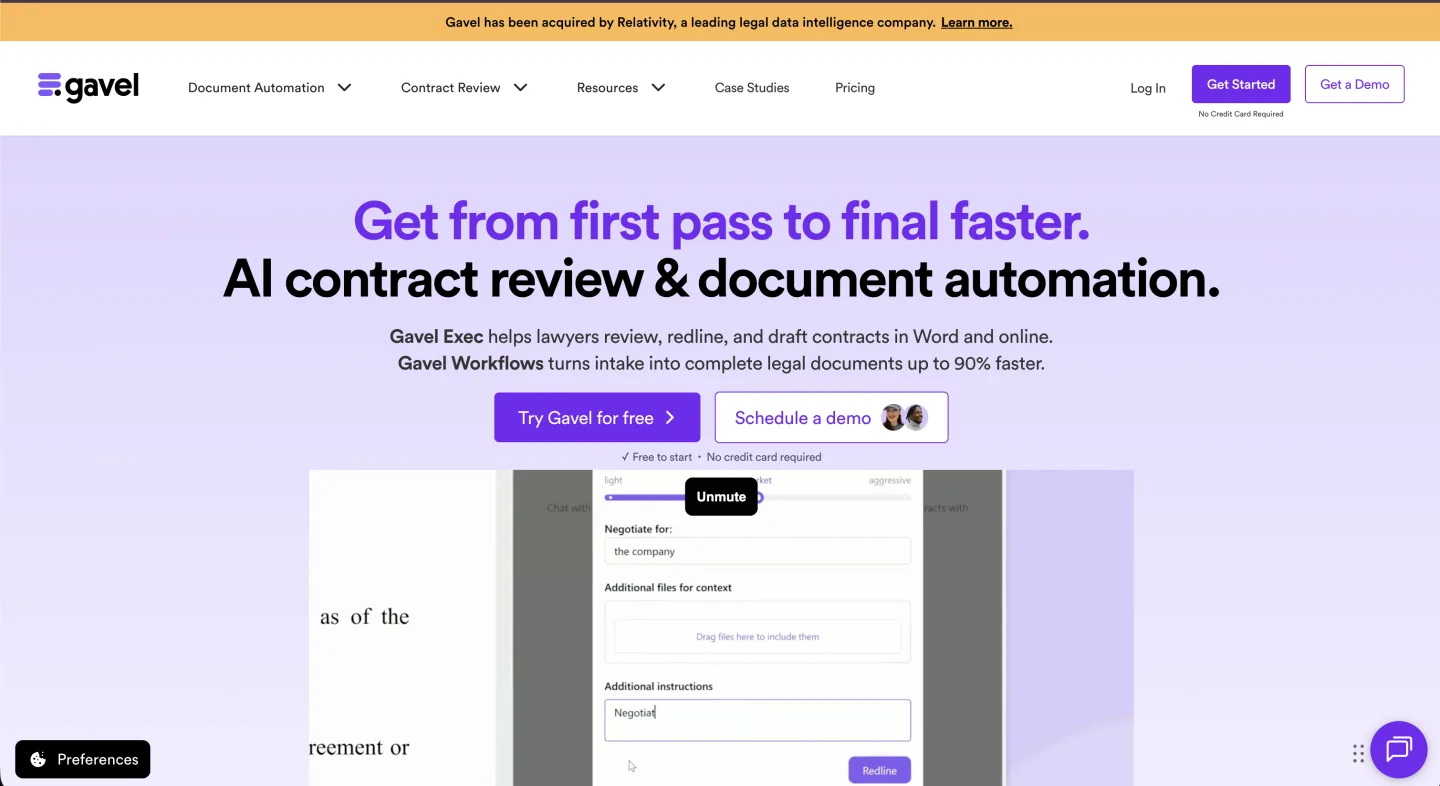 Gavel is a document automation platform; comparison shows up through versioned generated documents rather than a standalone diff engine.
At a glance: Gavel Workflows $83 (Lite) / $165 (Standard) / $290 (Pro) / $417 (Scale) per mo, annual = 2 months free; Gavel Exec quote-based · Self-serve on Workflows, sales-led on Exec · Best for firms that build documents at volume
Gavel (formerly Documate) is a no-code document automation tool that turns templates and intake forms into built documents and workflows.
Its link to comparing document versions is indirect, through version history on the documents it builds.
What's good
- Strong fit for firms producing documents at scale
- Version history on workflows, plus Projects that train on your own clauses
- Posted pricing on the Workflows line
Where it falls short
- It is not a redline engine, so a returned other-side markup still needs a real compare tool
- The contract-review product (Gavel Exec) is quote-based with no public price
What users say: Reddit users praise Gavel Exec for "surgical" redlines that do not turn the whole doc red (r/legaltechAI).
Bottom line: Buy it when your bottleneck is producing documents at volume. Skip it if your main job is blacklining incoming third-party paper.
See our Gavel alternative breakdown.
10. iManage Compare: best for firms standardized on iManage Work
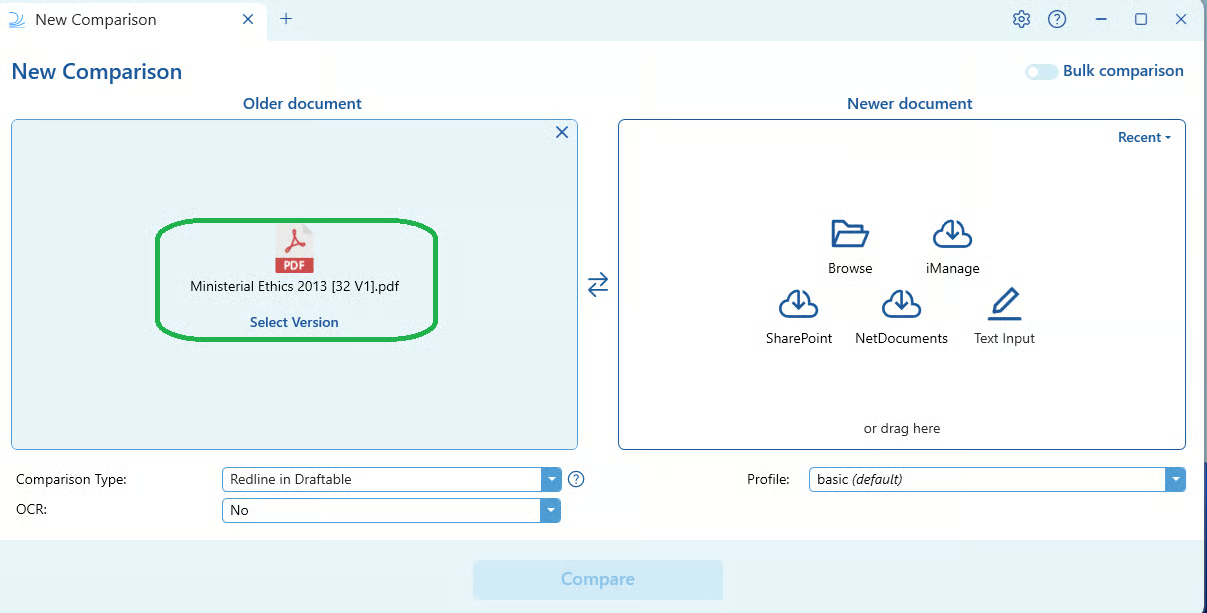 iManage Compare (reviewed June 2026).
At a glance: Quote-based / on request, bundled in the iManage stack · Sales-led, demo required · Best for existing iManage Work shops
iManage Compare is the compare tool inside the iManage document-management stack. Its advantage is that it lives where the documents already are.
What's good
- Firms on iManage Work get comparison without bolting on a separate tool
- The DMS handles versioning, security, and full-text search around it
Where it falls short
- It makes sense only if you already run iManage
- As a standalone purchase, it is not how the product is sold, and pricing is bundled and sales-led
What users say: Discussion tends to ride along with broader iManage DMS conversations rather than the compare module alone.
Bottom line: Buy it when iManage Work is already your DMS and you want compare inside it. Skip it as a standalone comparison purchase.
11. Ironclad: best for buying a full contract lifecycle
 Ironclad (reviewed June 2026).
At a glance: Quote-based / on request, enterprise-scale · Sales-led, demo required · Best for in-house teams buying a whole CLM
Ironclad is a contract lifecycle (CLM) platform that has added AI redlining and review over the last few years.
Compare shows up inside its review workflow, not as a free-form blackline of two random files.
What's good
- AI redlining flags changes against your positions as paper moves through the CLM
- Built for teams that want intake, deal, signature, and storage in one system
Where it falls short
- It is a big, costly system to buy if all you need is to compare two versions
- AI redlining sits in higher tiers or as add-ons
What users say: It is discussed as a CLM rather than a diff tool, so direct compare-feature chatter is thin.
Bottom line: Buy it when you want a full CLM and compare as one part of contract operations. Skip it if you only need to diff two versions.
12. Google Docs (Compare documents): best for free compare inside Workspace
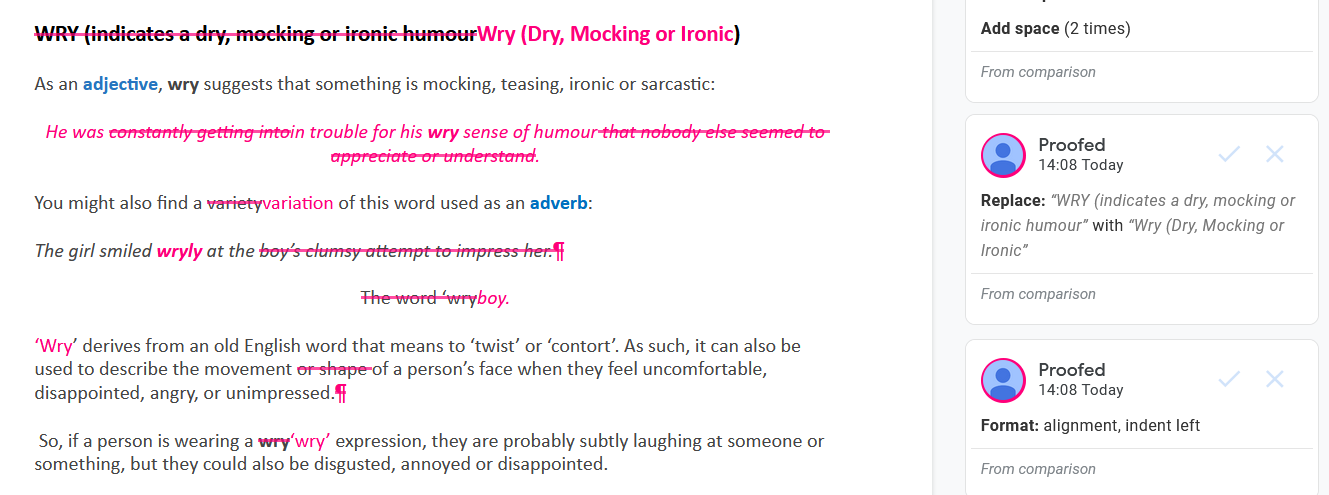 Google Docs Compare documents (reviewed June 2026).
At a glance: Free / bundled with Google Workspace · Already in the menu · Best for teams that draft in Google Docs and want a no-cost diff
Google Docs has a Tools > Compare documents feature that diffs two files in your Drive.
It builds a third document and shows every difference as a tracked suggested edit you can accept or reject.
What's good
- Free with any Workspace account, with nothing new to install or buy
- Output lands as suggested edits, so reviewers accept or reject change by change
- Lets you attribute the differences to a named author for a clean review trail
Where it falls short
- Both files must be Google Docs, so it does not handle PDFs or native Word Track Changes
- It has no AI summary, no cross-format input, and no matter context around it
What users say: There is little genuine discussion of the Compare feature. It is a built-in Docs utility for light version checks, not a headline product.
Bottom line: Use it when your drafts live in Google Docs and you want a free diff. Skip it for PDF input, a Word redline export, or any AI change summary.
13. DocDiff and generic web comparators: best for quick non-sensitive diffs
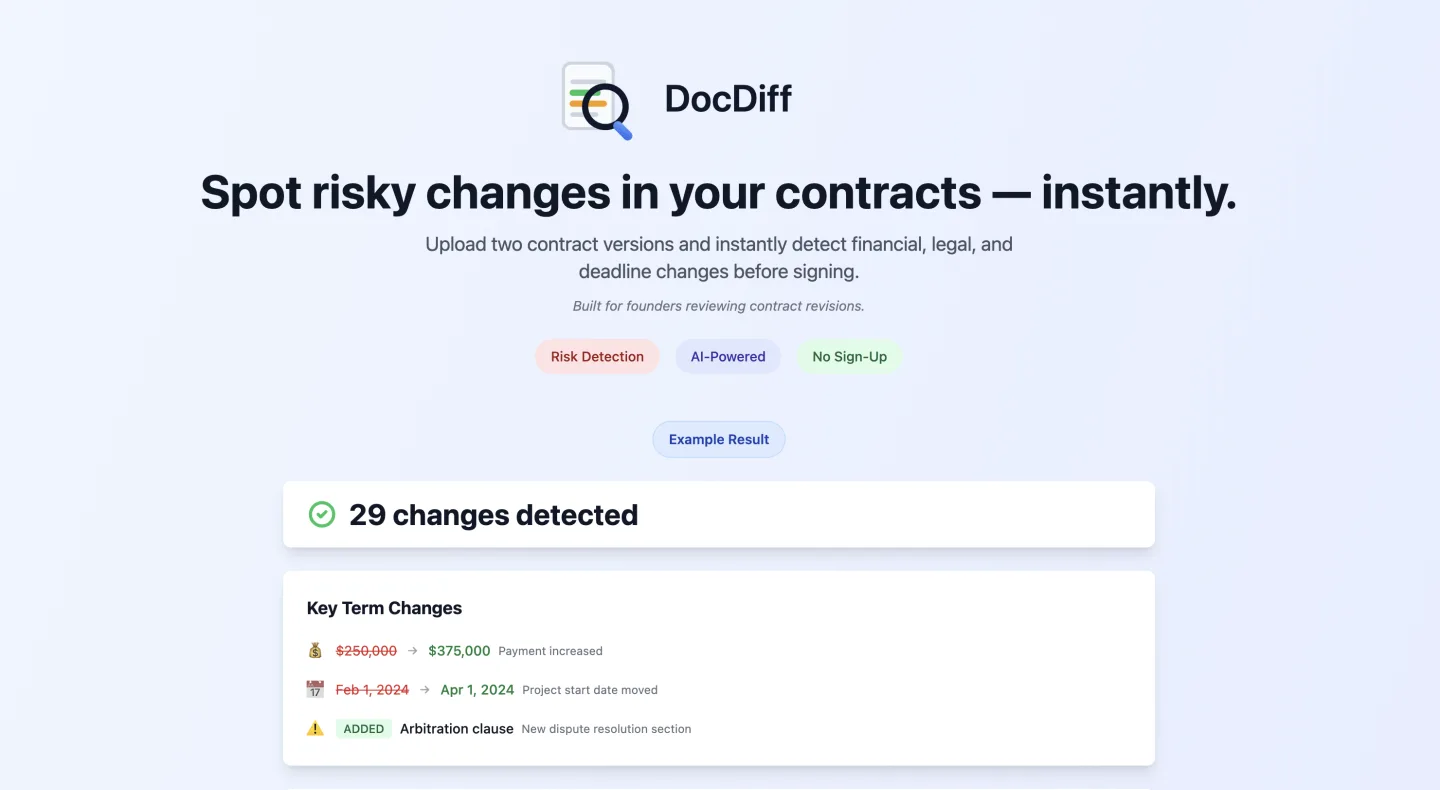 DocDiff (reviewed June 2026).
At a glance: Quote-based / on request (web-app tiers vary, often a free tier) · Self-serve, no install · Best for quick visual diffs of non-sensitive files
There is a steady stream of lightweight web tools that pitch AI-first compare: clean UI, big free tier, no install. The better ones really do solve "I just need to compare two PDFs fast."
What's good
- Fast, no-install visual diff with a generous free tier
- Many ship an AI summary out of the box
Where it falls short
- DOCX Track Changes export quality swings a lot, and some throw an image overlay you cannot keep editing in Word
- Many are browser uploads to a SaaS backend, which is a real worry for client documents
What users say: Reviews split sharply between people happy with quick diffs and people burned by useless overlay exports.
Bottom line: Use one when the document is non-sensitive and you only need a quick visual diff. Skip it for client paper you have to keep editing in Word.
For the general, non-legal version of this search, iDox.ai Compare is the name that ranks: it compares any two PDF or Word files and runs a 7-day free trial, though its own site posts no price (idox.ai/products/compare, reviewed July 2026). Third-party listicles report a Starter tier around $290/year for 3,000 pages (AI Lawyer, July 2026), which tells you it is priced by page volume, not by legal seat. That page model fits finance and compliance teams comparing high document counts; it is not built around a lawyer's Word redline.
Decision matrix
| Tool | AI change summary | Real Word Track Changes export | PDF-to-DOCX cross-format | Matter context | Pricing model |
|---|---|---|---|---|---|
| Litera Compare | Recent, uneven | Yes (reference quality) | Yes | Via DMS | Quote-based, enterprise |
| Vaquill AI | Yes, per-redline | Yes | Yes | Yes | Self-serve |
| Draftable | Light | Yes | Yes (cross-format strong) | No | $249/user/year (Legal) |
| Diffchecker | Yes | Yes (paid tiers) | Yes | No | $20/month (Legal) |
| Workshare (Litera) | Same as Litera | Yes | Yes | Via DMS | Quote-based, enterprise |
| Microsoft Word Compare | No | Yes | No | No | Bundled with Microsoft 365 |
| Adobe Acrobat (Compare Files) | Summary report | No (PDF output) | No (PDF to PDF) | No | $19.99/user/month (Pro) |
| Spellbook | Market-data, not redline | Yes (as add-in) | No (clause-level) | Partial | $500/seat/month, base |
| Gavel | No (automation, not diff) | Generated docs | No | Workflow-level | From $83/month |
| iManage Compare | Limited | Yes | Yes | Via DMS | Quote-based, bundled |
| Ironclad | Yes (CLM redlining) | Yes | Partial | CLM-level | Quote-based, enterprise |
| Google Docs (Compare documents) | No | Suggested edits in Docs | No (Docs only) | No | Free / bundled with Workspace |
| DocDiff / generic | Often yes | Varies, sometimes overlay | Sometimes | No | Quote-based, web tiers vary |
Read it across, not only down. The honest filter is which mix of "real DOCX out," "PDF cross-format in," and "useful AI summary" fits your workflow.
Most teams underestimate how often the PDF column shows up in real matters.
A redline answers "what changed between these two files." If your real question is "do these forty contracts agree on the same term," that is a grid job, not a diff job. See document matrix vs document comparison for when to reach for each.
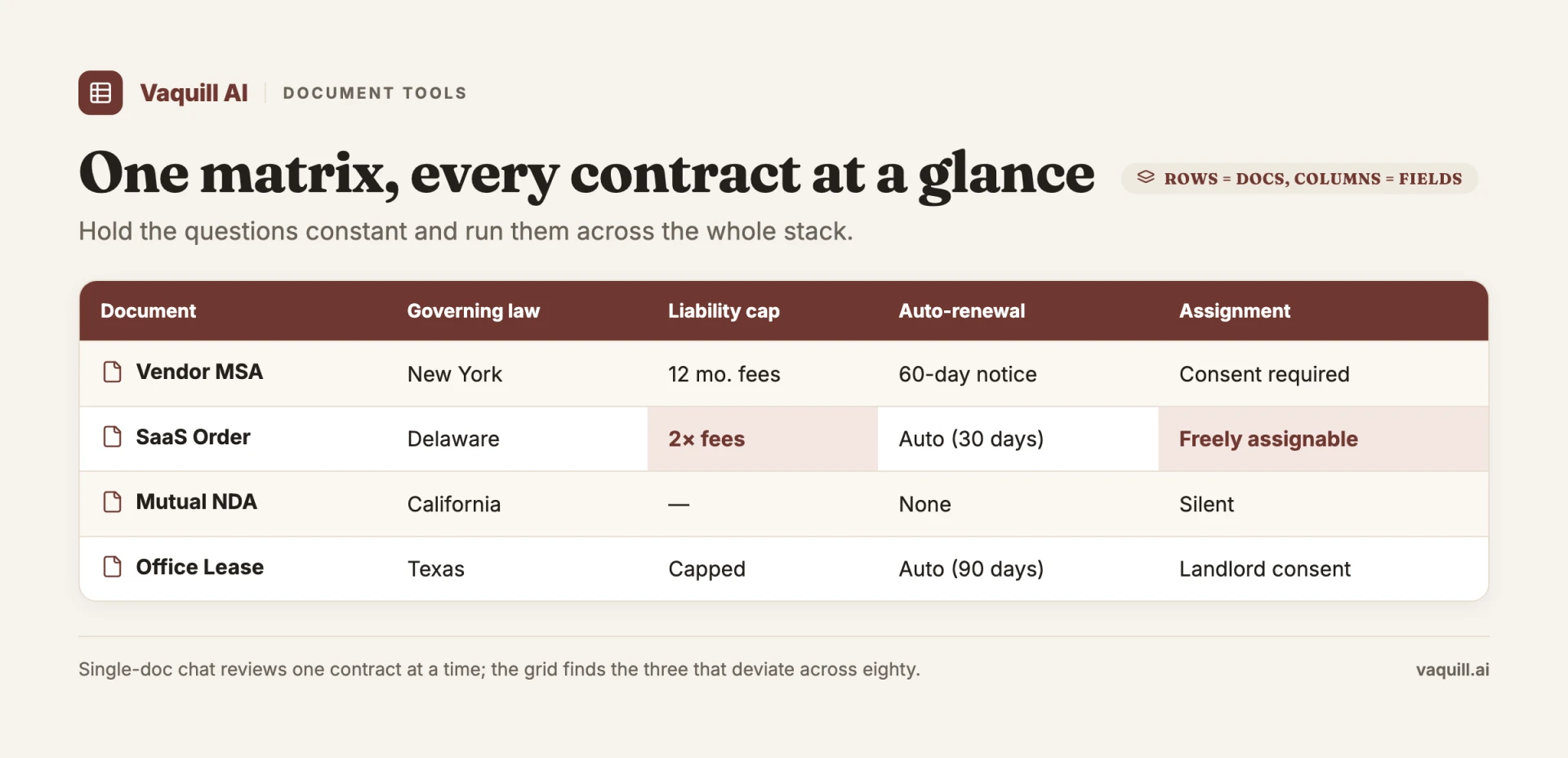 A document matrix pulls one term across many contracts at once, a different job from a two-version redline.
When each tool wins
- Comparison plus drafting plus grounded U.S. research in one suite, with AI change summaries that skip the noise: Vaquill AI.
- Two clean Word files, no budget, occasional use: Microsoft Word Compare.
- Free diff inside Google Workspace, drafts already in Docs: Google Docs Compare documents.
- Cross-format comparison, small firm, published price: Draftable, or Diffchecker for a lower price.
- PDF-to-PDF version checks where Acrobat Pro is already installed: Adobe Acrobat Compare Files.
- Firm-wide standard at an AmLaw or upper mid-market with a DMS: Litera Compare (or Workshare on a renewal, or iManage Compare if iManage is your DMS).
- You want market-data benchmarking on top of your redline: Spellbook in addition to a real diff tool.
- High-volume document generation: Gavel.
- Full contract lifecycle, with compare as one piece: Ironclad.
There is no single winner here, because these tools are not all doing the same job.
The free option is fine for its narrow case, and the enterprise engines earn their price at firm scale and DMS depth. The AI suites are worth it when comparison is one piece of a larger workbench.
A note on the ethics line
If a tool here uses generative AI to summarize or propose edits, ABA Formal Opinion 512 from July 2024 is the relevant guidance.
Verify the AI output before it leaves your office, and know whether the docs you upload stay protected as client confidences. A change summary like "the cap moved from $5M to $10M" is a triage layer, useful because you read the redline and confirmed it.
For the deeper compliance story, see the AI hallucinations and sanctions guide and the ABA Formal Opinion 512 walkthrough.
FAQ
How does AI compare document versions? It reads both drafts for meaning, not just characters. Instead of marking every moved word as a delete plus an add, semantic AI groups a reworded sentence as one change and labels what it did: a number moved, an obligation shifted, a clause was cut. It then writes a plain-language summary so you know where to look before you read the redline.
What is the difference between semantic diff and textual diff? Textual diff compares characters and lines, so a moved paragraph or a synonym swap can light up the whole region. Semantic diff reads for meaning and reports the substantive change, ignoring formatting noise. Most free tools are textual; AI tools add a semantic layer on top of a real diff.
Can AI compare a PDF against a Word document? Yes. Draftable, Diffchecker, and Vaquill AI all do cross-format compare, where Word's built-in tool gives up. Vaquill AI exports the result as a DOCX with real insert and delete edits, so a scanned PDF can be blacklined against a clean draft.
Which tool exports a real Word redline, not an image overlay? Litera Compare, Draftable, Diffchecker, Microsoft Word Compare, iManage Compare, and Vaquill AI all export native Track Changes you can accept or reject. Adobe Acrobat outputs a PDF report, and lightweight web tools sometimes hand back an image overlay.
What handles a scanned PDF against a clean Word file? Draftable, Diffchecker, and Vaquill AI all do real cross-format compare, where Word's built-in tool gives up. Vaquill AI exports the result as a DOCX with real insert and delete edits.
Are there free AI document comparison tools? Yes. Microsoft Word Compare and Google Docs Compare documents are free with a license you likely already have, and Diffchecker has a free Basic web tier. The catch is scope: the free options handle two clean files in one format and skip the AI change summary. Cross-format compare, OCR on scanned PDFs, and a clean Track Changes export mostly sit on paid tiers.
What file formats do AI document comparison tools support? It depends on the tool. Word Compare and Google Docs handle their own format only. Draftable, Diffchecker, and Vaquill AI compare Word, PDF, and cross-format pairs, and Diffchecker adds slides, spreadsheets, and images. Only the tools that run OCR can read a scanned or photographed PDF at all.
Can AI compare more than two documents at once? A version diff is built for two files, v3 against v4. When the question is whether forty contracts share the same term, that is a matrix job, not a diff, and you want a grid that pulls one clause across every file. See document matrix vs document comparison.
Is it safe to upload a confidential contract to an AI comparison tool? Read where the file goes first. Many free web comparators upload your document to a shared SaaS backend, which is a real problem for client paper. Word Compare and Google Docs keep the file inside your existing license. ABA Formal Opinion 512 (July 2024) tells you to confirm the tool preserves documents as client confidences before you upload, and to verify the AI output before it leaves your office.
Why is Vaquill AI ranked second on its own blog? The honest claim is narrow. Litera Compare takes the top spot because its raw Track Changes quality sets the bar. Vaquill AI wins when compare is one of several jobs in one workbench and you want an AI summary that skips the noise.
On a pure two-clean-DOCX blackline, the compare specialists match or beat it.
Want to see an AI summary on every redline inside a full matter workbench? Start at app.vaquill.ai.
New legal AI guides, weekly.
Further Reading
- Legal Document Version Control: Which Platforms Track Versions
- Top 12 Legal Redline Software Tools (2026)
- Top Contract Management Vendors for Fortune 500 Legal Teams
- How to Build an NDA Playbook Your AI Can Actually Enforce
- Legal AI Workflows: How Law Firms Chain Multi-Step AI Tasks in 2026
- What Is a Document Matrix? Extract the Same Fields Across Dozens of Docs

Product & Content
The US primary law data API: statutes, regulations, constitutions, court rules, executive orders and agency guidance across 53 US jurisdictions, each section cited and linked to its official source, via REST, MCP or SQL.