

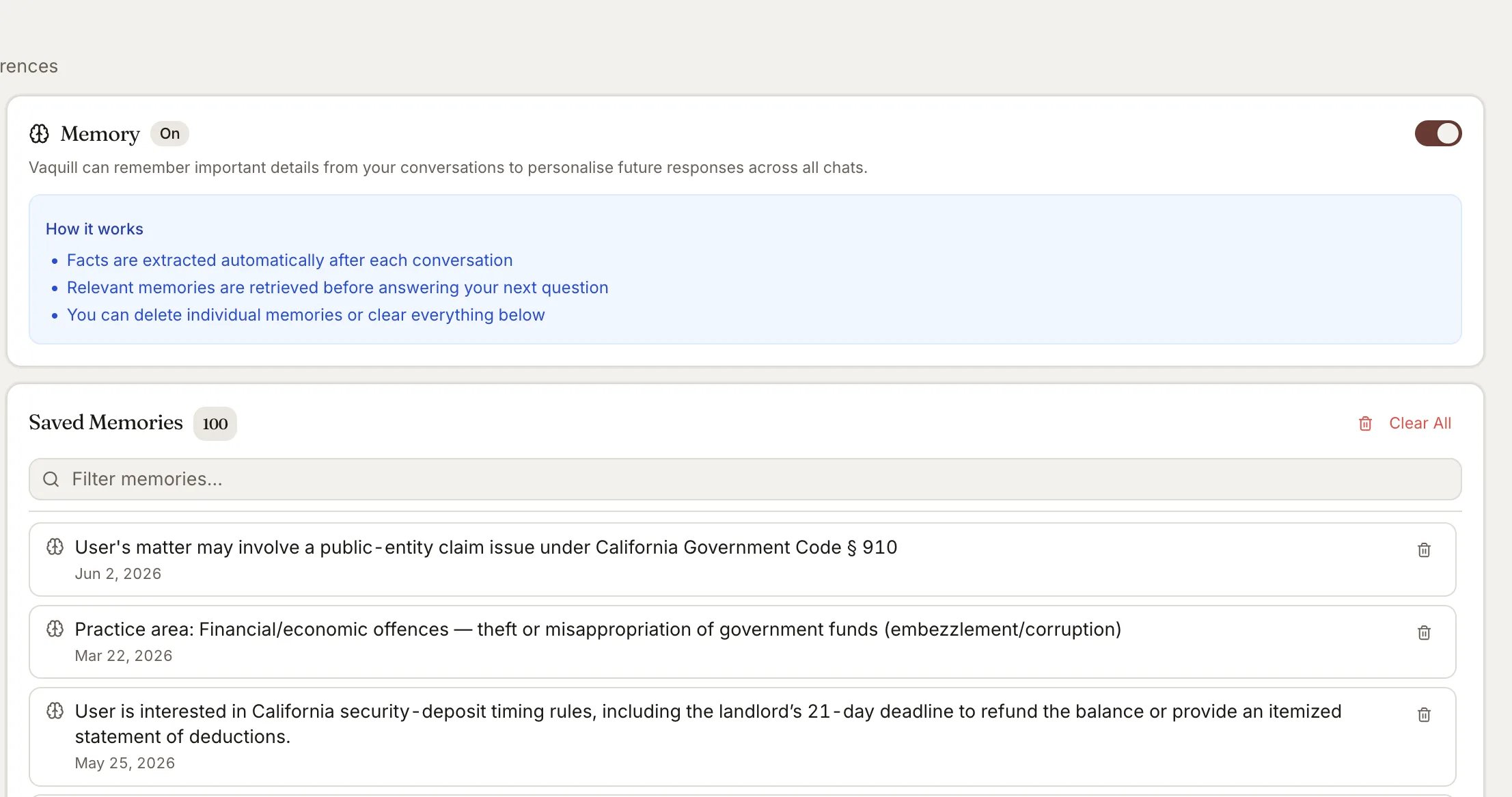
Saved jurisdiction, practice area, and citation preferences that personalize answers
How It Works
1
You chat normally
Ask questions, review documents, research cases - no extra steps needed.
2
Facts are extracted automatically
After each conversation turn, an LLM analyzes the exchange and extracts noteworthy facts (e.g., “User practices corporate law in New York” or “User prefers Bluebook citation format”).
3
Memories personalize future responses
Before answering your next question, relevant memories are retrieved via semantic search and silently injected into the AI’s context. The AI uses them to give more relevant answers without explicitly saying “I remember.”
What Gets Remembered
The extraction is tuned for legal practice context:- Jurisdiction focus - country, state, courts you work with
- Practice areas - criminal, civil, corporate, IP, family, etc.
- Citation preferences - Bluebook, ALWD, or other US reporter formats
- Ongoing research topics - specific statutes, case names, legal issues
- Professional context - attorney, judge, paralegal, student, firm type
- Language preference
- Identity - name, firm name
Memories are extracted automatically - there is no manual “save memory” button. The system learns organically from your conversations.
Enable Memories
Memories are opt-in. Go to Settings and toggle the Memory switch. When enabled, you’ll see:- A list of all saved memories with creation dates
- A filter to search through your memories
- Delete buttons for individual memories
- A Clear All button to wipe everything
Privacy and Control
- Fully opt-in - disabled by default, you choose to enable it
- Per-user isolation - your memories are never shared with other users
- Delete anytime - remove individual memories or clear all at once
- Silent personalization - the AI never says “I remember you said…” - it just gives better answers
- Graceful degradation - if the memory system is down, chat continues normally without personalization
Limits
Related
- Document Search - How the AI answers questions from your documents
- Agent Mode - Autonomous research mode that also benefits from memories
- Matters & Workspaces - Organize your work by matter