

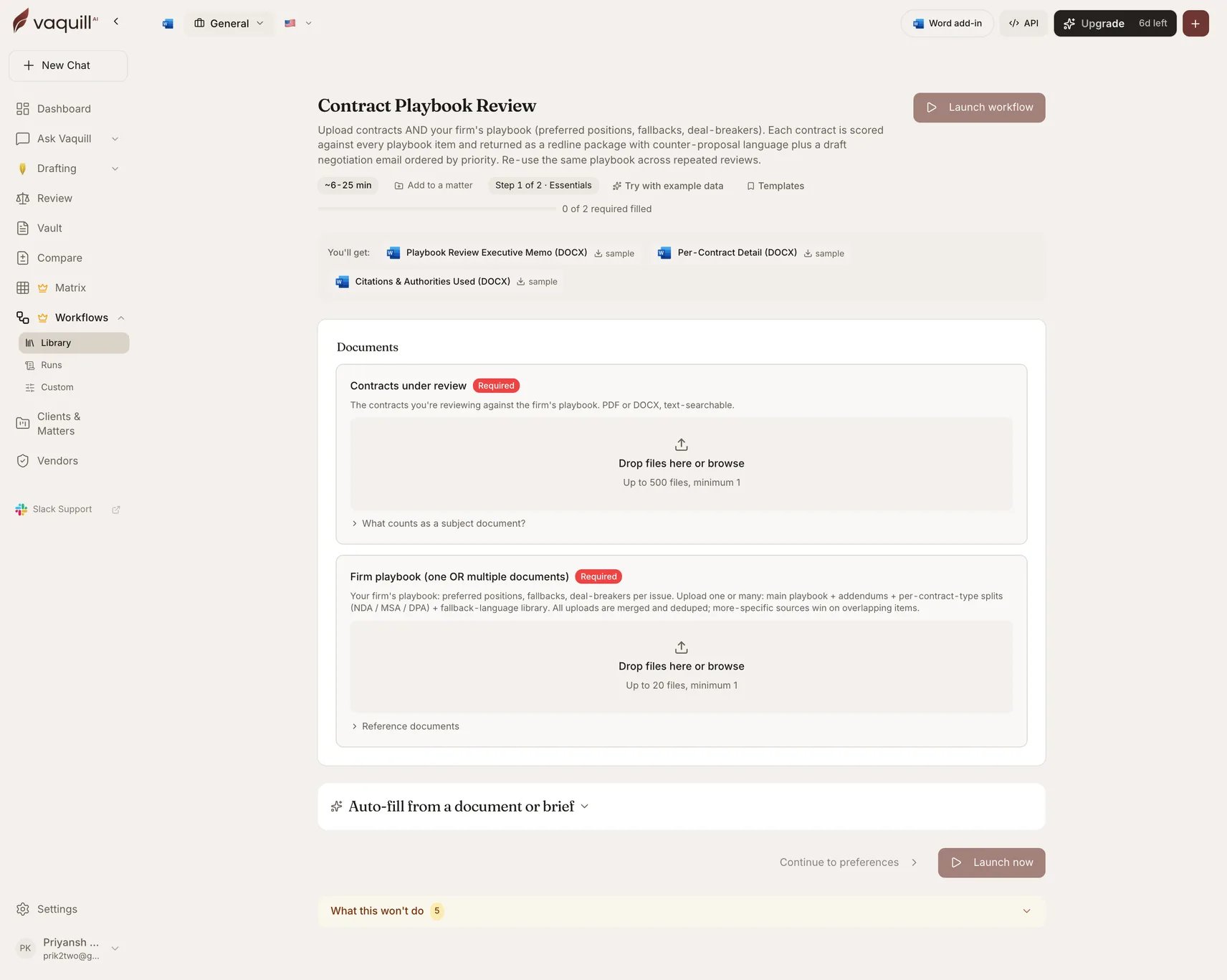
The Contract Playbook Review launcher: document slots, inputs, and what you get
What you need
The playbook slot takes multiple documents. Upload a main playbook plus addendums, per-contract-type splits (NDA, MSA, DPA), and a fallback-language library. All uploads are merged and deduped, and more-specific sources win on overlapping items.
Inputs
That is the whole form. The playbook carries the configuration that other review workflows put in select fields, which is the point: your positions live in a document you control rather than in a picker.
How it runs
A matrix-review pipeline with a playbook-parsing stage in front.1
Parse firm playbook
Reads every uploaded playbook document, extracts the issue list with preferred positions, fallbacks, and deal-breakers, then merges and dedupes across sources.
2
Prepare
Turns the parsed playbook items into extraction-matrix columns, so the matrix asks exactly the questions your playbook cares about.
3
Extract and wait
Each contract is answered against every playbook item, with the supporting quote captured.
4
Normalize and score
Assigns each item one of five postures: matches, fallback, deviates, deal-breaker, or missing.
5
Synthesize
Portfolio synthesis across contracts: outliers, rejection patterns, and ranked playbook revisions. Verified before persistence.
6
Render
Writes the three DOCX artifacts.
What you get
What this will not do
- Negotiate with the counterparty. The workflow drafts the asks; you send them.
- Update the playbook based on negotiation outcomes. The synthesis flags rejection patterns, but you decide whether to soften the firm’s stance.
- Replace partner review on items marked deal-breaker. Some deal-breakers are deal-savers in context.
- Apply non-contractual context: relationship history with the vendor, regulatory pressure, business-team preferences.
- Verify that the playbook itself is current. The workflow trusts what you upload.
Related
Playbooks
Building and maintaining the playbook this workflow consumes.
Contract review
The interactive, single-contract version.