

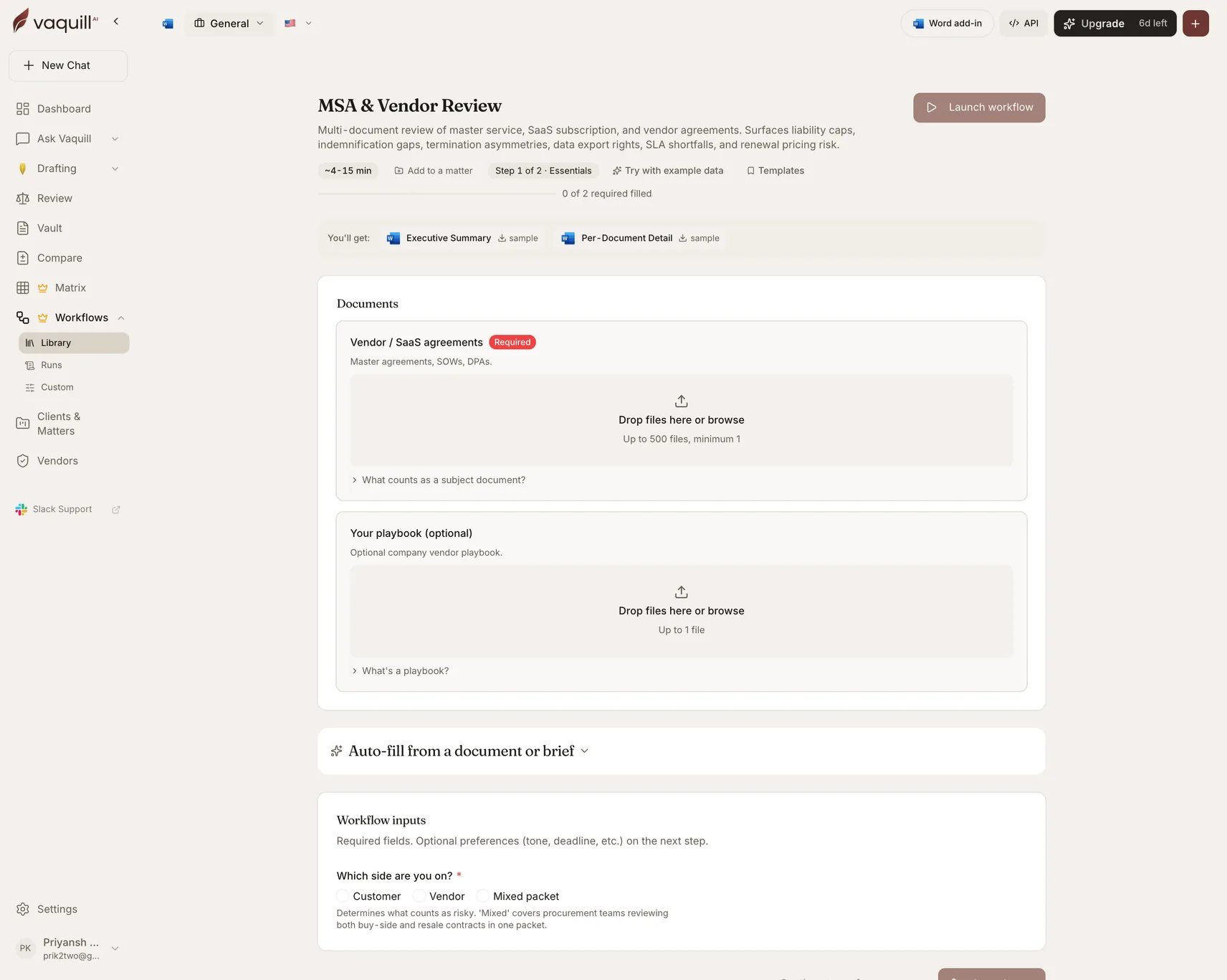
The MSA and Vendor Review launcher: document slots, inputs, and what you get
What you need
Inputs
How it runs
This is a matrix-review pipeline:prepare → extract → wait for extraction → normalize and score → synthesize → render.
1
Prepare
Builds the extraction matrix over the uploaded agreements, with columns for the clause families the rubric covers.
2
Extract and wait
Every cell is answered against a single document with its supporting quote, then the pipeline waits for the full set.
3
Normalize and score
Scores each agreement against your thresholds: liability cap, renewal protection, data-sensitivity requirements, and the industry-gated regulatory checks.
4
Synthesize
Portfolio patterns and outliers, then the synthesis verifier drops unsupported and placeholder findings.
5
Render
Writes both DOCX artifacts.
What you get
What this will not do
- Replace counsel review for the final redline decision before signature.
- Negotiate the markup with the vendor or escalate internally on your behalf.
- Track changes against the prior executed version or the vendor paper baseline.
- Verify financial covenants, insurance carrier ratings, or the vendor’s SOC 2 attestation.
- Investigate facts outside the uploaded contracts, such as vendor litigation history or breach record.
Related
DPA Reviewer
The data-processing agreement in the packet, reviewed properly.
Obligations and Renewal Tracker
Once signed, extract every renewal and notice window into a calendar.