Short answer: document comparison is a redline. It answers what changed between two specific files, character by character. A document matrix is a grid. It answers whether N documents agree on the same fields, and which ones deviate. Use the redline when you can name the one other document you are comparing against. Use the matrix when the thing you are comparing against is a template, a rule, or the rest of the set.
A few years into the legal-AI boom, I keep watching the same scene play out, and it still makes me wince. A perfectly competent associate has eighty vendor agreements to clear before a financing closes. The instruction from the partner was simple: flag anything that deviates from our standard.
So the associate opens the comparison tool, loads the template and the first contract, runs the redline, eyeballs the markup, types a note into a spreadsheet, closes it, loads the second contract against the template, runs the redline again. Eighty times.
By contract forty the spreadsheet is getting sloppy. By contract sixty the associate is skimming. The deviation that actually mattered, an uncapped indemnity buried in agreement seventy-one, gets a quick glance and a green checkmark because the eyes are tired and the markup looked roughly normal.
That is not a comparison problem. That is the wrong tool worn down to a nub. The associate was running a many-document conformity question through a two-document diff engine, one pair at a time, with a human being as the merge layer.
This is the heart of document matrix vs document comparison: they are not two flavors of the same feature. They answer two genuinely different questions, and the cost of confusing them is exactly the scene above.
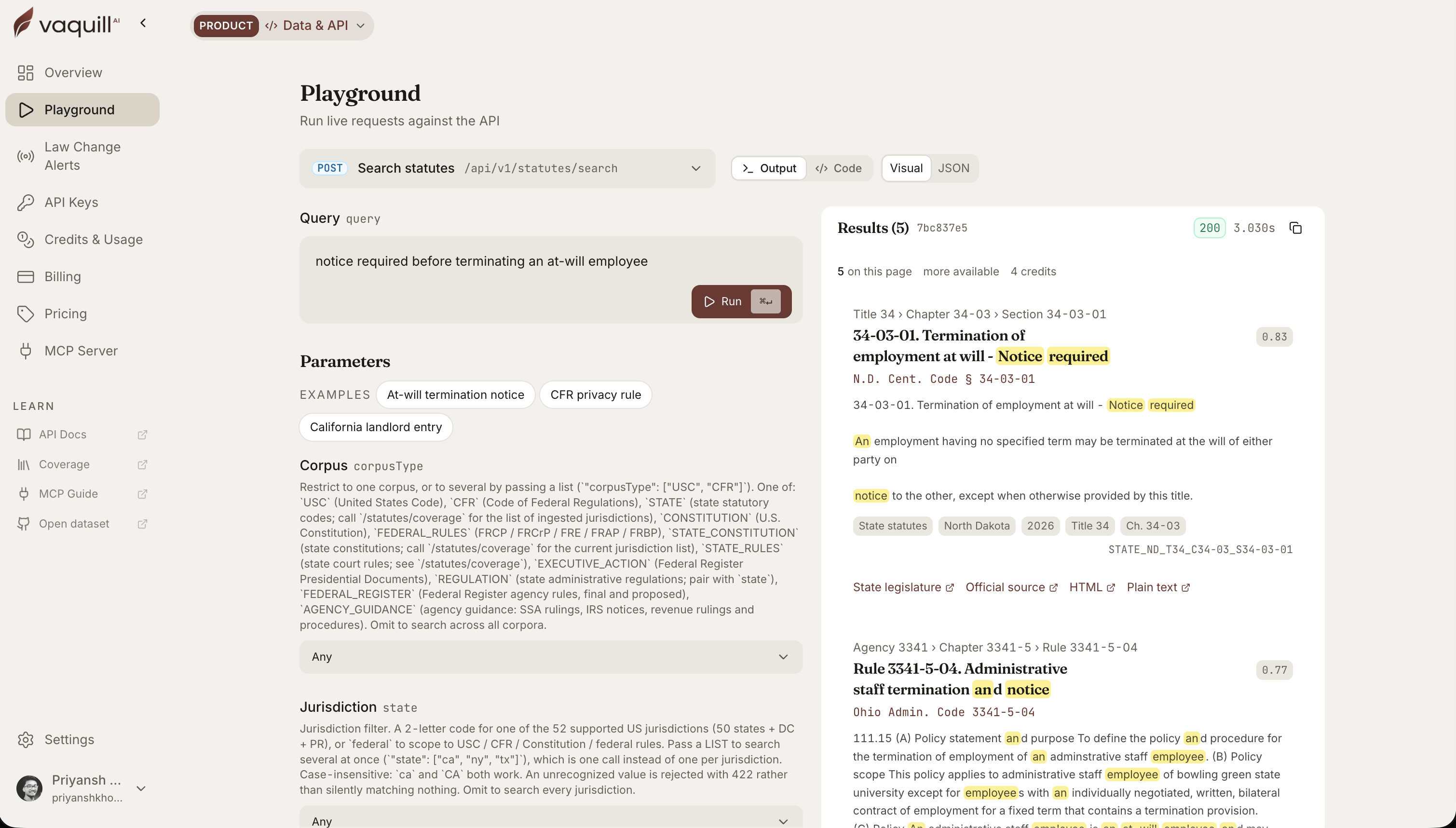 The same corpus behind this article, queried live. Every result carries its citation and a link to the official source.
TL;DR
- Document comparison answers one question: what changed between these two specific files? It is a diff, a redline, a pairwise delta. Litera Compare is the canonical example.
- A document matrix answers a different question: across these N documents, which ones deviate, and on what fields? It is extraction plus outlier detection, output as a grid.
- The market's reflex is to treat the redline as the universal review verb. Running an 80-document consistency sweep as 80 sequential pairwise compares is using a diff tool for an extraction job.
- A matrix does not replace the redline. You still need the precise character-level delta when you are negotiating one agreement clause by clause. The grid cannot tell you what moved between v3 and v4 of the one MSA you are trading.
- Pick by the shape of the question. Two documents, what changed: redline. Many documents, are they consistent: grid. Serious workflows use both, in sequence.
Part of our document tools, redline, and matrix guide series.
For related document-tools coverage, see What Is a Document Matrix? Extract the Same Fields Across Dozens of Docs and How to Build a Document Matrix to Compare Contracts, Leases, and Filings.
When should you reach for a document comparison (redline) instead of a matrix?
Two questions, not two tools
Start with the questions, because the tools only make sense once you have named the jobs.
Document comparison answers: what changed between these two files? You have version 3 of a master services agreement and the version 4 that came back from opposing counsel. You want the exact delta, character by character, including the moved cross-reference and the quietly deleted "not."
The output is a redline. We wrote the full mechanics of doing that cleanly, including the metadata traps that end negotiations early, in our guide to comparing documents and exporting clean redlines. That post is the deep dive on the redline done right. This one sits a level up and asks whether the redline is even the tool you want.
A document matrix answers a different question: across this stack of documents, which ones deviate, and on what? You have eighty NDAs, or a lease portfolio, or every vendor agreement that touches a single product line. You do not care, yet, about the character-level history of any one of them.
You care about a pattern: governing law, liability cap, auto-renewal notice window, assignment clause. Rows are documents, columns are fields, and the deviations surface themselves when you sort a column.
If you want the matrix concept defined properly, including the chat-versus-grid axis underneath it, that is the subject of our explainer on what a document matrix is. I am not going to redefine it here. I am going to put it head to head with the redline.
The shorthand I use: comparison is a delta, a matrix is a census. One tells you how a document moved. The other tells you how a population is distributed.
Here is the split on one screen:
| Axis | Document comparison (redline) | Document matrix (grid) |
|---|---|---|
| Question it answers | What changed between these two files? | Across these N documents, which deviate, and on what? |
| Inputs | Two documents (A and B) | A stack of documents plus a list of fields |
| Operation | Diff: align two texts, mark where they disagree | Extraction plus outlier detection across the set |
| Output | A redline, character by character | A sortable grid: rows are documents, columns are fields |
| Comparing against | One named other document | A template, a rule, or the rest of the population |
| Best at | Precision on one pair, clause by clause | Triage and conformity across many at once |
| Falls down when | You force it across many files, one pair at a time | You need the exact edit history of a single pair |
| Named examples | Litera Compare, Word Compare, Draftable | Legora tabular review, CoCounsel review tables, Vaquill AI's document matrix |
Why the market defaults to the redline
The redline reflex runs deep, and it is worth understanding why, because the why is also the trap.
For thirty years the unit of legal document work has been the pair. You drafted, they marked up, you marked up the markup. The whole negotiation ritual is pairwise: this version against that version, round after round.
So "compare documents" became muscle memory for "show me the redline," and the tooling reinforced it. Litera Compare, which by its own account is trusted by 72% of the legal market and relied on by 98% of the Am Law 100 (Litera, June 2026), built its reputation on being the best pairwise diff in the business: clean character-level markup, none of the over-reporting noise that Word's built-in compare is famous for. That is a genuinely excellent tool for the job it was built for. The job it was built for is the delta.
Here is the tell, though. Litera itself publishes guidance on what it calls "many-to-one document reviews," walking through how to compare a stack of documents against a single template. The very existence of that workflow is the admission: the pairwise engine strains the moment the job becomes many-document.
Draftable ships the same admission in a different shape. Its Bulk Compare feature lets you upload a master template and "the batch of documents that are supposed to have been produced using this template," then runs every comparison at once (Draftable, June 2026). That sounds like the census, but read what it returns: a stack of separate redlines, one per document, that you still review one at a time. Faster than running them by hand, yes. You still end up with N redlines and no grid. There is no column you can sort to make the single uncapped indemnity jump out, because each compare only knows about its own pair.
You are bending a two-file tool around an N-file problem. It can be done. It is tedious, it is serial, and the human in the loop is the one absorbing the tedium, which means the human is also the one making the errors when the tedium wins.
That is the scene from the top of this post. Not a failure of Litera, which is doing precisely what a comparison engine should. A failure of question-to-tool fit.
What the grid does that the redline cannot
Watch how the category leaders ship the many-document surface, because they converged on it independently and they did not build it as "comparison with more files."
Legora's tabular review is built as a spreadsheet from the ground up: each document becomes a row, each prompt becomes a column, and you can expand any cell to see the source text it was pulled from. CoCounsel ships the same idea as its review-documents skill, returning answers to your custom questions "in a clear, table-based format" that is sortable, filterable, and exportable to Excel.
Two of the most serious AI-native legal products on the market, and both decided the many-document job needed its own surface, distinct from any redline.
Why distinct? Because the operation is different. A redline is a diff: it aligns two texts and reports where they disagree. A grid is extraction plus outlier detection: it pulls the same defined value out of every document and arranges the values so deviation is visually obvious.
The same corpus behind this article, queried live. Every result carries its citation and a link to the official source.
Sorting a column of liability caps and seeing one row say "uncapped" while the other seventy-nine say "12 months fees" is not a diffing operation. There is no second document to diff against. The comparison is against the population, and the population is the column.
This is the part people miss when they say a matrix is just "comparison at scale." Scale is not the distinction. You could run a thousand pairwise compares and still never produce the census view, because each compare only ever knows about its own pair.
The grid knows about the whole set at once. That is a categorically different thing, and it is why forcing the work through a redline tool produces the manual-transcription death march instead of an answer.
The clinching case for the matrix: a compliance column
The single cleanest illustration of the boundary is a question a redline structurally cannot answer.
New York General Obligations Law § 5-903 makes an automatic-renewal clause in a service contract unenforceable against the customer unless the provider gave written notice of the renewal within a defined window before the cancellation deadline. It is a quiet statute that voids a lot of evergreen contracts, and most companies have no map of which vendor agreements are exposed.
Now ask: how would a redline help you find your exposure across two hundred contracts? It cannot. A redline compares document A to document B. There is no document B here.
The thing you are comparing each contract against is not another contract, it is a rule. That is a compliance column in a grid: "auto-renewal notice window," extracted from every contract, sorted, with the ones that fall outside the § 5-903 window flagged. The rule is the spec for the column. The grid is the only surface where that question even has a shape.
This is also where the grounding layer matters. A compliance column is only as trustworthy as the source of the rule it encodes, and statutory rules vary by state.
A public statutes and legislation API over U.S. Code, the CFR, and 50-state codes exists for exactly this layer: the compliance column points at the actual current text of the obligation rather than a half-remembered version of it. (Scope note: the public API is statutes and legislation only. It is the rule layer, not a case-law search.) A redline has no place to put a statute. The grid does, and that is the whole point.
A decision rule you can actually use
Strip away the marketing and the choice collapses to one question: how many documents define the answer?
-
The answer lives in the difference between two documents. Use comparison. You are negotiating one agreement, you got a new draft back, you need the exact delta including the untracked edits and the moved clauses. Reach for the redline. Litera Compare does this best; Word's built-in compare does it badly. This is a delta question.
-
The answer lives in the distribution across many documents. Use a matrix. You are triaging a stack, auditing a portfolio, running a conformity sweep, or checking a compliance rule across everything. Reach for the grid. Legora's tabular review and CoCounsel's review tables are two named examples; the same shape is what a document matrix gives you. This is a census question.
Two quick tests when you are not sure. First, the document B test: if you can name the single specific document you are comparing against, it is a delta, use the redline. If the thing you are comparing against is a template, a rule, or "the rest of the set," it is a census, use the grid.
Second, the spreadsheet test: if the natural output of your work is a spreadsheet you are about to build by hand, you are already doing a matrix manually and you should let the grid build it. The associate at the top of this post failed both tests and paid for it.
They are complementary, and the best workflows run both
The framing of "vs" is useful for clarity and misleading if you stop there. The mature workflow is not grid or redline. It is grid then redline.
Walk a real diligence sweep. You start with the census: drop two hundred contracts into a matrix, define your columns, and let the grid surface the deviations. Most rows conform and clear in a single pass. A handful do not.
Now you have gone from two hundred documents to, say, six that genuinely deviate. For those six, the question changes shape. You are no longer asking "which of these is weird." You are asking "exactly what is weird about this one, down to the clause."
That is a delta question, and now the redline is precisely the right tool, applied to the precisely six documents that earned the attention.
The grid did the triage the redline was never built to do. The redline does the precision the grid was never built to do.
The 1,250 lawyer hours a mid-size company can burn on contract review in a year, a figure we unpack in our guide to AI contract review, do not disappear because you bought a better diff tool. They disappear when you stop using the diff tool for the census and let it specialize in what it is genuinely best at: the two-document delta, done with character-level precision.
The mistake was never loving the redline. The redline is excellent. The mistake is making it the default answer to every document question, including the ones it cannot structurally answer.
Name the question first. Count the documents. Then pick the tool that matches the shape of the answer. For more on grids and redlines in one workbench, see Vaquill AI's document matrix.
FAQ
What is the difference between a document matrix and document comparison? Document comparison is a redline: it takes two files and marks what changed between them, character by character. A document matrix is a grid: it pulls the same fields out of many documents and lays them in rows and columns so you can sort a column and see which documents deviate. Comparison answers "what moved," a matrix answers "which ones are out of line."
Is a document matrix just comparison at scale? No. Scale is not the distinction. You could run a thousand pairwise compares and never produce the grid view, because each compare only knows about its own two files. A matrix is a different operation: extraction plus outlier detection across the whole set at once, with the population itself as the thing each document is measured against.
When should I use a redline instead of a matrix? Use a redline when you can name the single specific document you are comparing against, usually the prior version of one agreement you are negotiating. You want the exact delta, including untracked edits and moved clauses. That is precision on one pair, which is what a comparison engine like Litera Compare is built for. See our guide to exporting clean redlines.
What is redline vs matrix in plain terms? A redline is the marked-up version of one document against another, the colored insertions and strikethroughs. A matrix is a spreadsheet-style summary across many documents. Redline is for negotiating one contract; matrix is for triaging or auditing a stack of them. Serious workflows use both: the matrix triages, then the redline does precision on the few documents that deviate.
Can a redline tool compare contracts against a template? Sort of, and that is the trap. Tools like Draftable Bulk Compare can run many documents against a master template at once, but they return a stack of separate redlines you still review one at a time. There is no single sortable grid. For a true conformity sweep across a portfolio, a document matrix is the right surface.
What are the best contract comparison tools? For two-file redlines, Litera Compare and Draftable lead, with Word's built-in compare as the free-but-noisy option. For the many-document grid, Legora's tabular review and CoCounsel's review tables are named examples. Which one fits depends on whether your question is a delta or a census. Our best AI contract review tools roundup and best legal redline software compare the field in depth.
Can a redline check a contract against a statute? No. A redline compares document A to document B, and a statute is not a document B. Checking auto-renewal clauses against New York General Obligations Law 5-903, for example, is a compliance column in a grid: the rule is the spec for the column. The grid is the only surface where that question has a shape.
How do I build a document matrix to compare contracts? You define the fields you care about (governing law, liability cap, renewal notice window), point the tool at the stack, and let it extract each field into a column you can sort. Our step-by-step guide to building a document matrix walks through it, and our explainer on what a document matrix is defines the concept.
New legal AI guides, weekly.
Further Reading
What Is a Document Matrix? Extract the Same Fields Across Dozens of Docs
Read postCan AI Analyze Legal Documents? Extraction Across 50 Contracts at Once
Read postTop 12 Legal Redline Software Tools (2026)
Read postHow to Build an NDA Playbook Your AI Can Actually Enforce
Read postLegal AI Workflows: How Law Firms Chain Multi-Step AI Tasks in 2026
Read postLegal Research Agent: What Agentic AI Agent Mode Actually Does (and Where It Breaks)
Read post
Product & Content
The US primary law data API: statutes, regulations, constitutions, court rules, executive orders and agency guidance across 53 US jurisdictions, each section cited and linked to its official source, via REST, MCP or SQL.