

Templates come in pairs, one tuned for each side of the deal.
A vendor and a customer want inverted positions on liability, indemnification, and IP, so “SaaS, Customer side” and “SaaS, Vendor side” are genuinely different playbooks rather than the same file with the labels swapped.
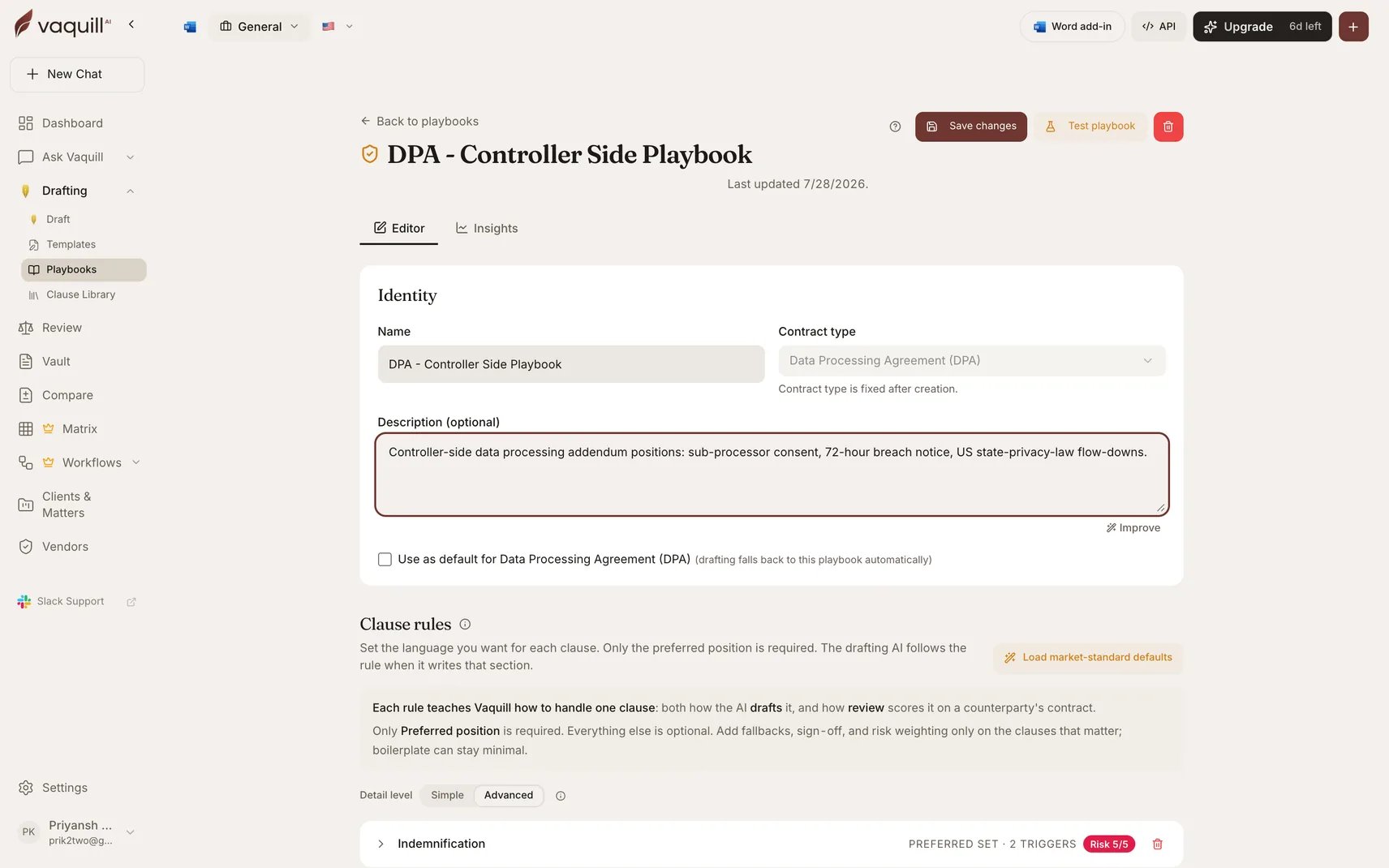
A playbook opened to its clause positions
The gallery
Open Start from a template on the Playbooks page or on the new-playbook form. Templates are grouped into five sections, and you can search across name, use case, contract type, side, and the clause names each template tunes.Commercial
Privacy and Data
Non-Disclosure
HR and Employment
Intellectual Property
Preview before you clone
Every card has two actions.1
Preview
Opens the full position list for that template: preferred position, acceptable range, fallback ladder shown best to worst, walk-away floor, escalation triggers, and rationale for each clause.
Clauses tagged as must-have carry a badge, as do clauses that require sign-off, and conditional rules are spelled out in plain language such as “If deal value over 1000000, require GC sign-off”.
2
Use this template
Clones the template into a new playbook you own and opens it in the editor.
Nothing is shared or linked back: it is your copy from that moment on.
Positions are resolved for your active jurisdiction when the template is cloned.
A few clauses, non-competes in particular, carry jurisdiction-specific wording, so the copy you get reflects the jurisdiction that was selected at clone time rather than a generic one.
After cloning
Treat the clone as a first draft of your house position, not a finished one.- Read the walk-away floors first. Those are the strongest statements in the file and the ones most likely to be wrong for your business.
- Check the sign-off levels against how your team actually escalates.
- Run the Structure Check to see the score the template starts you at.
- Compare it against the market-standard baseline from inside the editor to see where the template is harder or softer than typical market terms.
Limitations
- Templates are curated starting points, not legal advice, and not tailored to your business. Review before you rely on one.
- A clone is a snapshot. Improvements made to a template later do not flow into playbooks you already created from it.
- Coverage is 14 agreement types. Anything outside that list starts from a blank playbook or from an imported contract.
- Depth varies by template. Most carry conditional escalation rules; the M&A pair does not.
- The market-standard comparison panel is hidden for M&A and for the specialized addenda, because there is no meaningful generic baseline to compare those against.
- The gallery does not merge templates. If you need both a services framework and a data processing addendum, that is two playbooks.
Related
Playbooks overview
What a playbook holds and where it gets used.
Building a Playbook
Edit the clone, add clauses, and test-drive the result.
Clause Rules
What each field on a cloned position actually does.
Sign-Off Gates
How the approval levels a template ships with behave in review.