Legal AI memory is the feature that lets the tool remember your jurisdiction, practice area, citation style, and role across sessions, so you stop opening every chat by re-explaining who you are. Without it, you type "assume California, in-house, keep it short" on Monday and again on Tuesday. With it, the AI already knows, and its first answer lands closer to usable.
Below: what a good memory feature actually remembers, how it quietly changes the answers you get, why a wrong memory is more dangerous than no memory, and why the privacy controls matter more here than almost anywhere else in a legal tool.
Short answer: Memory captures durable facts about how you work (your state, your practice areas, your preferred citation format, your role) and pulls the relevant ones into each new question. It is extracted quietly from normal use, not typed into a form. Good memory is opt-in, isolated to your account, and deletable one item at a time. It personalizes answers; it does not replace the per-matter workspace that holds your actual deal facts.
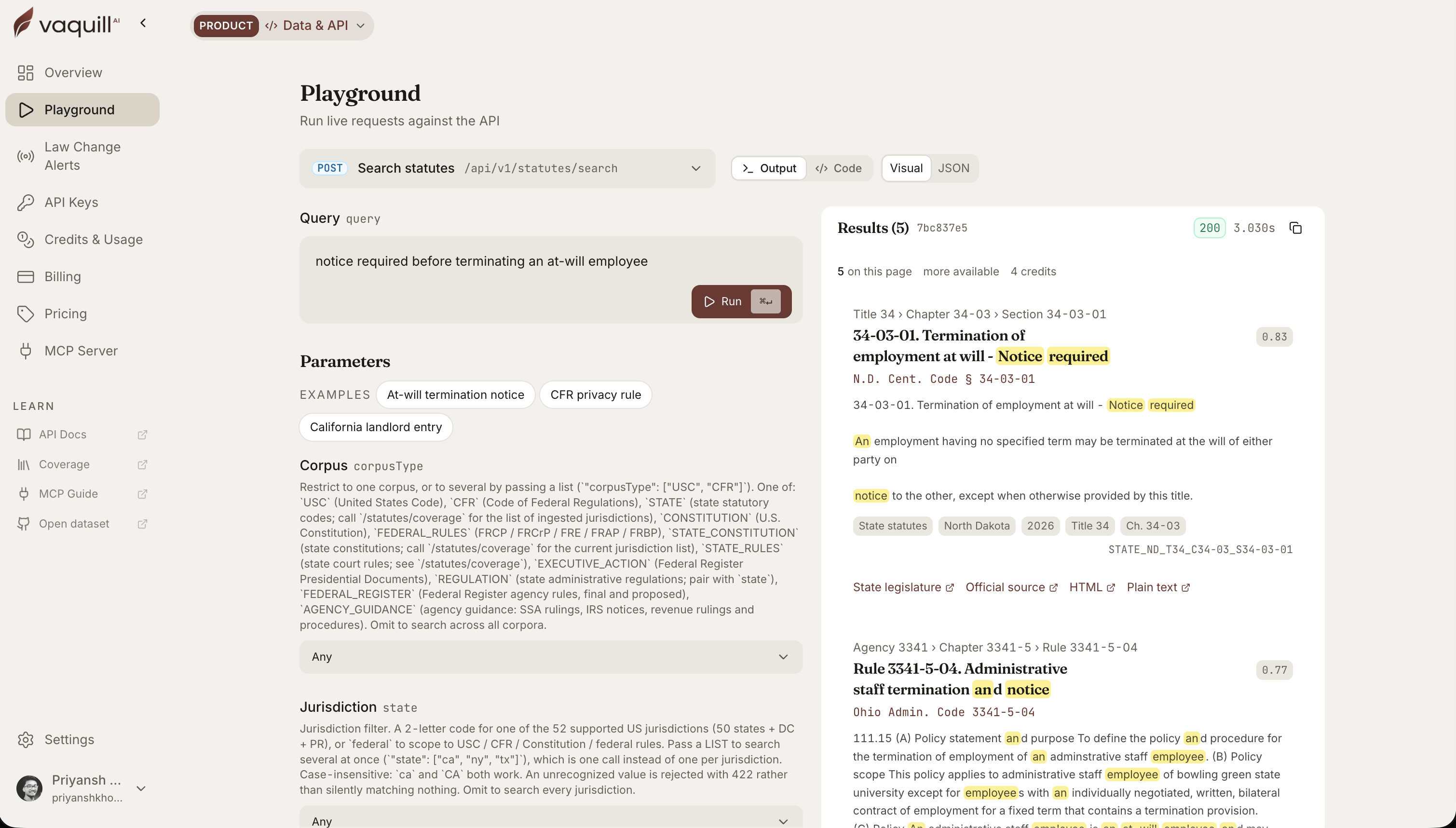 The same corpus behind this article, queried live. Every result carries its citation and a link to the official source.
TL;DR
- Memory remembers you, not your matter. It stores your jurisdiction, practice areas, citation style, and role, so answers arrive tuned to how you work.
- It is extracted from normal use. No save button and no memory commands. You chat, and durable preferences get picked up in the background.
- It changes the first answer, not just the fifth. Ask "is this non-compete enforceable" and a memory of "primary jurisdiction: California" means the AI answers for California instead of asking which state.
- Opt-in and deletable is the whole point. A good legal memory is off by default, isolated to your account, and lets you delete any single fact or wipe it all.
- It is different from matter memory. Your deal facts, dates, and documents live in the matter workspace. Personal memory is preferences; the matter holds the record.
What does cross-session memory in a legal AI actually store?
How this was written: the behavior below matches how the Memories feature works: opt-in, background extraction, semantic recall, per-user isolation, and full delete controls. The example user and preferences are illustrative. The California statute cited is real and checkable.
The problem memory solves: repeating yourself
Every session with a general legal AI starts from zero. It does not know you are in-house at a SaaS company, that you work in California and New York, that you want Bluebook cites, or that you like the rule first and the hedging second. So you tell it. Again.
That re-explaining is a small tax you pay dozens of times a week. Memory removes it by holding the stable facts about how you practice and applying them without being asked.
What a legal AI actually remembers
Good memory is narrow on purpose. It captures preferences and professional context, the things that stay true across matters, and leaves the case-specific facts to the matter workspace.
| Category | Example memory | How it changes the answer |
|---|---|---|
| Jurisdiction | Primary: California; secondary: New York | Answers default to your states instead of asking |
| Practice area | Commercial contracts, data privacy, employment | Framing and examples match your work |
| Citation style | Bluebook, official reporter format | Cites come back in the format you file |
| Professional context | Role: in-house General Counsel; SaaS company | Tone and depth pitched at a lawyer, not a layperson |
| Answer preference | Rule first, then analysis, kept short | Output shape matches how you read |
Here is what that looks like as a stored memory list for one in-house lawyer:
- Works in-house as General Counsel at a SaaS company
- Primary jurisdiction California, also handles New York
- Focus areas: commercial contracts, data privacy, employment
- Prefers Bluebook citations and the rule stated first
- Wants short answers, expanded only on request
None of that is secret, and none of it is a case fact. It is the profile you would give a new paralegal on day one, held once instead of repeated daily.
The before and after, on a real question
Take a common query: "Is this non-compete enforceable?"
Without memory, a general AI has to ask the obvious question back: which state? Non-compete law is entirely state-specific, so it cannot answer until you tell it. You lose a round trip.
With memory of "primary jurisdiction: California," the AI answers directly: California voids most employee non-competes under Cal. Bus. & Prof. Code section 16600, and the 2024 amendments (sections 16600.1 and 16600.5, effective January 1, 2024) added an employer notice duty and reached agreements signed out of state. It leads with the rule because you told it, once, that you like the rule first. If the deal sat in a New York matter, it would flag the different New York standard instead. The details behind that split are in the California non-compete guide.
The AI did not get smarter. It stopped guessing at context it could have remembered, so the first answer landed where you needed it.
How it works, and where you stay in control
You turn it on, use the product normally, and control what it keeps. Nothing is stored until you opt in.
Three design choices separate a memory feature you can trust from one you cannot.
- It updates instead of piling up. When your citation preference changes, the memory of the old one is revised, not stacked next to it. You do not end up with a contradictory profile.
- It degrades gracefully. If the memory layer is unavailable, the tool still answers. Memory improves answers; it is never a dependency that can take the product down.
- It is capped. Your plan holds a set number of memories, so the profile stays a tight set of real preferences rather than an ever-growing log of everything you ever typed.
The failure mode: a wrong memory you cannot see
Here is the risk nobody puts on the marketing page. A memory that is correct helps quietly. A memory that is wrong hurts just as quietly, and that is worse than no memory at all.
Say you shift your practice from California to Texas but the stored memory still reads "primary jurisdiction: California." Now every non-compete question gets answered under section 16600 (near-total ban) when Texas actually enforces reasonable non-competes under its Business and Commerce Code. The AI is not hallucinating. It is faithfully applying a fact about you that went stale, and because the answer looks confident and correctly formatted, the error is invisible until it costs you.
Two habits keep this from biting.
- Read your memory list on a schedule. Once a month, open the memories the AI holds about you and skim for anything out of date: an old jurisdiction, a citation format you no longer use, a role that changed. Delete the stale ones.
- Watch for answers aimed at the wrong target. If the AI keeps defaulting to a state or a framing you have moved off, that is a stale memory talking. Delete it rather than fighting it in every prompt.
Personal memory vs matter memory: do not confuse them
This trips people up. There are two kinds of "remembering" in a legal AI, and they hold different things.
| Personal memory | Matter workspace | |
|---|---|---|
| Holds | Your preferences: state, practice, citation style, role | The deal: documents, dated facts, chronology, summary |
| Scope | You, across every matter | One matter, shared with its team |
| Purpose | Tune how answers are framed | Be the record of the case |
| Example | "Prefers Bluebook, works in California" | "MSA executed Jan 15, terminated June 18" |
If you want the AI to remember your deal (the parties, the dates, the documents), that lives in the matter workspace, not in personal memory. Personal memory is about you; the matter is about the case. Keeping them separate is what lets you delete your preferences without touching a client file, and close a matter without losing how you like your citations.
There is an ethics reason this wall matters, not just a tidiness one. A personal profile that quietly absorbed client-identifying facts becomes a conflicts and confidentiality problem: it could surface one client's information while you work for another, and it travels with your account across every matter. That is why client facts belong in the matter, behind its own access controls, and never in the profile that follows you around. When you audit your memory, a stored client name is the one thing to delete on sight.
When memory helps most, and when to leave it off
Two honest boundaries.
- It helps most when your work is consistent. A GC who lives in California employment and privacy law gets compounding value. A generalist bouncing across ten jurisdictions gets less, and might prefer to state the state each time.
- Leave it off for shared or sensitive accounts. If more than one person uses a login, or you are doing work you do not want reflected in a stored profile, keep memory disabled. It is opt-in for exactly this reason.
FAQ
What is memory in a legal AI?
It is a feature that stores durable facts about how you practice (your jurisdiction, practice areas, citation style, and role) and reuses them across sessions, so answers arrive tuned to your work without you re-explaining context each time.
Does the AI remember my case files?
Personal memory holds your preferences, not your case facts. Your documents, dates, and deal facts live in the matter workspace, which is scoped to that matter and its team. The two are kept separate on purpose.
Is legal AI memory turned on automatically?
No. A responsible legal memory feature is off by default and requires you to opt in from settings. That way nothing about you is stored until you choose it.
Can I delete what the AI remembers about me?
Yes. You can view your stored memories, delete any single one, or clear all of them at once. Deleting a preference does not touch any matter document.
How does the AI decide what to remember?
It extracts durable preferences and professional context from your normal use, things like the jurisdiction you keep asking about or the citation format you use. One-off questions do not become permanent memories, and the profile is capped so it stays a tight set of real preferences.
Is my memory shared with other users?
No. Memory is isolated to your account. Your preferences are never pooled with or visible to other users, and a good legal AI pairs that with a no-training-on-your-data commitment.
Does memory make the AI more accurate?
It makes answers better aimed, not more accurate on the law. Knowing your state means the AI answers for the right jurisdiction instead of guessing, but you still verify the substance. Memory tunes the framing; it does not remove the review step.
What happens if the memory system goes down?
The tool still works. Memory is designed to degrade gracefully, so a memory outage means you lose the personalization for that session, not the ability to get answers.
Sources
- Cal. Bus. & Prof. Code section 16600, the California statute voiding most employee non-competes, used as a real, checkable jurisdiction example.
New legal AI guides, weekly.
Further Reading
Legal AI in Microsoft Word: Contract Review, Redlining, and Research in a Word Add-In
Read postWhat a Legal AI Agent Actually Does: One In-House Task, Start to Finish
Read postBuilt-In Legal AI Skills: Which One to Run for Each Task
Read postHow to Build a Litigation Chronology From Documents With AI
Read postAI Contract Negotiation (2026): How In-House Teams Negotiate Faster
Read post100 Generative AI Prompts for In-House Lawyers (2026)
Read post
Co-Founder & CEO · Attorney
Arshita leads product and strategy at Vaquill AI, the US primary law data API. As an attorney, she decides which law we carry, how each section is sourced and cited, and what legal AI and compliance teams need from the data.