A contracts lead at a mid-market company once told me her review process was "consistent, as long as the same person does it on the same day." That is the whole problem in one sentence.
The playbook lived in everyone's head, slightly differently in each head, and the version in the shared drive was a fourteen-page memo nobody had opened since onboarding. When she finally tried to point an AI at it, the model produced noisy, contradictory flags, and she concluded the tool was the issue.
The tool was fine. What she was missing was a contract review skill: a reusable artifact that encodes her house positions once and applies them the same way to every contract that lands in the queue.
That distinction matters, and most teams blow past it. A contract review skill is not a smarter model and it is not a clever prompt you paste in fresh each morning. It is a structured spec, saved as a reusable object, that says for each clause: here is our preferred position, here is how bad a deviation is, here is the fallback we will accept, and here is when to stop and escalate to a human.
You build it once. You run it on the next MSA, the next lease, the next vendor SaaS agreement, the next NDA. The work is configuration, not inspiration.
Short answer: to set up AI contract review, encode your house positions as a reusable skill, one rule per clause, each with a position, a severity tier, an ordered fallback ladder, and an escalation trigger. Then run that skill on a contract, read the flags top-down by severity, and verify the high-severity ones against the source before you sign. In Vaquill AI, the built-in Contract Review skill is a slash command (/) you point at an uploaded document, and it returns clause-by-clause GREEN/YELLOW/RED flags with redline suggestions. Most teams start with five clauses and expand from there.
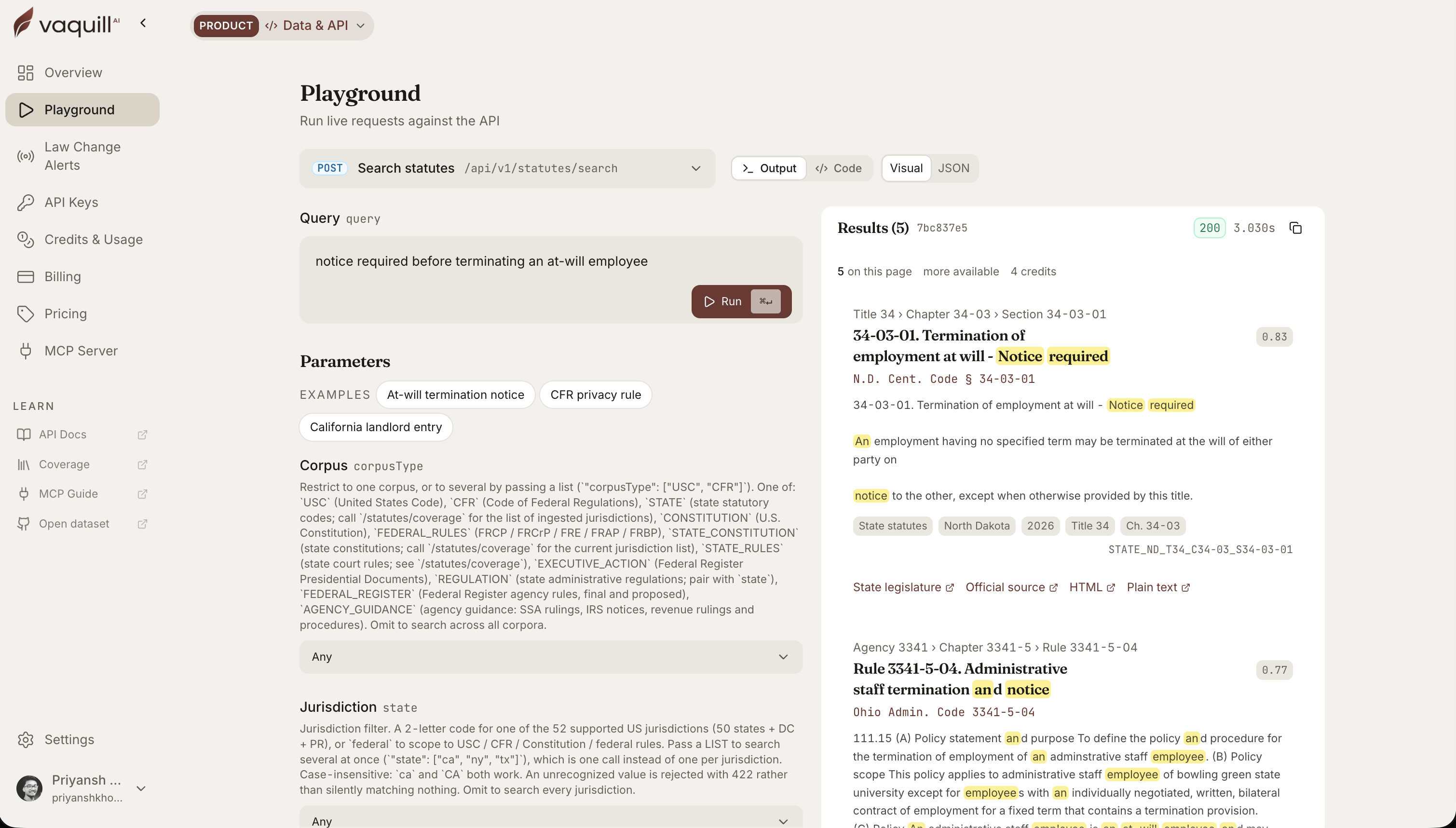 The same corpus behind this article, queried live. Every result carries its citation and a link to the official source.
TL;DR
- A contract review skill is a reusable spec, not a prompt. It encodes your positions per clause and runs identically on every contract type, not just NDAs.
- The layer most teams skip is severity. Without tiers (blocker / negotiate / note), every flag looks equally urgent, reviewers drown, and they stop trusting the output.
- Fallbacks have to be ordered, concrete steps. "Accept something reasonable" is not enforceable. "First ask for X, then accept Y, never accept Z" is.
- A skill governs the reviewer, not the counterparty. It does not make a clause enforceable. Governing law still controls (anti-assignment rules, for example, vary sharply by state).
- The lawyer still owns verification. ABA Formal Opinion 512 puts the duty on you, so the spec must encode "escalate" and "verify," never "auto-accept and move on."
- This is the narrow how-to. For the wider why, the adoption data, and a 30-day pilot, read the contract review guide.
A contract review skill flags clauses by severity. What does the Vaquill AI Contract Review skill mark a term you will not sign as written, like uncapped liability?
Part of our document tools, redline, and matrix guide series.
For related document-tools coverage, see AI Contract Review: A Lawyer's Guide to Getting Started and How to Build an NDA Playbook Your AI Can Actually Enforce, and which built-in legal AI skill to run for each task.
Why "skill" and not "prompt"
Contract work is the most operationalized use of legal AI right now, not a someday bet. Code & Counsel's State of Legal Contract AI 2026 found that 64% of legal departments using AI use it for contract drafting, review, or analysis, and that power users save roughly 30 to 37 hours a month.
That is not a marginal efficiency. That is a part-time hire's worth of reading reclaimed, and it only shows up when the review is repeatable.
Repeatability is exactly what a prompt does not give you. A prompt is ephemeral. You write it, you get an answer, the context evaporates.
Next week you write a slightly different prompt, get a slightly different answer, and now your "standard" review depends on whatever you happened to type. That variance is the silent killer. The team that reviews 500 vendor agreements a year cannot afford for contract 312 to be judged against a fuzzier bar than contract 47.
A skill solves this by being durable. The same rules, saved as a named object (this is what a Skill is), apply every time.
Spellbook describes the underlying pattern cleanly in their write-up on using AI to review contracts: encode your preferred language, your acceptable fallbacks, and your required clauses into a reusable rule set, and let each new contract pass or fail against it with suggested fixes. The novelty is not the model reading the contract. The novelty is that the standard stops living in someone's head.
If you have read our NDA playbook piece, this is the same philosophy generalized. That post was NDA-only and centered on the five-part decision spec for confidentiality terms.
A contract review skill applies the same engineering to every contract type, and it adds the layer the NDA piece did not center: severity flags. That layer is what makes the thing usable on a Tuesday morning instead of a one-time experiment.
One rule per clause, not one mega-prompt
The first mistake is to write the skill as a single block of instructions. "Review this contract for unfavorable terms and flag anything risky" is a prompt, not a spec. The model has no anchor, so it improvises, and improvisation is the opposite of consistency.
Structure the skill as a list of rules, one per clause type. Each rule has four parts:
- Position. The clause and what your house standard wants. Mutual indemnification. A liability cap at 12 months of fees. Termination for convenience on 30 days' notice. Concrete, not aspirational.
- Severity. How much a deviation matters. More on this in a second, because it is the whole game.
- Fallback ladder. The ordered set of positions you will retreat to, in sequence, before you hard-stop.
- Escalation trigger. The condition under which the skill must hand the contract to a human instead of suggesting a redline.
Write it like a decision table, not an essay. The model is literal. It applies a clear rule cleanly and an ambiguous one randomly.
The clearer the rule, the more boring and reliable the output, which is exactly what you want from contract review.
A skill built this way also has a property prose memos never have: you can audit it. When a reviewer asks "why did we flag the indemnity here," the answer is a specific rule with a specific position, not "the AI thought it looked off."
The part everyone skips: severity flags
Here is the failure mode I see most. A team encodes thirty clause rules, runs the skill, and gets back forty flags on a single MSA, all presented as equally important.
The missing liability cap sits next to the slightly-off notice address sits next to a non-standard but harmless recital. The reviewer scrolls, glazes over, and within a week stops opening the flag list at all.
The skill did its job and still failed, because it treated a five-alarm fire and a typo as the same event.
Severity tiers fix this. Three is enough:
- Blocker. A term you will not sign as written. Uncapped liability. An IP assignment of your own work product. A unilateral indemnity running against you. The skill should stop and route these to a human every time.
- Negotiate. A deviation worth pushing back on but not a dealbreaker. A liability cap at 6 months instead of 12. A 60-day notice period you would prefer at 30. The skill proposes the fallback redline and notes the deviation.
- Note. Worth a reviewer's awareness but not action. A non-standard governing-law state you are fine with. An unusual but benign defined term. Logged, not escalated.
Tag every rule with one of these. The payoff is that the reviewer now reads top-down: blockers first, then negotiables, and notes only if they have time.
A senior lawyer can triage a forty-flag MSA in minutes because thirty-five of those flags are notes they can scan and dismiss. Without the tiers, the same forty flags are an undifferentiated wall, and the natural human response to an undifferentiated wall is to ignore it.
This is the layer that converts a clever demo into a daily tool. GC AI's 2026 in-house guide makes the related point that playbooks take real setup work but pay off by applying one standard uniformly across reviewers.
The uniformity is the point. Severity is what makes the uniform output legible enough to act on.
Fallbacks have to be ladders, not adjectives
The third mistake is writing fallbacks the way you would brief a colleague: "accept a reasonable cap." A human fills in "reasonable" from experience. A model cannot.
It will guess, and it will guess differently depending on the surrounding text, which reintroduces exactly the inconsistency you built the skill to kill.
A fallback has to be an ordered ladder of concrete positions. For a limitation-of-liability clause, the ladder might read:
- Preferred: cap at 12 months of fees paid, mutual.
- Acceptable: cap at total contract value, mutual.
- Acceptable with note: one-sided cap in our favor at 12 months.
- Hard stop: no cap, or a cap below 6 months of fees. Escalate.
Now the skill has somewhere to go. On a deviation it walks down the ladder, proposes the highest rung the counterparty's draft can reach, and escalates when it hits the hard stop. No adjective required.
The ladder is also where institutional knowledge gets captured: the reason you accept total contract value as rung two is a negotiation lesson someone learned, now encoded so the next reviewer inherits it for free.
Build the ladder for every negotiable clause. The clauses that have no acceptable fallback (your non-negotiables) get a one-rung ladder that is just "hard stop, escalate." That is fine.
The point is that the model never has to invent a position. It only ever selects from positions you decided in advance.
Set up contract review in Vaquill AI: step by step
Here is the actual setup, start to finish, using the built-in Contract Review skill. The same shape works in any playbook-based tool; the slash command and the GREEN/YELLOW/RED flags are Vaquill AI specifics.
- Load your playbook. Open a chat and type
/to bring up the skill menu, then pick Contract Review. The skill already carries a clause framework (it detects 120+ clause types and references UCC, FTC, antitrust, and arbitration rules). Your job is to layer your house positions on top, which you do in the prompt or a saved instruction: "Our liability cap is 12 months of fees, mutual. Termination for convenience on 30 days' notice. Mutual indemnification only." - Configure positions and severity. State, per clause, the position and how bad a deviation is, mapped to the tiers the skill outputs. Vaquill AI's Contract Review flags clauses GREEN (within position), YELLOW (deviation worth negotiating), and RED (blocker). Tell it which clauses are RED for you so a missing cap or a one-sided indemnity routes to a human instead of getting a polite suggestion.
- Run it on a contract. Upload the document (the skill works across supported file formats) and run the skill, or in Agent Mode just ask "review this MSA against our positions" and the right skill auto-activates. It walks the contract clause by clause, not as one pass over the whole text.
- Review the flags top-down. Read RED first, then YELLOW, then skim GREEN. For redlines, the output ranks each suggested change Must-Have, Should-Have, or Nice-to-Have, gives exact replacement language, and lists fallback positions, with a summary table for quick triage.
- Export or share. Pull the summary table and the redline language into your draft, or share the structured output with the deal owner. The flags carry the clause text they fired on, so the next reviewer sees why each one triggered.
A worked example: limitation of liability
Say the skill hits this clause in a vendor SaaS draft:
Vendor's aggregate liability under this Agreement shall not exceed the fees paid by Customer in the three (3) months preceding the claim.
Your position is a 12-month, mutual cap, and the draft offers a one-sided 3-month cap. That is below your hard-stop rung, so the skill does not quietly suggest a tweak. It returns something you can act on in one line:
- Flag: RED (blocker). Liability cap is 3 months of fees, one-sided in Vendor's favor. House position is 12 months, mutual. This sits below the hard-stop rung (no cap, or a cap under 6 months), so escalate.
- Suggested redline (Must-Have): "...shall not exceed the fees paid by either party in the twelve (12) months preceding the claim," made mutual.
- Fallback if 12 months is refused: total contract value, mutual (rung two), then a one-sided 12-month cap in your favor with a note (rung three).
That is the difference between a flag a reviewer trusts and a flag they ignore: it names the clause, the position it breaks, the severity, and the exact next move.
Verify before you trust the output
A skill makes review consistent. It does not make it correct. Before any high-severity flag changes what you sign, run three checks.
- Spot-check the GREEN passes, not only the RED flags. A false GREEN (a real blocker the skill let through) is more dangerous than a false RED, because nobody looks at a pass. On your first ten test contracts, re-read every clause the skill cleared.
- Confirm the statute, not the summary. When a flag rests on a legal rule, open the cited section and read it. The product grounds legal claims in real sources rather than training-data recall, but the duty to verify is still yours.
- Diff against your manual review. For the calibration set, line up the skill's flags against what you caught by hand. Each gap is either a rule to add or a position to sharpen. That is the loop that makes the skill better over time.
The skill governs your reviewer, not the contract
This is the conceptual trap, and it catches smart people. A contract review skill does not bind your counterparty and it does not make any clause enforceable.
It governs the reviewer, human or AI. Whether the resulting contract holds up is a question of law, and the law is not something a skill gets to decide.
Anti-assignment clauses are the cleanest illustration, because the governing rule genuinely varies by state and a skill that assumes one rule everywhere will quietly mislead you.
Take Louisiana. Under La. Civ. Code art. 2653, a right cannot be assigned when the contract prohibits it, but the prohibition "has no effect against an assignee who has no knowledge of its existence." So an anti-assignment clause that would block an assignment in one state may not bite a good-faith assignee in Louisiana.
A skill rule that flags "anti-assignment clause present, treat as fully blocking" is wrong in that jurisdiction, and confidently wrong is the dangerous kind.
The fix is to make the skill cite the actual governing law rather than a baked-in assumption. When a rule turns on a statute, point it at the real text.
A public statutes API over the U.S. Code, the CFR, and the 50-state codes is what makes that practical: your skill can resolve "what does this state's law say about anti-assignment" against the actual section instead of guessing from training data. (Scope note: the public API covers statutes and legislation only; case-law grounding stays inside the product.)
A skill that cites La. Civ. Code art. 2653 by section is doing legal work. A skill that says "anti-assignment clauses are generally enforceable" is doing vibes.
The lawyer still owns verification
None of this moves the duty of competence. ABA Formal Opinion 512 (July 2024) is explicit that a lawyer using generative AI remains responsible for the work, including verifying outputs.
The Mata v. Avianca sanctions in 2023 are the cautionary tale everyone already knows: the tool inventing things is your problem the moment you sign off.
So build the duty into the spec. Two rules belong in every contract review skill regardless of contract type:
- Escalate, do not auto-accept. When a clause hits a hard stop, or the contract contains a structure the skill has no rule for, the skill routes to a human. Silence is not approval. An unmatched clause is a flag, not a pass.
- Cite, do not assert. When a rule rests on a legal proposition, the output should point to the source so a human can verify it in seconds. A redline suggestion with a statute cite is checkable. A redline suggestion with a confident tone is a liability.
This is also why "auto-path the easy contracts" is a feature and not a shortcut. Roughly two-thirds of inbound agreements in many pipelines sit inside playbook tolerance and can move fast. The remaining third deviate enough to deserve a human.
The skill's job is to draw that line cleanly and honestly, sending the routine through and the genuinely contested up the chain. The routing is the design, not a failure of the model.
Running it across the whole stack
Once the skill exists, the leverage compounds, because one artifact now covers every contract type that shares those clauses. The liability ladder you built for SaaS agreements applies to your vendor MSAs. The indemnity rule applies to your leases.
You are no longer rebuilding the standard per document, which is the entire reason a skill beats a prompt.
The next step up is volume. A single skill plus single-document chat reviews one contract at a time, which is fine for the inbound trickle. When you are looking at a stack (a vendor portfolio in diligence, fifty leases in an acquisition), running the same skill across all of them and getting back a grid of how each contract scores against your positions is a different kind of useful.
That is the document matrix pattern: extract the same fields across dozens of documents into a tabular view so you can see, at a glance, which fifteen of the fifty have uncapped liability. The skill defines the standard. The matrix applies it at scale.
One prerequisite before you pipe a single contract through any of this: know where the data goes. Contracts are some of the most sensitive documents a firm handles, and "we sent the whole MSA to a model that trains on inputs" is a confidentiality problem, not a productivity story.
We wrote up what to actually check before routing client documents through any AI tool. Read that before you scale, not after.
Where to start
Do not try to encode your entire playbook on day one. Pick the five clauses that cause the most pain: limitation of liability, indemnification, termination, assignment, and confidentiality is a defensible starting set for most commercial contracts.
Write each as a four-part rule with a real severity tag and a concrete fallback ladder. Run the skill on ten contracts you have already reviewed manually and compare.
The gaps you find are not the model failing. They are the places your playbook was ambiguous, and now you get to make them precise once instead of re-deciding them forever.
The unglamorous truth is that the value here is configuration discipline, not AI magic. The teams that get consistent, trustworthy contract review are the ones who did the boring work of writing down what they actually want, clause by clause, with severity and fallbacks attached.
The model is the easy part. The spec is the moat.
FAQ
How do you set up AI contract review?
Encode your house positions as a reusable skill, one rule per clause, where each rule has a position, a severity tier, an ordered fallback ladder, and an escalation trigger. Run that skill on a contract, read the flags by severity, and verify the high-severity ones against the source. In Vaquill AI you start the built-in Contract Review skill with a slash command, point it at an uploaded document, and read back GREEN/YELLOW/RED flags with redline suggestions.
What is a contract review playbook?
A contract review playbook is your written standard for what each clause should say, how far you will bend, and when to walk. A contract review skill is that playbook turned into a reusable object an AI applies the same way to every contract, instead of a memo that lives in a shared drive and varies by reviewer.
How many rules should a contract review playbook have?
Start with five clauses, the ones that cause the most pain (limitation of liability, indemnification, termination, assignment, confidentiality), then expand. Help docs from playbook tools commonly suggest 10 to 25 rules as a working range (ContractSafe, June 2026). Past that, you tend to add noise faster than coverage, so add a rule only when a real contract exposed a gap.
How long does it take to set up AI contract review?
Configuring five clauses and running them on ten past contracts is an afternoon, not a quarter. Building a full library across every contract type takes longer because the slow part is your team agreeing on positions, not the software. Setup-time estimates from vendor guides range from a day or two for pre-built playbooks to several weeks for a custom library (multiple vendor help docs, June 2026).
Can AI contract review replace a lawyer?
No. A skill governs the reviewer, human or AI; it does not make a clause enforceable and it does not own the verification duty. ABA Formal Opinion 512 (July 2024) keeps the lawyer responsible for the work, including checking AI output. The skill routes routine contracts through fast and escalates the contested ones; a human still signs.
What is the difference between a contract review skill and a prompt?
A prompt is one-off; you type it, get an answer, and the context disappears, so next week's review depends on what you happened to type. A skill is durable: the same rules, saved as a named object, run identically every time. That durability is what makes review consistent across reviewers and across 500 contracts a year.
Does a contract review skill handle state-by-state law differences?
Only if you build it to. Rules on anti-assignment, choice of law, and non-compete enforceability vary by state, so jurisdiction-sensitive rules should cite the actual statute rather than a baked-in default. A public statutes API over the U.S. Code, CFR, and 50-state codes lets the skill resolve a state's rule against the real section instead of guessing.
New legal AI guides, weekly.
Further Reading
Top 12 Legal Redline Software Tools (2026)
Read postHow to Build an NDA Playbook Your AI Can Actually Enforce
Read postLegal AI Workflows: How Law Firms Chain Multi-Step AI Tasks in 2026
Read postHow to Compare Documents and Export Clean Redlines (Step-by-Step)
Read postBulk Contract Review: How to Review Many Contracts at Once With a Document Matrix
Read postLegal Document Version Control: Which Platforms Track Versions
Read post
Product & Content
The US primary law data API: statutes, regulations, constitutions, court rules, executive orders and agency guidance across 53 US jurisdictions, each section cited and linked to its official source, via REST, MCP or SQL.