DocuSign CLM and AI contract review solve different problems. CLM governs the whole contract lifecycle (intake, drafting, approval, signature, storage, renewal). AI contract review reads the language of one agreement and flags clause-level risk against a playbook. DocuSign CLM is the lifecycle system; its new AI-Assisted Review is the clause-level layer bolted on top. Most in-house teams end up wanting both, but the redlining step is where the seam shows.
Ask an in-house counsel how they redline a contract in DocuSign CLM and watch the small flinch. The honest answer is that they do not.
They open the contract, click download, pull it into Microsoft Word, turn on Track Changes, mark it up, save it, and re-upload the new version. Then the counterparty does the same thing in the other direction. Every round.
The CLM, the supposed system of record, mostly watches the file go out the door and come back changed, with no real idea what happened in between.
That is the gap at the center of any honest DocuSign CLM redlining conversation in 2026. And it is the gap DocuSign's newest AI features quietly admit, because the fix they shipped this spring is an AI assistant that suggests edits on top of the exact same download-to-Word-and-re-upload loop. Faster horse, not a car.
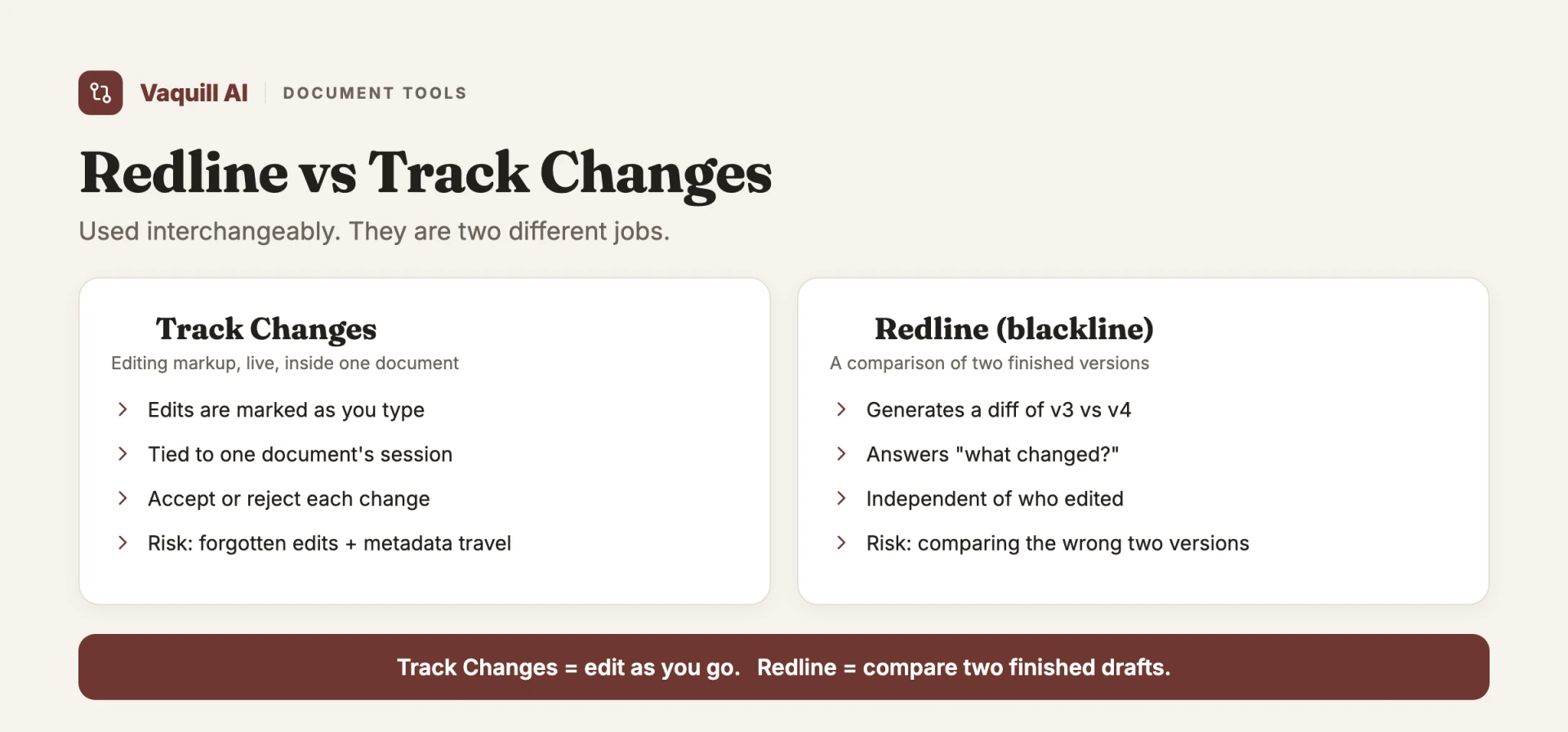
Track Changes is editing as you go; a redline compares two finished drafts.
TL;DR
- CLM vs AI contract review is scope vs depth. CLM (DocuSign CLM, Ironclad) runs the full lifecycle. AI contract review reads the clauses of one agreement and flags risk against a playbook. They overlap most, and clash most, at the redlining step.
- DocuSign CLM has no native in-platform redlining. Counterparties download to Word, use Track Changes, and re-upload, every round. The known costs: lost tracked-change history, no clear audit trail, no clean split between internal and external versions.
- DocuSign's March 25, 2026 release added AI-Assisted Review on its IAM platform, powered by the Iris engine: playbook generation, risk flagging, suggested redlines, and PDF-to-DOCX conversion. DocuSign claims up to 15 minutes saved per NDA and 30 to 60 minutes per MSA (PR Newswire, Mar 2026).
- The assistant runs as a Microsoft Word add-in. DocuSign ships AI-Assisted Review as an AI panel inside Word itself (DocuSign, 2026). That is the whole thesis of this post in one product decision: the AI got smart, and Word is still the editing surface.
- The bottleneck was never "we lack AI suggestions." It was "markup, versions, and the reasoning behind each edit do not live in one place." AI bolted onto a broken loop inherits the broken loop.
- You may need both, but pick by your primary job: lifecycle governance points to CLM, fast clause-level negotiation points to grounded AI review. The decision table is below.
- AI markup pays off only when it is grounded (every suggestion tied to the actual clause and to real authority) and lives inside a comparison surface, not a re-upload cycle.
How does DocuSign CLM handle redlining natively?
Part of our document tools, redline, and matrix guide series.
For related document-tools coverage, see AI Contract Review: A Lawyer's Guide to Getting Started and Contract Lifecycle Management in 2026: Ironclad, DocuSign, ContractWorks, and the AI Layer Eating the Bottom.
DocuSign CLM vs AI contract review: the difference in one table
A CLM platform manages the contract as an object moving through stages. AI contract review reads the contract as text and tells you what is risky. DocuSign CLM is the first kind; DocuSign AI-Assisted Review is the second, stitched into the same product. The split below is what buyers actually decide on.
| Axis | DocuSign CLM (lifecycle) | AI contract review (clause-level) |
|---|---|---|
| Core job | Govern the full lifecycle: intake, drafting, approval, signature, storage, renewal | Read one agreement and flag clause risk against a playbook |
| Where it works | Pre and post-signature, end to end | Pre-signature review and negotiation |
| Redlining | No native markup; download to Word, Track Changes, re-upload | Suggests redlines inline, against your standard positions |
| Best for | High volume of own-paper contracts, cross-team workflows, obligation tracking | Fast clause-level negotiation on third-party paper, NDA and MSA triage |
| Setup time | Months; cross-functional rollout (Today's General Counsel, 2025) | Days to weeks with a prebuilt or custom playbook (Today's General Counsel, 2025) |
| Main user | Legal ops plus business teams | Legal team |
When you need which (or both)
Pick by your primary pain, not the demo.
- You need CLM when the problem is governance: contracts scattered across drives, missed renewals, no obligation tracking, no single repository. That is lifecycle work, and clause-level AI does not solve it.
- You need AI contract review when the problem is throughput: a queue of third-party NDAs and vendor agreements, and a two-person team that has to negotiate them against a playbook this week. Setup is days, not months.
- You need both when you run own-paper at volume and still negotiate inbound paper daily. The catch: if the two layers do not share one surface, the redlining step falls back into the Word round-trip, and you lose the traceability both were supposed to give you. That seam is the rest of this post.
Why DocuSign CLM redlining still routes through Word
Here is the workflow most CLM buyers do not fully price in until they live it. Juro, a contract platform that competes in this space, laid out the DocuSign CLM redlining flow plainly in its own teardown: there is no native redlining, so the contract has to be downloaded, edited in Word with Track Changes, and re-uploaded (Juro). The consequences they name are the ones every legal ops lead recognizes:
- Tracked-change information can get lost between versions.
- There is no clear audit trail of who changed what and why.
- There is no clean way to keep an internal markup separate from the version you send out.
Read those three again, because they are not really about redlining. They are about traceability. The act of marking up a clause is trivial. Word has done it competently for twenty years.
The hard part is keeping the chain intact: this version came from that version, this edit replaced that language, and here is the reasoning that justified it. The moment you edit in a tool that is divorced from where the contract is stored, that chain snaps.
You are now reconciling versions by filename. Anyone who has opened a folder containing MSA_v3_final_FINAL_redline_KP_clean.docx knows exactly how that ends.
This is the non-obvious point that gets buried under the AI hype. The redlining problem at most in-house teams was never a shortage of suggestions. It was a shortage of one place where the markup, the versions, and the reason behind each edit all live together.
A platform can have the best clause library on earth, but if the actual editing happens in a separate application and comes back as a re-uploaded file, the platform has already lost custody of the thing it claims to govern.
What DocuSign actually shipped, and what it admits
DocuSign clearly knows this hurts. Its March 25, 2026 release reimagines AI-Assisted Review as a conversational assistant powered by Iris, the company's AI engine, built directly on the Intelligent Agreement Management (IAM) platform and available to DocuSign CLM and select IAM customers (PR Newswire, Mar 2026).
The capabilities listed are genuinely useful on paper: generate a review playbook from your templates, flag risky language, suggest redlines or generate new language, and convert PDFs to DOCX so you are not stuck reviewing a flat file (DocuSign Releases). DocuSign claims the assistant saves up to 15 minutes per NDA and 30 to 60 minutes per MSA (same release). Take vendor time-savings as vendor numbers, but the direction is real.
Here is the detail that settles the argument. DocuSign ships AI-Assisted Review as an add-in that lives inside Microsoft Word. The product page's own title is "AI Document and Contract Review Tool in Microsoft Word," and the assistant is a chat panel you review, redline, and draft in without leaving Word (DocuSign, 2026). Read that as an admission, not a feature. The company that owns the system of record looked at where redlining happens and decided the honest place to put its AI was Word, because that is where the markup already lives. The document still starts as a download and returns as a re-upload. DocuSign just made the Word step smarter instead of replacing it. Availability tracks that: it runs on DocuSign CLM and Agreement Desk, in English, French, German, Spanish, and Brazilian Portuguese (DocuSign, 2026).
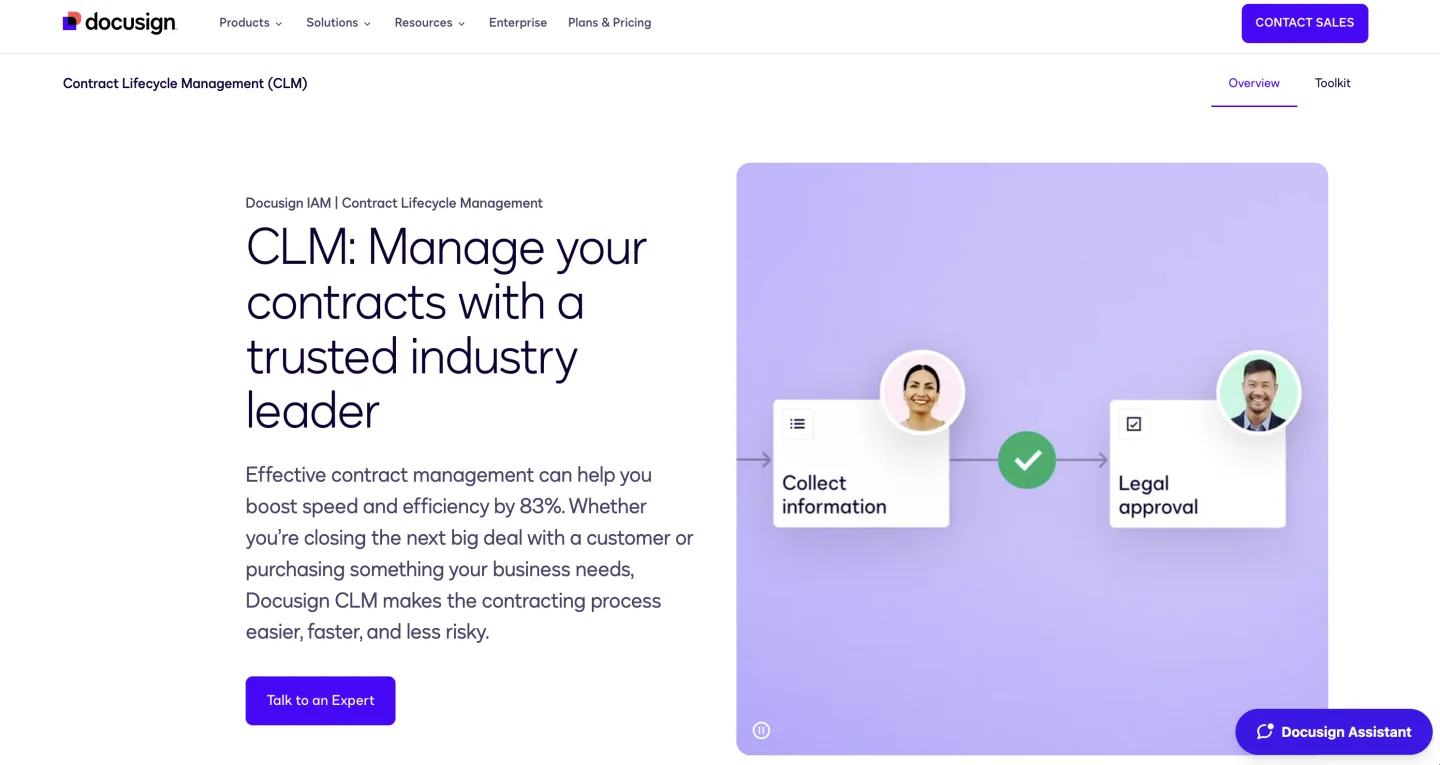
Iris is not a thin wrapper. DocuSign describes it as built from millions of workflows, and the contract-understanding muscle behind it came in large part from acquiring and fully integrating Lexion, the AI contract startup.
The April 2025 announcement positioned "AI contract agents" that analyze agreements and flag risk. So this is a serious engine, not vaporware.
The add-in is not the only tell. Notice two more in the same release.
First, the PDF-to-DOCX conversion feature. You only need to convert a PDF back into an editable Word document if your workflow still bottoms out in a Word round-trip.
The AI got smarter; the plumbing underneath it did not change. The assistant suggests an edit, and you are still pointed back toward a downloadable, re-uploadable file.
Second, the genuinely interesting part, the context-aware review that pulls from DocuSign's Navigator repository so the AI reasons about a clause against your whole contract history, is marked "coming soon." That is the piece that would actually start closing the traceability gap, and it is the piece that is not shipping yet. What shipped is the suggestion layer on top of the old loop.
I am not picking on DocuSign here. This is a structural choice every incumbent makes. You bolt the AI onto the existing system of record because rebuilding the editing and version surface is the expensive, multi-year project.
Suggestions are the cheap, demoable win. But suggestions sitting on top of a download-and-re-upload cycle inherit every problem the cycle had. The AI now writes the redline you will lose track of.
What most people get wrong about "AI redlining"
When teams hear "AI redlining," they picture the bottleneck being the writing of the markup. The fantasy is a button that produces the perfect counter-position to a one-sided indemnification clause. That is the part the AI does well, and it is the least important part.
The bottleneck is the round-trip and the traceability. If the AI suggests an edit but you apply it in a separate editor, export it, and re-upload it, you have automated the easy step and left the hard step untouched.
Worse, you have added a new failure mode: an AI-generated edit that nobody can later trace back to a clause, a playbook rule, or a piece of authority. Six months on, when someone asks "why did we agree to a 12-month survival on confidentiality here," the answer is a filename and a shrug.
Two properties separate AI markup that helps from AI markup that just adds motion.
Grounding. Every suggestion should be tied to the specific clause it touches and to the actual authority or playbook position behind it, not a confident paragraph of free-floating text.
This matters more in legal work than almost anywhere else, because the cost of an ungrounded confident answer is not embarrassment, it is sanctions. The 2023 Mata v. Avianca episode, where lawyers filed a brief citing cases ChatGPT invented, is the permanent reminder.
ABA Formal Opinion 512 (July 2024) put the duty in writing: competence with generative AI means verifying its output. An AI redline you cannot trace to a real position is the contract-review version of a hallucinated citation.
Co-location. The markup, the versions, and the reasoning have to live in the same surface where the document does. The instant editing leaves that surface, the audit trail is on the honor system. This is the requirement DocuSign's "coming soon" Navigator integration is reaching toward and the one a Word round-trip can never satisfy, no matter how good the suggestions are.
Put those together and the unmet ask becomes obvious. Teams do not want a smarter Word.
They want a comparison view where the AI proposes a change, shows it inline against the prior version, cites the clause and the position it is enforcing, and keeps the whole chain in one place. That is a different product than an assistant that hands you a redline and waves you back toward your downloads folder.
The market has already conceded the point
You do not have to take my word that flagging is the weak default. The vendors say it themselves now.
Sirion markets a comparison of "Best CLM Tools with Automated Clause Redlining vs Just Flagging," and the framing alone is the concession. If "we actually rewrite the clause" is your selling point, you are implicitly admitting that "we flag the clause and leave you to it" was the standard, and that the standard was not enough.
The more telling split is not who flags versus who rewrites. It is where the markup physically happens. DocuSign's own listicle of AI contract-analysis tools puts most of the market in one of two camps (DocuSign, 2026): platforms that send the editing back to Microsoft Word, and browser-native platforms that keep the redline inside the app.
| Tool | Category | Where the redline happens | Pricing |
|---|---|---|---|
| DocuSign CLM + AI-Assisted Review | Lifecycle CLM plus AI layer | Microsoft Word (add-in) (DocuSign, 2026) | Quote-based / not public |
| Ironclad | Lifecycle CLM plus AI | In-app editor and Word round-trip, workflow-first | Quote-based / not public |
| Juro | Browser-native CLM | Inline, in-browser redlining (Juro) | Quote-based / not public |
| Evisort / LinkSquares | Analytics-led CLM | Repository and extraction-first; markup leans on external editors | Quote-based / not public |
| Kira / Luminance | Review and diligence AI | Extraction and anomaly flagging, not a negotiation surface | Quote-based / not public |
No public list prices here are a coincidence. This tier of the market is sales-led, so any clean "$X/seat" figure you see quoted elsewhere is worth checking against a real quote. The pattern that does hold: the heavyweight CLMs treat Word as the editing surface, and the concession Sirion is selling against is exactly the seam this post is about.
This is the same pressure I traced in the broader CLM buyer's guide for 2026: AI-native review is pulling the simpler workflows out of full CLM platforms entirely.
If your team mostly redlines NDAs and vendor agreements, the question is whether the heavyweight CLM and its Word round-trip earn their keep, or whether a leaner setup that does grounded markup in one surface gets you there with less friction. That is the same trade-off behind the best legal redline software shortlist: the tool that keeps the diff and the reasoning together beats the tool that just marks up faster.
That post is the right read if you are choosing a whole platform. This one is narrower: it is about why the redlining step specifically still hurts, even after the AI layer arrives.
And the redlining step is where the most usage actually lives. Anyone running AI NDA triage at volume knows the work is not the first read, it is the negotiation: the second, third, and fourth versions where positions move and someone has to remember why. That is exactly the part the download-and-re-upload loop handles worst.
What a grounded comparison surface looks like in practice
Strip the workflow down to what teams keep asking for and you get a short list.
- Open both versions side by side and see the diff inline. Not a re-uploaded file you eyeball against your memory of the last one. A real redline view that shows what moved (and if the redline versus track-changes distinction is fuzzy, that difference is exactly why the round-trip loses history). This is the surface DocuSign sends you to Word for, and it is the surface where everything else has to live too.
- Let the AI propose the change in that same view, with its reasoning attached. The suggestion should arrive tied to the clause and to the position it enforces, your fallback on liability caps, your standard on data-use, the governing-law you require, so the reasoning is auditable later, not reconstructed from a filename.
- Ground the harder calls in real authority. When a clause turns on a legal question, not just a playbook preference, the answer should cite something you can open and verify. A force-majeure or a fee-shifting argument that points to actual court opinions, with citations you click through, is worth ten confident paragraphs that point to nothing.
- Keep the chain in one place. Versions, edits, and reasons in the same workspace as the document, so the audit trail is a byproduct of the workflow instead of a manual reconstruction project.
Here is what grounded clause-level review looks like on one real clause, the kind a CLM "compare" view would only show you as a diff:
Vendor's aggregate liability shall not exceed the fees paid in the twelve (12) months preceding the claim.
- Playbook position it breaks: your standard cap is 12 months of fees, but it carves out a vendor data breach to a higher multiple. This clause has a flat cap with no carve-out.
- The one-line flag: "Liability cap is acceptable in form, but missing the data-breach carve-out your playbook requires. Add a super-cap for security incidents."
- The grounded version: when a clause turns on law rather than preference (say a limitation-of-liability challenge), the suggestion should cite something you can open, for example a real opinion or a statute section like Cal. Civ. Code 1668, not a confident paragraph that points nowhere.
A flag without the position and the authority is just a highlighter. The position is what makes the redline defensible six months later.
This is the design philosophy behind tools built AI-native rather than AI-bolted-on. A platform that keeps the redline and track-changes view in one surface (rather than exporting you to Word) can also ground harder calls in actual US court opinions with citations you can open.
The point is not the brand. The point is the shape: markup, versions, and grounded reasoning in one place, which is precisely the shape a download-and-re-upload loop cannot take.
There is a second pattern worth naming, because contract work is rarely one document at a time. When you are reconciling the same clause across thirty vendor agreements during diligence, single-document chat falls apart fast.
The useful surface there is a grid: extract the same metric (liability cap, auto-renewal window, assignment language) across every document at once and read it as a table. That multi-document extraction is the real differentiator over "chat with one PDF," and it is the kind of work CLM redlining never tried to solve because it was built around one contract moving through one pipeline.
The data question hiding underneath
One more thing the round-trip quietly breaks: data governance. Every time a contract leaves the system of record, gets edited somewhere, and comes back, you have created a copy with its own life.
Where did that Word file sit? Whose laptop? Which email thread? The audit-trail problem and the data-residency problem are the same problem wearing two hats.
This is worth thinking through before you let any AI layer, DocuSign's or anyone else's, into a contract workflow. Grounded markup in one surface is not only cleaner for traceability, it is cleaner for governance, because the document stops scattering.
If you are evaluating where your contract text and your prompts actually go, the data question is its own discipline, and a workflow that keeps everything in one place gives you fewer surfaces to audit.
For teams building the leaner stack rather than buying the heavyweight platform, the same logic shows up in the small-firm legal tech stack: fewer tools, less file-shuffling, tighter custody. And if your needs run to statutes and regulations rather than negotiation, a public statutes API scoped to US Code, CFR, and 50-state codes is a different job than contract markup but the same instinct: grounded, verifiable text instead of confident guesses.
Where this is heading
The incumbents will close the gap, eventually. DocuSign's Navigator-aware review is "coming soon," and when context-aware redlining lands inside the repository rather than in a Word round-trip, the structural critique here softens. The direction of travel is unmistakable: from a system of record that watches files leave and return, toward a surface where editing, versioning, and reasoning never leave at all.
Until then, the honest read on DocuSign CLM redlining in 2026 is this. The AI suggestions are real and often good. The loop they sit on top of is the same one that has been losing tracked changes and audit trails for years.
A smarter suggestion inside a broken round-trip is still a broken round-trip.
The teams that get ahead are the ones that stopped asking "can the AI write my redline" and started asking "does my redline, my versions, and my reasoning live in one place I can later defend." That is the car. Everything else is a faster horse.
Be clear about the lane split here: a clause-level AI review tool is not a full CLM, so it will not run approval workflows, renewals, or post-signature obligations the way DocuSign CLM or Ironclad do. What that tier does is the clause-level half this post is about, redline and track-changes in one comparison surface, with suggestions grounded in authority you can click through. If the redlining seam is your pain, see how the document comparison workbench keeps markup, versions, and reasoning in one place.
FAQ
Does DocuSign CLM have redlining? Not native, in-platform redlining. DocuSign CLM has a "Compare" feature that shows the diff between two versions, but the actual markup happens by downloading to Word, using Track Changes, and re-uploading the new version each round (Juro). The March 2026 AI-Assisted Review can suggest redlines, but applying them still routes through that download-and-re-upload loop.
What is the difference between CLM and AI contract review? Scope versus depth. CLM (Contract Lifecycle Management) governs the whole contract journey: intake, drafting, approval, signature, storage, and renewal. AI contract review reads the clauses of a single agreement and flags risk against a playbook. CLM is the system; AI review is a deep analysis step that often lives inside one stage of it.
Is DocuSign AI-Assisted Review the same as DocuSign CLM? No. DocuSign CLM is the lifecycle platform. AI-Assisted Review is an AI feature, powered by the Iris engine on the IAM platform, available to CLM and select IAM customers, that flags risk and suggests redlines (PR Newswire, Mar 2026). The AI is the layer; CLM is the platform under it.
Do I need both a CLM and an AI contract review tool? Often, but not always. If your problem is governance (scattered contracts, missed renewals, obligation tracking), you need CLM. If your problem is throughput (a queue of third-party NDAs and vendor agreements to negotiate against a playbook), AI contract review sets up in days and solves it directly. Teams running own-paper at volume while negotiating inbound paper daily tend to use both.
How much does DocuSign CLM cost? DocuSign CLM is quote-based; DocuSign does not publish CLM pricing and routes buyers to sales (DocuSign CLM). AI-Assisted Review is included for CLM and select IAM customers rather than priced as a separate add-on.
Does DocuSign AI-Assisted Review work inside Microsoft Word? Yes. DocuSign ships AI-Assisted Review as an add-in inside Microsoft Word, where you can review, redline, and draft language from an AI chat panel without leaving Word (DocuSign, 2026). That is a deliberate choice: Word is where the markup already happens, so DocuSign put the AI there rather than rebuilding the editing surface. The document still leaves the CLM to be edited and comes back as a new version.
Why does AI redlining still send me back to Microsoft Word? Because the AI was bolted onto the existing system of record, not built into a new editing surface. Two tells in DocuSign's own release: the assistant ships as a Word add-in, and there is a PDF-to-DOCX conversion feature (you only need to convert a PDF back to Word if your workflow still bottoms out in a Word round-trip). The suggestion got smarter; the plumbing underneath did not.
Is AI contract review accurate enough to trust the redlines? Only if it is grounded and you verify. ABA Formal Opinion 512 (July 2024) makes verifying generative-AI output a competence duty, and the 2023 Mata v. Avianca sanctions are the reminder of what ungrounded output costs. Trust suggestions that tie each edit to a specific clause and a real authority you can open; treat free-floating confident paragraphs as drafts to check.
New legal AI guides, weekly.
Further Reading
Top 12 Legal Redline Software Tools (2026)
Read postHow to Build an NDA Playbook Your AI Can Actually Enforce
Read postAI for Family Law: How Solo and Small-Firm Family Lawyers Use It
Read postLegal AI Workflows: How Law Firms Chain Multi-Step AI Tasks in 2026
Read postIntelAgree vs DocuSign CLM (and Ironclad, ContractWorks): AI Contract Management Compared
Read postHow to Compare Documents and Export Clean Redlines (Step-by-Step)
Read post
Product & Content
The US primary law data API: statutes, regulations, constitutions, court rules, executive orders and agency guidance across 53 US jurisdictions, each section cited and linked to its official source, via REST, MCP or SQL.